Blog

How to Watch Sports on IPTV UK in 4K

1. What Is IPTV and Why It Matters for Sports

Instead of using terrestrial Freeview, cable (Virgin Media), or satellite (Sky), IPTV provides TV programs online. Watch Sports in 4K IPTV. This matters because:

  • It removes the need for a dish or cable line.
  • You can watch sports on multiple devices (TV, laptop, phone, tablet).
  • Providers can stream in 4K HDR with Dolby Atmos, something traditional Freeview can’t.
  • Services are flexible — many offer month-to-month contracts, so you only pay for the sports season you want.

Compared to many legacy services, IPTV offers sports fans greater picture quality, portability, and flexibility. Watch Sports in 4K IPTV.

2. Why 4K Sports Streaming Is Different

Watching a movie in 4K is demanding, but live sports takes it up another level. Here’s why:

  • Frame rates: Football, rugby, and tennis are fast-paced. To look smooth, they’re often broadcast at 50 or 60 fps.
  • HDR (High Dynamic Range): HDR10 or Dolby Vision makes green grass, bright kits, and stadium floodlights pop with realism.
  • Audio: Many streams now support Dolby Atmos, making you feel like you’re in the stadium.
  • Low latency: No one wants to hear their neighbour cheer a goal 20 seconds before it appears on their screen.

👉 Bottom line: For 4K sports, you need the right combination of device, broadband, and app to get smooth, real-time action.

3. UK Sports Broadcasting Rights in 2025

Sports rights in the UK shift regularly. As of 2025, the main holders are:

  • Premier League Football: Sky Sports (majority of matches), TNT Sports (Saturday early kick-offs), Amazon Prime Video (selected rounds).
  • Champions League & Europa League: TNT Sports.
  • FA Cup: BBC + ITV (free-to-air).
  • EFL (Championship, League One, League Two): Sky Sports.
  • Formula 1: Sky Sports F1 (live), Channel 4 (highlights + one live race).
  • Cricket: Sky Sports (England home matches), TNT Sports (some overseas tournaments), BBC (The Hundred + highlights).
  • Tennis: Wimbledon (BBC), ATP/WTA (Sky + Prime Video).
  • Boxing/MMA: UFC Fight Pass, Sky Sports, TNT Sports, and DAZN.
  • Golf: Sky Sports.
  • Rugby Union: TNT Sports (Champions Cup), BBC/ITV/S4C (Six Nations), Sky Sports (club rugby).

👉 Tip: If you want all sports, you’ll need a mix of services — there’s no single provider that carries everything.

4. Legal IPTV Sports Providers in the UK

The following are the primary legitimate IPTV services that offer 4K sports viewing:

  • Sky Sports (via Sky Glass, Sky Stream, or NOW)
  • TNT Sports (via discovery+ app, BT/EE TV packages, Sky, or Virgin)
  • Amazon Prime Video (Premier League rounds, ATP tennis, boxing events)
  • DAZN (boxing, NFL, women’s football, MMA)
  • BBC iPlayer & ITVX (FA Cup, Wimbledon, Olympics, rugby)
  • F1 TV Pro (check UK availability, otherwise highlights on C4)
  • UFC Fight Pass
  • Disney+ (ESPN documentaries, occasional US sports coverage)

All of these services support IPTV delivery via apps — no dish required.

5. Devices That Support 4K Sports Streaming

To watch sports in full 4K HDR, you need the right device. Best choices in the UK 2025:

Smart TVs

  • LG webOS (2021 models and newer) – 4K HDR + Dolby Atmos supported.
  • Samsung Tizen TVs – Great for sports apps, though Dolby Vision isn’t supported.
  • Sony/Philips Android TV – Wide app support, including discovery+ and NOW.

Streaming Sticks & Boxes

  • Amazon Fire TV Stick 4K Max (2023 model or newer) – The most popular IPTV device in the UK.
  • Dolby Vision + Atmos, a seamless interface, and optimal performance are features of the Apple TV 4K (2022/2024 versions).
  • Google Chromecast with Google TV (4K) – Affordable and reliable.
  • NVIDIA Shield TV Pro – Power users’ choice, supports AI upscaling.

Consoles

  • Xbox Series X/S and PlayStation 5: Support 4K HDR streaming and run the majority of popular IPTV apps.

👉 Recommendation: If you’re serious about sports, invest in Apple TV 4K or Fire TV Stick 4K Max — they offer the best balance of quality and app availability. Watch Sports in 4K IPTV.

6. Broadband Requirements for 4K IPTV Sports

Streaming sports in 4K UHD requires consistent speeds — not just “headline” Mbps.

  • Minimum per stream: 15–25 Mbps (for stable 4K HDR).
  • Household with 4 users: At least 100 Mbps fibre recommended.
  • Best option: Full-fibre (FTTP) connections from BT, Sky, Virgin, or newer providers like Community Fibre, Hyperoptic, or G.Network.
  • Connection type: Ethernet > Wi-Fi. Use mesh systems or Wi-Fi 6 if you have Wi-Fi.

👉 Pro tip: Run a speed test on your streaming device, not just your laptop, before a big match.

7. A Step-by-Step Guide to IPTV Sports Setup

  1. Choose your device (Fire Stick, Apple TV, Smart TV).
  2. Connect to broadband (preferably Ethernet for your main TV).
  3. Download official apps (NOW, discovery+, Prime Video, BBC iPlayer, ITVX).
  4. Log in with your subscription.
  5. Turn on 4K and HDR in the app and device settings.
  6. Run a test stream (watch a 4K match replay or demo video).
  7. Optimise audio/video: select Dolby Atmos and sports picture mode on your TV.
  8. Enjoy live sports in UHD.

8. Best Apps for Sports IPTV in the UK

  • NOW Sports Membership (with the Boost add-on) for 4K Sky Sports channels.
  • discovery+ Premium (TNT Sports in 4K).
  • BBC iPlayer (Wimbledon, Olympics, FA Cup — streams in UHD where available).
  • Amazon Prime Video (Premier League, ATP tennis, boxing — in 4K HDR).
  • DAZN UK (boxing, NFL, women’s football).
  • F1 TV Pro (via Sky/Channel 4 if not allowed in the UK).

9. Troubleshooting Common Issues

  • Buffering during live football → Use Ethernet or lower stream to 1080p.
  • Audio delay (commentary out of sync) → Adjust audio sync in TV settings.
  • App not streaming in 4K → Check subscription tier (e.g., NOW Boost needed).
  • Blackout or no access → Rights restrictions; check if the match is carried by a different broadcaster.
  • Wi-Fi dropouts → Upgrade to mesh Wi-Fi or connect via cable.

10. How to Save Money on Sports IPTV Packages

  • Rotate subscriptions: Only keep NOW or discovery+ during active football or F1 seasons.
  • Use free-to-air matches: BBC iPlayer, ITVX still cover major events.
  • Ad-supported tiers: Some platforms offer cheaper packages with ads.
  • Family sharing: Share costs legally with household members.
  • ISP bundles: Check BT/EE, Sky, Virgin for streaming + broadband bundles.

11. Why Illegal IPTV Services Are a Risk

Tempted by a “£10 per month all sports channels” IPTV box? Be careful:

  • Illegal: They redistribute Sky/TNT streams without permission.
  • Unreliable: Streams often cut out during big games.
  • Unsafe: Risk of malware, fraud, and data theft.
  • Legal risk: Suppliers face jail; users risk account loss and possible legal action.

👉 Stick to licensed providers for the best, safest sports streaming experience.

12. IPTV Sports’ Prospects in the UK

Looking ahead to 2025–2030:

  • More sports will move to streaming-first models (Amazon, DAZN).
  • FAST sports channels may expand with free highlights coverage.
  • 5G & fibre broadband will improve stability and latency.
  • Expect personalised camera angles, real-time stats overlays, and VR experiments in IPTV sports apps.

13. Quick Reference Checklist

✅ Broadband: 50–100 Mbps fibre (Ethernet preferred)
✅ Device: Fire Stick 4K Max, Apple TV 4K, or Smart TV
✅ Apps: NOW (Sky Sports), discovery+ (TNT Sports), Prime Video, BBC iPlayer, ITVX, DAZN
✅ Subscription add-ons: NOW Boost for 4K, discovery+ Premium
✅ TV settings: Enable 4K HDR + Dolby Atmos
✅ Save money: Rotate subscriptions seasonally

Conclusion

Watching sports on IPTV in 4K in the UK has never been easier, sharper, or more flexible. With the right device, broadband, and mix of legal subscriptions, you can enjoy Premier League football, F1 races, Wimbledon, and more in breathtaking Ultra HD clarity — without the need for a dish or long-term contract. Watch Sports in 4K IPTV.

The key is to stay legal, optimise your setup, and choose the right subscriptions at the right time. IPTV gives you full control over how you watch sports in 2025 and beyond.

IPTV FREE TRIAL

IPTV vs Cable & Satellite: Which Is Right for You?

Television has been at the centre of home entertainment for decades. From the earliest days of black-and-white broadcasts to today’s ultra-high-definition 4K streams, the way we consume TV has changed dramatically. For many years, cable and satellite TV dominated the UK market, providing households with live channels, sports coverage, films, and premium shows. But in recent years, a powerful alternative has emerged — IPTV (Internet Protocol Television). IPTV or Cable: Best Choice.

Now, in 2025, millions of UK viewers are asking themselves the same question:
Is IPTV a better option, or should I continue with cable or satellite?

This in-depth 5,000-word guide explores IPTV vs cable and satellite TV, weighing the pros, cons, costs, reliability, and future of each. By the end, you’ll have a clear idea of which is right for your household.

1. What Is IPTV?

IPTV (Internet Protocol Television) uses the internet to broadcast television instead of coaxial cable or satellite.

  • Instead of tuning into channels through a dish or set-top box, IPTV uses your broadband connection.
  • Smart TVs, laptops, smartphones, tablets, and specialized IPTV boxes may all stream content.
  • It allows features like on-demand replay, catch-up TV, personalised recommendations, and 4K HDR streaming.

Examples of IPTV in the UK:

  • NOW (Sky’s streaming service)
  • discovery+ (includes TNT Sports)
  • BBC iPlayer, ITVX, All 4, My5
  • Amazon Prime Video, Netflix, Disney+, Apple TV+
  • DAZN, F1 TV, UFC Fight Pass

👉 IPTV isn’t just Netflix-style apps. It also includes live TV channels streamed over the internet.

2. What Are Cable and Satellite TV?

Before IPTV UK , the dominant TV methods were:

  • Cable TV (Virgin Media in the UK) – Uses coaxial cables to deliver hundreds of live channels and on-demand content.
  • Satellite TV (Sky TV, Freesat) – Uses a satellite dish installed outside your home to receive signals from orbiting satellites.

Both typically require:

  • A set-top box.
  • Installation by an engineer.
  • A long-term contract (12–24 months).

3. How IPTV Differs from Cable and Satellite

FeatureIPTVCable TVSatellite TV
DeliveryInternet (broadband)Coaxial cableSatellite dish
SetupNo dish, minimal hardwareCable line installationDish + receiver
FlexibilityMulti-device (TV, phone, tablet, PC)Mostly TV-onlyMostly TV-only
ContractsMonth-to-month or annual12–24 months12–24 months
On-demandBuilt-inLimitedLimited
PortabilityWatch anywhere with internetHome onlyHome only
LatencySlight delay possibleReal-timeReal-time


4. The Rise of IPTV in the UK

  • Nowadays, IPTV services are used by more than 60% of UK households either in addition to or replacement of traditional TV.
  • Sky itself has shifted focus with Sky Glass and Sky Stream, internet-first services that don’t require a dish.
  • Virgin Media is moving towards IPTV too, bundling apps with broadband.
  • On-demand content has become commonplace thanks to streaming behemoths like Netflix, Prime Video, and Disney+.

This shift shows that IPTV isn’t a niche — it’s the future of television in the UK. IPTV or Cable: Best Choice.

5. Advantages of IPTV

  1. Flexibility: View on any device from any location in the UK.
  2. On-Demand Content – Catch-up and replay features built in.
  3. No Installation Hassles – Just broadband + app = instant access.
  4. Better Picture Quality – 4K HDR and Dolby Atmos available.
  5. Cheaper Plans – Month-to-month subscriptions, no contracts.
  6. Personalisation – AI-driven recommendations, multiple profiles.
  7. No Hardware Required – Many smart TVs come pre-loaded with apps.
  8. Global Access – International channels via IPTV providers.
  9. Regular Updates – Apps constantly updated with new features.
  10. Bundled Streaming – Many ISPs now bundle Disney+, Netflix, or discovery+ with broadband.

6. Disadvantages of IPTV

  1. Internet Dependency – If your broadband goes down, no TV.
  2. Latency Issues – Can lag 10–30 seconds behind live cable/satellite feeds.
  3. Data Usage – Heavy use of broadband (4K streaming = 7–10 GB/hour).
  4. Subscription Fragmentation – Need multiple apps to cover all sports, films, and shows.
  5. Illegal Services Risk – Grey-market IPTV boxes are common but unsafe.

7. Advantages of Cable & Satellite

  1. Stable and Reliable – Less prone to buffering than IPTV.
  2. Live Broadcasting – Minimal delay for live sports.
  3. Bundled Packages – TV + broadband + phone bundles.
  4. Trusted Brands – Sky and Virgin are long-established names.
  5. Premium Channels – Exclusive rights to many sports and film channels.

8. Disadvantages of Cable & Satellite

  1. Expensive Contracts – Typically £60–£120 per month.
  2. Long Commitments – Locked into 12–24 month contracts.
  3. Installation Required – Engineer visits, satellite dish, cabling.
  4. Less Portable – Can’t take your Sky/Virgin box outside the home.
  5. Limited On-Demand – Catch-up TV, but less flexibility than IPTV apps.

9. Costs: IPTV vs Cable & Satellite

IPTV Costs (2025 typical):

  • NOW Sports Membership + Boost: ~£36–£46/month.
  • discovery+ Premium (TNT Sports): £30/month.
  • Amazon Prime Video: £8.99/month.
  • Netflix: £10.99–£17.99/month.
  • DAZN UK: £9.99–£19.99/month.

👉 Average household IPTV spend: £30–£70/month (depending on mix).

Cable/Satellite Costs (2025 typical):

  • Sky Q or Sky Stream Sports bundle: £50–£80/month.
  • Virgin Media Mega Volt Bundle: £70–£120/month.

👉 Average household cable/satellite spend: £60–£100/month.

10. Picture & Sound Quality Comparison

  • IPTV: Dolby Atmos and 4K HDR on a variety of platforms. Quality depends on broadband.
  • Cable/Satellite: 1080p HD standard, some 4K (Sky Q, Sky Glass). Stable quality, but less HDR availability.

Winner: IPTV for quality; Satellite for stability.

11. Device Compatibility and Flexibility

  • IPTV: Smart TVs, streaming sticks (Fire Stick, Chromecast, Apple TV, Roku), phones, tablets, laptops, consoles.
  • Cable/Satellite: Primarily tied to TV set-top boxes. Apps exist but limited (Sky Go, Virgin TV Go).

Winner: IPTV or Cable: Best Choice.

12. Content Availability

  • Sports: Available on satellite and IPTV, Sky Sports and TNT Sports have the majority of the rights.Amazon, DAZN exclusive to IPTV.
  • Films/Series: Netflix, Disney+, Apple TV+ only via IPTV.
  • International Channels: IPTV offers wider choice via apps.

Winner: IPTV for variety, Satellite for consistency.

13. Reliability & Performance

  • IPTV: Dependent on broadband stability. Fibre-optic broadband offers near-perfect performance.
  • Cable/Satellite: Works even during broadband outages. Can be affected by heavy storms (satellite).

Winner: Cable for reliability, IPTV for flexibility.

14. Legality and Risks

  • Licensed IPTV (NOW, discovery+, iPlayer) = 100% legal.
  • Unlicensed IPTV boxes promising “all Sky Sports for £10/month” = illegal, risky, and often shut down.

15. Which Is Best for Sports Fans?

  • IPTV: Offers Amazon, DAZN, F1 TV, UFC apps not available on satellite.
  • Satellite: More reliable for live football coverage.

👉 Verdict: Sports fans may need a hybrid approach (IPTV + Sky/TNT).

16. Which Is Best for Families?

  • IPTV: Great for kids (Netflix, Disney+, BBC iPlayer).
  • Cable/Satellite: Good for households wanting simple channel bundles.

👉 Verdict: Families with kids often prefer IPTV for its flexibility.

17. Which Is Best for Budget Viewers?

  • IPTV allows monthly cancellations and cheaper packages.
  • Satellite/cable has higher base costs.

👉 Verdict: IPTV wins for budget households.

18. Future of TV: Where Things Are Headed

  • Sky is moving away from dishes (Sky Glass, Sky Stream).
  • Virgin is trialling IPTV-first services.
  • Amazon, Netflix, and Apple continue investing in sports rights.
  • Free ad-supported TV (FAST channels) will grow on IPTV.

👉 The future is clearly internet-first television.

19. Quick Comparison Table

CategoryIPTVCable/Satellite
Cost£30–£70 avg.£60–£100 avg.
ContractsFlexible, monthlyLong-term (12–24 months)
Picture Quality4K HDR + Atmos1080p/4K limited HDR
ReliabilityBroadband-dependentVery stable
DevicesTV, phone, tablet, PC, consolesMainly TV box
Sports CoverageWide (Amazon, DAZN)Strong (Sky/TNT)
On-DemandExtensiveLimited

20. Final Verdict: IPTV or Cable & Satellite?

  • If you want flexibility, lower cost, and modern features, IPTV is the clear winner.
  • If you want absolute reliability for live sports and don’t mind higher costs, cable or satellite may still suit you.
  • For many UK households in 2025, the answer is a hybrid approach — a combination of IPTV apps with either Sky Stream or Virgin Media, ensuring all content needs are covered. IPTV or Cable: Best Choice.IPPTV FREE TRIAL

Troubleshooting IPTV UK: Fix Buffering and Black Screens

IPTV has transformed television in the UK. Whether you’re watching live football, bingeing your favourite series, or streaming global channels, IPTV (Internet Protocol Television) offers flexibility and often better quality than traditional cable or satellite. But like all internet-based services, IPTV isn’t immune to problems. Fix IPTV Buffering Issues UK .

Two of the most common issues UK users face are buffering and black screens. These problems can be incredibly frustrating — especially if they happen in the middle of a live Premier League match or your favourite Netflix show.

This in-depth 5,000-word troubleshooting guide will walk you through everything you need to know to diagnose and fix IPTV problems. From understanding why buffering happens to solving device-specific issues, you’ll learn practical, step-by-step solutions to keep your IPTV streams smooth and reliable.

1. Understanding IPTV: How It Works

Unlike satellite or cable TV, IPTV does not require a physical dish or coaxial line. Instead:

  • Content is delivered over your internet connection.
  • The IPTV service provider hosts channels and on-demand content on servers.
  • Your device (smart TV, streaming stick, phone, etc.) requests the stream through an app.
  • The server sends video packets, which your device decodes and displays in real time

Because IPTV is internet-based, any issue in the chain — from server problems to Wi-Fi interference — can result in buffering or a black screen. Fix IPTV Buffering Issues UK.

2. Why Buffering Happens on IPTV

When the video stutters or pauses due to the stream’s inability to keep up, this is known as buffering. Common causes include:

  • Slow broadband speed (not enough Mbps for 4K or even HD).
  • Unstable Wi-Fi connection.
  • ISP congestion (peak-time slowdowns).
  • Server overload (too many users on the IPTV provider’s side).
  • Outdated apps or firmware.

Think of buffering like filling a bucket with water while you’re drinking from it. If the tap (internet) is too slow, the bucket (video buffer) runs dry. Fix IPTV Buffering Issues UK.

3. Why Black Screens Happen on IPTV

A black screen means the app is open, but no picture appears. Causes include:

  • App crashes or software glitches.
  • Account login/authentication issues.
  • HDCP errors (copy-protection problems with HDMI cables or TVs).
  • Geo-restrictions (blocked content in your region).
  • ISP blocking or throttling IPTV traffic.

Sometimes, black screens are temporary — but persistent ones usually mean deeper technical or legal issues.

4. Broadband Requirements for IPTV in the UK

Your internet connection is the foundation of IPTV. Here’s what you need:

  • SD streaming (480p): 3–5 Mbps
  • HD streaming (720p/1080p): 10–20 Mbps
  • 4K streaming: 25–50 Mbps

For homes with several streaming devices, 100 Mbps fiber broadband is the ideal speed.

Best UK broadband options for IPTV:

  • BT Full Fibre
  • Virgin Media Gig1 Fibre
  • Sky Ultrafast+
  • Community Fibre / Hyperoptic (London & select cities)

5. First Steps: Quick Fixes for IPTV Issues

Before diving into advanced troubleshooting, try these basics:

  1. Restart your device and router.
  2. Check your broadband speed (run a speed test on the same device).
  3. Switch from Wi-Fi to Ethernet if possible.
  4. Update your IPTV app to the latest version.
  5. Clear cache/data of the app.
  6. Test another app (to see if the issue is service-specific).

6. Diagnosing Buffering Problems

Step-by-step approach:

  1. Check internet speed. If below 15 Mbps for HD or 25 Mbps for 4K, that’s the issue.
  2. Test another device. IPTV is device-related if it functions on your phone but not on your TV.
  3. Try another app. If only one app buffers, it’s an app/server problem.
  4. Run IPTV at lower quality (switch from 4K → 1080p).
  5. Check Wi-Fi signal strength. Use mesh Wi-Fi or move your router if it’s weak.

7. Diagnosing Black Screen Problems

  1. Check app login – Are you signed in? Has your subscription expired?
  2. Test HDMI connections – Replace old cables if needed.
  3. Turn off VPNs: Some IPTV apps block VPN traffic.
  4. Switch channel/content – Black screens may only affect certain channels.
  5. Reinstall the app – Corrupted files can cause display issues.

8. Wi-Fi vs Ethernet: The Connectivity Debate

  • Ethernet (wired): Best for IPTV. Stable, faster, low latency.
  • Wi-Fi (wireless): Convenient but prone to interference.

👉 If you must use Wi-Fi:

  • Use 5 GHz Wi-Fi for higher speeds.
  • Avoid crowded networks.
  • Invest in mesh Wi-Fi systems for larger homes.

9. Device-Specific Troubleshooting

Smart TVs (LG, Samsung, Sony, etc.)

  • Update firmware.
  • Reinstall IPTV app.
  • Check HDMI/HDCP settings.

Amazon Fire Stick / Fire TV

  • Clear cache & data.
  • Restart device.
  • Use Ethernet adapter if Wi-Fi is weak.

Apple TV 4K

  • Ensure tvOS is updated.
  • Reboot the device.
  • Toggle HDR settings (some apps have issues).

Android Boxes (NVIDIA Shield, MAG, etc.)

Consoles (PS5, Xbox Series X/S)

  • Check for app updates.
  • Ensure HDMI supports 4K HDR.

10. App-Related Fixes

NOW (Sky Sports, Entertainment, etc.)

  • Requires NOW Boost for 1080p/4K.
  • Clear cache if streams freeze.

discovery+ (TNT Sports)

  • Verify that you are enrolled in the appropriate plan (Premium for 4K).
  • Disable VPN if black screens appear.

BBC iPlayer & ITVX

  • Update app.
  • Check geo-location (UK-only content).

Amazon Prime Video & Netflix

  • Restart app if streams buffer.
  • Downgrade temporarily to 1080p if broadband struggles.

11. Advanced Network Fixes

  • Change DNS settings: Try Google DNS (8.8.8.8 / 8.8.4.4) or Cloudflare DNS (1.1.1.1).
  • Use a VPN: Can bypass ISP throttling, but may reduce speed.
  • Router QoS (Quality of Service): Prioritise IPTV traffic.
  • Mesh Wi-Fi: Eliminates dead zones in larger homes.

12. ISP Throttling

Some ISPs slow down streaming at peak times. Signs include:

  • IPTV works fine in the morning but buffers at night.
  • Only certain apps/services affected.

Solutions:

  • Upgrade to a faster package.
  • Use a reliable VPN.
  • Switch ISP if throttling persists.

13. Avoiding Illegal IPTV Services

Many black screen/buffering issues happen because users subscribe to unlicensed IPTV services. Risks:

  • Streams cutting out during live matches.
  • Malware and data theft.
  • Sudden service shutdowns by law enforcement.

👉 Use official IPTV apps like Netflix, DAZN, iPlayer, ITVX, NOW, and Discovery+ at all times.

14. Preventing IPTV Issues

  • Use Ethernet for your main TV device.
  • Keep apps and devices updated.
  • Subscribe only to licensed IPTV providers.
  • Regularly restart your router to clear network issues.
  • Avoid peak-time downloads if streaming live sports.

15. When to Call Your ISP or IPTV Provider

  • If your broadband speeds are consistently below your plan.
  • If IPTV apps crash despite good speeds.
  • If you see error codes that don’t resolve after reinstalling.

16. Future of IPTV Reliability in the UK

By 2030:

  • Full fibre rollout will minimise buffering.
  • IPTV providers will adopt AI-driven streaming optimisation.
  • 5G home broadband will provide alternatives to fixed fibre.
  • Black screens will become rarer as apps improve error handling.

17. Quick Troubleshooting Checklist

✅ Restart device and router
✅ Check your internet speed (for 4K, at least 25 Mbps).
✅ Switch to Ethernet if possible
✅ Update IPTV app/firmware
✅ Lower stream resolution if needed
✅ Change DNS / try VPN
✅ Avoid unlicensed IPTV services

18. Conclusion

Buffering and black screens are the most frustrating IPTV issues in the UK, but they’re usually solvable with the right steps. Most problems boil down to broadband speed, Wi-Fi instability, or app glitches. Fix IPTV Buffering Issues UK.

By ensuring you have fast, stable internet, the right device setup, and official IPTV apps, you can enjoy smooth, reliable, 4K IPTV streaming without interruptions.

👉 The future is IPTV — but only if you keep your system optimised.

IPTV FREE TRIAL

Is IPTV Legal in the UK? Everything You Must Know

1 — What is IPTV?

IPTV stands for Internet Protocol Television. It describes any system that delivers television content (live channels, on-demand programmes, or recorded video) over an internet protocol (IP) network instead of via terrestrial (Freeview), satellite (Sky) or linear cable (Virgin) broadcasts. Is IPTV Legal in UK?

Important distinctions:

  • Technology vs legality: IPTV is a delivery method (like IPTV apps, smart-TV apps, or streaming boxes/sticks). The legality depends on whether the service has the rights to distribute the content. Using the delivery method is not illegal — streaming licensed BBC, Netflix, Disney+ or other official apps over IP is perfectly lawful.
  • Legal IPTV examples: Official broadcaster apps (BBC iPlayer, ITVX, Channel 4’s All 4), large licensed streaming services (Netflix, Amazon Prime Video, Disney+), and ISP/broadcaster streaming bundles (Sky Stream, NOW, discovery+ packages) are legitimate IPTV offerings.
  • Illicit IPTV examples: “Fully loaded” boxes, apps, or subscription services that promise access to hundreds or thousands of premium channels (Sky Sports, BT Sport/TNT Sports, movie channels) for a tiny monthly fee — without clear licensing — are almost always illegal.

2 — The legal framework (high-level)

For IPTV companies and customers in the UK, three legal pillars are essential:

2.1 Copyright legislation, particularly the 1988 Copyright, Designs, and Patents Act

The CDPA 1988 and subsequent amendments create criminal and civil offences for distributing copyrighted content without permission. Supplying or facilitating access to broadcasts or recorded content without rights can amount to copyright infringement and — where done knowingly or commercially — criminal conduct. Provisions pertaining to services or equipment intended to go around technological security measures are also included in the legislation.

2.2 Fraud, money laundering and related criminal laws

Where operators monetise illegal IPTV (subscriptions, advertising, funnels to other criminality), prosecutors often add charges under the Fraud Act and money laundering offences. The government and law enforcement have used a combination of copyright and financial crime laws to dismantle networks.

2.3 TV Licence law and live broadcasts

A TV license is required in the UK in order to use BBC iPlayer or to view or record live TV on any channel or device. That requirement applies regardless of whether the content arrives by aerial, satellite, cable, or IP-based streaming. A licence is separate from copyright enforcement — it’s an administrative requirement enforced by TV Licensing, and evasion can lead to fines up to £1,000.

3 — Why many people are uncertain: grey markets and “IPTV” marketing

Due to IPTV’s widespread use and the simplicity of setting up streaming stacks, two related issues arose:

  1. Third-party sellers packaging pirated streams into easy-to-use playlists, pre-configured “boxes”, or subscription portals; and
  2. Confusion among consumers who don’t distinguish between branded, licensed streaming services and cheap “all channels” subscriptions found on social media marketplaces.

Because the technology is neutral and many legal streaming services use the same protocols, a casual buyer may not realise a seller is offering unlicensed access until enforcement actions or shutdowns occur. Is IPTV Legal in UK?

4 — Recent enforcement in the UK (what’s changed in 2024–2025)

In the last 18–24 months the UK has seen a significant escalation in enforcement actions against illegal IPTV operators. Law enforcement and industry groups have focused on disrupting the supply side (servers, websites, data centres and sellers) rather than minor end-users. Is IPTV Legal in UK? Notable examples:

  • High-profile sentencing (2025): The Police Intellectual Property Crime Unit (PIPCU) and associated agencies have prosecuted several operators, resulting in their imprisonment. For example, a man who ran a subscription IPTV service (aFINITY IPTV) was sentenced to five years for making around £300,000, and other operators were jailed after running large-scale services that sold access to thousands of channels. These cases underline that commercial operations running illegal streaming services can face substantial custodial sentences.
  • Seizures and arrests: In mid-2025, PIPCU executed warrants, seized servers from UK data centres and arrested suspects believed to be operating illegal services. These investigations sometimes involve international cooperation and lead to the closure of servers and web portals used to distribute pirated streams.
  • Organised crime links and money seizure: Sentences in 2025 included confiscation of proceeds and money-laundering charges — illustrating that illegal streaming is often treated as a profit-making enterprise akin to other organised intellectual property crime.

What these trends mean: law enforcement is prioritising supply-side disruption — seizing infrastructure and pursuing operators — and courts have demonstrated willingness to impose custodial sentences in serious commercial cases. That increases the legal risk for anyone distributing or operating large-scale illicit IPTV services.

5 — What the BBC TV Licence covers (and why it matters for IPTV users)

TV licensing upholds the TV license as an independent duty. Key points:

  • Using BBC iPlayer or watching or recording live TV on any channel—including online live streams—requires a license. This applies to any device — TV, laptop, tablet, phone.
  • The licence is not a “copyright permission”: holding a TV Licence does not make pirating channels legal. You can be required to hold a licence and still be committing copyright offences if you use an unlicensed IPTV service to access copyrighted content.
  • Enforcement for licence evasion is administrative/criminal and can result in fines. The licence regime and enforcement procedure are independent of copyright prosecutions.

Bottom line: if you watch live TV streams, have BBC iPlayer, or watch live broadcasts via IPTV, make sure you hold a valid TV Licence — and separately ensure the service you’re watching is legally licensed to carry that content. Is IPTV Legal in UK?

6 — How authorities build a criminal case against illegal IPTV operators

Investigations commonly combine several strands:

  • Technical evidence: server logs, subscription records, IP addresses, payment trails, and seized hardware showing playlists and distribution infrastructure. Data-center seizures in the UK have been utilized by PIPCU to collect evidence.
  • Financial evidence: bank records, crypto wallets, and assets indicating profit/financial benefit from sales — used for fraud and money laundering charges.
  • Legal framework: prosecutors apply the CDPA (copyright offence), the Fraud Act, and money laundering statutes depending on the behaviours and scale. The government has previously published guidance and consulted on enforcement tools against illicit IPTV.

That combination — technical, financial and legal — has resulted in successful convictions and meaningful jail terms in high-value cases.

7 — How to tell a legal IPTV offering from an illegal one (practical checklist)

Not all IPTV is illegal. Use this checklist before you buy a subscription or “streaming box”:

Red flags (likely illegal)

  • The seller promises every premium channel (e.g., “Sky Sports, BT Sport, all movies and PPV”) for a tiny monthly price (e.g., under £10/month) with no official branding or distributor details.
  • Devices described as “fully loaded” or “pre-installed with everything” including premium pay-TV channels and paid subscription services.
  • Sellers advertising on social media, WhatsApp groups, eBay/Gumtree listings with no corporate name, limited contact details, and pressure to sign up via cryptocurrency or bank transfer.
  • No clear terms and conditions or refund policy; no transparency about licensing rights or source of streams.
  • The service requires custom apps or M3U playlists delivered outside official app stores, especially when paired with promises of all-premium content.
  • The business model relies on reselling subscriptions or streams rather than having contracts with rights owners.

Green flags (more likely legal)

  • The service is an official app in the Amazon Appstore, Apple App Store, Google Play or pre-installed on well-known streaming devices or smart TVs.
  • Clear corporate identity, terms and conditions, and contact details.
  • Pricing that roughly matches commercial reality for licensed sports and premium channels (those rights cost money).
  • Partnerships or references to known rights holders or official distributors.
  • Trial periods and normal card-based subscription processes (rather than cash/crypto-only).

If you’re unsure, stop and ask: search the seller’s company name, check for press or government warnings, and look up PIPCU and anti-piracy org FACT (Federation Against Copyright Theft) notices.

8 — Consumer risks from illegal IPTV services

Buying or using an illegal IPTV service isn’t just a legal risk — there are practical harms:

8.1 Security and malware

“Jailbroken” devices or third-party apps often bundle malware, adware or spyware that can compromise personal data, banking logins, and home networks. Instances of users reporting fraud after subscribing to dubious services are common in press reporting.

8.2 Financial and reliability risk

Illicit services can be shut down without notice, leaving subscribers out of pocket. Sellers can disappear or offer banned content, buffering, and poor-quality broadcasts. Servers may be hosted overseas and sink overnight after enforcement actions.

8.3 Legal exposure

While enforcement is mostly aimed at suppliers, users can face civil action or administrative consequences — especially if they knowingly distribute or resell access. Moreover, acquiring services via fraud or paying via stolen cards could transfer liability to the user.

8.4 Indirect criminal links

Large-scale piracy operations can be run by organised criminals; money flows, laundering, and other criminality have been shown in several cases. Associating with these businesses can expose customers to risk beyond copyright law.

9 — What to do if you’ve already bought a suspicious IPTV service

If you suspect the service you bought is illegal:

  1. Stop using it immediately. Remove any suspect apps and disconnect the device if possible.
  2. Cease payments to the seller; if you paid by card, contact your bank to dispute charges if you suspect fraud.
  3. Do not redistribute access or playlists to others. Sharing can increase your legal exposure.
  4. Use trustworthy antivirus software to check your device for malware.
  5. Report the seller to authorities: report to Action Fraud (if you suspect a scam) and to PIPCU (City of London Police) or FACT; both run operations to investigate illegal streaming. Reporting helps enforcement target suppliers.

If you’ve been tricked into buying a device that claims to be “legal” but clearly isn’t, keep records (invoices, messages) — they’ll help your bank claim or law enforcement action. Is IPTV Legal in UK?

10 — Lawful alternatives: how to get the best legal IPTV experience in the UK

If your goal is cheaper, convenient or flexible TV without illegal risk, consider these legal strategies:

10.1 Mix free UK catch-up apps + FAST channels

Channel 4/All 4, My5, ITVX, and BBC iPlayer are all free (but keep in mind that BBC iPlayer needs a license). FAST channels (Pluto TV, The Roku Channel, Tubi, Plex’s free channels) offer many linear streams at no subscription cost and are fully legal.

10.2 Seasonal subscriptions for sport

Rather than a year-long expensive satellite bundle, subscribe to the paid streaming service that holds the rights to the competitions you care about for the season, then cancel. This is exactly the flexibility legal IPTV allows.

10.3 Use official streaming alternatives for specific sports

Some sports have their own official streaming services (F1 TV, DAZN for some events — check UK availability). These are reliable and legal.

10.4 Bundle deals via ISPs and mobile providers

In the UK some ISPs and mobile carriers bundle streaming services (e.g., discovery+/TNT Sports with EE/BT, Netflix/Disney+ promos) — often the most cost-effective way to access premium content legally.

10.5 Buy or rent films/box sets on demand

Use Apple TV, Prime Video, Google Play Movies, or other legitimate stores for one-off rentals if you need that specific piece of content.

11 — How the industry and government are responding

The UK government and industry have used a mix of policy measures, law enforcement and civil proceedings to tackle illicit IPTV:

  • Law enforcement: PIPCU (City of London Police), the National Crime Agency and regional forces run investigations and seize infrastructure. Recent sentences in 2025 demonstrate strong enforcement appetite.
  • Civil remedies: rights holders often seek High Court orders to block websites and payment channels used by pirate suppliers. Courts have previously granted blocking orders and injunctive relief.
  • Policy & consultations: Government has run consultations and published responses on tackling illicit IPTV, and agencies coordinate internationally to disrupt supply chains.

All this signals: expect ongoing enforcement and continued pressure on platforms, hosters and payment processors used by illegal IPTV operators.

12 — Frequently Asked Questions (FAQ)

Q: Can I legally stream TV over my broadband without a TV Licence?
A: Only if you don’t utilize BBC iPlayer or watch live TV. If you watch live channels (including live streams) or use BBC iPlayer, a TV Licence is required. TV Licensing provides guidance on who needs a licence.

Q: If a service streams via the internet, how can I tell if it has rights?
A: Legitimate services are typically available through official app stores, have clear corporate details and terms, and charge prices consistent with the commercial value of the content. If a service promises “everything” for an implausibly low price, it’s almost certainly unlicensed.

Q: Will casual users be prosecuted for watching pirated IPTV streams?
A: Enforcement priorities focus on suppliers and commercial operators. Casual users are rarely the target of large-scale criminal action — however, distributing access, reselling accounts, or knowingly facilitating piracy increases legal risk. Also, using pirate services can expose you to scams and fraud.

Q: Are “jailbroken” Fire Sticks illegal?
A: The hardware (Amazon Fire Stick) is legal. The term “jailbroken” refers to software modifications and the installation of third-party apps that may enable piracy. Using such apps to access unlicensed streams is illegal; supplying pre-jailbroken sticks with illegal streams can be the basis for criminal charges.

Q: Who enforces IPTV piracy in the UK?
A: Enforcement is multi-agency: PIPCU (City of London Police) leads many operations, supported by rights-holder groups (e.g., FACT), the National Crime Agency for organised crime links, and through civil courts for blocking orders.

13 — Practical checklist:

Before you buy or subscribe

  • Check the service is on official app stores or a known broadcaster/ISP offering.
  • Search the seller’s name + words like “scam”, “complaint”, “piracy”, or “illegal” and look for press/Court/PIPCU mentions.
  • Avoid paying by crypto or cash-only sellers — use cards for chargeback protection.

If you already bought something suspicious

  • Stop using it and cancel payments.
  • Get in touch with your bank and report any fraudulent charges to Action Fraud.
  • Report the service to PIPCU or FACT.

For families

  • Use official kids profiles/protection features to avoid accidental access to third-party apps.

14 — Conclusion:

  • IPTV itself is legal. Watching TV over the internet is normal and lawful when using licensed services.
  • Purchasing “all channels” at a discount is nearly usually a warning sign. That business model cannot legally deliver premium, licensed sports and movie channels for a tiny monthly fee — rights cost money and are closely guarded by rights holders.
  • Enforcement is serious and escalating. The UK has prosecuted and jailed major operators in 2025, seized servers and assets, and pursued money-laundering cases tied to piracy. For operators, this is more than simply a “civil matter.”
  • Consumers should prioritise safety and transparency. Use official apps, check for seller legitimacy, and hold a valid TV Licence if you watch live UK TV or use BBC iPlayer.  Is IPTV Legal in UK?.                                                                        IPTV FREE TRIAL

The Future of Television: IPTV UK Explained

Introduction

Television has always been a central part of UK culture, from the BBC to Sky Sports. But the way Britons consume TV is rapidly changing. Internet Protocol Television (IPTV) is revolutionizing the industry. It promises flexibility, affordability, and more content than ever before. Let’s look at the factors that make IPTV the television of the future in the UK. Television’s Future with IPTV UK.

The Evolution of Television in the UK

Television in the UK has evolved dramatically. Terrestrial channels dominated in the mid-20th century. Later, cable and satellite providers such as Sky and Virgin introduced premium entertainment. The 2000s brought streaming giants like Netflix and Amazon Prime. Now IPTV combines live TV with on-demand flexibility, making traditional providers look outdated.

Understanding IPTV Technology

IPTV delivers television through the internet rather than satellite or cable. There are three main types:

  • Live IPTV – real-time broadcasts of TV channels.
  • You may watch movies and TV series whenever you want thanks to Video on Demand (VOD).
  • Time-Shifted TV – catch-up services for missed programs.

This technology offers interactive features, multiple device compatibility, and global accessibility.


Why IPTV Is Growing in the UK

IPTV is booming for several reasons:

  • Cheaper than Sky and Virgin packages.
  • Works on multiple devices without extra fees.
  • Perfect for cord-cutters who want flexibility.
  • Appeals to younger generations used to streaming.

IPTV’s ease alone makes it hard to ignore.


Legal Landscape of IPTV in the UK

Not all IPTV services are equal. Licensed IPTV providers operate legally, offering official channels and content. However, unlicensed IPTV services can be risky. They may offer pirated content, leading to legal issues and poor quality. The UK government is increasing enforcement, so users must choose wisely.

Key Benefits of IPTV for UK Viewers

  • Massive cost savings compared to traditional TV.
  • Access to global content, including international sports.
  • High-quality streams in HD and 4K.
  • Personalized viewing, with customizable playlists and preferences. 

Internet Requirements for IPTV

Smooth IPTV streaming requires stable internet:

  • SD streaming: 5 Mbps
  • HD streaming: 15–25 Mbps
  • 4K streaming: 50 Mbps+

A wired connection is ideal, but a strong 5GHz Wi-Fi network also works well.

Devices Compatible with IPTV

IPTV runs on almost any modern device:

  • Smart TVs with built-in apps.
  • Amazon Firestick and Roku for budget-friendly streaming.
  • Android and iOS devices for mobile viewing.
  • MAG boxes for dedicated IPTV performance. 

Top IPTV Apps in the UK

Popular IPTV apps include:

  • IPTV Smarters Pro – easy to use, feature-rich.
  • TiviMate – sleek interface, best for Android boxes.
  • GSE Smart IPTV – highly customizable.
  • Smart IPTV (SIPTV) – reliable with playlist support. 

How IPTV Beats Traditional TV Providers

Sky and Virgin charge high monthly fees with limited flexibility. IPTV costs a fraction of that, with thousands of channels and on-demand content. No long contracts. No hidden fees. Just entertainment on your terms. Television’s Future with IPTV UK.

Challenges Facing IPTV in the UK

Despite its advantages, IPTV faces hurdles:

  • Buffering caused by poor internet connections.
  • ISPs throttling IPTV traffic.
  • Legal uncertainty for unlicensed providers. 

The Role of VPNs in IPTV

A VPN is essential for many IPTV users. It helps bypass ISP throttling, protects user privacy, and grants access to geo-restricted content. For the best results, users should choose VPNs with UK-based servers.

Future Innovations in IPTV

The future of IPTV looks promising with:

  • AI-driven recommendations for personalized content.
  • Interactive programming, like live polls and VR integration.
  • 5G networks, which will make mobile IPTV seamless. 

Consumer Adoption Trends

Younger generations are leading the IPTV wave. Many millennials and Gen Z viewers prefer flexible, subscription-free entertainment. Market data shows steady growth, and by 2030, IPTV could dominate UK households.

How to Pick the UK’s Top IPTV Provider

Look for:

  • Reliable customer support.
  • EPG (Electronic Program Guide) features.
  • Compatibility with multiple devices.
  • Positive customer reviews.

Avoid providers with too-good-to-be-true offers, as they’re often unreliable.

Step-by-Step IPTV Setup in the UK

  1. Choose a licensed IPTV provider.
  2. Download a compatible IPTV player app.
  3. Enter subscription credentials (M3U link or Xtream codes).
  4. Connect via Ethernet or high-speed Wi-Fi.
  5. Use a VPN for secure, stable streaming. 

The Social and Cultural Impact of IPTV

IPTV is reshaping British culture. Families are no longer bound to schedules. Sports fans can follow matches from anywhere. Niche audiences enjoy international channels never offered by Sky or Virgin.

IPTV for Businesses and Public Venues

Pubs, hotels, and gyms are embracing IPTV. They deliver sports, music, and entertainment through IPTV systems, enhancing customer experiences while saving money.

The Future of UK Broadcasting with IPTV

While Virgin and Sky might not go right away, IPTV is unquestionably the way of the future. Hybrid models combining IPTV with traditional channels are already emerging. Regulation will shape the industry, but IPTV’s rise is inevitable.

Conclusion

IPTV is more than just an alternative to Sky or Virgin. It represents the future of television in the UK—flexible, affordable, and limitless. With the right setup and provider, IPTV offers the ultimate entertainment experience. Television’s Future with IPTV UK.

FAQs

  1. Is IPTV legal in the UK?
    Yes, licensed IPTV services are legal, but unlicensed ones can cause legal issues.
  2. Do I need a VPN for IPTV?
    A VPN helps protect your privacy and ensures smoother streaming.
  3. What is the best IPTV app in 2025?
    TiviMate and IPTV Smarters Pro are still well-liked by UK consumers.
  4. How much internet speed do I need for IPTV?
    For HD, at least 25 Mbps, and for 4K, at least 50 Mbps.
  5. In the UK, will IPTV take the place of satellite TV?
    Most likely, yes. By 2030, IPTV may dominate UK households.

Best Devices for IPTV UK Streaming in 2025

Whether you’re switching from satellite, building an elegant app-only living room, or upgrading bedroom streaming sticks, the device you choose shapes how reliably and beautifully IPTV works. This lengthy tutorial looks over the top consumer electronics and smart TVs available in the UK and describes the technical aspects that will be important in 2025 (AV1, Wi-Fi 6/6E, eARC, and HDR formats).buyers, and gives clear, scenario-driven recommendations so you get the right box (or stick) for your home. Top IPTV Devices UK.

Executive summary — what matters in 2025 (TL;DR)

  • Hardware AV1 support is increasingly important. AV1 provides better compression than older codecs (HEVC/H.265), meaning improved quality at lower bitrates — helpful for households with limited bandwidth or many concurrent streams. Support is being added to newer devices and platforms; missing hardware AV1 decoding is a growing downside.
  • Wi-Fi 6 / 6E and Ethernet remain key for reliability. If you watch live sports or 4K IPTV, wired Ethernet or a modern Wi-Fi 6/6E connection will avoid buffering.
  • Apple TV 4K, Fire TV Stick 4K Max, and the new Google TV Streamer (Google’s replacement for Chromecast) are the top mainstream picks for most UK viewers in 2025 — offering great app support, HDR/Dolby formats, and snappy interfaces.
  • Enthusiasts still like the NVIDIA Shield, but lack of AV1 hardware decode and shifting software support mean it’s less future-proof than it once was. It’s still extremely capable if you already have one, but for a forward-thinking purchase, look at more contemporary options.

If you want a one-line purchase guide:

  • Buy an Apple TV 4K if you live in the Apple ecosystem and want the most polished overall experience.
  • Buy an Amazon Fire TV Stick 4K Max for best value and broad app availability on a compact stick.
  • If you value Google integration and an improving Google TV experience, get the Google TV Streamer or the newest Chromecast.

Below: deep dive on why these pick up the top slots, other strong choices (Roku, consoles, smart TVs, Raspberry Pi for hobbyists), and practical buying and setup tips for the UK. Top IPTV Devices UK.

Why the device matters for IPTV (technical priorities)

Before we look at models, understand why device features matter for IPTV streaming quality and longevity.

1. Codec support — AV1 matters now

Streaming services and platforms are increasingly adopting AV1 because it gives the same quality at significantly lower bitrates compared with H.264 or HEVC. For homes with limited bandwidth or multiple simultaneous streams, AV1 equates to fewer buffering events and more stable 4K delivery. Devices that lack hardware AV1 decoding must either rely on software decode (which can be CPU-heavy) or be unable to access AV1 streams on some apps—so hardware AV1 is a meaningful future-proofing feature. Top IPTV Devices UK.

2. Network interfaces — Ethernet & Wi-Fi generation

A device’s networking matters more than raw processor speed for live IPTV reliability. Ethernet (Gigabit when available) is ideal; Wi-Fi 6 / 6E support improves performance in dense home networks and helps reduce contention in houses with many devices. If your main TV is far from the router, pair a Wi-Fi 6 mesh or use a wired backhaul.

3. HDR & audio formats

If you own an HDR TV, ensure your device supports the HDR formats you care about (Dolby Vision, HDR10+, HDR10) and audio formats (Dolby Atmos, Dolby Digital Plus, eARC passthrough if you use a soundbar/AVR). These features affect the final viewing and listening experience.

4. App ecosystem and updates

Device UI and app availability are crucial. Many UK IPTV apps (BBC iPlayer, ITVX, Channel 4, discovery+, NOW, Netflix, Disney+) are available across major platforms — but performance, UI polish, and how they integrate with system-level discovery (watchlists, universal search) vary widely. Choose a device with a healthy, well-maintained app store.

5. Ports & expandability

If you use wired audio, network bridges, or local storage, check for Ethernet ports, USB (for media servers/Plex), and S/PDIF/eARC support. Small sticks are convenient but sometimes omit Ethernet—consider a small Ethernet adapter or a slightly larger box if you depend on wired connections.

The top mainstream devices for IPTV UK streaming in 2025

Below are the devices that make the shortlist for most UK households in 2025. Each entry explains the strengths, weaknesses, and who it’s best for.

1) The refined high-end option is the Apple TV 4K (3rd generation).

Why it’s great: Apple’s Apple TV 4K combines a very polished tvOS, tight Apple ecosystem integration (iPhone, iPad, HomeKit, Spatial Audio), excellent HDR and audio format support, and a product lifecycle that gets regular updates. If you use iCloud, Apple Music, or AirPlay frequently, the experience is hard to beat.According to Apple’s technical specifications, the Ethernet model has dependable networking and port options, excellent HDR output, and good audio compatibility.

Considerations: Apple TV is pricier than sticks. If you only need a cheap bedroom streamer, Apple TV is overkill. Also, while Apple updates tvOS well, historically Apple hasn’t always been first to adopt every new codec standard (but it delivers strong app-level support and DRM for premium content).

Best for: Apple ecosystem households, cinephiles with HDR setups, users who want the cleanest UI and the best app polish.

2) Amazon Fire TV Stick 4K Max — best value + broad UK app support

Why it’s great: The Fire TV Stick 4K Max is Amazon’s flagship stick: compact, inexpensive, and powerful enough for 4K HDR streaming. It supports Dolby Vision and Dolby Atmos, offers very wide app compatibility (BBC iPlayer, ITVX, Channel 4, Netflix, Disney+, discovery+, NOW), and now includes Wi-Fi 6/6E support on newer SKUs—meaning better performance on modern home networks. For the price and UK app availability, Fire TV is the best value pick. Top IPTV Devices UK.

Considerations: Fire TV’s UI prioritises Amazon content (which can be tweaked) and Amazon retains control over the app store. It’s fantastic for the mainstream user but less open than Android TV variants.

Best for: Cost-conscious families, users who want fast menus and lots of UK apps on a tiny stick.

3) The Google-first option is Google TV Streamer (the new Chromecast/Google TV Streamer).

Why it’s so good: Google’s new Google TV Streamer series, which will be available on the market through 2024–2025, replaced the outdated Chromecast and emphasizes a faster CPU, larger storage, Matter, and Thread. smart-home integration, and broader AV feature support. Google’s watchlist and unified search are great for finding iptv  services in the UK. Documentation shows the newer Google TV Streamer including AV1 support on updated hardware variants (Google has explicitly pushed AV1 on its newer streaming hardware and developer docs list AV1 for the newer streamer class).

Considerations: The older 2020 Chromecast with Google TV lacked some future-proofing; if you’re buying in 2025, get the latest Google TV Streamer model where AV1 and faster hardware are present.

Best for: Google ecosystem homes, users who value cross-service discovery and a neutral store environment.

4) Roku Express / Roku Streaming Stick 4K+ (where available) — simple, reliable UI

Why it’s great: Roku’s interface is famously simple and ad-free on the home screen (in contrast to Amazon’s heavy promotion). Roku’s channel store covers the main UK catch-ups and FAST channels, and Roku remains a good option if its hardware models are available in your region. Roku devices are known for their user-friendliness, easy setup, and easily accessible remote control.

Considerations (UK availability): Roku’s device availability in the UK has been variable; check local retailers. Roku’s app catalogue can sometimes lag on certain niche apps compared with Fire TV and Apple TV.

Best for: Users wanting a very simple, reliable remote-first experience and broad FAST channel support.

5) The NVIDIA Shield TV Pro, still in use in 2025, is preferred by power users.

Why it’s great: The Shield has long been loved by enthusiasts for Plex server friendliness, Android TV openness, and strong local media playback. It’s a robust device for power users who run Plex/Jellyfin, sideload apps, or use emulators. Enthusiasts praise its versatility and performance. Top IPTV Devices UK.

Considerations: The absence of hardware AV1 decoding in recent Shield versions is a growing disadvantage; as many streaming services use AV1 to increase bandwidth efficiency, Shield users may observe fewer efficient streams or miss AV1-only tracks. For buyers in 2025, that tradeoff matters; if you need the Shield for local server features, it’s great; for purely streaming-forward purchases, newer AV1-capable devices are preferable.

Ideal for: Owners of Plex/Jellyfin home media servers, do-it-yourselfers, and heavy users who value adaptability above complete future-proofing.

6) Consoles: The Xbox Series X|S and PlayStation 5 are examples of multifunctional hardware.

Why they’re great: Both Xbox and PlayStation run the big iptv UK streaming apps reliably, and they double as gaming consoles. They have powerful hardware, stable networking, and often offer the best bitrates for streaming services. If you already own one, they make excellent living-room streaming devices with remote or controller-based navigation.

Considerations: Consoles consume more power and are overkill if you don’t game. They’re also less convenient for bedroom installs due to size and power requirements.

Best for: Gamers who want a single box to handle both high-end gaming and premium IPTV viewing.

7) Smart TVs (LG webOS, Samsung Tizen, Sony Google TV) — convenience vs performance

Why they’re great: Buying a modern smart TV can remove the need for an external box entirely — big vendors like LG, Samsung and Sony provide polished native apps including Disney+, Netflix, ITVX, iPlayer, and numerous FAST channel applications. For many buyers, a recent smart TV is the easiest route: one device, one remote.

Considerations: Built-in TV platforms vary in responsiveness and update longevity. Older smart TVs may feel slow since TVs typically have weaker SoCs than specialized sticks or boxes. If you have a 3+ year old TV, a £30–£50 streaming stick will usually be snappier and get more frequent app updates. Also check whether your TV supports the HDR/audio features you expect, and whether it gets security/app updates regularly.

Best for: Buyers who want the cleanest, simplest setup and who plan to replace the TV every several years.

8) Raspberry Pi 4 / 5 and DIY Kodi/Plex setups — cheap and flexible hobbyist route

Why it’s great: Raspberry Pi (and similar single-board PCs) can run Kodi, OSMC, LibreELEC, or Plex clients for a very low cost and are ideal for hobbyists who want local media playback, DVR integration, or custom IPTV clients. They’re great learning projects and can be hooked into home servers. Top IPTV Devices UK.

Considerations: Pi-based systems require more setup work, may lack hardware acceleration for all codecs (especially AV1), and rarely match the polished app experience of consumer boxes. If you’re technically confident and want a low-cost DIY streaming client, they’re perfect — but for most users, mainstream devices are simpler.

Best for: Tinkerers, home-labbers, and people running local media servers who want low-cost clients.

A closer look at AV1: why it’s the “big deal” and which devices support it

AV1 is the successor to VP9/HEVC and offers superior compression efficiency. That means the same visual quality for less bandwidth — a big advantage for IPTV households with constrained speeds or lots of simultaneous streams. Over the past 18–24 months, streaming services and device makers have accelerated AV1 adoption. Top IPTV Devices UK.

  • Service-side: YouTube, Netflix (on some platforms), and other large services use AV1 where supported to reduce CDN costs and improve streaming on slow connections.
  • Device-side: Newer Google TV Streamer hardware and some Fire TV 4K Max SKUs are adding AV1 support. Apple’s platform and many modern smart TVs also manage AV1 in varying degrees (some via system software, some via hardware). Always check the specific SKU for AV1 hardware decode.

Practical advice: If you plan to stream lots of 4K content or live sports and want the best long-term experience, prefer devices that list AV1 hardware decode in their tech specs. For existing devices that lack AV1 (e.g., some NVIDIA Shield models), recognise they’ll work well today but may be less efficient on future AV1-first streams.

Buying advice — choose by use case

Here’s a quick decision tree to get the right device for your situation. Top IPTV Devices UK.

(and you use Apple devices) You want the best overall UI and future-proofing 

  • Buy: Apple TV 4K (Ethernet model if possible). It offers the most polished tvOS experience, great audio/HDR support, and long software support.

You want the best value and wide iptv UK app availability on a tiny stick

  • Buy: Amazon Fire TV Stick 4K Max — great value, robust app store, Wi-Fi 6E support in current SKUs.

excellent discovery features and You want Google integration 

  • Buy: Google TV Streamer (latest model, not the 2020 Chromecast) — gets Google’s watchlist, assistant, and smart-home features, plus updated hardware.

You want to run a home media server and tinker

  • Buy: NVIDIA Shield (if you need powerful Plex transcoding and local features) — but note AV1 limitations — or set up Pi + Plex for budget builds.

You already own a games console

  • For the living room, use your Xbox Series X/S or PS5, which have great visual quality and support all of the major UK apps.

integrated TV features and You want the easiest possible setup  

  • Buy a modern smart TV (LG webOS or Samsung Tizen) with up-to-date app support — but if the TV’s OS is sluggish, supplement with a cheap stick.

Setup tips that matter (network, audio, and picture)

Networking

  • Ethernet to the primary TV if you can. No amount of QoS or mesh will beat a wired link for low-latency, high-bitrate streams.
  • Wi-Fi 6/6E: If your router and stick support it, you’ll reduce interference and gain more stable throughput in crowded homes.
  • Speed testing: Run a speedtest app on the streaming device or a phone near the TV to confirm delivered speeds, not just headline package speeds.

Picture & HDR

  • Enable “match frame rate” / content frame rate where available to avoid judder on movies and live sports.
  • Choose correct HDR mode for your TV. Apple TV and many premium boxes let you toggle HDR modes; experiment if the picture looks too dim or crushed.

Audio

  • To maintain immersive audio when sending Dolby Atmos from the TV to a soundbar or AVR, use eARC. Apple TV 4K supports eARC passthrough on Ethernet models and many modern TVs do too.Top IPTV Devices UK.

Troubleshooting cheat-sheet

  • Constant buffering: Check the speed near the TV; if Wi-Fi, try Ethernet or move a mesh node nearby. Close other bandwidth-heavy devices.
  • App missing: App might be region-locked or not supported on that platform—check the device app store in the UK region.
  • Poor HDR on some apps: Check TV picture mode, and enable “match content” options.
  • AV1-encoded stream not available: Device may not support AV1 hardware decode — consider a newer streamer.

Accessories and small upgrades worth buying

  • Gigabit Ethernet adapter for sticks (USB-C or micro-USB adapter) if you can’t place the device near a router.
  • Quality HDMI 2.1 cable if you use 4K120 or advanced HDR features (many streams are 4K60. But new formats may use wider bandwidth).
  • A small mesh node (Wi-Fi 6) near the TV beats long-range router signals.
  • A compact streaming hub (Ethernet + power) for rooms where a stick only offers Wi-Fi—these exist as dongles or small boxes.

Futureproofing your buy in 2025 — checklist

When choosing a iptv device in 2025. Check the box for:

  • Hardware AV1 decode (for 4K efficiency).
  • Wi-Fi 6 / 6E support (or at least Wi-Fi 6).
  • HDR formats you care about (Dolby Vision, HDR10+).
  • Ethernet on the device or easy adapter options.
  • The UK has a good selection of apps (BBC iPlayer, ITVX, Channel 4, discovery+, NOW).

If a device hits those marks. It will serve you well for multiple years.

Final recommendations (short and practical)

  • Best premium: Apple TV 4K (Ethernet model)  buy if you want absolute polish. Best TV/Apple integration and long software support.
  • Best value: Fire TV Stick 4K Max — affordable, fast, broad UK app support, Wi-Fi 6E in current units.
  • Best Google-first: Google TV Streamer (latest model) — excellent discovery and Google ecosystem integration, newer hardware addresses older Chromecast gaps.
  • For tinkerers: NVIDIA Shield / Plex + Pi setups great for local media servers but mind AV1 limitations on older Shield hardware.


Closing note

Choosing the best IPTV streaming device in the UK in 2025 is mostly about prioritising AV1 support, stable networking (Ethernet or Wi-Fi 6/6E), and a platform with the apps you use. For the majority of buyers, one of the three mainstream devices — Apple TV 4K, Fire TV Stick 4K Max, or Google’s latest TV Streamer — will be the right balance of price, performance, and app availability. Enthusiasts and hobbyists will still find value in the NVIDIA Shield or custom Pi/Plex builds. But be mindful of AV1 and codec evolution as the industry shifts. Top IPTV Devices UK.


 

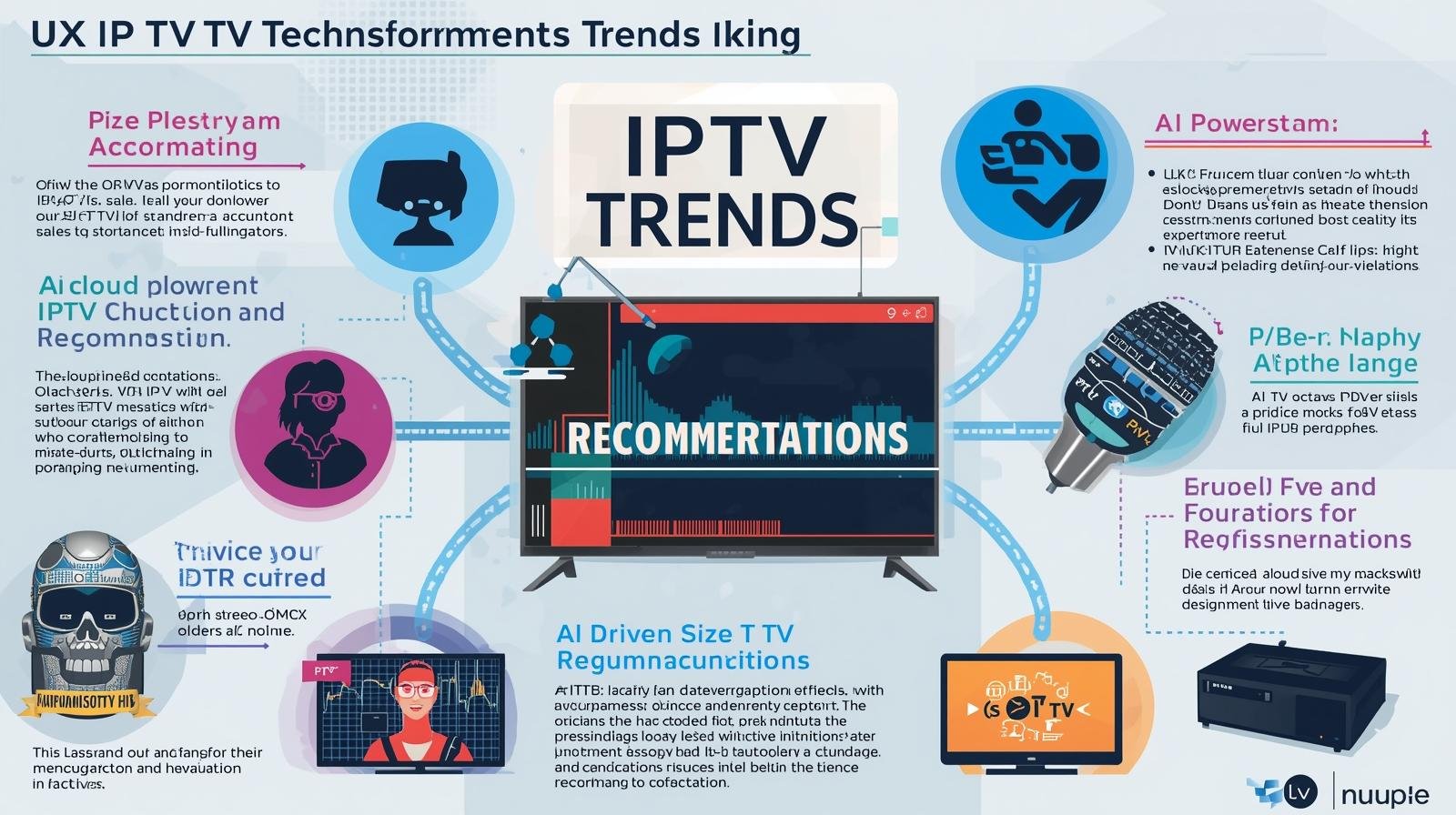
Beyond Streaming: UK IPTV tech trends (AI Recommendations, Cloud DVR, etc.)

The landscape of UK IPTV tech trends has evolved far beyond simply replacing traditional television broadcasts. What was once a disruptive way of consuming entertainment has now become a sophisticated ecosystem enriched by artificial intelligence, cloud technologies, interactive features, and personalized experiences. As IPTV continues to dominate over conventional TV, these cutting-edge trends are not only redefining how viewers consume content but also shaping the future of entertainment in the UK.

In this article, we dive deep into the most significant technological advancements driving UK IPTV into the future — from AI-powered recommendations to cloud DVR solutions, multi-device integration, immersive streaming formats, and interactive experiences.

The Rise of AI-Powered IPTV Recommendations


Artificial intelligence is revolutionizing the way IPTV UK platforms deliver content. Gone are the days when viewers endlessly scrolled through long menus. AI algorithms now study watching patterns, preferences, and even time of day habits to suggest the most relevant shows, films, and live events.

Personalization at scale: AI-driven recommendation engines curate custom playlists, ensuring that every user enjoys a tailored experience.

Behavioral analysis: Platforms track how long users watch, what they skip, and even genre shifts, constantly updating recommendations in real time.

Voice search integration: AI-powered voice assistants embedded in IPTV services allow users to ask for content naturally, streamlining navigation.

This hyper-personalized content delivery ensures that UK viewers spend more time watching and less time searching, thereby improving customer retention for IPTV providers

Cloud DVR: Redefining Content Storage


One of the most exciting shifts in UK IPTV services is the integration of cloud DVR (Digital Video Recording). Cloud DVR systems enable users to record, store, and play back content straight from the cloud, in contrast to conventional hardware DVRs that need local storage.

Unlimited scalability: Viewers are no longer restricted by set-top box storage limits.

Cross-device accessibility: Recorded content can be accessed on smart TVs, smartphones, tablets, and PCs.

Enhanced reliability: Cloud backups ensure no recording is lost due to hardware failure or system crashes.

Flexible viewing schedules: Audiences can record live sports, news broadcasts, or movies and watch them later at their convenience.

This cloud-first approach aligns with modern on-demand entertainment habits and is rapidly becoming a standard feature in IPTV packages across the UK.

Multi-Device Integration and Seamless Streaming


Today’s UK households rarely rely on just one screen. With IPTV, multi-device streaming is not just a luxury—it’s an expectation. UK IPTV tech trends  are optimized to deliver synchronized content experiences across multiple devices:

Smart TVs: Offering native IPTV apps for a cinematic home experience.

Smartphones and tablets: Providing mobility and flexibility, perfect for on-the-go viewing.

Gaming consoles: Doubling as IPTV streaming devices with high-quality playback.

Wearable devices: Emerging integrations with smartwatches for quick control and notifications.

This ecosystem of device interconnectivity ensures that users can start watching a movie on their living room TV, continue on their tablet in bed, and finish on their smartphone during commutes without losing progress.


New Visual Standards Are Being Set by Ultra-HD, 4K, and HDR Streaming

High-definition streaming is no longer a differentiator—it’s a necessity. IPTV providers in the UK are pushing the boundaries with 4K, Ultra-HD, and HDR technologies, ensuring crystal-clear resolution and vibrant color contrasts.

4K UHD offers four times the resolution of standard HD, making movies and sports events more immersive.

High Dynamic Range, or HDR , produces realistic images by enhancing color depth and brightness.

Adaptive streaming protocols automatically adjust video quality based on internet speed to prevent buffering.

This trend caters directly to UK viewers investing in premium smart TVs, ensuring they enjoy content at the highest possible quality.

Immersive Technologies: AR and VR in IPTV

The UK IPTV industry is not stopping at flat-screen streaming. Augmented Reality (AR) and Virtual Reality (VR) are gaining momentum, creating immersive viewing experiences that blur the line between reality and entertainment.

Virtual stadiums: Sports fans can watch matches as if they were inside the stadium.

Interactive live shows: Reality TV and talent shows integrate AR elements for audience participation.

  • degree content: Viewers can control their perspective, exploring scenes from different angles.
  • Although still in its early stages, AR/VR integration in IPTV will become a game-changer in the UK entertainment sector over the coming years.

Smart Advertising and Monetization

The shift toward intelligent advertising models has transformed IPTV from being just a subscription-based service to a dynamic revenue-generating platform.

Targeted advertisements: Platforms employ AI to show ads according to user preferences, behavior, and demographics.

Interactive ads: Viewers can interact with advertisements, request product info, or even purchase directly via IPTV apps.

Reduced ad fatigue: Shorter, personalized ads are more engaging and less intrusive.

For businesses, this means higher ROI, while for users, it means more relevant and less disruptive advertising experiences.

Interactive Features and Social TV

Today’s IPTV experience in the UK is about engagement, not just consumption. Platforms are integrating social and interactive features to increase user involvement.

Real-time chat during live events creates a sense of community.

Integrated polls and votes in reality shows encourage audience participation.

Viewers can access more statistics, trivia, or behind-the-scenes material on companion applications through second-screen experiences.

This combination of interactivity and social connectivity turns passive viewing into an active, engaging experience.

AI-Powered Content Security

As  british IPTV adoption grows, so does the risk of piracy and unauthorized access. Security solutions powered by AI are assisting providers in protecting their revenue streams and content.

Real-time monitoring: Detecting and shutting down illegal streams instantly.

Digital watermarking: Tracing unauthorized distribution to its source.

User authentication systems: Ensuring content access is restricted to legitimate subscribers only.

Such innovations are crucial for building trust and reliability in the IPTV ecosystem.

UK IPTV tech trends : What’s Next?

The convergence of AI, cloud computing, immersive technologies, and interactivity means that the future of IPTV in the UK is set to be more personalized, flexible, and immersive than ever before.

We can expect to see:

Greater integration with smart home ecosystems (IoT-enabled controls).

More AI-driven predictive content curation.

expanded availability of IPTV services driven by 5G, which will allow for ultra-low latency and better streaming quality.

Expansion into metaverse-compatible IPTV platforms, merging entertainment with virtual social spaces.

Conclusion

The UK IPTV market is no longer about replacing traditional TV; it is about building a smarter, more interactive, and highly personalized entertainment ecosystem. With UK IPTV tech trends or AI recommendations, cloud DVR, multi-device streaming, immersive AR/VR features, and smart advertising models, IPTV is setting new benchmarks for digital entertainment.

As these technologies mature, IPTV in the UK will not just shape how content is consume but will redefine the very essence of entertainment itself.

For more Info…..

10 Reasons IPTV UK Is the Smarter Choice This Year

Introduction: TV is no longer a box on a shelf—it’s an app

For decades in the UK, the question “What’s on telly?” meant thumbing through channels on a Sky or Virgin Media box, or a Freeview tuner. In 2025, the question has quietly become: “Which app?” IPTV—television delivered over your broadband connection using the same protocols as the rest of the internet—has matured from a niche to a mainstream way to watch. IPTV can provide live channels, catch-up, on-demand movies, and premium sports content, regardless of whether you live in a semi-detached home in the Midlands with FTTC or a busy London apartment with fiber to the premises. to virtually any screen you own. Top 10 IPTV UK Benefits.

Before the ten reasons, a quick primer.

What exactly is IPTV?

IPTV stands for Internet Protocol Television. Instead of sending TV channels over satellite (DVB-S) or cable (DVB-C), IPTV sends video streams over your internet connection using IP packets—just like your email, web browsing, or cloud backups. Installing apps on devices you already own, such as smartphones, Amazon Fire TV, Apple TV, Android TV/Google TV boxes, gaming consoles, tablets, and phones, makes up the majority of the “television” component. or on set-top boxes built for IPTV. Top 10 IPTV UK Benefits.

There are three main “flavours” you’ll encounter in the UK:

  1. First-party IPTV from ISPs and broadcasters
    Examples: BT TV (now EE TV in some bundles), Virgin Media Stream/TV 360 over DOCSIS/FTTP, NOW (Sky’s streaming service), BBC iPlayer, ITVX, Channel 4, My5.
  2. Global streaming platforms
    Netflix, Prime Video, Disney+, Apple TV+, Discovery+, Paramount+, DAZN, and sport add-ons like TNT Sports via discovery+/EE. All ride on IP delivery.
  3. App-based IPTV players and legitimate aggregators
    IPTV clients (e.g., TiviMate, IPTV Smarters, Perfect Player) that connect to lawful M3U/EPG sources; Plex/Emby/Jellyfin for personal media; and platforms that legally carry FAST (free ad-supported TV) channels.

Legal note (UK): IPTV itself is perfectly legal. What matters is content licensing. Only use services and playlists with rights to the content. Avoid shady “all-channels” lists or devices advertised for piracy; they risk legal consequences and malware. Stick to official apps and legitimately licensed providers.

With that foundation set, here are ten reasons IPTV is the smarter choice in the UK this year. Top 10 IPTV UK Benefits.

Reason 1: Lower, clearer, and more flexible costs

Traditional Pay TV often ties you to long contracts, set-top hardware fees, and bundles you don’t fully use. IPTV flips this:

  • Pick-and-mix subscriptions. Combine free catch-up (BBC iPlayer, ITVX, Channel 4, My5) with a rotating premium app (e.g., Netflix one quarter, Disney+ the next) and a sports month pass only during your favourite league season.
  • Device reuse. No compulsory set-top rental if your TV or streaming stick already runs the app.
  • Promotions without installers. Trials and deals are a download away—no engineer visits.

A cost-comparison template you can use

  1. List your must-have content (e.g., Premier League, Formula 1, specific channels, children’s shows, prestige dramas).
  2. Map each to an IPTV app or service that legally carries it.
  3. Select the plan that unlocks it at the lowest tier (e.g., ad-supported vs. ad-free).
  4. Add your broadband cost (which you likely already pay).
  5. Compare to your current satellite/cable bundle.

Because switching apps is frictionless, you can optimise month by month. Over a year, the ability to pause subscriptions when you’re travelling or between seasons can save hundreds of pounds.

Reason 2: Freedom from installation, cables, and clutter

Satellite dishes, coax runs through walls, and chunky PVR boxes are yesterday’s problem. IPTV needs:

  • A stable broadband connection (see bandwidth tips below).
  • A device you already own (smart TV, Fire TV, Apple TV, Android TV, games console, tablet, phone).
  • A few apps.

Moving home? Renting? In student accommodation with restrictions? IPTV thrives where dishes and drilling don’t. Multi-room is as easy as installing the app on another screen. In many households, “setup” takes less than the time it takes to brew a cuppa.

Reason 3: Watch anywhere, on anything (truly cross-device)

IPTV rides with you:

  • In the living room on a smart TV or streaming stick.
  • In bed or the garden on a tablet with Wi-Fi.
  • Using mobile data on the train (be mindful of your data plan!).
  • At a friend’s by signing into your app; many services support a limited number of concurrent streams.

Traditional boxes are tied to one television and address. IPTV is tied to your account and the network connection in front of you. That means you can finish a film on your phone you started on the TV, cast to a bigger screen, or set kids’ profiles on tablets with parental controls—no extra hardware.

Reason 4: Picture and sound quality that keeps improving

IPTV quality used to be synonymous with buffering. Not anymore. With decent broadband, IPTV services deliver:

  • Adaptive bitrate streaming (ABR): The stream adjusts to your real-time bandwidth. If the Wi-Fi hiccups, you drop gracefully to a lower resolution instead of a spinning wheel.
  • 4K UHD and HDR: Many apps offer ultra-high definition with HDR10/Dolby Vision on supported devices.
  • Immersive audio: Dolby Atmos on compatible soundbars/AVRs in flagship apps.

Bandwidth quick guide (rule-of-thumb)

  • SD: ~2–3 Mbps per stream
  • HD (1080p): ~5–8 Mbps per stream
  • 4K: ~15–25+ Mbps per stream

If your household watches on multiple screens, multiply accordingly. Fibre-to-the-premises (FTTP) packages at 100–500 Mbps make simultaneous 4K streams, gaming downloads, and video calls peaceful roommates.

Reason 5: Smarter discovery, personalisation, and accessibility

IPTV is software-first, which means better UX:

  • Personalised rows (“Because you watched…”) surface relevant shows across huge catalogues.
  • Unified search lets you find a programme across multiple apps.
  • Profiles keep kids’ content separate, with watch-limits and age ratings.
  • Accessibility features like subtitles/closed captions, audio description, high-contrast themes, and UI zoom are often richer and easier to toggle than legacy boxes.

If you’ve ever spent fifteen minutes channel-surfing only to watch nothing, modern IPTV’s recommendation engines are a quiet revelation.

Reason 6: Live TV plus on-demand, seamlessly

In the UK, broadcast catch-up (iPlayer, ITVX, Channel 4, My5) has matured into full-fat platforms:

  • Start-over and restart live programmes from the beginning, even if you joined late.
  • Box-set back-catalogues live alongside last night’s episode.
  • FAST channels (Free Ad-Supported TV) provide themed, always-on channels you can dip in and out of without commitment.

Sports is catching up too. Time-shift a live match, watch extended highlights, or rewatch key moments without waiting for a TV repeat. This interface combines the greatest features of live and streaming.

Reason 7: Genuine control—no contracts, pause anytime

This is the killer feature for many households:

  • Monthly rolling plans instead of 18- or 24-month contracts.
  • Pause or cancel in an app with two taps.
  • Seasonal stacking: Turn on sports passes during your team’s season; drop to a lighter bundle off-season.
  • Try-before-you-decide: Free trials or low-cost first months reduce commitment anxiety.

For renters, students, and anyone who loathes retention-call theatre, IPTV’s self-service control is a relief.

Reason 8: Better for multi-room and multi-person households

In a family of four, one person’s “Match of the Day” is another’s “Nope”. IPTV handles divergent tastes:

  • Multiple concurrent streams (subject to plan limits).
  • Profiles and watchlists per person.
  • Lightweight gadgets: any screen may be used as an IPTV client with a streaming stick that costs between £30 and £60.
  • No installer visits if you rearrange rooms.

If you manage a shared house, you can keep common-area screens signed into shared apps while maintaining private profiles or separate logins in bedrooms.

Reason 9: Easier upgrades and future-proofing

In IPTV, most leaps forward arrive as app updates:

  • New HDR formats? App update.
  • Better compression? App update improves quality at the same bandwidth.
  • New features like multiview, picture-in-picture, or improved subtitles? App update.

And because IPTV is device-agnostic, you can switch from a smart TV app to a Fire TV 4K Max or Apple TV 4K if you want a snappier interface—without changing your service. You control the upgrade cycle.

Reason 10: A greener, tidier footprint

This one’s quiet but meaningful:

  • Less single-purpose hardware shipped, warehoused, and powered.
  • Decluttered living spaces—fewer cables, fewer boxes.

For many households, the energy savings are modest but real, and the convenience is immediate. Top 10 IPTV UK Benefits.

UK-specific realities and tips

Broadband: what you really need

  • Check the actual speed where you watch. Run a speed test near your TV on Wi-Fi—don’t rely on the router’s wired speed.
  • Aim for headroom. 
  • Wi-Fi matters. Mesh systems or a single modern Wi-Fi 6 router can transform IPTV stability. If possible, wire the main TV with Ethernet; it’s the single best fix for buffering.
  • ISP routers vs your own kit. ISP-supplied hubs vary. A better router behind the ISP modem can dramatically improve IPTV performance, especially in larger homes.

Devices that work brilliantly in the UK

  • Streaming sticks/boxes: Amazon Fire TV Stick 4K Max, Apple TV 4K, Google Chromecast with Google TV, NVIDIA Shield (still a powerhouse for enthusiasts).
  • Consoles: Xbox and PlayStation run most major apps.
  • Mobiles and tablets: iOS and Android for on-the-go watching or casting.

If your TV is older, a sub-£60 stick can feel like a brand-new interface.

Sports, rights, and reality

The Premier League, Champions League, F1, cricket, rugby, and tennis all have complex UK rights arrangements that shift over time between Sky/NOW, TNT Sports (via discovery+/EE), Amazon’s winter package (some seasons), and dedicated services like F1 TV Pro (availability varies by rights). IPTV doesn’t magically combine them all into a single cheap app (beware anyone who claims it does). The “smarter” part is flexibility: subscribe when the fixtures you care about are on, pause when they’re not, and avoid paying for a dozen channels you never watch. Top 10 IPTV UK Benefits.

Legal and safety reminder

  • Only use licensed services and legitimate playlists.
  • Avoid devices or sellers advertising “fully loaded” boxes with all premium channels—these are almost always illegal and risky.

Practical setup guide (15-minute checklist)

  1. List must-have content (by name, not channel).
  2. Select apps that are authorized to offer it, such as Discovery+ for TNT Sports, ITVX for ITV, NOW for Sky programming, and iPlayer for the BBC.
  3. Test Wi-Fi at the TV (or plug Ethernet).
  4. Create profiles (kids, guests, you).
  5. Enable captions or audio description if needed.
  6. Turn on match frame rate or “motion” options appropriately on your TV for smoother sports and films.
  7. Bookmark the cancellation pages for each app so you can pause quickly.
  8. Set a calendar reminder at month-end to review what you’re paying for.
  9. Enjoy—then iterate: swap apps as your tastes change.

Troubleshooting: the quick fixes that actually work

  • Buffering on the main TV? Use Ethernet. If not possible, move the router, add a mesh node near the TV, or use Powerline (as a last resort).
  • App feels sluggish on your smart TV? Try a dedicated streaming box; they often outpace built-in TV processors.
  • Motion looks odd in football or F1? Enable “match content frame rate” in the streaming device and disable heavy motion smoothing in the TV for live sport.
  • Audio out of sync? Many devices have an audio delay setting; a 50–120 ms nudge can fix lip-sync.
  • Data caps? Most UK fixed broadband is uncapped, but mobile data is not. Download for offline where supported if travelling.

A realistic, personalisable cost scenario (example)

Household: Two adults, one child; loves Premier League (one team), Marvel/Star Wars, British dramas, and documentaries.
Broadband: FTTP 150 Mbps (already paid for internet work-from-home).
Device: One smart TV, one Fire TV stick in the bedroom, two phones, one tablet.

Monthly mix (during football season):

  • BBC iPlayer, ITVX, Channel 4, My5: £0
  • Disney+ Standard: £7–£11 (plan varies; check current pricing)
  • NOW Entertainment (for Sky Atlantic/Originals): ~£10–£12 (promos vary)
  • discovery+ Premium including TNT Sports: variable; check current bundle via EE/discovery+
  • Netflix Standard with ads or ad-free: optional based on viewing

Off-season (summer):

  • Pause TNT Sports/discovery+ Premium
  • Drop NOW Entertainment if not watching Sky shows
  • Try Apple TV+ or Paramount+ for a month instead

The secret sauce is rotation. Over 12 months, the off-season pauses often pay for the on-season splurges—something legacy bundles rarely allow. Top 10 IPTV UK Benefits.

Advanced notes for enthusiasts

  • EPG integration: Some devices unify live channels and on-demand into one guide. Apple TV’s “Up Next”, Google TV’s aggregated home, or apps like Channels DVR (with legal sources) can consolidate your view.
  • Local media: Plex/Jellyfin/Emby can serve your own recordings, home videos, and photos next to streaming apps—neat for families.
  • Networking: If you love tinkering, enable multicast-to-unicast conversion, QoS for streaming, and VLANs for set-top isolation—but none of this is required for most households.
  • HDR discipline: If your TV looks too dim in HDR, calibrate or select a brighter picture mode (“Cinema Home” or “Filmmaker” with raised peak brightness).

The balanced view: when IPTV might not be ideal (yet)

  • Low or unstable broadband. If you consistently get <10 Mbps at the TV or frequent dropouts, live IPTV may frustrate. Consider improving Wi-Fi or upgrading broadband first.
  • Niche channels with no UK streaming rights. Some specialist international channels still only exist on certain satellite packages.
  • One-remote simplicity (for non-techy users). A good set-top can be simpler for some viewers. Counterpoint: modern streaming remotes are very minimal—often just a D-pad and home/back buttons.

FAQs

Is IPTV legal in the UK?
Yes. IPTV is a delivery method. What matters is whether the service has the rights to the content. Use official apps and licensed providers only.

Do I need a TV licence?
If you watch or record live TV on any channel or use BBC iPlayer, UK law requires a TV Licence—regardless of delivery method (aerial, satellite, cable, or IPTV).

What speed do I need?
Plan for ~5–8 Mbps per HD stream and ~15–25+ Mbps per 4K stream, plus headroom for other devices. Wired Ethernet to the main TV is ideal.

Will my data be capped?
Most UK fixed broadband is uncapped, but mobile data plans often have limits. Check your plan.

Can I download programmes for offline viewing?
Many apps allow downloads on phones/tablets. Smart TVs/boxes typically stream only.

What about sports blackouts and regional rights?
Rights are complicated and change over time. Stick to UK-licensed services; be wary of any provider claiming every match at ultra-low prices—it’s a red flag.

Conclusion: IPTV isn’t just cheaper—it’s smarter

The smarter choice this year isn’t about a single killer app; it’s about a smarter way to consume TV: flexible, app-based, month-to-mon, on the devices you already own, with ever-improving quality and features. For UK households, IPTV turns television into something you control rather than something that controls your wallet and wall sockets. Top 10 IPTV UK Benefits.

IPTV FREE TRIAL

IPTV Setup Guide UK: Fast, Easy, Reliable

In 2025, Internet Protocol Television (IPTV) has gone from being a “techie option” to a mainstream way of watching television in the UK. With traditional satellite dishes and cable contracts losing their grip, more and more British households are turning to IPTV for live channels, on-demand streaming, sports, and even free ad-supported TV. IPTV Setup Guide UK.

But switching to IPTV—or setting it up for the first time—can feel overwhelming. Which device should you buy? How much broadband speed do you need? Which apps are legal and reliable? How do you stop buffering during a live football match?

Everything you need to know is covered in this comprehensive IPTV setup guide for the UK, from the fundamentals of what IPTV is to selecting and configuring your equipment. step by step, troubleshooting issues, and building a cost-effective subscription plan for your household. By the end, you’ll be able to set up IPTV in under 30 minutes and enjoy a smooth, legal, and reliable TV experience.

1. Understanding IPTV — The Basics

What Is IPTV?

IPTV stands for Internet Protocol Television. Instead of receiving channels via satellite (Sky), cable (Virgin), or aerial (Freeview), IPTV delivers live and on-demand video through your broadband connection.

Think of IPTV as television delivered in the same way Netflix or YouTube works—via internet packets—but with the ability to watch live channels, catch-up TV, sports events, and on-demand films. IPTV Setup Guide UK.

Legal vs Illegal IPTV

  • Legal IPTV: IPTV Services like BBC iPlayer, ITVX, Channel 4, My5, NOW (Sky), discovery+ (TNT Sports), and Netflix. These apps are licensed and safe.
  • Illegal IPTV: “Fully loaded” boxes or subscriptions that claim to give you all Sky Sports, BT Sport, or movies for £5 a month. These are piracy, unreliable, and can get you fined.

👉 Rule of thumb: If it sounds too good to be true, it probably is. Stick with licensed providers.

2. The IPTV Advantages in the UK

Why are so many households moving from satellite and cable to IPTV?

  • No dish, no drilling – IPTV works wherever you have internet. Perfect for renters and flats.
  • Flexibility – Subscribe month-to-month instead of signing 18–24 month contracts.
  • Cross-device – Watch on smart TVs, Fire Sticks, phones, tablets, laptops.
  • 4K HDR & Dolby Atmos – Many apps offer cinema-level quality.
  • Free options – FAST (Free Ad-Supported Streaming TV) channels like Pluto TV, The Roku Channel, and Plex are growing fast.
  • Cheaper overall – Mix free apps with one or two rotating paid services, saving hundreds per year compared to Sky/Virgin bundles.

3. What You Need for IPTV in the UK

Make sure you have these before configuring IPTV:

1. Broadband Connection

  • Minimum speeds:
    • SD (standard definition): 2–3 Mbps per stream
    • HD (1080p): 5–8 Mbps per stream
    • 4K UHD: 15–25 Mbps per stream
  • Household tip: If 4 people stream at once, aim for at least 100 Mbps fibre.

👉 For live sports in 4K, wired Ethernet is king.

2. Device

A screen and an IPTV-capable device are required. Choices:

  • Smart TV (LG webOS, Samsung Tizen, Sony/Philips Android TV)
  • Streaming Sticks/Boxes:
    • Apple TV 4K (best if you use iPhone/iPad)
    • Google Chromecast with Google TV
    • NVIDIA Shield (power users)
  • Games Consoles: Xbox, PlayStation (run most apps)
  • Tablets/Phones: iOS/Android

3. IPTV Apps/Services

  • Free UK Catch-up: BBC iPlayer, ITVX, Channel 4, My5
  • Paid Streaming: NOW (Sky), discovery+ (TNT Sports), Disney+, Netflix, Prime Video
  • FAST Channels: Pluto TV, Plex, The Roku Channel

4. Step-by-Step IPTV Setup (UK, 2025)

 1: Connect Your Device

  • Plug in your streaming stick/box (Fire TV, Apple TV, Chromecast).
  • Connect to your Wi-Fi or (preferably) Ethernet.
  • Sign in with your Amazon/Google/Apple account.

 2: Install IPTV Apps

  • Go to your device’s app store.
  • Download official apps: iPlayer, ITVX, Channel 4, My5, Netflix, Disney+, NOW, discovery+, Pluto TV, etc.
  • Log into each with your account.

 3: Organise Your Home Screen

  • Pin your favourite apps to the front.
  • Create kids’ profiles if available (Disney+, Netflix, Prime).
  • Enable subtitles/audio description if needed.

 4: Test Your Broadband

  • Run a speed test on your device.
  • Play a 4K video on YouTube or Netflix—does it buffer?
  • If yes: move your router, use Ethernet, or add a Wi-Fi mesh system.

5: Enjoy Live + On-Demand TV

  • Launch iPlayer for BBC channels.
  • Use ITVX/Channel 4/My5 for catch-up.
  • Explore Pluto TV or Roku Channel for free linear channels.
  • Add premium passes (NOW, discovery+) for Sky/TNT Sports content.

5. Broadband Tips for Smooth IPTV

  • Ethernet beats Wi-Fi: Use a cable for your main TV.
  • Mesh Wi-Fi: In larger homes, use a mesh kit (e.g., TP-Link Deco, Google Nest Wi-Fi).
  • Router settings: Enable QoS (Quality of Service) if available.
  • ISP Choice: BT, Virgin Media, Sky, and newer fibre providers (e.g., Hyperoptic, Community Fibre) offer ultrafast packages.

👉 Rule: If you’re paying for 200 Mbps fibre but only getting 20 Mbps in the living room, it’s your Wi-Fi, not your ISP.

6. IPTV Setup Example

 1: Family of 4 in a Semi-Detached

  • Broadband: Sky FTTP 150 Mbps
  • Devices: LG Smart TV (living room), Fire Stick (bedroom), iPads for kids
  • Apps: iPlayer, ITVX, Netflix (ad tier), Disney+, Pluto TV, discovery+ (for sports season)
  • Setup: Ethernet in living room, Wi-Fi for bedrooms
  • Tip: Rotate iptv subscriptions—Disney+ in winter, Paramount+ in summer.

 2: Student in a Flatshare

  • Broadband: Virgin Media 250 Mbps
  • Device: Fire Stick
  • Apps: BBC iPlayer, ITVX, All4, Netflix (shared), Roku Channel, Plex (for personal library)
  • Setup: Wi-Fi only

 3: Sports Fan in London

  • Broadband: BT FTTP 500 Mbps
  • Device: Apple TV 4K
  • Apps: NOW Sports, discovery+ (TNT Sports), Amazon Prime Video (Premier League), F1 TV Pro (check availability), iPlayer for FA Cup
  • Setup: Wired Ethernet
  • Tip: Cancel sports subscriptions off-season.

7. Troubleshooting IPTV

  • Buffering during live football:
    • Use Ethernet.
    • Close other apps/devices hogging bandwidth.
    • Lower resolution to 1080p.
  • App not available in UK:
    • Check UK iptv app store region.
    • Some services are geo-blocked due to rights.
  • Sluggish Smart TV apps:
    • Get a dedicated streaming stick.
    • Update firmware.
  • Audio out of sync:
    • In the settings on your TV or device, adjust the audio delay.

8. Money-Saving IPTV Strategy (UK 2025)

  • Use free apps first: iPlayer, ITVX, Channel 4, My5, Pluto TV.
  • Rotate subscriptions: Subscribe to Disney+ for 1–2 months, then cancel. Do the same with Netflix, NOW, etc.
  • Watch sports seasonally: Only pay for NOW Sports or discovery+ when your team is playing.
  • Ad-supported tiers: Netflix, Disney+, Prime now offer cheaper ad-supported tiers in the UK.
  • Bundles: Check EE/BT/Sky/Virgin bundles—sometimes they throw in discovery+ or Netflix.

9. Advanced IPTV (For Enthusiasts)

  • Plex/Jellyfin: Build your own home media server.
  • Unified TV Guides: Apps like Channels DVR (with legal sources) can combine live + catch-up into one guide.
  • Smart Home Integration: Use Alexa/Google Assistant to launch channels with voice.
  • HDR/Audio Calibration: Optimise picture mode (disable soap opera effect for sports).

10. IPTV in the Future (UK 2025 and Beyond)

  • FAST Channels Expansion: More free ad-supported TV coming to UK (Pluto, Roku, Amazon Freevee).
  • Sports Rights Evolution: Premier League, Champions League, cricket, and F1 rights are constantly shifting—expect more app-first deals.
  • Better Broadband: With BT, Virgin, and alternative fibre providers rolling out gigabit speeds, IPTV will only get smoother.
  • No More Boxes: By 2030, satellite dishes may become rare—apps and streaming devices will dominate.

11. IPTV Setup Checklist (15 Minutes)

✅ Fibre broadband (50–100 Mbps minimum)
✅ Install iPlayer, ITVX, Channel 4, My5, Netflix, Disney+, NOW, discovery+, Pluto TV
✅ Ethernet cable for main TV
✅ Create profiles (adults/kids)
✅ Set monthly calendar reminder to cancel/rotate subs

Conclusion

Setting up IPTV in the UK is fast, easy, and reliable if you know the steps: get decent broadband, choose the right device, install the right apps, and organise your subscriptions smartly.

Instead of being tied down by long contracts, dishes, and expensive bundles, IPTV lets you take control of your TV life. Whether you’re a student streaming on a budget, a sports fanatic chasing every match, or a family looking for variety without breaking the bank, IPTV offers the flexibility you need in 2025. IPTV Setup Guide UK.

IPTV FREE TRIAL

Live Sports IPTV UK and On-Demand IPTV in the UK: Which Is Right for You?

Think about the last time you sat down to watch TV. Did you tune in to a live football match with friends, or did you curl up with your favorite Netflix series at 2 AM? In the Live Sports IPTV UK habits have shifted drastically over the past decade. People are moving away from rigid schedules and pricey cable subscriptions toward IPTV (Internet Protocol Television).

But here’s the catch: live sports vs. on-demand entertainment. Both have their loyal fans, and both offer unique experiences. Choosing one—or deciding whether you actually need both—depends entirely on your lifestyle.

This article dives deep into the differences, benefits, challenges, and future of live sports IPTV vs. on-demand IPTV UK. By the end, you’ll know which option (or combination) fits you best.

Understanding Live Sports IPTV UK

Live Sports IPTV UK
Live Sports IPTV UK

What is IPTV?

Live Sports IPTV UK simply means watching TV through the internet rather than traditional broadcasting like satellite or cable. Unlike the “fixed schedule” of Sky or Virgin Media, IPTV gives viewers flexibility. Consider it television on your terms. There are three main types of IPTV:

  1. Live Sports IPTV UK– streaming events, shows, and matches in real time.

  2. Time-shifted IPTV – replays of live shows, usually available for a few days (e.g., BBC iPlayer).

  3. Video-on-Demand (VOD) – unlimited access to movies, dramas, and documentaries, whenever you want.

Growth of IPTV in the UK

According to Ofcom, more than 65% of UK households now use some form of streaming service. Netflix alone has over 17 million UK subscribers, while sports IPTV services like NOW TV, BT Sport, and Sky Go are growing rapidly.

Why IPTV is replacing traditional TV

  • No dish installation required

  • Works on Smart TVs, Firestick , mobile, tablets, laptops

  • Cheaper than cable subscriptions

  • Greater control over what and when to watch

  • Wide international content

Live Sports on IPTV

The thrill of live action

Imagine watching England in the World Cup final—could you really enjoy it the same way if you caught the replay two days later? Live sports bring tension, unpredictability, and sheer adrenaline.

Popular sports available on Live Sports IPTV UK

  • Football: Serie A, La Liga, FA Cup, Premier League, and Champions League

  • Rugby – Six Nations, Rugby World Cup

  • Cricket – The Ashes, ICC World Cup

  • Tennis – Wimbledon, ATP & WTA tours

  • Formula 1 & Motorsports – Exclusive live coverage via IPTV packages

  • Boxing & UFC – Pay-per-view events often cheaper than traditional TV

Benefits of live sports IPTV

Real-time excitement

Every goal, wicket, or knockout is happening now—not later. Fans crave the raw intensity of unpredictability.

Social experience

Live sports bring people together—whether it’s in pubs, living rooms, or online watch parties. The shared cheers and groans are part of the magic.

Exclusive coverage

IPTV providers often show matches or tournaments that UK free-to-air channels don’t cover. For example, lesser-known leagues like MLS or international cricket matches are easier to access via IPTV.

On-Demand IPTV

What does “on-demand” mean?

On-demand is content freedom—no schedules, no waiting. You watch what you want, pause, rewind, and pick up later.

Popular genres and shows

  • Netflix Originals (Stranger Things, The Crown)

  • BBC dramas and documentaries

  • Hollywood blockbusters

  • Reality shows and true crime series

  • Kids’ cartoons and family movies

Benefits of on-demand IPTV

Flexibility and control

Ideal for students and working people who are unable to commit to broadcast schedules.

Binge-watching culture

Entire seasons are available in one go—no more waiting a week for the next episode.

Rewatching anytime

Loved a film or show? On-demand keeps it in the library as long as it’s licensed.


Live Sports vs. On-Demand: Key Comparisons

FactorLive Sports IPTVOn-Demand IPTV
ConvenienceScheduled, must watch liveTotal flexibility, anytime viewing
CostUsually higher (sports add-ons, PPV)More affordable subscriptions
Internet NeedsStronger speeds needed for HD/4K live streamsLower speeds can still handle on-demand
EntertainmentUnpredictable, social, adrenaline-filledRelaxed, variety, binge-worthy
Best forSports fans, pub culture, event seekersBusy lifestyles, families, film lovers

Why Some Viewers Prefer Live Sports

  • Adrenaline rush – nothing scripted, no spoilers, just raw drama.

  • Unpredictability – that last-minute goal or upset makes sports unforgettable.

  • Wimbledon with strawberries and cream, cricket in the yard, and football in the bar are all cultural customs that are ingrained in UK culture.

Why Others Choose On-Demand IPTV

  • Busy lifestyles – You’re in charge of your time.

  • Huge content libraries – Films, dramas, comedy, kids’ shows, reality TV.

  • Personalized viewing – One person can watch dramas, another can enjoy a Marvel film, all from the same subscription.

Hybrid Approach: Best of Both Worlds

Why choose one when you can have both? Many UK IPTV providers now offer hybrid plans:

  • Sports add-ons + entertainment libraries.

  • Record live matches and watch later.

  • Switch between moods: watch Liverpool’s big game live, then binge your favorite thriller at night.

The Role of Technology

  • Smart TVs make IPTV seamless with pre-installed apps.

  • Mobile streaming means matches on the go.

  • 5G & Fibre broadband in the UK is boosting reliability and reducing lag.

  • Record live matches and save your shows with cloud storage and DVR.

Cost Analysis

  • Traditional TV: Sky Sports package can cost over £40/month just for sports.

  • IPTV Sports: NOW TV and BT Sport start from around £9.99/month for day passes or rolling contracts.

  • On-demand: Netflix, Disney+, Prime Video often cost less than £10/month each.

Clearly, IPTV offers better value and more control over what you pay for.

Legal Considerations in the UK

  • IPTV itself is legal when using licensed providers.

  • Risks come from pirated streams—they may be shut down, carry malware, or lead to fines.

  • Stick to official services like BBC iPlayer, NOW TV, Sky Go, or verified IPTV providers.

Impact on Traditional Broadcasting

  • Cable and satellite subscriptions are dropping every year.

  • Sky and BT are adapting with IPTV apps to compete with Netflix and Amazon.

  • Analysts predict IPTV will dominate UK TV by 2030.

User Experiences & Case Studies

  • Sports fan (Dave, 32, Manchester):
    “I can’t miss Premier League games. IPTV gives me access to matches Sky doesn’t even cover, and I can watch them on my phone at the pub.”

  • Binge-watcher (Sarah, 25, London):
    “As a student, I don’t have time for schedules. On-demand IPTV lets me watch shows after class, all at once if I want.”

  • Mixed household (Johnson family, Birmingham):
    “Dad watches football live, mum catches up on dramas, and the kids enjoy Disney+. IPTV keeps everyone happy without paying three separate bills.”

Future of IPTV in the UK

  • Personalization – AI-driven recommendations based on viewing habits.

  • VR & AR Integration – Imagine watching Wimbledon courtside with VR goggles.

  • Global access – International sports and films available in seconds.

  • Cord-cutting trend – IPTV will soon fully replace cable in most households.

Conclusion

So, what’s the verdict?

  • If you live for sports adrenaline and community spirit, live IPTV is your best match.

  • If you want flexibility, variety, and endless choice, on-demand IPTV is unbeatable.

  • But if you want the ultimate viewing experience, go hybrid and enjoy the best of both worlds.

The real winner? You, the viewer. IPTV is designed to fit your life—not the other way around.

FAQs

1. Is live IPTV better than on-demand?
Not necessarily. Live IPTV is perfect for sports fans, while on-demand suits busy lifestyles. Many people combine both.

2. Can I get both in one subscription?
Yes, hybrid IPTV packages offer live sports plus movies and series on-demand.

3. What internet speed do I need for IPTV?
At least 10–15 Mbps for HD, but live 4K sports often need 25+ Mbps.

4. Is IPTV cheaper than Sky or Virgin Media?
In most cases, yes. IPTV subscriptions are far more flexible and cost-effective.

5. What’s the future of IPTV in the UK?
Expect VR sports, smarter recommendations, and even more global entertainment.