
Stream Netflix, BBC, and Sky Sports on One Device with IPTV

Introduction: Why stream multiple major services on one device?

If you love convenience, you already know the joy of a single remote and a simple, clean interface. Today, many viewers in the United Kingdom want to stream Netflix, BBC iPlayer, and Sky Sports from one device — without juggling remotes, apps, or clunky casting. Thanks to IPTV technology and smarter apps, you can centralize access, switch between entertainment and live sports, and manage multiple iptv subscriptions from one place. Moreover, a single-device setup helps reduce complexity and costs, especially for households that prefer to subscribe to only what they use. Whether you’re researching iptv uk options, eyeing an iptv uk free trial, or hunting for the best iptv 2025 workflows, this guide walks you through everything step-by-step. All-in-One IPTV Streaming.

Why stream multiple major services on one device?

Convenience and cost

First and foremost: convenience. Rather than swapping devices or juggling separate apps, consolidate. This approach saves time and can reduce subscription overlap. For example, keeping Netflix for on-demand shows, BBC iPlayer for UK public broadcasting, and Sky Sports for live Premier League coverage on a single device streamlines viewing and billing.

Single UI, multiple subscriptions

A good iptv service or player (e.g., IPTV Smarters, IPTV Smarters Pro) can load multiple authenticated sources in one interface. But remember — the player is neutral; the legality depends on the streams you feed it. Use official apps where possible and licensed IPTV resellers otherwise.

What “IPTV” means in this context

Here, IPTV refers to delivering television content over the internet to your device. That can mean native apps (Netflix, BBC iPlayer, Sky Go/NOW) or loading licensed feeds into an IPTV player. The core difference is whether the content is delivered directly by the rights holder (best) or through a reseller with explicit rights (okay if licensed).

Legal landscape in the UK

Broadcast rights: Netflix, BBC, Sky Sports

Netflix distributes on-demand content globally under its own license. BBC iPlayer is free for UK residents who pay the TV licence and requires geolocation within the UK. Sky Sports holds premium live sports rights — including many Premier League matches — and access is controlled by Sky/NowTV subscriptions. Combining these legally on one device means maintaining separate valid subscriptions or using a licensed aggregator that has permission to redistribute. All-in-One IPTV Streaming.

Licensed IPTV vs illegal streams

There’s a huge distinction between a licensed iptv subscription and black-market streams. Licensed providers and rights holders pay for content; illegal streams do not. Use licensed options — check for company registration, clear support, and documented rights or reseller agreements.

Why legality matters

Besides moral and technical reasons, illegal streams carry real risk: poor quality, sudden shutdowns, malware, and potential legal repercussions. Stay with verified iptv providers and official apps.

IPTV explained: tech and terminology

M3U, EPG, portals, and apps

  • M3U playlists list channel addresses. Legit providers may supply authenticated M3U or portal URLs.
  • EPG (Electronic Program Guide) gives you schedules.
  • Portals are web-like endpoints your player connects to.
  • Apps such as IPTV Smarters Pro act as players for these URLs.

Players: IPTV Smarters, native apps, Kodi

Use native apps for Netflix and BBC iPlayer where possible — they’re optimized and secure. IPTV Smarters and IPTV Smarters Pro are common players for legal M3U or portal content. Kodi is powerful but only with legal add-ons.

IP delivery vs satellite/cable

IPTV runs over broadband. That means your home network, router, and ISP performance directly affect stream quality. In return, you gain device flexibility, multi-device support, and often advanced features like catch-up. All-in-One IPTV Streaming.

Choosing the right IPTV setup

Smart TV vs Android TV box vs Fire Stick

  • Smart TV: Simplest; install Netflix, BBC iPlayer, Sky Go/Now apps directly.
  • Android TV box: Flexible; supports IPTV players like IPTV Smarters Pro and M3U playlists.
  • Amazon Fire Stick 4K: Affordable and capable — sideload apps when needed.

Mobile and tablet considerations

Mobile devices are perfect for on-the-go viewing. Ensure your iptv subscription permits mobile streaming and that your plan supports simultaneous streams if family members watch at the same time.

Router and network needs

For HD/4K, use Ethernet or a solid Wi-Fi 5/6 setup. Configure QoS if you have multiple high-demand devices.

Selecting subscriptions

Netflix plans and BBC iPlayer

Netflix offers multiple tiers; higher tiers enable 4K. BBC iPlayer is free in the UK for license holders. Keep these accounts active and up to date.

Sky Sports / NOW / Sky Sports Day Pass

Sky Sports is normally accessed through Sky or NowTV passes. These are the legal ways to get Sky’s live sports. Aggregation into an IPTV player should only happen via licensed resellers or official integrations.

Bundles and third-party resellers (licensed)

Some licensed best iptv provider bundle channels for convenience. They should state licensing clearly and offer secure payment and support.

Step-by-step: Prepare, subscribe, install, configure

Step 1 — Audit your devices and internet

Start by listing devices you’ll use: smart TV, Android TV box, Fire Stick, phone, tablet. Run a broadband speed test on the primary device. For single HD streams aim for 8–12 Mbps; for 4K, 25 Mbps+. If more than one person will stream, add accordingly (two HD streams ≈ 20–24 Mbps). Check your router — if it’s old, consider upgrading to a modern dual-band Wi-Fi 5/6 model.

Step 2 — Confirm legal subscriptions

Before attempting aggregation, ensure you have valid accounts:

  • Netflix: active plan that covers the desired picture quality.
  • BBC iPlayer: UK TV licence holder account — the app uses geolocation and licence checks.
  • Sky Sports / NOW: purchase an official Sky/NowTV sports pass or Sky subscription. Write down credentials and confirm your account is functional by logging in on a desktop or smartphone first.

If you plan to use a licensed iptv provider that claims to bundle these sources, verify their licensing claims. Look for company registration, transparent pricing, and real support channels. All-in-One IPTV Streaming.

Step 3 — Pick your app strategy

There are two common approaches:

  1. Native apps approach (recommended): Install Netflix, BBC iPlayer, and Sky Go/Now apps directly on your smart TV or streaming device. This is simplest and most reliable.
  2. IPTV player approach (aggregated): If you want a unified UI, choose an IPTV player like IPTV Smarters Pro that supports adding multiple authenticated portals. Only use this for legally provided portal URLs from licensed providers — do not load M3U links from unknown sources.

Decide which you prefer. For minimal fuss, go native. All-in-One IPTV Streaming.

Step 4 — Install apps and authenticate

On your device (e.g., Amazon Fire Stick):

  • Open the app store, find Netflix and install; sign in.
  • Install BBC iPlayer; sign in and confirm licence check (if prompted).
  • Install Sky Go or NOW (as applicable); sign in.

If you chose IPTV Smarters Pro:

  • Install the app.
  • Enter the provider’s portal URL or M3U URL exactly as supplied.
  • Authenticate using credentials provided by the licensed iptv provider.
  • Confirm EPG loads and channels are visible.

Step 5 — Configure playback and profiles

Adjust settings:

  • In Netflix, set playback to highest quality allowed by your plan.
  • In BBC iPlayer, ensure downloads/streaming quality are set as desired.
  • In Sky/Now, pick HD streams if your package includes them.
  • In IPTV Smarters, enable hardware acceleration and set default stream quality to Auto or 1080p/4K when available.

Set up profiles for family members to keep viewing lists and parental controls separate.

Step 6 — Test at match time

Run tests during times you normally watch live sports. Confirm picture sharpness, audio sync, and minimal buffering. If you notice problems, switch to Ethernet or lower bitrate temporarily. All-in-One IPTV Streaming.

Step 7 — Troubleshoot common issues

  • Buffering: check network congestion and router placement; switch to Ethernet if possible.
  • Login fails: verify credentials and reset passwords; check if the subscription is region-locked.
  • Black screen or DRM errors: use native apps where DRM is strict (Netflix/Prime often require native apps for 4K).

Step 8 — Maintain accounts and security

Use strong passwords, enable 2FA where available, and keep billing information current. Regularly update apps and device firmware to avoid playback issues.

Security, privacy, and account safety

Passwords, 2FA, and payment security

Always use unique passwords and activate two-factor authentication on Netflix and Sky accounts. Pay with secure methods and keep receipts.

Using VPNs responsibly

A VPN can protect privacy on public Wi-Fi. However, do not use VPNs to circumvent geo-blocks or licensed restrictions. That can violate terms of service.

Avoiding illegal iptv uk services

Watch out for ultra-cheap iptv subscriptions promising every channel. They’re often illegal and unreliable. Choose reputable iptv providers or the rights holder’s app. All-in-One IPTV Streaming.

Optimizing for HD and low-latency

Bandwidth calculations

Plan for peak usage. For example, a household with two HD streams and one 4K stream should aim for ~50–60 Mbps.

Router settings and QoS

Enable QoS to prioritize streaming devices. Use 5 GHz Wi-Fi for best throughput and minimal interference.

Device-specific tips

On Fire Stick, clear app cache for smoother playback. On Android TV, enable hardware acceleration in IPTV players.

Price comparisons and value

Monthly cost estimate

  • Netflix: varies by tier (basic → premium for 4K).
  • BBC iPlayer: free for licence holders.
  • Sky Sports / NOW: can be one-off pass or monthly subscription (pricing varies).

Licensed iptv subscriptions or aggregators may offer convenience but ensure pricing reflects licensed rights (don’t buy into suspiciously cheap deals). All-in-One IPTV Streaming.

Free trials and testing (British iptv uk free trial)

Many services offer trials — use them to test streaming quality and device compatibility. Always note trial expiry dates to avoid surprise charges.

Apps and providers to consider

IPTV Smarters / IPTV Smarters Pro

A powerful player for legally provisioned portals and authenticated M3U lists. Use only with licensed feeds.

Native apps

Netflix, BBC iPlayer, Sky Go/Now remain the most reliable for 4K and DRM-protected content.

Aggregators and licensed providers

Some UK providers offer bundled packages legally. Verify licenses, reviews, and EPG accuracy before subscribing.

Troubleshooting & common problems

Buffering and black screens

Check broadband speed, reduce concurrent streams, or lower stream quality.

Login and geo-restriction issues

Ensure your accounts are UK-registered where required; for BBC iPlayer, a UK TV licence is mandatory.

Support escalation

Contact the specific provider first — Netflix, BBC, or Sky — for account issues. For network issues, contact your ISP.

Final checklist before you go live

  • Subscriptions active (Netflix, BBC, Sky/Now).
  • Apps installed and signed in.
  • Device firmware and apps updated.
  • Network speed sufficient for HD/4K.
  • Profiles and parental controls set.
  • Support contact info saved.

Conclusion

Bringing Netflix, BBC iPlayer, and Sky Sports together on one device is not only possible — it’s practical and efficient. By using native apps where possible and relying on licensed iptv subscriptions or verified, licensed aggregators when necessary, you get the best of on-demand entertainment and live sports without compromising quality or legality. Remember: the best iptv uk setup is the one that balances convenience, legality, and performance. Test with iptv uk free trial offers, plan your bandwidth, and prioritize official apps for DRM-heavy content like 4K matches. With the right approach, you’ll enjoy smooth HD streams and a unified viewing experience that keeps everyone in the house happy. All-in-One IPTV Streaming.

FAQs

Q1: Can I watch Sky Sports through an IPTV player like IPTV Smarters?
A1: Only if your IPTV provider legally supplies Sky Sports via an authenticated portal or licensed feed. The safest route is Sky Go or NOW apps. Avoid unverified portals that promise premium channels at suspiciously low prices.

Q2: Do I need a UK TV licence to use BBC iPlayer on IPTV?
A2: Yes — UK law requires a valid TV licence to watch or record live TV, including via BBC iPlayer. Make sure you meet the licence requirements.

Q3: Is IPTV Smarters Pro illegal?
A3: No — IPTV Smarters Pro is a neutral media player app. Legality depends on the source of the streams you load. Use it only with licensed providers.

Q4: What internet speed do I need to watch Sky Sports in HD on one device?
A4: Aim for at least 8–12 Mbps per HD stream. For 4K, target 25 Mbps or more. Allow extra headroom for other household traffic.

Q5: How can I test an iptv uk free trial safely?
A5: Use the trial to check stream quality and device compatibility. Confirm the provider’s licensing information and read cancellation terms. Avoid trials offered by anonymous sellers on social platforms.
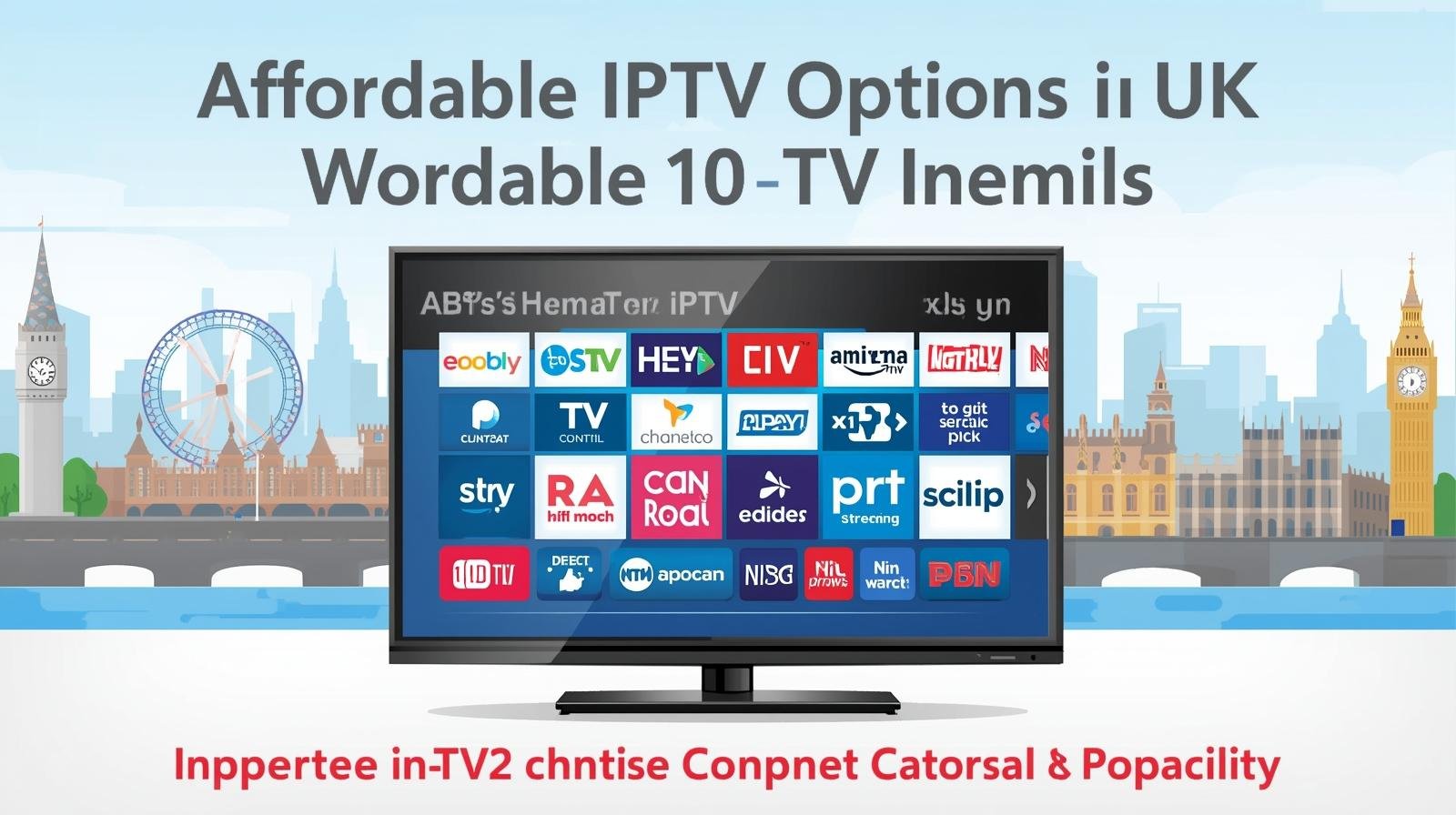
IPTV on a Budget: Best Affordable Options for UK Users

Cutting the cord doesn’t have to break the bank. In the UK, IPTV (Internet Protocol Television) has matured into a flexible, feature-packed, and—crucially—affordable way to watch TV. Whether you live in a student flat, shared house, single-occupancy apartment, or a family home, there are cost-effective IPTV routes that deliver live channels, on-demand films, sport highlights, and children’s programming without the heavy price tag of traditional satellite or cable bundles. Affordable IPTV Options UK.

This article is a practical, step-by-step guide to getting IPTV on a budget in the UK. I’ll walk you through the cheapest and most reliable device setups, low-cost and free legal services, smart combos and bundles, how to future-proof your setup, tips to avoid hidden costs and scams, bandwidth requirements, and a buying checklist. By the end you’ll know exactly how to build a great, inexpensive IPTV experience tailored to your household.

1. What “IPTV on a budget” really means

“IPTV on a budget” isn’t just about paying the smallest monthly fee—it’s about getting the best value: a reliable picture, the channels you actually use, low setup costs, and minimal monthly overhead. It means:

  • Avoiding long-term contracts and expensive hardware installs.
  • Combining free legal content and low-cost subscriptions for a tailored lineup.
  • Minimising wasted channels and redundant payments.
  • Using low-cost hardware that still offers good app and codec support.
  • Protecting yourself from illegal services that might look cheap but come with huge risks.

If you prioritise value over vanity (no need for the most premium bundle), you can easily get an excellent experience for a fraction of legacy cable costs.

2. The building blocks: Internet, device, and service

A budget IPTV setup has three essentials:

A. Internet connection

You need a stable broadband connection. For consistent HD streams, target at least 15–25 Mbps for a single stream; 4K needs 25–50 Mbps. For budget users, the trick is choosing the right plan for your household’s concurrent-device needs—don’t overpay for unused capacity, but leave enough headroom for smooth playback.

B. Device (hardware)

You don’t need an expensive set-top box. Cheap streaming sticks and older smart TVs can run IPTV apps well. Important: choose hardware with good app support and up-to-date OS updates (for security and codec support).

C. Service

This is the content source. Options range from free catch-up apps (BBC iPlayer) and ad-supported services to inexpensive SVODs (subscription video on demand) and pay-per-view for big events. Mix and match to keep costs down.

3. Cheap and legal IPTV services in the UK (free + low-cost options)

Start with legal, reputable services. These give you peace of mind, consistent updates, and no malware risk. Affordable IPTV Options UK.

Free & public service apps

  • BBC iPlayer: Free to UK users (TV Licence required for live or recorded BBC content). Huge catch-up library.
  • ITVX, All 4, My5: Free catch-up services from the main UK broadcasters. Ad-supported but extensive.
  • Free ad-supported streaming services (FAST): Platforms like Pluto TV, Tubi, or locally available free channels often carry decent content without a subscription (ad breaks fund them).

Low-cost subscription services

  • NOW (Sky’s streaming service): Flexible passes for entertainment, movies and sport (choose the passes you need).
  • BritBox: Affordable, good for British drama and classic series (often cheaper than full cable).
  • Disney+ / Apple TV+ / Amazon Prime Video: Not the cheapest singly, but rotating and bundling promotions can make them affordable. Amazon Prime includes other perks (shopping, music) which can justify the cost.

Budget-specific IPTV providers

Look for legal, smaller IPTV services or packages offered by ISPs that provide leaner bundles—these often offer “skinny” lineups at lower prices compared to legacy cable. Examples include entry-level plans from ISPs or hybrid OTT bundles with select live channels.

4. The best budget devices for IPTV (sticks, boxes, smart TVs)

Hardware can be cheap and effective. Here are common budget-friendly choices and what to expect:

Streaming sticks (best value)

  • Amazon Fire TV Stick / Lite: Often the cheapest route, with wide app support. Fire OS runs many IPTV apps (official and third-party).
  • Chromecast with Google TV (affordable model): Integrates with Android ecosystem and supports many apps.
  • Roku Express: Simple interface, reliable app store (check UK availability for specific apps).

Why choose a stick? Low purchase price (~£20–£50), plug-and-play, portable, and easily upgraded later.

Entry-level Android TV boxes

If you need more apps, sideloading or expanded codecs, low-cost Android boxes (from reputable brands) offer better performance than cheap sticks, and can handle local playback, external storage and more advanced IPTV apps.

Older smart TVs

If you already own a recent smart TV (Samsung, LG, Sony), try its app store first—many native apps are supported and perform well without extra hardware.

Budget set-top boxes from ISPs

Some ISPs offer affordable or subsidised STBs with managed IPTV built-in. These often have simple billing and support but may lock you to the ISP for service. Good option if you want reliability without fuss.

5. Combining free and paid services: the smart hybrid approach

The smartest budget IPTV setups use a hybrid mix:

  • Base layer (free): BBC iPlayer, ITVX, All 4, My5, and at least one FAST platform. This covers a lot of general entertainment and catch-up.
  • Niche add-ons (paid): Add one or two cheap subscriptions tailored to your tastes — e.g., BritBox for British drama or Disney+ for family content.
  • Occasional rentals: Use transactional VOD (rent a 4K movie for £3–£5) for big films rather than keeping a permanent premium subscription.

This approach keeps monthly costs low while giving access to high-value content. Affordable IPTV Options UK. Affordable IPTV Options UK .You’ll probably find 70–90% of the content you want across the free layer and a single low-cost subscription.

6. How to save on big-ticket channels (sports, movies, premium)

Sports and premium IPTV movie channels are the usual budget-busters. Workarounds:

Short-term passes

Use short-term passes for the months you need them (e.g., a monthly sports pass during football season). Many services offer monthly rolling plans—cancel when the season ends.

Shared accounts (with caution)

Family members sometimes split subscription costs. Be mindful of terms of service; some providers restrict simultaneous streams.

Pay-per-view

For one-off big events (boxing fights, concerts), consider a single-event purchase over a continuous premium subscription.

Free highlights and delayed streams

If you don’t need live action, many sports channels and leagues offer extended highlights free or on cheaper platforms.

7. DIY: Setting up an ultra-cheap IPTV rig step-by-step

Here’s an example build that’s affordable and effective:

Example budget build (under £70 initial cost; ~£5–£10/month)

  1. Hardware: Buy a Fire TV Stick Lite or Chromecast with Google TV (~£25–£40).
  2. Network: Use your existing home broadband (ensure 15–25 Mbps). Wired where possible.
  3. Free apps: Install BBC iPlayer, ITVX, All 4, My5, Pluto TV (or other FAST).
  4. One low-cost subscription: Add BritBox or Disney+ (or a monthly NOW pass) for niche content you value.
  5. Optional: Use a cheap VPN only if you travel and need to access UK apps abroad (be aware of provider T&Cs).

Setup tips

  • Use an Ethernet adapter for the streaming stick if you experience buffering.
  • Update device firmware before installing apps.
  • Create user profiles in services to keep recommendations clean.
  • If you need recordings, choose a provider or device that supports cloud DVR (some low-cost providers include small DVR allowances).

8. Avoiding illegal IPTV & staying safe online

Cheap can be dangerous if the service is illegal. Affordable IPTV Options UK.  Illegal IPTV often offers complete channel bouquets for suspiciously low fees. Risks include:

  • Malware and adware in unofficial apps.
  • Poor reliability—streams vanish, links break.
  • Legal exposure—using unlicensed streams can lead to account suspension or legal notices.
  • No customer support or refunds.

How to stay safe:

  • Stick to well-known app stores (Amazon Appstore, Google Play, Roku Channel Store).
  • Verify provider credentials and look for transparent licensing statements.
  • Avoid APKs and third-party stores unless you know exactly what you’re installing and trust the source.
  • Read user reviews and community threads from reputable UK forums for feedback.

9. Bandwidth, data caps and ISP considerations for budget users

A budget plan is useless if your broadband can’t handle streaming. Consider:

Assess your needs

  • 1 HD stream: ~3–8 Mbps continuous.
  • 1 4K stream: ~25–50 Mbps.
  • Multiple simultaneous streams: add bandwidth per concurrent device.

Data caps

Some ISPs impose data caps or fair usage policies—check before streaming heavily. If you have limited data, prioritise lower-resolution or download-on-demand when possible.

Peak-time contention

If your area suffers speed drops in the evening, try wired connections, or switch to lower bitrate streams during peak hours. Alternatively, ISP-bundled IPTV with managed QoS can offer better evening reliability.

10. Tips to improve streaming quality without upgrading your plan

You can often improve experience for free or low cost:

  • Use Ethernet: Wired connections dramatically reduce buffering.
  • Router placement & Wi-Fi configuration: Move the router closer to your streaming devices, use 5GHz for less interference, and avoid micro-wave ovens and dense walls in between.
  • Limit background uploads/downloads: Pause large downloads and cloud backups during streaming.
  • Adjust streaming quality manually: Many apps let you choose SD/HD/Auto. Select “Auto” or a lower preset to avoid stutters when needed.
  • Reboot router periodically: Keeps memory clears and routing optimal.
  • Use a better router firmware: If you’re comfortable, inexpensive upgrades (or simple QOS settings) can allocate more bandwidth to streaming devices.

11. Seasonal and temporary subscription strategies (save by timing)

You don’t need a year-round subscription for every service. Smart timing can save dozens per year:

  • Sports: Subscribe only for the season or big tournaments.
  • TV series: Start a service for a month during a major series release, then cancel.
  • Movie releases: Rent individual films rather than keep extra movie bundles.
  • Trial stacking: Many services offer free trials. If you time trials and short-term passes carefully, you can watch several months of content with minimal cost—just remember to cancel before billing.

12. Where to spend and where to save: a prioritisation guide

If you have limited budget:

Spend on:

  • Reliable broadband (avoid the cheapest throttled plans).
  • A reliable, small streaming device (stick or inexpensive box).
  • One well-curated subscription that serves your most-watched genres.

Save on:

  • Expensive lifetime bundle deals that include channels you don’t watch.
  • Multiple overlapping subscriptions with similar catalogues.
  • Hardware with features you won’t use (4K when your TV is 1080p).

13. Troubleshooting common budget IPTV problems

Problem: Buffering or pixelation.
Fixes: Switch to wired connection, lower the stream quality, reboot router, check peak-time performance, test other devices to isolate the problem.

Problem: App crashes on cheap sticks.
Fixes: Clear app cache, ensure firmware is up to date, uninstall unused apps to free memory, or upgrade to a slightly better box.

Problem: Geo-restrictions when abroad.
Fixes: Use a reputable VPN that supports streaming (note provider terms), or download/choose services with global availability.

Problem: Lack of DVR or pause-for-live.
Fixes: Choose services that include cloud DVR, or use provider apps that store catch-up content.

14. Future-proofing your budget setup (hardware & formats)

Even if you’re on a budget, plan for the next few years:

  • Choose devices with recent OS versions (security & codec support).
  • Prefer devices that support modern codecs (H.265/HEVC or AV1) for efficient streaming of HD/4K.
  • Buy slightly above minimum RAM/storage for snappier UI performance on sticks/boxes.
  • Consider modularity: Buy a simple stick now and upgrade to a better box later—your subscriptions easily follow your account.

This approach keeps initial costs low while avoiding forced replacements.

15. Conclusion — the cheapest path to a great TV experience

IPTV on a budget in the UK is not only possible—it’s the smart, modern choice for price-conscious viewers. By mixing free legal services with one or two targeted, low-cost subscriptions, using an inexpensive but capable streaming stick, and optimising your home network, you can replicate most of what satellite or cable offers—often with better convenience and far lower ongoing costs. Affordable IPTV Options UK.

Key takeaways:

  • Start with free catch-up apps and FAST platforms.
  • Add only one or two paid subscriptions aligned with your viewing habits.
  • Use cheap, widely supported hardware like Fire TV Stick or Chromecast with Google TV.
  • Test your broadband and prefer wired connections for reliability.
  • Avoid illegal IPTV services—cheap can be costly in the long run.

If you want, I can help you build a tailored budget plan based on your household size, favourite genres, and current broadband speed. Tell me how many people live in your house and what kinds of shows you watch most (sport, movies, drama, kids), and I’ll design a low-cost IPTV build with exact services and devices to match.

FAQs

  1. Can I get a decent IPTV experience for under £10/month?
    Yes. By using free catch-up apps (BBC iPlayer, ITVX, All 4, My5) and one low-cost subscription (e.g., BritBox or Disney during a promotion) plus occasional rentals, you can keep average monthly spend under £10 while accessing a broad range of content.
  2. Is a cheap Fire TV Stick good enough for IPTV?
    For most users, yes. The Fire TV Stick Lite or basic Chromecast is powerful enough for HD streaming and runs the major UK apps. If you want multiple 4K streams or smoother performance with many apps, consider a slightly more powerful box.
  3. What’s the biggest hidden cost with budget IPTV setups?
    Data overage or poor broadband causing repeated buffering is the most common hidden cost—either bandwidth charges from limited data plans or the time/money spent upgrading routers/lines. Also beware of illegal subscriptions that disappear with no refund.
  4. Can I watch live sports on a budget IPTV setup?
    Yes — but live sports often require short-term passes, pay-per-view purchases, or a dedicated sports pass. Using short-term subscriptions during the season or renting big events keeps costs down.
  5. Is using a VPN necessary for IPTV?
    Generally no for UK-based, legal services. VPNs are useful if you travel abroad and want to access UK-only apps. Be sure to check each service’s terms—some restrict VPN use.                                             IPTV FREE TRIAL