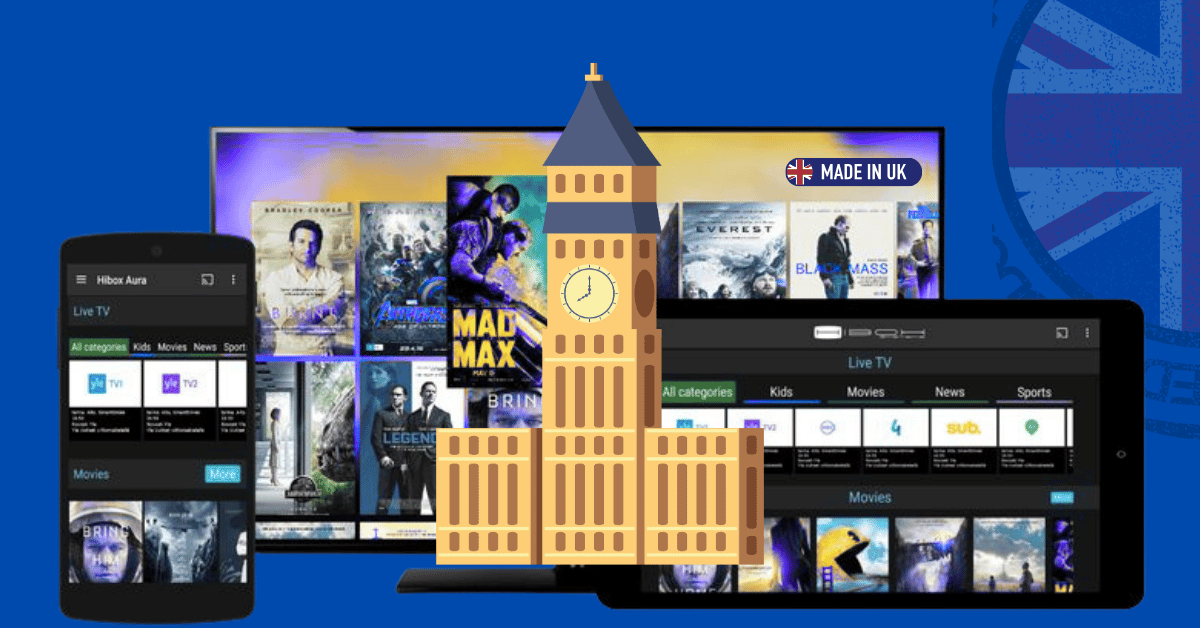
In 2025, more households than ever are choosing Internet Protocol Television for its lower cost, flexible plans, and watch-anywhere convenience. Acronyms (M3U, EPG, HLS), device options (Fire TV, Android TV, Apple TV), conflicting legal claims, and drastically disparate plan quality are some of the noises that come with the boom. This guide cuts through the confusion. You’ll learn how IPTV works, how to set it up properly, which devices and apps are best, what speeds you really need, how to stay on the right side of the law, and exactly how to pick a reliable provider that won’t leave you buffering at kick-off. Best IPTV UK 2025 Guide.
What Exactly Is IPTV?
IPTV (Internet Protocol Television) delivers live TV channels and on-demand video over the same broadband connection you use for web and apps—no satellite dish, no coax run to the street cabinet, and usually no engineer visit. Your player requests tiny video segments in real time; the server sends just what you need, when you need it.
Three core modes:
- Live TV — linear channels in an EPG you can zap through.
- Catch-up/Restart — shows from the last 24–72 hours, often with “start from the beginning.”
- VOD — box sets and films you can pause, resume, and binge.
Because everything runs as an app, you can watch on smart TVs, streaming sticks, phones, tablets, laptops, and even projectors—often using the same login (subject to your plan’s concurrent stream limit).
How IPTV Works (in plain English)
Most services use HTTP Live Streaming (HLS) or MPEG-DASH, which chop video into small, time-stamped segments. Your player uses Adaptive Bitrate (ABR) to raise or lower quality as your real-time bandwidth changes, trading minor quality dips for fewer stalls. For sports, 50/60fps channels provide smooth motion; premium events may offer 4K with HDR on compatible devices. Best IPTV UK 2025 Guide.
Typical per-stream bandwidth (add headroom for other home use):
- HD 720p/1080p: ~10–20 Mbps
- 4K (2160p): ~25–50 Mbps
- High-frame-rate sports: toward the upper end of HD/4K ranges
Is IPTV Legal in the UK?
The technology is legal. Legality hinges on content rights. Some providers are fully licensed to distribute the channels and VOD they sell; others are not. Signs a service might be unlicensed include opaque ownership, constantly changing portals, unrealistic channel counts, and payment methods that avoid traceability.
If staying within applicable law is essential for you—especially for premium sports and first-run films—choose transparent providers that clearly disclose licensing and terms. Note that using a VPN for privacy does not grant rights to view content.
2025 Pricing Snapshot (UK)
Prices vary by iptv provider and plan. Here’s what UK viewers typically see this year:
- Budget monthly (£8–£15): HD focus, single stream, smaller VOD, basic catch-up.
- Mid-range monthly (£15–£25): 2–3 streams, stronger EPG/catch-up, decent VOD.
- Premium monthly (£25–£40+): 4K where available, priority servers, sports extras.
- Annual discounts: Often 20–35% vs monthly (only commit annually after a robust trial).
Always weigh price against stability, EPG accuracy, app quality, and support. A cheap plan with broken channels and no catch-up is false economy. Best IPTV UK 2025 Guide.
Best Devices for IPTV UK (2025)
1) Fire TV Stick 4K / 4K Max
- Why it’s great: Affordable, tiny, widely supported by IPTV apps.
- Pro tip: For reliable sports nights, include a cheap USB-to-Ethernet adaptor.
- Watch-outs: Manage storage; periodically clear cache/remove unused apps.
2) Chromecast with Google TV (4K)
- Why it’s great: Clean interface, excellent voice search, strong codec support.
- Pro tip: Keep apps lean to avoid storage bloat.
3) Android TV / Google TV Boxes (e.g., Nvidia Shield, Formuler, Xiaomi)
- Why they’re great: More power, native Ethernet, better upscaling (Shield), flexible apps.
- Best for: Power users, home cinemas, multi-screen households.
4) Smart TVs (LG webOS, Samsung Tizen, Sony Google TV)
- Why they’re great: No extra device or remote.
- Watch-outs: App availability and update longevity vary by brand and model year.
5) Mobiles, Tablets, Laptops
- Why they’re great: On-the-go streaming; cast/AirPlay to bigger screens.
- OTT Navigator, VLC, GSE, IPTV Smarters, and TiviMate (Android) are among the apps.
Top IPTV Player Apps (2025)
- TiviMate (Android/Google TV/Fire TV): Elegant UI, multi-playlist, powerful EPG; optional premium unlocks PVR-like features and multi-screen.
- IPTV Smarters Pro (Android/iOS/Fire TV/Smart TV): Cross-platform, VOD support, live catch-up, multi-screen.
- OTT Navigator (Android): Deep filtering, grouping, power-user options.
- Perfect Player (Android): Lightweight, simple; supports M3U/XMLTV.
- VLC (cross-platform): Free, reliable player for M3U playlists (minimal EPG niceties).
Choose the app your household finds easiest to navigate—especially for kids and guests.
Step-by-Step Setup (UK)
A) Fire TV Stick (4K/4K Max)
- Get IPTV Smarters or TiviMate from the Amazon Appstore.
- Let the app fetch the EPG (guide); enable catch-up if offered.
- In Player/Settings, test decoder options and buffer size; keep ABR on.
- For sports, enable Match Original Frame Rate if your display supports it.
B) Chromecast with Google TV / Android TV
- Connect via HDMI; prefer Ethernet where possible (USB-C hub or Ethernet dongle).
- Install TiviMate, IPTV Smarters, or OTT Navigator from Google Play.
- Add your playlist or Xtream portal; load XMLTV EPG if required.
- Try both System Player and ExoPlayer, if they are available, and select the more fluid one.
- Set display to correct refresh rate; enable frame rate matching if your TV supports it.
C) Smart TVs (LG/Samsung/Sony)
- From the TV app store, install Smarters / Smart IPTV / official provider app.
- Enter credentials; allow a full EPG pull (can take a few minutes).
- If the store lacks your preferred app, add a streaming stick for better support.
D) Phones, Tablets, Laptops
- Install Smarters, GSE, VLC, or use the provider’s web/app portal.
- On laptops, VLC handles M3U well; if you want guide data, add EPG separately.
- Cast/AirPlay to your TV where supported.
Network Optimisation: Your Buffer-Free Blueprint
Great IPTV is built on a great home network. Five high-impact wins:
- Wire the main screen. Ethernet > Wi-Fi, especially for live sport and 4K.
- If you must use wifi, choose 5 GHz (or Wi-Fi 6/6E); stay away from 2.4 GHz for large bitrates.
- Your router should be positioned high, in the middle, and away from appliances and thick walls.
- Tune your router:
- Enable QoS to prioritise the TV device.
- Manually set a quiet 5 GHz channel if your building is congested.
- Keep firmware updated.
- Reduce network congestion during peak hours by pausing game downloads and cloud backups while games are in progress.
Rebooting your router and main streaming device once a week is a good habit for quick, stable streaming. Best IPTV UK 2025 Guide.
Performance Targets (Reality-Checked)
- Reliable HD (1080p): Aim 10–20 Mbps per active stream.
- 4K/HDR: Aim 25–50 Mbps per stream, plus headroom.
- Peak-time test: Try your trial during Friday night or a big match—this is the real stress test.
Sports: Keeping Latency and Stutter Down
- Ethernet first. If not possible, ensure excellent 5 GHz signal.
- Keep Adaptive Bitrate on; a brief quality dip beats a freeze.
- To free up RAM, shut down any background apps on the stick or box.
- Use nearby VPN locations only if you need a VPN; far servers add delay and lower throughput.
- IPTV will likely lag behind broadcast by a few seconds, but LL-HLS/DASH is becoming closer every year.
Security, Privacy, and VPNs
- Install from official stores (Amazon/Google) where possible.
- Create secure, one-of-a-kind passwords and don’t give your login information to others outside your home.
- A VPN can help with privacy and sometimes smoother routing. Test both ways; VPNs can also reduce speed if misconfigured. A VPN does not change content licensing.
How to Choose a Solid UK IPTV Provider (2025)
1) Start with a trial (or refund window).
- During peak testing times, keep an eye on buffering, channel stability, EPG accuracy, and VOD freshness.
2) Match plan to your household.
- Streams: Buy for peak usage (e.g., lounge + bedroom + phone).
- Resolution: HD for most; 4K for big screens and stable fibre.
- Content scope: Sports/kids/international packs only if you’ll use them.
3) Check the experience.
- EPG should be accurate and quick to navigate.
- Catch-up availability (24–72 hours) matters for busy schedules.
- VOD should be well-tagged, with working subtitles and consistent audio tracks.
4) Confirm device support.
- Native apps for your main device or robust M3U/Xtream support in a reputable player.
5) Support & transparency.
- Look for responsive support channels and clear terms. Beware of providers with only opaque chat handles and no policies.
6) Upgrade gradually.
- Monthly → quarterly → annual, only after your setup proves stable.
Troubleshooting: Fast Fixes
- Buffering/freezes
- Switch to Ethernet; move to 5 GHz if wireless.
- Increase player buffer; close other streaming apps.
- Reboot device/router; update firmware/app.
- Audio out of sync
- Toggle hardware decoding.
- Adjust A/V sync in the app or soundbar/AVR.
- EPG missing/wrong time
- Refresh XMLTV; confirm time zone/offset.
- Allow a full guide download and parsing.
- Single category fails
- Often a source-side issue; test another device; contact support with channel/time.
- App crashes/low storage
- Clear cache; uninstall unused apps; reboot.
Accessibility & Family Features
Modern IPTV apps increasingly support:
- Closed captions/subtitles with adjustable size/contrast.
- Multiple audio tracks (including described video where available).
- Profiles, favourites, parental controls.
- Large fonts/high-contrast themes on many platforms.
Not simply viewers with particular needs benefit from these features. Best IPTV UK 2025 Guide .
Cost Scenarios (What UK Homes Really Pay)
- Solo viewer, HD-only: £10–£15/mo. Optional £8/year player license.
- Family (2–3 streams, HD + occasional 4K): ~£15–£22/mo. Consider Ethernet for lounge; optional VPN £3–£6/mo.
- Sports-first household (2 streams, 50/60fps, 4K capable): ~£20–£30/mo. Prioritise wired setup and quality player app.
Even after adding a one-off £10–£20 Ethernet adapter or upgrading your router, many households still save hundreds vs traditional bundles.
Quick-Start Checklist (Print This)
- Must-haves: Channels, sports, VOD, languages; concurrent streams (1/2/3/4).
- Broadband test at peak: Target 10–20 Mbps per HD and 25–50 Mbps per 4K stream.
- Shortlist providers with trials and clear documentation.
- Try it at peak hours and record any buffering or EPG problems.
- Network tuning includes firmware updates, QoS, Ethernet/5 GHz, and fewer background downloads.
- Set reminders for renewals and only upgrade to quarterly or yearly after a month without any issues.
Where IPTV Is Heading (2025 → 2030)
- Lower latency live streams (LL-HLS/DASH at scale).
- Smarter recommendations tuned to your household rhythms.
- At lower bitrates, new codecs (AV1/VVC) provide the same quality.
- Cloud DVR and shared watch rooms syncing friends/family.
- Deeper accessibility (dynamic audio, better subtitle standards).
In short: more personal, more portable and more performant.
The most common queries
1) What speed do I need for IPTV?
Plan 10–20 Mbps per HD stream and 25–50 Mbps per 4K stream—plus headroom for other devices.
2) Is IPTV hard to set up?
Not really. Install an app, enter credentials, load the EPG, and you’re watching in minutes. The biggest win is wiring your main TV.
3) Do I need a VPN?
Not necessarily. A VPN can help with privacy and sometimes routing. But it can also reduce speed. Test with and without. It doesn’t grant content rights.
4) Which device should I buy first?
Most users use the Fire TV Stick 4K/4K Max or Chromecast with Google TV (4K). Heavy users might prefer a Shield or Ethernet-equipped Android TV box.
5) Can IPTV services fully replace my cable/satellite?
For many households. Yes especially when paired with one or two OTT services you love for originals.
6) Why does sport buffer more than films?
Sports frequently operate at greater frame rates and reach their peak during peak hours. Wire your main device, keep ABR on, and reduce competing bandwidth.
7) How do I avoid bad providers?
Look for trials/refunds, accurate EPG, responsive support, and clear terms. Massive, unreal channel lists and frequent portal modifications should be avoided.
Conclusion: Make TV Work for You
“Best IPTV UK 2025” isn’t a single provider—it’s a smart setup: the right device (preferably wired), a clear understanding of your household’s needs, a trial-proven plan, and a tuned home network. Do those things and you’ll enjoy smooth HD/4K, dependable sports nights, rich VOD libraries, and multi-room viewing without multi-room fees—usually for a fraction of traditional TV costs. Best IPTV UK 2025 Guide.
Start small: wire your main screen. Test your shortlist during real prime time. Tweak a few settings. Then lock in a longer plan once you’re confident. The real promise of IPTV in 2025—control, quality, and value—is delivered by that methodical approach—on your terms.