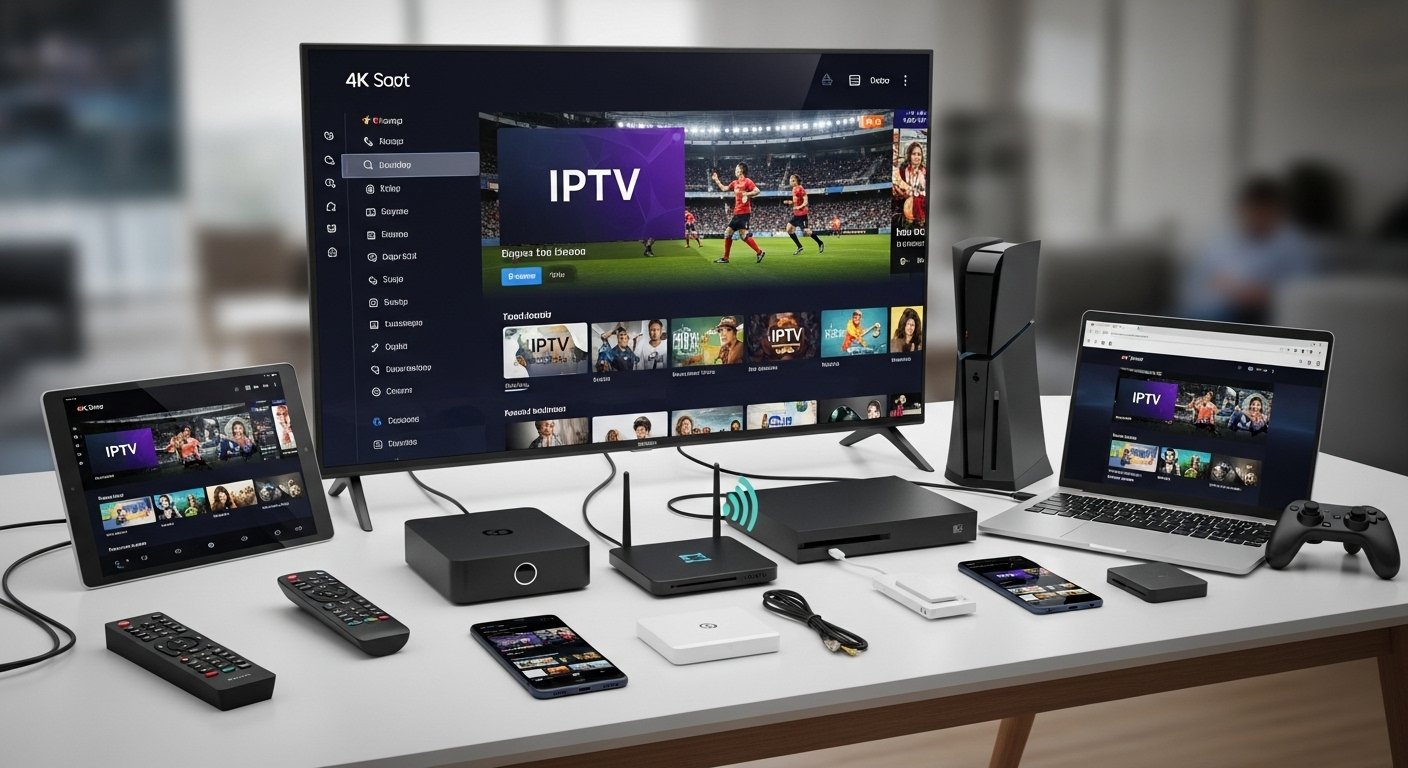
Top 5 Devices to Use with Your IPTV UK Subscription

If you’re using an IPTV UK service — whether you’re trying an IPTV UK free trial, evaluating a new IPTV subscription, or searching for the best IPTV UK setup in 2025 — choosing the right device makes a huge difference. Your choice affects picture quality, app availability (for players such as IPTV Smarters Pro), reliability, security, and usability. Below I compare the top five device categories for IPTV United Kingdom users, explain the pros and cons of each, provide device-specific setup tips, and include an 800-word step-by-step guide for selecting, subscribing, and installing your chosen option. Best Devices for IPTV.

Quick summary — what matters when picking a device for UK IPTV

Before we dive into the top five devices, here’s a quick checklist of the features that matter for IPTV subscriptions in the United Kingdom:

  • App availability: Can the device run apps such as IPTV Smarters, TiviMate, or native apps from the provider?
  • Performance & codecs: Does it support H.265/HEVC, 4K HDR, hardware decoding, and smooth playback for multiple streams?
  • Network connectivity: Wired Ethernet is preferable, but good Wi-Fi (dual-band/AX) is acceptable.
  • Security & updates: Does the vendor provide regular firmware and security updates?
  • Sideloading support: If the provider supplies APKs or M3U/XTREAM credentials, can you install or configure them safely?
  • Remote & UI: Is the user interface responsive and friendly for channel surfing and EPG use?
  • Cost & longevity: Is it value for money and future-proof (supports 2025 standards)?

With those priorities in mind, here are the top 5 device choices for UK IPTV viewers, ranked by general suitability.

1) Amazon Fire TV Stick (4K / 4K Max) — best value and app availability

Why choose it

The Amazon Fire TV Stick series — especially the Fire TV Stick 4K and 4K Max — is arguably the single most popular IPTV device in UK homes. For many people, it hits the sweet spot between cost, app selection, and everyday usability. It supports major streaming stores, good hardware decoding, and is compatible with sideloaded players (if needed). This makes it an ideal companion for IPTV UK subscriptions and for using apps like IPTV Smarters Pro.

Pros

  • Affordable and widely available in the United Kingdom.
  • Smooth support for mainstream streaming and common IPTV players.
  • Regular firmware updates from Amazon (mostly).
  • Compact and easy to install on Fire TV, Amazon devices, and many TVs.
  • Works well with Ethernet adapters for stable IPTV streaming.

Cons

  • Sideloading third-party APKs requires some extra steps.
  • Some Amazon policies and app store rules may limit certain IPTV provider apps.
  • Occasional ads and Amazon UI bloat.

Best use cases

  • Users who want a cheap, reliable, and widely supported streamer for IPTV services and want to test an IPTV UK free trial quickly.
  • Households that will primarily stream on one or two TVs.

Setup tips

  • Use a powered Ethernet adapter if possible to avoid Wi-Fi buffering.
  • Use official app stores first, and only sideload reputable APKs (verify checksums).
  • Install a trusted player like IPTV Smarters Pro from the Amazon store or the developer’s verified source.

2) Android TV Boxes & NVIDIA Shield — best performance and versatility

Why choose it

If you want raw power, flexibility, and strong codec support (H.265, AV1 in some models), Android TV boxes — and the NVIDIA Shield TV in particular — are hard to beat. They’re perfect for advanced users running multiple streams from iptv providers, using EPGs, and integrating with home media servers. Best Devices for IPTV.

Pros

  • Excellent hardware decoding and long-term support (NVIDIA Shield is well-supported).
  • Native Google Play store access for apps like IPTV Smarters, TiviMate, or VLC.
  • Strong networking: gigabit Ethernet on many models.
  • Great for 4K HDR content and higher bitrate streams.

Cons

  • More expensive than basic sticks.
  • Overkill for casual users who just want simple channel surfing.

Best use cases

  • Power users and households with heavy IPTV usage (multiple simultaneous streams).
  • People who want to pair UK IPTV with Plex, Kodi, or a local NAS.

Setup tips

  • Use wired Ethernet and enable hardware acceleration in player app settings.
  • Stick to official app sources where possible and keep the Android OS updated.
  • Configure EPG and channel groups inside your IPTV player for the best experience.

3) Apple TV 4K — best for Apple ecosystem and polished UI

Why choose it

For users deeply invested in Apple devices — iPhone, iPad, Mac — Apple TV 4K offers a polished UI, consistent updates, and a strong app ecosystem. While some third-party players are not available on tvOS (Apple’s platform is more restrictive), many IPTV providers offer web players or dedicated tvOS apps. Best Devices for IPTV.

Pros

  • Superb UI and reliable updates.
  • Great for families who want cross-device continuity (AirPlay, iCloud).
  • Strong hardware and 4K HDR support.

Cons

  • More expensive than Fire Sticks and some Android boxes.
  • Sideloading is hard; tvOS does not permit arbitrary APKs, meaning some grey-market players are unavailable.
  • Some popular Android IPTV apps (like TiviMate) are Android-only.

Best use cases

  • Apple ecosystem users who want a polished, secure device for licensed OTT apps and trusted IPTV providers.
  • Users who prefer an Apple TV app from a reputable IPTV provider.

Setup tips

  • Use official provider apps where possible; otherwise configure provider’s web player or use AirPlay from a trusted iPhone.
  • Pair with a good network and enable Ethernet for high-bitrate channels.

4) Smart TVs (Samsung, LG, Sony) — best for simplicity and all-in-one

Why choose it

Smart TVs from Samsung (Tizen), LG (webOS), and Sony (Android TV/Google TV on many models) are convenient because they eliminate the need for extra hardware. Many licensed IPTV providers publish apps on TV stores, and these TVs are fine for casual and mainstream IPTV usage. Best Devices for IPTV.

Pros

  • No extra hardware; simple setup.
  • Some native apps for IPTV providers or popular players.
  • Great for guests and living rooms where simplicity matters.

Cons

  • App availability varies by brand and model.
  • Many Smart TVs have slower hardware and less frequent updates than dedicated players.
  • Sideloading or installing custom apps is often impossible or risky.

Best use cases

  • Casual viewers who want a simple setup and mainly use licensed, store-distributed IPTV apps.
  • Those who prefer a clean, integrated living room experience.

Setup tips

  • Check the TV app store for your provider or player app before purchasing.
  • Keep TV firmware current for security and performance.
  • Use Ethernet if the TV supports it, especially for 4K streams.

5) PCs, Laptops & Raspberry Pi — best for flexibility and advanced tinkering

Why choose it

For techies, a PC or Raspberry Pi is the most flexible option. PCs run desktop IPTV apps, browser web players, and advanced clients like Kodi; Raspberry Pi (especially Pi 4 and later) can act as lightweight set-top boxes running LibreELEC / OSMC / Kodi or Chromium-based web players. Best Devices for IPTV.

Pros

  • Highly customizable; supports many formats and tools.
  • Easy to run multiple instances, record via DVR, or pair with a NAS.
  • Great for testing IPTV UK free trial offers before committing.

Cons

  • Setup can be technical and fiddly for non-technical users.
  • PCs may be less convenient as living-room devices compared to a simple remote.

Best use cases

  • Users who want advanced features (DVR, advanced EPG, transcoding).
  • Those who want to do local recording or integrate IPTV with home media servers.

Setup tips

  • Use modern browsers or dedicated apps and enable hardware decoding if available.
  • Secure your PC (antivirus, updated OS) when testing new providers or APKs.
  • For Raspberry Pi, use official images and ensure SD card reliability and power supply quality.

Other device notes: MAG boxes, set-top boxes, and NAS integration

Some users still favour dedicated MAG boxes and other specialised set-top boxes that many IPTV providers support. These are legacy devices that can be stable, but they often lag in codec support and receive fewer security updates. If you choose a MAG or grey-market box, verify the firmware source and avoid devices that come pre-loaded with questionable apps or preconfigured illegal subscriptions.

Similarly, integrating with a NAS can let you record, transcode, and serve streams to multiple devices — a powerful option for advanced households. Best Devices for IPTV.

Security, legality, and best practice reminders for UK IPTV users

Before you set up an IPTV subscription in the United Kingdom, remember:

  • Legality depends on content rights: IPTV is a delivery method; if your IPTV service streams premium channels without rights, it’s illegal. Always pick licensed providers or transparent aggregators.
  • Security matters: Avoid cracked APKs and untrusted “pre-loaded” boxes that may include malware. Use secure payment methods (card, PayPal) — this helps with disputes.
  • Trials are for testing: Use an IPTV UK free trial to test stability, EPG accuracy, and device compatibility before committing.
  • Use trusted players: IPTV Smarters Pro is a popular client. Install it from official stores when available, and verify any APK checksums if sideloading.
  • Prefer Ethernet & wired connections for higher-bitrate streams and fewer buffering issues.
  • Use reputable VPNs cautiously: A VPN can protect privacy on public networks but doesn’t legalise pirated streams and can affect streaming performance. Best Devices for IPTV.

 Step-by-Step Walkthrough: Choose, Subscribe, Install, and Secure Your IPTV UK Package

Below is a thorough, practical 800-word guide that walks you step-by-step from deciding which device to use through to installing your IPTV subscription, testing a free trial, and securing your system. Follow this sequence to get a reliable, legal, and secure IPTV setup in the United Kingdom. Best Devices for IPTV.

  1. Define requirements
    First, write down what you actually need. List the must-have channels (e.g., BBC, ITV, specific sports), the number of simultaneous streams for your household, and the devices you already own (Fire TV, Apple TV, Smart TV, PC). If sports and live events matter, accept that licensed sports rights typically cost more and cheap packages promising everything are red flags. Decide whether portability (phone/tablet) or living room convenience (TV box) is your priority.
  2. Shortlist devices & providers
    Based on your device preference, select 2–3 hardware options from the top five above. For example, if you want low cost and broad app support, pick a Fire TV Stick 4K and an Android TV box. Next, shortlist 3–5 IPTV providers that match your channel needs and offer a transparent policy. For each provider, check: pricing, trial policy (iptv uk free trial), device compatibility, and whether they declare licensing or company details. Exclude providers that demand untraceable payments or refuse to answer licensing questions.
  3. Check app compatibility and reviews
    Search for the provider name plus terms like “review”, “scam”, “shutdown” and read community forums. Confirm whether your chosen player app (e.g., IPTV Smarters Pro) is available on your device’s store, or whether the provider offers secure M3U/Xtream credentials.

Following these steps will help you pick the right device and IPTV subscription, complete a safe IPTV UK free trial, and secure your setup for long-term use in the United Kingdom. Best Devices for IPTV.

Choosing the best device for specific UK viewers (quick recommendations)

  • Budget / casual viewer: Fire TV Stick 4K (cheap, easy, compatible with IPTV Smarters Pro).
  • Power user / multi-stream household: NVIDIA Shield or high-end Android TV box.
  • Apple lovers: Apple TV 4K (security, polished UI).
  • Simplicity / plug-and-play: Smart TV with official provider app.
  • Tinkerers / advanced features: PC or Raspberry Pi + Kodi / Plex.

Troubleshooting common issues

  • Buffering: Use wired Ethernet, reduce stream quality, or upgrade bandwidth.
  • Incorrect EPG times: Set EPG timezone to UK and resync.
  • App crashes: Clear cache, reinstall, or test a different player.
  • Missing channels: Confirm with provider and check for geoblocking or rights restrictions.

Final thoughts

Choosing the right device for your IPTV UK subscription depends on what you value: price, performance, security, or ecosystem. Whether you pick a Fire TV Stick, NVIDIA Shield, Apple TV 4K, a Smart TV, or a PC/Raspberry Pi, follow the step-by-step checklist above, test using an IPTV UK free trial, and prioritize licensed and transparent IPTV providers. For many UK viewers in 2025, a combination of a reliable device plus a reputable subscription and a trusted player (like IPTV Smarters Pro, where available) offers the best balance of convenience, performance, and safety. Best Devices for IPTV.

How to Spot Fake IPTV Providers — UK Buyer’s Guide

IPTV (Internet Protocol Television) simply means TV delivered over the internet. In the United Kingdom, many reputable iptv services exist; at the same time, illicit providers sell pirated content via M3U/Xtream playlists, hacked apps, or “jailbroken” devices. UK Fake IPTV Guide. These fake iptv providers damage the industry, expose buyers to malware and fraud, and can result in sudden loss of service. Therefore, whether you’re searching for the best iptv uk option, testing an iptv uk free trial, or evaluating an iptv provider, you need to know the red flags and due-diligence steps.

Key warning signs of fake IPTV providers

Before we go deep, here are the most common and obvious red flags. UK Fake IPTV Guide. If a seller shows any of these, treat them with extreme caution:

  • Too cheap to be true: “All channels, all sports, lifetime £5” — improbable pricing for premium rights.
  • Anonymous seller details: No company name, no postal address, only social media contacts (Telegram, WhatsApp).
  • Payment via untraceable methods only: Crypto, gift cards, or bank transfer without invoice.
  • Pre-loaded or “jailbroken” devices: Boxes or Firesticks sold with pirate apps installed.
  • Sideloaded APKs requested: Asking you to install apps from unknown websites rather than official app stores.
  • Constant playlist changes: Server or playlist URLs that frequently change; “backup servers” that rarely last.
  • No official presence in app stores: The provider’s app isn’t in Google Play, Amazon Appstore, or TV platform stores.
  • Pressure tactics: Limited time offers, urgent “buy now” prompts, or “last spots” messaging.
  • No or fake reviews: Only seller-posted ‘reviews’ and no independent user feedback.

If you spot multiple of the above, walk away.

The legal difference — what makes an IPTV provider legitimate?

Two things matter:

  1. Content rights / distribution licences. Legitimate providers have agreements with rights holders (broadcasters, studios, sports leagues). They pay for the rights to distribute those channels in the United Kingdom.
  2. Regulatory and consumer transparency. Real businesses are registered (Companies House), provide contact info, and issue invoices for payments.

Therefore, a legal UK IPTV service = licensed channels + transparent business practices. Anything else is suspect.

How fake IPTV providers operate

Understanding the scam models helps you spot them:

  • M3U/Xtream resellers: They buy or scrape feeds illegally and resell access via playlists. These feeds are fragile and get taken down frequently.
  • Pre-loaded devices (“fully loaded” boxes): Sellers flash devices with APKs that contain pirated players and links; they often include malware.
  • Sideloaded APK distribution: Sellers host or direct you to APKs that are not in official stores — these often contain adware, spyware, or other malicious code.
  • Private channel lists and resale: Sellers offer “unlimited channels” via private Telegram channels — these are often stolen feeds.
  • Mix-and-match services: Combining legitimate catch-up apps with pirated live sports channels to confuse buyers.

Practical 800-word step-by-step vetting workflow

This is the most important section. Use this step-by-step process every time you evaluate an iptv subscription, test an iptv uk free trial, or examine an iptv provider. UK Fake IPTV Guide.

Step 1 — Define your needs

Start straightforwardly: write down exactly what you want to watch. Are live sports essential? Do you need BBC or regional channels? How many concurrent devices? Which devices (Smart TV, Fire Stick, Android box)? The reason is simple: rights for sport and premium content are expensive. If you need sports, you’ll likely require NOW, Sky, BT Sport, DAZN or official rights holders—avoid cheap “all sports” deals.

Step 2 — Test official free services first

Install and evaluate broadcaster catch-up apps available in the UK: BBC iPlayer, ITVX, All 4, My5, Freeview Play. These are legal and cover a great deal of UK TV. In addition, check mainstream OTT services (Netflix, Prime Video, Disney+)—they often meet family needs without risking illegal iptv providers.

Step 3 — Use official trials for paid services

If you want on-demand libraries, use verified trials on official websites. For Sky content, use NOW passes. These trials have consumer protections—unlike many fake “iptv uk free trial” posts on social media.

Step 4 — Check company identity

If you’re evaluating a third-party iptv subscription seller:

  • Search Companies House for a UK registration.
  • Look up the domain WHOIS.
  • Check LinkedIn and Google Maps for the address.
    If there’s no traceable legal entity or the details are fake (PO box only), that’s a major red flag.

Step 5 — Payment method & invoice checks

Legitimate services accept card payments and issue invoices or receipts. If the provider insists on crypto or gift cards only, decline. Pay with a card if possible so you have chargeback protection.

Step 6 — Ask for proof of rights

Ask the seller: “Please provide written confirmation you have distribution rights to the specific channel list for the UK.” A lawful reseller can show a wholesale partner or licensing documents (sometimes redacted). If they can’t or refuse, do not proceed.

Step 7 — App availability and distribution test

Check whether their app is in major app stores (Google Play, Amazon Appstore, Samsung/LG). If not, ask why. Legit services are distributed officially or support known players like TiviMate or IPTV Smarters Pro without requiring sideloading.

Step 8 — Trial the service on your device 

Request a short test or trial playlist and run it on your actual device (not a shared PC). Test multiple channel types (live sport, news, VOD), peak evening hours, EPG accuracy, and stream stability. If streams buffer a lot, drop out, or have inconsistent channel numbers, that’s a sign of poor/unreliable pirate feeds.

Step 9 — Technical & security checks

  • Use a separate device for testing, ideally isolated on guest Wi-Fi.
  • Check for unusual permissions the app asks for (access to contacts, phone, storage beyond necessity).
  • Monitor CPU/network usage — suspicious behaviour (high CPU or constant background upload) can indicate malware.
  • Avoid installing firmware updates or custom ROMs from sellers.

Step 10 — Read T&Cs, refund policy and reviews

A legitimate company has clear terms, privacy policy and refund rules. Check independent reviews (Reddit, Trustpilot, tech forums). Beware of only seller-posted “5-star” reviews.

Step 11 — Final payment & documentation

If you decide to buy: use a card, retain invoices and emails. Note cancellation terms. Set a calendar reminder a few days before the subscription auto-renews to avoid unexpected charges.

Step 12 — Ongoing monitoring

After purchase, periodically verify that channels remain available and the provider doesn’t suddenly require sideloaded apps or different payment methods. If reliability drops or the provider changes payment rules, consider this a sign the service may be unstable or illegal — cancel and report.

Deeper checks — technical and legal indicators

Beyond the workflow, here are more detailed checks you can run:

Domain & site analysis

  • WHOIS lookup: recently-created domain, privacy-protected WHOIS, and cheap hosting are suspicious.
  • SSL & contact pages: legitimate providers use HTTPS and provide verifiable contact channels.
  • Refund & privacy policies: check for EU/UK consumer protections and GDPR compliance.

App behavior analysis

  • App permissions: excessive permissions (SMS, contacts) are unnecessary for playback.
  • Background activity: use developer tools or Android settings to see background network activity.
  • Package source: confirm app signed by known vendor; unknown signatures are risky.

Playback diagnostics

  • Check codec support (H.265/HEVC, AV1): legitimate 4K/4K HDR flows come from modern encoders and CDN delivery; pirate streams often transcode poorly.
  • EPG accuracy: legitimate providers maintain proper EPG; pirates often have mismatched guides.
  • Latency and buffer behavior: unstable buffer levels and frequent rebuffering are signs of overloaded or unauthorized servers.

Device safety: what hardware to use and what to avoid

Recommended 

  • Buy devices from official retailers: Amazon (official), Currys, John Lewis.
  • Use: Amazon Fire TV Stick (official), Chromecast with Google TV, Roku, Android TV boxes from reputable brands, modern Smart TVs (Samsung, LG, Sony).
  • Use official app stores to install players like IPTV Smarters Pro, TiviMate (Android TV), or vendor-provided apps.

Avoid 

  • Pre-loaded “fully loaded” Fire Sticks sold through social media.
  • Cheap, unknown Android boxes with custom firmware.
  • Sideloaded APKs provided via random links.

If you already have a suspicious device, factory reset it and reinstall only official apps. UK Fake IPTV Guide.

Payment, refunds and consumer protection

  • Prefer card payments or PayPal: they provide chargeback and dispute options.
  • Keep receipts and emails.
  • Beware “lifetime” offers — many pirate sellers vanish after a short time.
  • If scammed, contact your bank immediately and report to Action Fraud (UK).

VPNs and privacy: what helps and what doesn’t

  • A VPN can improve privacy on public Wi-Fi, and may sometimes bypass ISP traffic shaping.
  • However, a VPN does not legalise unlicensed content; using a VPN to hide pirate streaming is not a legal defence.
  • If you use a VPN, pick a reputable provider (ExpressVPN, NordVPN, Surfshark) and be aware some legit services block VPNs.

What to do if you’ve bought from a fake provider

  1. Stop using the service immediately.
  2. Request a refund in writing.
  3. Contact your bank/PayPal to dispute the charge (chargeback).
  4. Report the seller to Action Fraud and anti-piracy organisations (FACT).
  5. Run anti-malware scans on any test device and factory reset compromised devices.

The ethical and industry impact

Buying pirate iptv subscriptions damages content creators, broadcasters and sports organisations — which in turn raises costs for legitimate services. Therefore, avoiding fake IPTV providers protects not just you, but the broader media ecosystem.

Quick printable checklist — use this before buying

  • Is the seller a registered company with UK contact details? ✅
  • Do they accept traceable payments (card/PayPal) and issue invoices? ✅
  • Is their app available in an official store or do they support known players (TiviMate, IPTV Smarters Pro)? ✅
  • Can they provide written proof of distribution rights? ✅
  • Did you test a trial on your own device for 48–72 hours? ✅
  • Do independent reviews exist outside seller posts? ✅
  • No sideloading or pre-loaded boxes required? ✅

If any answer is no, do not buy.

Conclusion

Spotting fake IPTV providers in the UK requires a combination of practical checks, technical awareness, and skepticism. Always start with your viewing needs, prefer licensed providers and official app stores, insist on traceable payments and invoices, and run a real device trial before you commit to an iptv subscription. By following the step-by-step workflow above and using the printable checklist, you’ll dramatically reduce your risk of scams, malware and service loss — and you’ll likely find that a combination of legal catch-up apps and one or two paid pillars meets most households’ needs. UK Fake IPTV Guide.

If you’d like, I can:

  • Produce a one-page PDF checklist you can print;
  • Audit a suspect seller or ad (paste URL and I’ll evaluate red flags); or
  • Expand this guide into a 6,000-word buyer’s dossier with vendor templates and forensic tests.

Which would you prefer?

FAQs

Q: Is IPTV Smarters Pro illegal?
A: No — it’s a legal IPTV player. Legality depends on the source playlist you load.

Q: Are “jailbroken Fire Sticks” illegal to own?
A: The device itself is legal, but selling or distributing pre-loaded pirate apps is illegal. Using pirate apps to watch unlicensed content is risky and can expose you to fraud.

Q: What is the safest payment method for an IPTV subscription?
A: Pay by credit/debit card or PayPal so you have chargeback/dispute protections. Avoid crypto or gift cards.

Q: How can I report a fake IPTV seller?
A: Report to Action Fraud (UK), notify your bank for chargebacks, and forward details to anti-piracy organisations like FACT.

Q: Will enforcement target ordinary viewers?
A: Authorities mainly target operators and sellers. However, redistributing or profiting from illegal access can lead to prosecution. Also, buying pirate services exposes you to fraud and malware.                                                                                                                                                                                                                                                           IPTV FREE TRIAL

Student IPTV Hacks: Budget-Friendly Streaming in UK Halls & Flatshares

Let’s be honest: student budgets are tight. Between rent, groceries, course materials, and the occasional night out, streaming subscriptions can start to look like a luxury you can’t justify. Student IPTV Tips UK. But walking away from shows and sports isn’t the only option. With the right know-how — and without breaking laws or getting malware — you can watch more for less.

This guide isn’t about dodgy pirate links or risky shortcuts. It’s a pragmatic, ethical toolkit for students living in UK halls or flatshares who want to squeeze maximum value from IPTV and streaming services while keeping roommates happy and bills low.

Expect actionable steps: device tips, network tweaks, subscription strategies, and roommate-friendly systems. Stick around — by the end you’ll have a budget streaming plan that actually works for student life.

Understanding IPTV Basics (Fast & Friendly)

First: IPTV isn’t mystical. It stands for Internet Protocol Television — delivery of TV content over an internet connection instead of traditional terrestrial, satellite, or cable formats. IPTV can deliver live TV, catch-up, and video-on-demand (VOD).

How is IPTV different from Netflix or Amazon Prime? Not always — these are OTT (over-the-top) services that use the internet too. But IPTV often refers to services resembling traditional live TV bundles delivered via IP, and sometimes to playlists and apps that stream aggregated channels.

Key terms to know:

  • Stream: The live or on-demand transmission of audio/video.
  • VOD: Video on Demand — movies and series you can watch anytime.
  • M3U: A playlist file format used by some IPTV systems.
  • STB: Set-Top Box — a hardware device that decodes IPTV.
  • Middleware: Software managing the IPTV service (EPGs, channels, users).

Why is IPT V attractive to students? Flexibility. You can pick short subscriptions, test services with trials, and use inexpensive hardware to stream from the comfort of your room.

Legal and Ethical Boundaries — Don’t Cross the Line

Let’s put the red line up front: piracy is illegal and risky. Using unauthorized IPTV services or cracked apps may seem cheap, but the downsides are real:

  • Malware & Scams: Pirated APKs and free IPTV playlists can hide malware.
  • Account Compromise: Sharing passwords unsafely may result in account theft.
  • Service Shutdowns: Illegally sourced IPTV streams often stop working at short notice.
  • Legal Consequences: Copyright infringement can carry civil penalties.

Stick to legal streaming: use licensed IPTV services, public broadcasters, student discounts, and legitimate free services. Student IPTV Tips UK. Ethical saving is smarter than risky shortcuts.

Get the Right Internet Setup in Halls & Flatshares

Your streaming experience begins and ends with the network. Halls of residence and flatshares often have different setups:

  • Hall Wi-Fi: Centralized campus Wi-Fi might limit traffic or block certain streaming ports.
  • Private Flat Broadband: Shared between flatmates — plan accordingly.
  • Mobile Data / Dongles: Useful backup, but data caps can be brutal.

What speeds do you actually need?

  • SD (480p): 1–3 Mbps
  • HD (720p/1080p): 5–10 Mbps per stream
  • 4K (2160p): 15–25+ Mbps per stream

If three flatmates watch in HD simultaneously, aim for at least 25–40 Mbps to be safe. Always test real world speeds using a speedtest during your usual viewing times — peak hours can be much slower.

Avoiding ISP throttling and fair-use pitfalls

ISPs sometimes throttle streaming during peak periods or enforce data caps. Read the contract:

  • Look for unlimited data or fair-use limits.
  • If you’re on a student broadband deal, note peak restrictions.
  • Consider an evening-heavy plan if you mostly stream at night (some ISPs have unlimited night usage promos).

Routers, Wi-Fi, and Network Setup Hacks

Good signal = fewer buffering fights. Here are simple, non-techy ways to improve Wi-Fi in flats and halls. Student IPTV Tips UK.

Router placement & basic settings

  • Place the router centrally — avoid kitchen cupboards and behind TVs.
  • Keep it elevated on a shelf, not on the floor.
  • Reduce interference by moving away from microwaves and thick walls.

Use the right Wi-Fi band

  • 2.4 GHz: More range, slower speeds—good for phones further away.
  • 5 GHz: Faster, less congested—best for streaming devices near the router.

Guest networks & bandwidth fairness

Create a guest network for visitors so your main network isn’t overloaded. Use your router’s control panel to limit the number of devices or set simple passwords.

QoS and channel selection (simple)

Quality of Service (QoS) prioritizes streaming traffic. If your router has a QoS toggle, prioritize streaming apps or devices. Change Wi-Fi channels to avoid neighbors on the same frequency (routers usually have an “auto” option).

If the hall Wi-Fi blocks streaming, politely contact residence IT — explain it’s for educational/relaxation use; many will provide a streaming-friendly VLAN for students.

Cheap Devices That Stream Like a Champ

You don’t need the most expensive TV to enjoy great streaming. Here are budget devices that punch above their weight.

Affordable streaming devices

  • Streaming sticks (e.g., Fire Stick, Chromecast): Cheap, portable, easy to use.
  • Android TV boxes: Affordable and versatile; watch codecs and apps are supported.
  • Raspberry Pi: Super cheap and hackable — great for DIY media.
  • Old laptops/tablets/phones: Reinstall or factory reset and they work great as streaming boxes.

Choosing what matters

  • Updates & app support: Sticks and major boxes get regular updates.
  • Performance: Look for devices with at least 2GB RAM for smoother playback.
  • Portability: Sticks are ideal if you move between home and halls.

Turning an old laptop into a streaming powerhouse is an underrated student hack: factory reset + Chrome or VLC + a Bluetooth remote = full media center for near-zero cost. Student IPTV Tips UK.

Device Configuration Tips

A few configuration steps make streaming smoother and less data-hungry.

Recommended legal apps and players

  • Use official apps (BBC iPlayer, ITVX, All 4, My5, Netflix, Prime Video).
  • VLC and Kodi (legal when used with licensed content) are useful for local files and network streams.

Optimize settings

  • Set default playback to 720p or “Auto” rather than 4K.
  • Enable adaptive bitrate streaming if available — it reduces buffering on slow connections.
  • Turn on hardware acceleration in app settings when available.

Manage multiple logins

  • Use password managers (e.g., browser password vaults) to share safely with roommates.
  • Set up profiles within streaming services to keep watchlists separate.

Saving Data — Smart Streaming Tactics

Data is the currency of student streaming. Here are practical ways to reduce use without killing quality.

Pick the right resolution

  • For a 15″ laptop or phone, 720p often looks perfect and uses ~40–60% of the data of 1080p.
  • Save 4K for rare cinematic nights.

Use scheduled downloads and offline viewing

  • Many services (Netflix, Prime Video) allow downloads — use campus Wi-Fi or a flatmate’s unlimited plan to download shows before heading out.
  • Download overnight if you have an off-peak unlimited plan.

Tethering & mobile hotspot tips

  • Turn off automatic app updates on your phone when tethering.
  • Limit connected devices to avoid unexpected data use.
  • Use your provider’s “weekend or night” data packages if available.

Compression, Codec & Resolution Hacks

Understanding codecs and adaptive streaming gives you real control. Student IPTV Tips UK.

Which codecs help?

  • H.264 is the baseline — widely compatible and efficient.
  • HEVC/H.265 and AV1 offer better compression (less data for the same quality) but may not be supported on older devices.

Practical rules

  • Use HEVC where supported for long movies or high resolution.
  • Choose “Auto” adaptive streaming for fluctuating connections — it adjusts resolution to maintain playback.

Making Subscriptions Affordable

Smart subscription strategies are where you’ll save most.

Student discounts & offers

  • Many streaming services offer student discounts or free trials — always check the student portal or university perks page.
  • Remember: student discounts often require verification (UNiDAYS, Student Beans).

Family plans & fair usage

  • Family/shared plans can reduce per-person cost drastically. Keep account sharing within the terms of the provider (e.g., Netflix family profiles).
  • Create a simple agreement: who pays, what to watch, what happens if someone wants to cancel.

Seasonal subscriptions

  • Pay for sports seasons or specific months only (seasonal IPTV models). If you only watch during certain months, pause during quiet periods.

Free + paid combos

  • Combine a free ad-supported service (e.g., Pluto TV, Freevee) with one cheap paid service to cover both live TV and on-demand needs.

How to Split Subscriptions Fairly in a Flatshare

Splitting is both financial and social. Here’s a low-friction system.

Simple rules (template)

  1. Agree the primary services — list which are essential (e.g., one film service, one TV/sports).
  2. Divide cost equally OR assign services by preference (e.g., Alex pays Netflix, Jo pays Disney).
  3. Use a shared bill app or a pinned spreadsheet for transparency.
  4. Rotate premium purchases (if someone wants an expensive month, rotate who pays next time).

Password & billing management

  • Use a separate email for shared accounts.
  • Store passwords in a shared password manager entry (many managers allow shared items).

Free and Low-Cost Content Sources

You’d be surprised what quality is free or cheap.

UK broadcasters & free apps

  • BBC iPlayer, ITVX, All 4, My5 — free and legal; big shows and catch-up available.
  • Channel 4, Channel 5 apps often include exclusive content.
  • Pluto TV, Freevee, Tubi — free ad-supported streaming services with large catalogs.

Library & university resources

  • Many universities offer film streaming licenses or library access to educational videos. Check your uni’s digital library.
  • The British Library, local councils, and student unions sometimes host free film nights or lend DVDs.

Trials & rotating plans

  • Use free trials strategically — but track end dates to avoid auto-renewal.
  • Rotate which flatmate holds a premium subscription each term to spread costs.

Privacy & Security — Keep Your Data Safe

Security is cheap to implement and priceless to have. Student IPTV Tips UK.

Why a VPN matters

  • VPNs encrypt traffic, hiding it from public Wi-Fi snoops — useful in halls with shared networks.
  • Use a reputable VPN (no-logs policy, good speeds). Avoid free VPNs that sell data.

Secure payments & account safety

  • Use credit cards with fraud protection or PayPal for subscriptions.
  • Enable two-factor authentication (2FA) on accounts where possible.

Avoid fake IPTV apps and malware

  • Only install apps from official stores. If an app requires odd permissions or downloads from outside the store, avoid it.
  • Keep devices updated and use antivirus on Windows machines.

Setting Up a Budget VPN Workflow

A full enterprise VPN is unnecessary; here’s a student workflow.

Pick the right VPN

  • Look for reasonable student deals and monthly plans.
  • Key features: decent speeds, reliable UK server(s), easy apps for Fire Stick / Android.
  • Check for split tunneling (route only streaming apps through VPN).

When not to use a VPN

  • Don’t use a VPN to bypass geo-blocked content in ways that breach provider terms — you risk account suspension.
  • Avoid VPNs for things blocked by your university’s acceptable use policy if your uni explicitly forbids it.

Automation and Scheduling Hacks

Stay organized and avoid surprise charges.

Track trials and renewals

  • Use calendar reminders for trial end dates.
  • Set a reminder to cancel 48 hours before billing.

Auto-pause during exams or holidays

  • Many services allow you to pause or cancel easily — pause during exam season to save cash.

Use simple automation tools

  • A pinned Google Sheet or Trello board works wonders for shared subscriptions and viewing schedules.

Troubleshooting Common Student IPTV Problems

No system is perfect. Here’s how to stay cool when things break.

Buffering and stuttering

  • First: test your speed.
  • Lower resolution and restart the app.
  • Reboot your router and device. If on hall Wi-Fi, check if there’s a known outage.

Device crashes or app conflicts

  • Update or reinstall the app.
  • Clear app cache if possible.
  • Factory reset as last resort on cheap devices.

Hall Wi-Fi issues

  • Speak to residence IT — many issues are resolvable if you provide evidence (speed tests, times).
  • Use an Ethernet cable if available for better reliability.

Energy & Cost Saving While Streaming

Small energy saves add up.

Power settings

  • Use device sleep timers and conserve energy on background tasks.
  • Turn off TVs/boxes fully rather than leavin g them on standby (some boxes still draw power).

Viewing times & off-peak

  • Some ISPs have off-peak windows — download content then.
  • Watch in a compressed, lower-power mode on laptops to save battery and energy.

Social & Housemate Etiquette Around Streaming

Shared living means shared streaming responsibilities.

Bandwidth rules

  • Agree on peak times and prioritize study vs leisure hours.
  • Don’t start a 4K transfer while someone else is in a Zoom lecture.

Viewer etiquette

  • Use headphones if someone is studying.
  • Don’t change profiles or clear watch history without asking.

Resolving disputes

  • Use the split iptv subscription template. If disagreements persist, rotate who controls premium services each term.

Advanced (Optional) — Local Caching & Mini Server Setup

If you love tinkering, a small NAS or Raspberry Pi server can help.

What caching does

  • Cache repeated streams locally (legal only for content you own or have licensed).
  • Speeds up local streaming, reduces repeated downloads.

Ethical use cases

  • Hosting your own media (backups, family videos).
  • Hosting campus-approved educational content for a study group.

This is optional, and in halls you’ll likely be restricted by network policies. Always check with residence IT.

Future Trends Students Should Watch

Streaming is evolving and students benefit from new models.

Micro-subscriptions & per-title purchases

  • Pay only for the series or season you want. Ideal for binge sessions.
  • These models reduce long-term commitment and are student-friendly.

Bundling & student specific offers

  • Expect more student bundles — telecoms and streaming companies are competing for loyal young users.
  • Keep an eye on uni partner offerings — early access and discounts often appear here first.

Conclusion

Budget streaming in UK halls and flatshares is entirely doable. The secret is intentionality: know what you want to watch, choose the right devices, set up your network sensibly, split costs fairly, and take advantage of legal free resources and student discounts. Don’t chase sketchy shortcuts — the small gains aren’t worth the risks.

Here’s a quick checklist before you binge:

  • ✅ Test your real broadband speed at usual viewing times.
  • ✅ Choose a primary device (stick or repurposed laptop).
  • ✅ Pick 1–2 paid services + 1–2 free services.
  • ✅ Set calendar reminders for trial endings.
  • ✅ Agree a fair subscription split with flatmates.
  • ✅ Use downloads for offline viewing and lower resolutions to save data.

With those in place, you’ll watch iptv smarter — not harder — and keep more cash for food, books, or that rare weekend out. Student IPTV Tips UK.

FAQs

  1. Can I legally share streaming accounts with my flatmates?
    Yes — but only within the service’s terms. Many services allow multiple profiles and simultaneous streams on family/friend plans. Check the provider’s rules, and set clear agreements on payments and usage to avoid conflicts.
  2. What’s the cheapest device that gives a good streaming experience?
    Streaming sticks (e.g., Fire Stick or Chromecast) are typically the cheapest and most reliable. An old laptop is also a great option if you already have one — combine it with a cheap Bluetooth remote for couch comfort.
  3. Are VPNs necessary for streaming in university halls?
    VPNs are useful for privacy on shared Wi-Fi, but they’re not necessary for most legal streaming. Use one if you’re concerned about security, but avoid using VPNs to bypass geo-restrictions in ways that break a service’s terms.
  4. How can students avoid surprise subscription renewals?
    Track trial end dates with calendar reminders and use a dedicated email for subscriptions. Consider using one card for subscriptions with a low limit or a prepaid virtual card for trials to control auto-renewals.
  5. Is 4K streaming worth it in a student flat?
    Only if you have a large TV, good broadband (25+ Mbps per stream), and care about picture fidelity. For laptops and phones, 720p or 1080p is usually indistinguishable and far kinder to data caps and shared bandwidth.                                                                                           IPTV FREE TRIAL

Seasonal IPTV Subscriptions: Pay Only for What You Watch

Remember the days when TV meant paying for dozens of channels you never watched? Those days are fading fast. Seasonal IPTV Plans UK.  Welcome to the era of Seasonal IPTV Subscriptions — a smarter, more flexible way to enjoy television without being tied to costly, long-term commitments.

As entertainment continues to evolve in 2025, more UK viewers are ditching cable and switching to seasonal IPTV plans, where you only pay for the months or events you actually want to watch. It’s a game-changer for anyone tired of year-round bills for limited use.

What Are Seasonal IPTV Subscriptions?

Seasonal IPTV subscriptions are short-term streaming plans that allow you to subscribe only for a specific period — like the football season, holiday months, or summer breaks.

Unlike traditional IPTV subscriptions that run 12 months or more, these plans cater to viewers who prefer flexibility and affordability. For example, you could pay for three months during Premier League season and pause afterward.

It’s similar to booking a vacation rental — you pay for when you’re there, not for when you’re not.

How Seasonal IPTV Works

The beauty of seasonal IPTV lies in its simplicity. Here’s how it usually works:

  1. Choose your preferred duration (e.g., 1 month, 3 months, 6 months).
  2. Select your content package — sports, movies, kids, or international channels.
  3. Stream instantly on compatible devices.
  4. Renew or cancel anytime without penalties.

It’s a true pay-as-you-watch system, perfectly suited for modern digital lifestyles.

Why People Are Switching to Seasonal IPTV

The shift is driven by three main factors:

  • Flexibility – Viewers want control over their subscriptions.
  • Affordability – No one likes paying for months of unused content.
  • Convenience – Instant activation and cancellation make it hassle-free.

For families, students, or part-time residents, it’s the ideal setup. Why commit to a full year when you only binge-watch certain times?

The Benefits of Seasonal IPTV

No Long-Term Commitment

Tired of 12-month contracts? Seasonal IPTV lets you start and stop anytime, giving you total freedom.

Tailored Viewing Experience

Choose plans that match your interests. Watch only sports this summer or switch to movie marathons during the holidays.

Easy Renewal and Cancellation

A few clicks and you’re in (or out). No hidden fees, no complex termination clauses.

Better Budget Control

Since you only pay for what you watch, you can save up to 60% compared to full-year packages.

Example Use Cases

  • Sports Enthusiasts: Subscribe during the Premier League, Wimbledon, or Formula 1 seasons.
  • Holiday Viewers: Stream festive movies during Christmas or Easter.
  • Students: Activate during term breaks when you actually have time to watch TV.
  • Expats and Travelers: Perfect for short stays in the UK.

Seasonal IPTV vs Traditional IPTV

Feature Seasonal IPTV Traditional IPTV
Duration Flexible (1–6 months) Annual contracts
Cost Pay only for active months Fixed monthly fee
Flexibility High Low
Cancellation Anytime Often restricted

This flexibility makes seasonal IPTV the clear winner for casual and event-based viewers.

Seasonal IPTV vs Cable & Satellite

Cable and satellite providers like Sky and Virgin TV still rely on rigid, expensive contracts. Seasonal IPTV flips that model on its head.

  • No equipment rental or installation
  • No early termination fees
  • Instant access across devices

While Sky might charge you £60+ monthly, a seasonal IPTV plan could cost under £20 for the same duration — with better channel variety and on-demand content.

The Technical Side of Seasonal IPTV

Behind the scenes, IPTV uses Internet Protocol (IP) technology to deliver content over the web. Instead of broadcasting signals like satellite TV, it streams directly from secure servers.

This allows high-quality streaming, even in 4K resolution, provided your internet speed is decent (typically above 20 Mbps).

Supported Devices

You can watch IPTV on virtually any modern device:

  • Smart TVs (Samsung, LG, Sony)
  • Fire Stick & Android TV Boxes
  • Roku and Apple TV
  • Smartphones, tablets, and PCs

A single subscription often covers multiple devices — just ensure your provider supports multi-login.

How to Choose the Right Seasonal IPTV Provider

Not all IPTV providers are equal. Here’s what to look for:

  • Uptime reliability (99% or higher)
  • 24/7 customer support
  • Legal streaming licenses
  • Smooth playback and HD quality

Avoid providers offering “too good to be true” prices or pirated content — these often lead to service shutdowns or legal trouble.

Best Seasonal IPTV Providers in 2025 (Overview)

Some of the most iptv reliable providers offer:

  • Flexible seasonal packages
  • Sports and international content
  • Multi-device streaming
  • Secure payment options

(Names may vary by region due to licensing.)

The Role of Sports, Movies, and Events in Seasonal IPTV

The real magic of seasonal IPTV lies in event-driven content. Fans subscribe for what matters most:

  • Football leagues
  • Cricket tournaments
  • Boxing matches
  • Holiday movie collections

The Rise of Event-Based Streaming

Major events like the FIFA World Cup, Olympics, and Euro Cup have fueled short-term subscription trends. Seasonal IPTV Plans UK. Viewers sign up for just the event duration — and IPTV makes that easy.

It’s like paying for concert tickets instead of renting the whole stadium.

The Future of IPTV Subscription Models

Expect IPTV to evolve even further with:

  • AI-powered personalization (content suggestions based on viewing habits)
  • Micro-subscriptions (per channel or per event)
  • Integration with smart homes and voice assistants

Soon, your smart TV could automatically activate a subscription before your favorite show starts — and cancel it once it’s over.

Challenges of Seasonal IPTV

Of course, there are a few caveats:

  • Limited content availability during off-seasons
  • Internet dependency (slow networks can affect quality)
  • Piracy risks from unverified providers

Stick with licensed services and ensure you have a stable broadband connection for the best experience.

How to Get Started with Seasonal IPTV

  1. Select a reputable provider.
  2. Choose your duration and content package.
  3. Install the IPTV app on your device.
  4. Enter your subscription code and enjoy!

Tip: Always test the service with a trial period before committing.

Conclusion

The world of television is changing — and Seasonal IPTV subscriptions are leading the charge.

Why pay for a full year when you only watch for a few months? With flexibility, affordability, and freedom, IPTV finally puts control back in your hands.

Whether it’s sports season or holiday movie time, pay only for what you watch — nothing more, nothing less. Seasonal IPTV Plans UK.

FAQs

  1. What makes seasonal IPTV better than a full-year plan?
    You save money and enjoy flexibility by subscribing only when you want to watch.
  2. Is seasonal IPTV legal in the UK?
    Yes, provided that you work with verified and licensed providers.
  3. How do I choose the best seasonal IPTV service?
    Look for providers with high uptime, HD quality, and legal content.
  4. Can I use one subscription on multiple devices?
    Most IPTV providers allow this. But check your plan’s details.
  5. What happens when the season ends?
    Your access simply expires — you can renew anytime without penalties.

IPTV FREE TRIAL