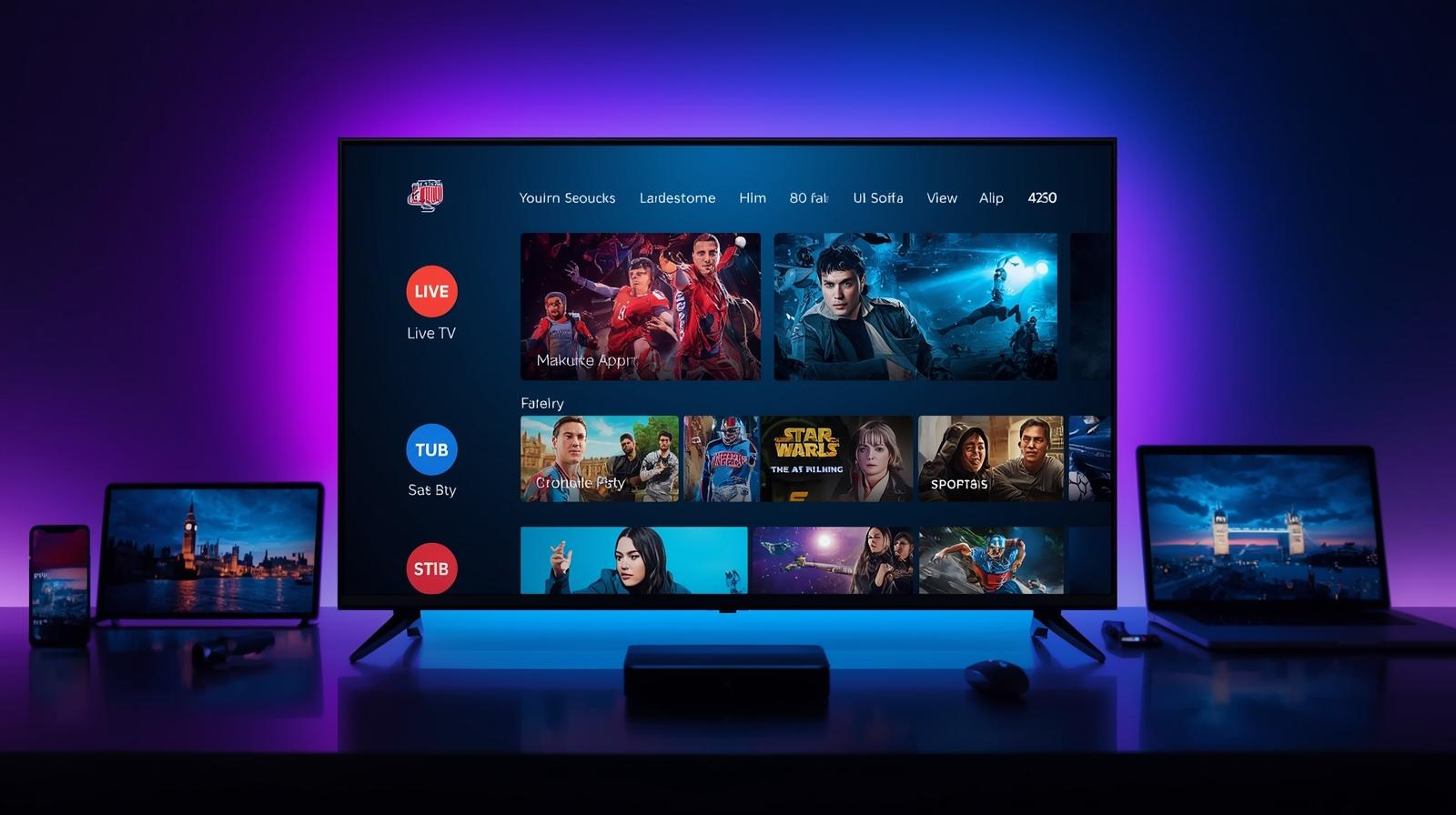
Family IPTV Deals: Affordable Streaming for Every Room

Families today want three things from TV: quality, choice and value. IPTV (Internet Protocol Television) can deliver all three — if you shop smart. This article is a practical, step-by-step guide for UK families who want an affordable IPTV setup that serves every room: living room, kids’ den, teenage bedroom and the kitchen smart display. We’ll cover how IPTV works for households, which deals and bundles make sense, device and network choices, tips to reduce costs while keeping everyone happy, and a realistic plan for a family of four (or more) that saves money without turning your home into channel chaos. Affordable Family IPTV Streaming.

Quick primer: What IPTV is and why families like it

IPTV stands for Internet Protocol Television — TV delivered over your broadband connection instead of through satellite dishes or coax cable. Practically, that means live channels, catch-up and on-demand libraries are available as apps on smart TVs, streaming sticks (Fire TV, Google/Streamers), set-top boxes from ISPs, phones and tablets.

Why families like IPTV:

  • It’s flexible — multiple devices, multiple rooms, personalised profiles.
  • It’s cost-effective — you can build skinny bundles, use ad-supported options, and buy seasonal sports passes instead of a yearlong satellite package.
  • It’s future-ready — easy updates, better integration with smart home devices, and simpler parental control features.

IPTV unbundles the old “one box = one living room” model into a system that follows your household’s needs.

Why switch from cable/satellite? The family value case

Cable and satellite bundles still have advantages: centralised billing, some exclusive live sports deals, and built-in DVRs. But they also lock families into:

  • Large monthly bills (often with long contracts),
  • Paying for many channels nobody watches,
  • Hardware rental fees, and
  • Costly multi-room add-ons.

IPTV lets you tailor a package per-family — pay for the kids’ channels and the occasional sports pass, keep catch-up apps free, and stream movies via a low-cost SVOD subscription. That combination frequently beats traditional packages on price without sacrificing quality. Affordable Family IPTV Streaming.

Choose the right broadband first: speeds, reliability and tips

Before swapping to IPTV, check your broadband. Good IPTV is a team sport between your provider, home network and devices.

How much speed do you need per room?

A practical guideline for UK homes:

  • SD: 3–5 Mbps per stream.
  • HD: 10–20 Mbps per stream.
  • 4K: 25–50 Mbps per stream.
  • Add 5–10 Mbps overhead per concurrent user for headroom.

Ofcom and industry summaries note the UK average broadband speed and that “decent” broadband is defined as at least 10 Mbps, but for modern households you should aim higher if multiple rooms stream simultaneously.

If your family watches 3 HD streams at once (kids cartoon, adult drama, teen gaming), aim for at least 50–80 Mbps upload/download total to avoid contention.

Managed ISP IPTV vs pure OTT (app-only) services

  • Managed ISP IPTV: ISPs (BT, Virgin Media, Sky, TalkTalk, EE) bundle IPTV with broadband — they can prioritise traffic and provide set-top boxes with better reliability during peak hours. These bundles often include family features and a single bill. Examples show many ISPs offering flexible TV-broadband bundles.
  • Pure OTT: App-only approach (Netflix, Disney+, Prime, NOW etc.), cheaper and flexible, but reliant on public internet routing. Works great with solid broadband and devices.

For families seeking simplicity and guaranteed evening performance, ISP-managed IPTV is attractive. For savings and flexibility, OTT-first is usually cheaper.

Family-friendly IPTV deals & bundles in the UK (what to look for)

When hunting for a family IPTV deal, prioritize three things: concurrent streams, profile support (kids/adult), and bundled extras (cloud DVR, kids’ packs, parental controls). Affordable Family IPTV Streaming.

ISP bundles: what they usually include

ISPs often include:

  • A managed set-top box with integrated apps.
  • Multiple streams / multi-room options.
  • Broadband + TV discounts for combined billing.
  • Priority tech support and occasionally low-latency streams for sport.

Check comparison sites (Uswitch, MoneySavingExpert, CompareTheMarket) to find current bundle deals — bundles can save money especially if you need multiple set-top boxes. Affordable Family IPTV Streaming.

App-based bundles and modular passes

App ecosystems let you buy modular passes:

  • NOW (Entertainment, Cinema, Sports passes) — monthly, no long contract.
  • Disney+, Netflix, Prime Video — low monthly fees, often with family plans and profiles.
  • Add-on channels (e.g., Prime Channels) let you subscribe to specific collections without a big bundle.

This modular strategy is perfect for families who want to pay only for what they use.

Devices for every room: cheap to premium (and what to buy)

Not all rooms need the same hardware. Mix devices by room role.

Living room: boxes and smart TVs

The living room often needs the best experience — 4K, multi-audio, good UI. Options:

  • Smart TV with integrated apps (Samsung, LG webOS, Android TV) — easiest, no extra device.
  • Premium set-top box or streaming box (e.g., Amazon Fire TV Stick 4K Select, Fire TV 4K Max, Google/Streamers): new Fire devices offer very good value and 4K at affordable prices. Recent device launches have emphasised better performance at lower prices.

If you choose ISP-managed TV, the living room box usually comes with DVR and family-friendly middleware. Affordable Family IPTV Streaming.

Kids’ room: simple sticks and parental controls

Kids need simplicity and safety:

  • Low-cost streaming sticks (Fire TV Stick Lite or select 4K) with pinned kids’ apps.
  • Use platform parental controls and dedicated kids profiles on Disney+, Netflix, and Prime.

Bedrooms & mobile: tablets, phones and casting

Bedrooms often only need a tablet or casting from a phone. Chromecast-style or native casting lets users push content from mobile apps to a TV when needed. Note Google’s product line evolved — new streamers and integrations are available; check current models when buying.

Multi-room setups and account sharing: rules and tricks

Most family plans allow multiple simultaneous streams (Netflix Standard/Premium, Disney+ profiles, Prime session limits). ISP bundles typically handle multi-room with extra boxes (sometimes at a fee). Affordable Family IPTV Streaming.

Tips:

  • Use one master account per household and create profiles for each family member.
  • For sports or premium channels, coordinate seasonal passes so not everyone pays year-round.
  • When splitting costs with grown children or relatives, use joint plans with clear admin control.

Check each provider’s T&Cs for simultaneous stream limits — breaching those can lead to blocking or account throttles.

Saving strategies: mix-and-match, seasonal passes, and family plans

Want to cut costs? Try these proven strategies:

  1. Core free apps first: BBC iPlayer, ITVX, All 4, My5 and Freeview Play cover a lot of family viewing at zero extra monthly cost.
  2. Choose one primary paid service (Netflix, Disney+, or Prime) that covers the majority of your family’s tastes.
  3. Use seasonal sports passes (NOW Sports or rights-holder passes) only during the season—cancel afterward.
  4. Leverage ISP promos — many ISPs offer introductory pricing for combined broadband+TV that’s cheaper than separate purchases. Compare via Uswitch or MoneySavingExpert.
  5. Use ad-supported tiers where acceptable (some services offer cheaper ad-supported plans).

This hybrid approach typically costs much less than an all-in satellite package while maintaining high coverage.

Parental controls, accessibility and multi-profile tips

Good parental controls are essential for family peace of mind:

  • Set up kids’ profiles on Netflix, Disney+, Prime and YouTube Kids.
  • Create PINs for purchases and account changes.
  • Use router-level controls (many modern routers offer time limits per device).
  • Enable audio description and subtitles for accessibility — most IPTV apps support this.

Most ISP boxes include simplified parental controls, which are helpful for less techy parents.

Sports, movies and big events: how to keep costs down

Sports and first-run movies are the major cost drivers. To enjoy them affordably:

  • Short-term access: Buy monthly or event-based passes rather than annual subscriptions.
  • Use pay-per-view or rentals for movies you’ll watch once.
  • Look for family discounts or student offers for streaming services.
  • Share costs responsibly across extended family if terms permit.

For households where live sport is essential, an ISP-managed sports pass or a single monthly NOW Sports pass during the season often beats paying for year-round satellite sports bundles. Affordable Family IPTV Streaming.

Installation, wiring and placement: keep streaming smooth

Practical housekeeping can prevent most streaming headaches:

  • Wired where possible: Ethernet gives lower latency and fewer dropouts for living room boxes.
  • Place router centrally and preferably elevated for better coverage across rooms.
  • Use 5GHz Wi-Fi band for streaming devices (less interference than 2.4GHz).
  • Consider a mesh Wi-Fi system if your home has dead zones — worth it for multi-room families.

If your ISP offers a managed TV box, let them install to ensure the best setup and bandwidth QoS.

Troubleshooting common family streaming problems

Common symptoms and quick fixes:

  • Buffering during evenings: Check peak-time speed via a speed test; try Ethernet or lower bitrate setting.
  • App crashes on cheap sticks: Clear app cache, uninstall rarely used apps, or upgrade device firmware.
  • Multiple users causing slowdowns: Ensure your plan has enough bandwidth for concurrent streams; upgrade if required.
  • Geo-restriction issues when abroad: Use legal alternatives or properly configured VPNs (adhere to provider T&Cs).

Keeping a simple troubleshooting checklist near the router — restart, speed test, device reboot — helps resolve most issues quickly.

A realistic 12-month family plan (example budgets & services)

Here’s a practical plan for a family of four that balances cost and coverage. Affordable Family IPTV Streaming.

Scenario A — Value-focused family (£25–£40/month)

  • Broadband: mid-tier full-fibre 100 Mbps plan (often available ~£30–£40/mo depending on promos). Compare hubs via Uswitch/MoneySavingExpert.
  • Core free services: BBC iPlayer, ITVX, All4, My5 — £0.
  • Primary paid: Netflix Standard or Disney+ family plan — £6–£11/mo.
  • Kids: Fire TV Stick Lite per kids’ room (£25 one-off) with parental control.
  • Sports: Buy NOW Sports pass only in season — around £10–£25 for the months you need.

Scenario B — Premium home theatre + multi-room (£60–£90/month)

  • Broadband: 300–500 Mbps full fibre.
  • Managed ISP package: broadband + TV bundle with two boxes (living room + bedroom). Look for promotional bundles from Virgin or BT/EE.
  • Core paid: Netflix Premium + Disney+ + Amazon Prime (shared family accounts) — higher cost but wider variety.
  • Sports: Seasonal premium passes as needed.

These examples show how families can scale cost to needs — flexible passes and device choices make the difference.

Future-proofing: codecs, Wi-Fi 6, and when to upgrade

To avoid premature replacement:

  • Choose devices supporting modern codecs (H.265/HEVC and AV1 where possible) — this reduces bandwidth for the same picture quality.
  • Consider routers with Wi-Fi 6 for better capacity in busy homes.
  • Upgrade broadband only when you consistently hit bandwidth limits or when multiple 4K streams become routine. UK infrastructure programs continue to expand gigabit coverage — check local availability before heavy upgrades.

Conclusion

Family IPTV deals unlock a smarter, more flexible way to watch TV in every room without paying for what you don’t use. Whether you choose ISP-managed bundles for reliability or a modular OTT approach for savings, the recipe for success is simple: start with a solid broadband plan, prioritise devices by room, mix free and paid services to match viewing habits, and use seasonal passes for sports. With a little planning, your household can enjoy high-quality streaming across the home — and likely save hundreds of pounds a year compared with traditional satellite/cable packages. Affordable Family IPTV Streaming.

FAQs

  1. Do I need a special TV box for IPTV in every room?
    No. Many families use a smart TV or an inexpensive streaming stick (Fire TV Stick, new 4K stick) for secondary rooms. ISP-managed boxes are optional but helpful for guaranteed performance.
  2. How many Mbps does my household need for IPTV in 4 rooms?
    For three simultaneous HD streams plus one 4K stream: aim for ~80–150 Mbps total to keep headroom. Use per-stream guidelines (HD 10–20 Mbps, 4K 25–50 Mbps) and add overhead.
  3. Are ISP bundles cheaper than assembling my own OTT stack?
    It depends. Bundles can be cheaper if you need multi-room boxes or premium sports regularly. An OTT stack (free apps + one primary paid service + seasonal passes) is often cheaper for flexible families.
  4. Can parental controls be enforced across all IPTV devices?
    Yes — combine provider/app-level controls (Netflix, Disney+, Prime profiles) with router or ISP parental controls for household-wide restrictions.
  5. What’s the best device for the living room in a family home?
    A 4K-ready streaming stick or box with good app support (recent Fire TV 4K models) or a smart TV with a robust app store. Newer devices offer strong performance at reasonable prices.                                                                                                                                                                                                                                                                                                                                 IPTV FREE TRIAL

Why IPTV Is the Future of Television in the UK

1. What is IPTV — plain and practical

IPTV stands for Internet Protocol Television. Instead of using traditional broadcast methods (terrestrial transmitters, satellite dishes, or cable coax), IPTV uses your home internet connection to deliver linear TV channels, on-demand video, and interactive services. That delivery can be from a major broadcaster’s official app (BBC iPlayer, ITVX), a telco-grade managed service (a broadband + TV bundle streaming through a set-top box or app), or via over-the-top (OTT) streaming apps and services. IPTV Future of UK TV.

Put simply: if you watch a “TV channel” through an app on a smart TV, set-top box or streaming stick over your broadband, you are already watching IPTV — even if the provider doesn’t call it that.

2. How IPTV actually works (short technical primer)

IPTV relies on standard internet networking technologies and video codecs. Key pieces:

  • Content ingestion and encoding: Broadcasters and content owners prepare live feeds and on-demand video, then encode them using modern video codecs (H.264, H.265/HEVC, AV1 increasingly) so they can be streamed efficiently.
  • Content delivery network (CDN): To reach millions of viewers without congestion, providers use CDNs — networks of geographically distributed servers — to cache and deliver streams close to users.
  • Adaptive bitrate streaming (ABR): This allows the video quality to change in real time depending on a viewer’s network conditions, so playback stays smooth.
  • Client apps and devices: Smart TVs, Android TV boxes, Apple TV, Amazon Fire Stick, mobile phones, web browsers and specialized STBs (set-top boxes) are the endpoints. Many are just apps that request and play HTTP-based video segments.
  • Middleware and DRM: IPTV platforms often use middleware (software that manages channel lists, user authentication, EPGs — electronic programme guides) and Digital Rights Management (DRM) to enforce content protection.

The end-user experience: a short delay from a broadcast (latency) compared with satellite may exist, but advancements in protocols and edge delivery continue to narrow the gap. IPTV Future of UK TV.

3. The UK today: why conditions are ripe for IPTV adoption

Several converging trends in the UK make IPTV more feasible and attractive than ever:

  • Broadband rollout and speed gains. Full-fibre and gigabit-capable broadband coverage has increased markedly in recent years, improving the infrastructure necessary for high-quality streaming in many households. Ofcom’s Connected Nations updates reported large increases in full-fibre availability across the UK in 2024–2025.
  • More time spent on on-demand and mobile video. Ofcom and other surveys show that video-on-demand and online video usage have very high reach among IPTV UK adults — far outpacing older linear habits for younger cohorts. Live TV still matters, but consumption patterns are shifting rapidly toward streamed and on-demand content.
  • Average broadband speeds rising. Independent studies found median internet speeds rising substantially, supporting multiple simultaneous HD or even 4K streams in a household. Faster average speeds reduce one of the biggest historical barriers to streaming TV.
  • Market growth and investment. Industry reports project strong growth in IPTV and OTT market value globally — signalling investment, innovation and economies of scale that will trickle into the UK market.

Together these structural changes mean that the baseline technical requirements for a good IPTV experience are increasingly present across UK homes.

4. What consumers want now — and how IPTV delivers it

Modern TV viewers want more than passively scheduled channels. IPTV matches contemporary expectations in several ways:

  • On-demand control: Catch-up, start-over, and large VOD libraries let viewers watch what they want when they want. Traditional broadcast is inherently schedule-first; IPTV is user-first.
  • Personalisation: Profiles, recommendations, and user interfaces that adapt to taste make discovery easier. IPTV platforms can aggregate content across multiple sources and personalize the experience.
  • Device flexibility: People want to move seamlessly from living-room TV to phone to tablet. IPTV apps and cloud-based accounts enable cross-device continuity.
  • Cost and choice: A la carte bundles, cheaper sport/movie add-ons, and competitive streaming options let households tailor spend in ways cable/satellite rarely allow.
  • Interactivity and extras: Integrated catch-up, targeted interactive adverts, pause/rewind for live TV, and enriched programme guides are all natural extensions for IPTV.
  • Quality and future features: With better codecs (AV1) and broadband, 4K, HDR and immersive audio for streaming are becoming standard expectations.

IPTV is not just an alternative delivery layer — it enables the product changes viewers have been asking for for years.

5. IPTV vs cable, satellite and broadcast: strengths and trade-offs

No single platform is perfect. Here’s an honest comparison. 

Strengths of IPTV

  • Flexibility & personalization: User accounts, profiles, and on-demand libraries.
  • Lower distribution costs: No need for satellite transponder fees or laying new coax to every home.
  • Faster innovation cycles: Apps can be updated rapidly; new features roll out quicker.
  • Device agnosticism: Works on smart TVs, sticks, phones, set-top boxes.
  • Potentially lower price: Competition among OTT and managed IPTV providers pushes prices down or enables niche bundles.

Weaknesses / trade-offs

  • Reliant on broadband: Poor quality or congested networks degrade the experience.
  • Latency for live events: For some live broadcasts (sports betting, live news) the small delay matters. Engineering and edge networks are reducing this.
  • Fragmentation: Many apps — subscriptions can still add up if consumers subscribe to multiple services.
  • Content rights complexity: Not all linear channels or live sports rights are available via every IPTV provider due to licensing.

For the UK, the most likely near-term reality is hybrid: IPTV for most households’ everyday viewing plus satellite/cable/terrestrial where needed for particular live events or legacy bundles. IPTV Future of UK TV.

6. Devices, platforms and the ecosystem that will win

The IPTV “stack” includes three winning classes of players:

  1. Platform owners and OS-level players — Smart TV OS vendors (Samsung Tizen, LG webOS), Amazon Fire, Roku, Google/Android TV and Apple TV. Whoever provides the cleanest, fastest, and most open app ecosystem typically wins viewer engagement.
  2. Content aggregators — Services or middleware that combine live channels, catch-up, and VOD into a single, searchable guide. Single-sign-on and universal search across apps matters.
  3. Telcos and ISPs — Companies that bundle fast broadband with managed IPTV offerings (e.g., operator boxes, dedicated CDNs) have superior quality control and can guarantee SLAs. In markets with strong ISPs, managed IPTV often becomes the “default” TV option.

Hardware trends also matter: low-cost streaming sticks and affordable Android TV boxes have already lowered the barrier to entry; high-quality smart TVs with fast processors and good app stores will make IPTV native in most living rooms.

7. Business models: how operators, broadcasters and platforms will make money

IPTV supports several monetization strategies, often in combination:

  • Subscription (SVOD) and transactional (TVOD): Netflix/Prime-style or pay-per-view/film rentals.
  • Advertising (AVOD): Ad-supported streams and hybrid ad/subscription tiers. IPTV allows better targeting and measurement than broadcast does.
  • Managed B2B bundles: ISPs sell broadband + IPTV bundles as a single product with guaranteed performance.
  • Channel packages/skinny bundles: Smaller curated bundles instead of bloated channel lists — appealing to cost-sensitive consumers.
  • Premium add-ons: Sports or movie packages, where rights are still premium and can command higher fees.
  • Data-driven upsell: Personalisation data helps platforms recommend premium content or bundle upgrades.

This diversity helps content owners and platforms find profitable niches while giving consumers more ways to pay and combine services.

8. Regulation, rights and the UK public interest (what to watch for)

IPTV’s growth triggers regulatory and rights questions:

  • Content rights and licensing: Traditional TV rights are time- and territory-bound. Broadcasters and rights holders will negotiate complex deals for live sport and premium event streaming on IPTV platforms . This negotiation affects availability and pricing for consumers.
  • Public service broadcasting: The BBC, Channel 4 and others have statutory obligations and existing funding/advertising models. Ensuring PSB content remains widely available and discoverable in an IPTV-dominated landscape is a policy priority.
  • Consumer protection and net neutrality: Managed IPTV offerings that prioritise certain traffic (or bundle zero-rated streaming) raise questions about fair competition and consumer choice. Regulators will need to balance investment incentives with open internet principles.
  • TV licence and enforcement: As viewing fragments across apps and on-demand, enforcement and clarity about when a TV licence is needed may require revisiting (the licence already applies to watching or recording live programmes on TV sets or devices). Policymakers will need clear communications as habits change.

Regulators (e.g., Ofcom) are already monitoring these shifts and publishing research on media habits and connectivity — decisions here will shape how open and competitive the IPTV future is. IPTV Future of UK TV.

9. Risks and challenges: reliability, piracy, fragmentation, accessibility

While IPTV brings advantages, several risks must be managed.

Reliability and resilience

IPTV depends on fixed broadband networks. During peak times or network incidents, streams can buffer or drop. Managed IPTV over ISP networks with QoS (quality of service) can mitigate that, but pure OTT services are at the mercy of public internet conditions.

Piracy and illegal IPTV services

The ease of streaming also opens the door for illegal IPTV services that rebroadcast premium channels without rights. This harms rights holders and creates security and quality concerns for consumers. Enforcement and consumer education are essential.

Fragmentation and subscription fatigue

Too many apps and walled gardens mean consumers can still feel burdened. Aggregation, universal search, and “bundle management” interfaces will be crucial to keep user experience simple.

Accessibility and inclusion

Older people and those less comfortable with apps can be left behind if IPTV interfaces are not designed inclusively. Accessibility features (subtitles, audio description, simple remotes) must remain a priority.

Local and emergency resilience

Traditional terrestrial broadcast has advantages for resilience in emergencies; any migration strategy must ensure critical public warning and universal access capabilities remain intact.

10. The future scenarios — from mainstream adoption to hybrid TV ecosystems

No single future is guaranteed, but plausible scenarios include:

Scenario A — Mainstream IPTV with managed ISPs leading the way

ISPs bundle robust managed IPTV, users migrate gradually, and traditional cable operators pivot to broadband and aggregation. In this world, linear channels coexist but are delivered primarily over broadband, and high-profile sports and events are increasingly streamed with dedicated low-latency solutions.

Scenario B — Hybrid ecosystem

Broadcast remains important for live mass events (large sports, royal events), but everyday viewing (drama, reality shows, movies, kids content) moves to on-demand IPTV and OTT. Aggregators and search become central to discovery.

Scenario C — Fragmented streaming economy

No single aggregator emerges. Content remains split across SVOD and AVOD apps, and consumers use multiple subscriptions and aggregator apps to manage them. Piracy and rights confusion slow adoption for premium live sport.

The most likely near-term outcome is a blend of A and B: ISPs and major platform owners take a lead, while broadcasters adapt their distribution strategies and rights deals to ensure presence across IPTV channels. IPTV Future of UK TV.

11. Practical guidance: what UK households should consider now

If you’re deciding whether to switch to IPTV or prepare for the transition, here’s a practical checklist:

Check your broadband

IPTV quality depends on speed and reliability. For single HD streaming, 5–10 Mbps is a baseline; for 4K, target 25–40 Mbps or higher. If you have multiple users/streaming devices, aim for more. Ofcom and industry reports show UK broadband capacity improving, but regional variation remains — check local full-fibre availability.

Choose the right hardware

Smart TVs with fast processors, or a streaming stick/box (Fire TV, Chromecast with Google TV, Apple TV, Android TV boxes) provide the best app support and updates. If you prefer a managed experience, an operator-provided STB can be worth it for guaranteed performance and simpler billing.

Consider bundling with your ISP

Bundled broadband + TV from an ISP often includes a managed IPTV solution (with a single bill and support). These can be competitively priced and simpler for families.

Evaluate content needs

If live sports or specific channels are essential, check availability on IPTV services before switching. Some premium sports rights can still be exclusive to satellite or restricted platforms.

Mind accessibility and parental controls

Ensure apps and devices provide subtitles, audio description and robust parental controls. IPTV systems often make these features easier to manage centrally.

12. How broadcasters and rights owners should be thinking now

Broadcasters face both threat and opportunity:

  • Embrace platform diversity. Be present where viewers are: native apps on smart TVs, major streaming devices, and aggregated guides.
  • Negotiate flexible rights. Rights contracts must evolve to cover streaming, device types, and international distribution, while protecting revenue for premium live events.
  • Invest in metadata and discovery. If you want viewers to find your shows, invest in metadata, search partnerships, and cross-platform discovery deals.
  • Monetize smartly. Mix subscription, ad-supported and transactional options rather than betting on a single revenue model.
  • Protect the public service remit. PSBs should secure mechanisms that keep flagship content accessible and discoverable, even as distribution fragments.

13. The role of ISPs, CDN providers and edge computing

ISPs and CDN providers will be the operational backbone of mass IPTV:

  • ISPs can offer managed IPTV with traffic prioritization, lower latency, and better support — a major differentiator for customers who value reliability (e.g., households that watch lots of live sports).
  • CDNs and edge computing reduce latency and the bandwidth load on origin servers by caching content closer to users. This enables scalable live streams and better performance at peak times.
  • Peering and interconnect strategy will matter: providers that optimize network routes and peerings will deliver better end-user experiences.

Investment in these layers is part of why industry analysts and market studies are bullish on IPTV growth — the infrastructure is being built. IPTV Future of UK TV.

14. International lessons and UK specifics

Countries with broad fibre rollout and strong OTT ecosystems often see faster IPTV adoption. The UK’s particularities:

  • High OTT consumption already. UK audiences spend substantial time on VOD and online video services, especially younger demographics, creating natural demand for IPTV features and formats.
  • A strong PSB ecosystem. The presence of BBC, ITV, Channel 4, Channel 5 and their funding/rights frameworks means policymakers will watch transitions closely to protect public value.
  • A competitive broadband market. Multiple ISPs and regulatory attention to fibre rollout create incentives and competition for bundled IPTV offers — accelerating consumer choice.

15. Addressing common objections

“IPTV will never match live sports on satellite.”
Latency used to be a real gap, but low-latency streaming techniques and edge delivery can shrink the difference. For extreme real-time use cases (certain betting scenarios) ultra-low latency may still favour satellite or specialized direct feeds for now — but the gap is closing.

“My area has poor broadband.”
That’s changing: full-fibre rollout is accelerating, but coverage is uneven. In places where high-speed broadband is unavailable, satellite/cable or hybrid models may persist longer. Check local connectivity maps before switching fully.

“I don’t want multiple subscriptions.”
Aggregation tools and operator bundles aim to simplify this. Expect more aggregator interfaces that let you manage subscriptions centrally and search across services.

16. A realistic five-year roadmap for the UK TV market

  1. Now–1 year: Continued rapid growth of OTT and managed IPTV trials from ISPs. Increased investment in CDNs and platform apps.
  2. 1–3 years: Mainstream households begin choosing IPTV-first setups; broadcasters adapt app-first distribution for new shows; aggregator apps gain traction.
  3. 3–5 years: Mature hybrid models: most daytime and on-demand viewing is IPTV-based; premium live events are streamed with dedicated low-latency workflows; PSBs secure redistributable streaming presences.
  4. Beyond 5 years: IPTV and OTT account for the majority of viewing minutes; broadcast transmitters still play a role for emergency messaging and universal free-to-air events, but the majority of distribution is internet-based.

These timelines depend on continued broadband rollout, viable business models for rights owners, and regulatory frameworks that protect competition and public interest. IPTV Future of UK TV.

17. What could slow adoption — watchlist for industry watchers

  • Slower broadband rollout than projected in some regions would slow mass migration.
  • Unresolved rights negotiations for big live events could keep large audiences on legacy platforms.
  • Major network reliability incidents causing consumer mistrust in streaming for key live events.
  • Regulatory restrictions that limit operators’ ability to bundle or prioritise traffic in ways that fund infrastructure investment.

However, market incentives — lower distribution costs, consumer demand for on-demand features, and investment in infrastructure — will push stakeholders to solve these problems.

18. Final thoughts — why IPTV is not “maybe” but “very likely”

IPTV uk brings together the technical capability (broadband + CDNs + codecs), the consumer demand (on-demand, personalization, device flexibility), and the business frameworks (bundles, ad-funded tiers, SVOD) necessary for the next major phase of TV. IPTV Future of UK TV. The UK’s improving broadband infrastructure, clear shifts in viewing habits, and a strong app/device ecosystem make the UK especially well-placed for IPTV to become the dominant delivery method for most TV viewing.

That doesn’t mean the end of broadcast television tomorrow. Live, national-scale events, and those with particular regulatory or resilience needs will still have a role for the foreseeable future. But for everyday viewing — drama, films, kids content, news, and increasingly sport — IPTV is the delivery system that matches what modern viewers want and how modern networks operate.

Selected supporting sources (key evidence)

  • Ofcom — “Further findings from our latest look at the UK’s media habits” (media habits, high VOD usage and changing viewing patterns).
  • Ofcom — Connected Nations / nation reports (broadband rollout and full-fibre availability rising across the UK).
  • Uswitch / broadband studies — median average internet speed and consumer connectivity stats supporting higher-quality streaming.
  • Market research — IPTV market growth projections indicating significant investment and scale-up of IPTV and OTT services.
  • The Guardian / industry news — reporting shifts in time spent on mobile video vs traditional TV, underscoring changing habits.

Appendix — Quick checklist for consumers (one-page)

  • Check local broadband: aim for 25–40 Mbps for reliable HD/4K and multiple-device households.
  • If you want plug-and-play reliability, consider ISP-managed IPTV bundles.
  • If you prefer choice, get a smart TV or a streaming stick with strong app support.
  • Compare availability of the channels/sports you care about across providers before switching.
  • Prioritise devices with good accessibility features and parental controls.                                                                                                                                                                                                                                                              IPTV FREE TRIAL

The Ultimate Guide to IPTV in the UK

Television has undergone a dramatic transformation in the last two decades. Complete UK IPTV Guide. From the early days of analogue broadcasts to digital switchover, and now to internet-based streaming, the UK viewing landscape has never been more diverse or accessible. At the heart of this revolution lies IPTV (Internet Protocol Television) — a technology that has quietly, yet powerfully, reshaped how millions of Britons watch TV.

In this comprehensive 5,000-word guide, we’ll break down everything you need to know about IPTV in the UK — what it is, how it works, the benefits and drawbacks, the best services, legal considerations, and what the future holds for streaming-based television. Whether you’re a family thinking of cutting the cord, a sports fan chasing HD live matches, or a retiree looking for affordable entertainment, this is your complete IPTV handbook for 2025.

1. What Is IPTV? Understanding the Basics

1.1 The Definition

IPTV (Internet Protocol Television) refers to the delivery of television programmes, movies, and live broadcasts over the internet rather than through traditional terrestrial, cable, or satellite formats.

In simple terms, IPTV uses your broadband connection to stream content directly to your TV, smartphone, tablet, or computer. This means you’re no longer limited to specific broadcast times or cable connections — you can watch what you want, when you want, from anywhere with internet access.

1.2 The Key Difference from Traditional TV

Traditional TV relies on broadcast signals transmitted via:

  • Terrestrial networks (like Freeview)
  • Satellite (like Sky)
  • Cable (like Virgin Media)

IPTV, however, streams over the internet — no dish, coaxial cable, or aerial required.

This distinction makes IPTV uk more flexible, interactive, and scalable, allowing users to enjoy not just live television but also:

  • Video on Demand (VOD): Watch movies, box sets, and shows anytime.
  • Time-shifted TV: Catch up on missed programmes.
  • Live Streaming: Enjoy real-time broadcasts of sports, news, and events.

2. How IPTV Works: The Technical Breakdown

While IPTV may sound complex, the underlying system is straightforward once broken into parts.

2.1 The Process Step by Step

  1. Content Acquisition – Broadcasters and IPTV providers obtain TV programmes and films through licences or partnerships.
  2. Encoding & Compression – The content is converted into digital data packets suitable for streaming.
  3. Transmission – These packets are sent via the internet using a Content Delivery Network (CDN).
  4. Playback – The IPTV app or device decodes the packets and plays them on your screen in real-time.

2.2 The Types of IPTV Services

There are three main types of IPTV services in the UK:

Type Description Examples
Live IPTV Real-time streaming of TV channels over the internet BBC iPlayer live, Sky Go, Pluto TV
VOD (Video on Demand) Choose any show or movie to watch at any time Netflix, Disney+, Amazon Prime Video
Time-Shifted TV Replay recently aired shows ITVX, All 4, BBC iPlayer catch-up

Most IPTV providers offer a combination of all three for a complete experience.

3. Why IPTV Is Growing So Fast in the UK

The UK has become one of Europe’s most mature IPTV markets, with millions of users now relying on it as their main source of entertainment. There are several reasons for this rapid growth.

3.1 High-Speed Internet Access

With the rollout of fibre broadband and 5G mobile networks, UK households now enjoy faster, more reliable internet connections — making HD and even 4K streaming smooth and stable.

3.2 Demand for Flexibility

Traditional TV schedules no longer fit modern lifestyles. People want to watch content on their own terms, across multiple devices. IPTV enables on-demand and multi-device streaming, making it ideal for the modern, mobile UK viewer.

3.3 Cost Efficiency

IPTV subscriptions often cost a fraction of cable or satellite packages. While Sky or Virgin may charge £60–£100/month, IPTV services can range from £10–£30/month with similar — or greater — content offerings.

3.4 Global and Niche Content

Unlike traditional TV, IPTV gives access to international channels, niche genres, and special-interest content that’s often unavailable elsewhere — from sports leagues to foreign dramas.

3.5 The “Cord Cutting” Movement

A growing number of UK households are “cutting the cord” — cancelling expensive Sky and Virgin contracts in favour of IPTV, streaming boxes, and apps. This trend mirrors what’s already happened in the US and is accelerating as more UK viewers discover IPTV’s advantages.

4. Types of IPTV Devices and Apps

IPTV can be accessed through a wide variety of devices. Here’s an overview:

4.1 Smart TVs

Most new Smart TVs (Samsung, LG, Sony, etc.) have IPTV apps pre-installed or available for download — such as TiviMate, Smart IPTV, IPTV Smarters , or Perfect Player.

4.2 Streaming Devices

Compact, affordable, and portable — these are among the most popular ways to access IPTV:

  • Amazon Fire Stick / Fire TV
  • Apple TV
  • NVIDIA Shield
  • Android TV Boxes
  • Chromecast with Google TV

4.3 Mobile and Desktop Apps

IPTV apps are available for:

  • Android / iOS smartphones
  • Windows / macOS PCs
  • Web browsers (for direct access via URLs or M3U links)

4.4 Set-Top Boxes

Some users prefer dedicated IPTV boxes that support EPG (Electronic Programme Guides), HD/4K output, and parental controls.

5. Legal vs Illegal IPTV: What You Need to Know

5.1 Legal IPTV

Legal IPTV services are fully licensed to distribute the content they offer. Examples include:

  • BBC iPlayer
  • ITVX
  • All 4
  • NOW TV
  • Amazon Prime Video
  • Netflix
  • Pluto TV
  • Samsung TV Plus

These services operate within UK broadcasting and copyright laws.

5.2 Illegal IPTV

Unlicensed IPTV providers often sell access to premium channels (like Sky Sports or BT Sport) at low prices without permission. These illegal IPTV services:

  • Stream pirated content.
  • Expose users to malware or phishing attacks.
  • Can result in fines or legal action under the UK’s Copyright, Designs and Patents Act 1988.

5.3 How to Spot Illegal IPTV

Red flags include:

  • Offers of “All Sky Sports channels for £10/month”.
  • Payment only via Bitcoin or PayPal “friends and family”.
  • No verifiable company information or contact details.
  • Poor-quality streams or frequent outages.

Tip: Always choose licensed IPTV platforms to ensure safety, reliability, and legality.

6. IPTV and the UK TV Licence

The TV Licence remains a key consideration for UK viewers, even those using IPTV. Complete UK IPTV Guide.

6.1 When You Need a Licence

A current TV license is required if you:

  • Watch or record live TV on any channel (even via IPTV).
  • Watch BBC iPlayer, whether live or on demand.

6.2 When You Don’t

If you only stream on-demand content from services like Netflix, Disney+, or Amazon Prime (not live channels), a TV Licence is not required.

For example:

Watching Netflix = No licence needed.
Watching BBC News live on IPTV = Licence required.

7. Advantages of IPTV for UK Households

7.1 Cost Savings

With IPTV, you can ditch costly long-term contracts. Monthly subscriptions offer flexibility, often including thousands of channels and on-demand titles for under £30.

7.2 Accessibility Across Devices

Watch on your Smart TV, tablet, phone, or even while commuting — IPTV moves with you.

7.3 Personalised Viewing

Unlike traditional TV, IPTV platforms offer recommendation algorithms, watchlists, and profiles, tailoring entertainment to your tastes.

7.4 On-Demand Convenience

Pause, rewind, or replay shows instantly. Missed a match? Watch it later with catch-up TV.

7.5 Global Content

Access channels and shows from around the world — great for multilingual households or expats living in the UK.

7.6 Interactive Features

IPTV isn’t just passive viewing — it offers interactive guides, real-time stats for sports fans, and even in-app chat options during live events.

8. Disadvantages and Limitations

No technology is perfect. Complete UK IPTV Guide. IPTV does have some potential drawbacks.

8.1 Internet Dependency

Streaming quality depends entirely on your internet speed and stability. A weak connection means buffering and interruptions.

8.2 Legal Grey Areas

Some IPTV services operate in legally uncertain zones — making it crucial to choose verified providers.

8.3 Variable Quality

Unlike cable or satellite, IPTV providers vary widely in quality, reliability, and customer support.

8.4 Device Compatibility

Some apps may not work on older Smart TVs or unsupported devices.

9. Best Legal IPTV and Streaming Platforms in the UK (2025)

Platform Type Key Features Price
BBC iPlayer Free IPTV Live & on-demand BBC content Free (TV Licence required)
ITVX Free + Premium ITV channels, movies, catch-up Free / £5.99 per month (ad-free)
All 4 (Channel 4) Free Catch-up & exclusive UK series Free
NOW TV Paid Sky Sports, Cinema, Entertainment From £9.99/month
Pluto TV Free IPTV 250+ live channels Free
Samsung TV Plus Free IPTV Built-in to Samsung TVs Free
Freeview Play Free Combines live & catch-up Free
Amazon Prime Video Paid VOD Global content + originals £8.99/month
Netflix / Disney+ Paid VOD Premium global entertainment From £4.99/month

These services are legal, stable, and widely available across the UK.

10. Internet Speed and Equipment Recommendations

To enjoy smooth IPTV streaming , consider the following:

Video Quality Recommended Speed
Standard Definition (SD) 3–5 Mbps
High Definition (HD) 10–15 Mbps
4K Ultra HD 25 Mbps+

10.1 Equipment Tips

  • Router: Opt for a dual-band or Wi-Fi 6 router for stronger connections.
  • Ethernet: Use a wired connection for main TVs.
  • VPN (optional): Some use VPNs for privacy or accessing region-locked content — ensure your IPTV provider allows this.

11. The Future of IPTV in the UK

IPTV’s future is bright. Complete UK IPTV Guide. The UK is embracing full-fibre broadband and smart home integration, both of which favour internet-based entertainment.

11.1 Emerging Trends

  • AV1 & HEVC codecs: Better compression for smoother 4K streaming.
  • AI-driven recommendations: Smarter content discovery.
  • Cloud DVRs: Record shows without needing hardware.
  • Voice control: Alexa, Siri, and Google Assistant integration.
  • Interactive Sports: Real-time stats and multiple camera angles.

11.2 The Decline of Traditional TV

With satellite TV subscriptions falling year-on-year, IPTV is poised to become the primary mode of television delivery in the UK within the next decade.

12. IPTV FAQs

Q1: Is IPTV legal in the UK?

Yes, as long as you use licensed services that own or have permission to stream their content.

Q2: Do I need a TV Licence for IPTV?

Only if you watch live broadcasts or BBC iPlayer.

Q3: Can I watch IPTV on multiple devices?

Yes. Most IPTV services support simultaneous streaming across several devices.

Q4: Is IPTV better than Sky or Virgin?

For flexibility and cost, yes. However, traditional providers still offer exclusive sports and ultra-HD content that may appeal to some users.

13. Conclusion: IPTV Is the Future of UK Television

The evolution from analogue to internet streaming has transformed not only how we watch TV — but what we expect from it. IPTV offers  freedom, affordability, and variety, meeting the needs of modern British households like never before.

Whether you’re cutting the cord to save money, seeking global content, or simply craving a smarter way to watch, IPTV is your gateway to the future of entertainment.

It’s television without limits — and the UK is already tuning in. Complete UK IPTV Guide.

IPTV FREE TRIAL

Best IPTV UK 2025: The Ultimate Streaming Guide

 In 2025, more households than ever are choosing Internet Protocol Television for its lower cost, flexible plans, and watch-anywhere convenience. Acronyms (M3U, EPG, HLS), device options (Fire TV, Android TV, Apple TV), conflicting legal claims, and drastically disparate plan quality are some of the noises that come with the boom. This guide cuts through the confusion. You’ll learn how IPTV works, how to set it up properly, which devices and apps are best, what speeds you really need, how to stay on the right side of the law, and exactly how to pick a reliable provider that won’t leave you buffering at kick-off. Best IPTV UK 2025 Guide.

What Exactly Is IPTV?

IPTV (Internet Protocol Television) delivers live TV channels and on-demand video over the same broadband connection you use for web and apps—no satellite dish, no coax run to the street cabinet, and usually no engineer visit. Your player requests tiny video segments in real time; the server sends just what you need, when you need it.

Three core modes:

  • Live TV — linear channels in an EPG you can zap through.
  • Catch-up/Restart — shows from the last 24–72 hours, often with “start from the beginning.”
  • VOD — box sets and films you can pause, resume, and binge.

Because everything runs as an app, you can watch on smart TVs, streaming sticks, phones, tablets, laptops, and even projectors—often using the same login (subject to your plan’s concurrent stream limit).

How IPTV Works (in plain English)

Most services use HTTP Live Streaming (HLS) or MPEG-DASH, which chop video into small, time-stamped segments. Your player uses Adaptive Bitrate (ABR) to raise or lower quality as your real-time bandwidth changes, trading minor quality dips for fewer stalls. For sports, 50/60fps channels provide smooth motion; premium events may offer 4K with HDR on compatible devices. Best IPTV UK 2025 Guide.

Typical per-stream bandwidth (add headroom for other home use):

  • HD 720p/1080p: ~10–20 Mbps
  • 4K (2160p): ~25–50 Mbps
  • High-frame-rate sports: toward the upper end of HD/4K ranges

Is IPTV Legal in the UK?

The technology is legal. Legality hinges on content rights. Some providers are fully licensed to distribute the channels and VOD they sell; others are not. Signs a service might be unlicensed include opaque ownership, constantly changing portals, unrealistic channel counts, and payment methods that avoid traceability.

If staying within applicable law is essential for you—especially for premium sports and first-run films—choose transparent providers that clearly disclose licensing and terms. Note that using a VPN for privacy does not grant rights to view content.

2025 Pricing Snapshot (UK)

Prices vary by iptv provider and plan. Here’s what UK viewers typically see this year:

  • Budget monthly (£8–£15): HD focus, single stream, smaller VOD, basic catch-up.
  • Mid-range monthly (£15–£25): 2–3 streams, stronger EPG/catch-up, decent VOD.
  • Premium monthly (£25–£40+): 4K where available, priority servers, sports extras.
  • Annual discounts: Often 20–35% vs monthly (only commit annually after a robust trial).

Always weigh price against stability, EPG accuracy, app quality, and support. A cheap plan with broken channels and no catch-up is false economy. Best IPTV UK 2025 Guide.

Best Devices for IPTV UK (2025)

1) Fire TV Stick 4K / 4K Max

  • Why it’s great: Affordable, tiny, widely supported by IPTV apps.
  • Pro tip: For reliable sports nights, include a cheap USB-to-Ethernet adaptor.
  • Watch-outs: Manage storage; periodically clear cache/remove unused apps.

2) Chromecast with Google TV (4K)

  • Why it’s great: Clean interface, excellent voice search, strong codec support.
  • Pro tip: Keep apps lean to avoid storage bloat.

3) Android TV / Google TV Boxes (e.g., Nvidia Shield, Formuler, Xiaomi)

  • Why they’re great: More power, native Ethernet, better upscaling (Shield), flexible apps.
  • Best for: Power users, home cinemas, multi-screen households.

4) Smart TVs (LG webOS, Samsung Tizen, Sony Google TV)

  • Why they’re great: No extra device or remote.
  • Watch-outs: App availability and update longevity vary by brand and model year.

5) Mobiles, Tablets, Laptops

  • Why they’re great: On-the-go streaming; cast/AirPlay to bigger screens.
  • OTT Navigator, VLC, GSE, IPTV Smarters, and TiviMate (Android) are among the apps.

Top IPTV Player Apps (2025)

  • TiviMate (Android/Google TV/Fire TV): Elegant UI, multi-playlist, powerful EPG; optional premium unlocks PVR-like features and multi-screen.
  • IPTV Smarters Pro (Android/iOS/Fire TV/Smart TV): Cross-platform, VOD support, live catch-up, multi-screen.
  • OTT Navigator (Android): Deep filtering, grouping, power-user options.
  • Perfect Player (Android): Lightweight, simple; supports M3U/XMLTV.
  • VLC (cross-platform): Free, reliable player for M3U playlists (minimal EPG niceties).

Choose the app your household finds easiest to navigate—especially for kids and guests.

Step-by-Step Setup (UK)

A) Fire TV Stick (4K/4K Max)


  1. Get IPTV Smarters or TiviMate from the Amazon Appstore.
  2. Let the app fetch the EPG (guide); enable catch-up if offered.
  3. In Player/Settings, test decoder options and buffer size; keep ABR on.
  4. For sports, enable Match Original Frame Rate if your display supports it.

B) Chromecast with Google TV / Android TV

  1. Connect via HDMI; prefer Ethernet where possible (USB-C hub or Ethernet dongle).
  2. Install TiviMate, IPTV Smarters, or OTT Navigator from Google Play.
  3. Add your playlist or Xtream portal; load XMLTV EPG if required.
  4. Try both System Player and ExoPlayer, if they are available, and select the more fluid one.
  5. Set display to correct refresh rate; enable frame rate matching if your TV supports it.

C) Smart TVs (LG/Samsung/Sony)

        1. From the TV app store, install Smarters / Smart IPTV / official provider app.
  1. Enter credentials; allow a full EPG pull (can take a few minutes).
  2. If the store lacks your preferred app, add a streaming stick for better support.

D) Phones, Tablets, Laptops

  1. Install Smarters, GSE, VLC, or use the provider’s web/app portal.
  2. On laptops, VLC handles M3U well; if you want guide data, add EPG separately.
  3. Cast/AirPlay to your TV where supported.

Network Optimisation: Your Buffer-Free Blueprint

Great IPTV is built on a great home network. Five high-impact wins:

  1. Wire the main screen. Ethernet > Wi-Fi, especially for live sport and 4K.
  2. If you must use wifi, choose 5 GHz (or Wi-Fi 6/6E); stay away from 2.4 GHz for large bitrates.
  3. Your router should be positioned high, in the middle, and away from appliances and thick walls.
  4. Tune your router:
    • Enable QoS to prioritise the TV device.
    • Manually set a quiet 5 GHz channel if your building is congested.
    • Keep firmware updated.
  5. Reduce network congestion during peak hours by pausing game downloads and cloud backups while games are in progress.

Rebooting your router and main streaming device once a week is a good habit for quick, stable streaming. Best IPTV UK 2025 Guide.

Performance Targets (Reality-Checked)

  • Reliable HD (1080p): Aim 10–20 Mbps per active stream.
  • 4K/HDR: Aim 25–50 Mbps per stream, plus headroom.
  • Peak-time test: Try your trial during Friday night or a big match—this is the real stress test.

Sports: Keeping Latency and Stutter Down

  • Ethernet first. If not possible, ensure excellent 5 GHz signal.
  • Keep Adaptive Bitrate on; a brief quality dip beats a freeze.
  • To free up RAM, shut down any background apps on the stick or box.
  • Use nearby VPN locations only if you need a VPN; far servers add delay and lower throughput.
  • IPTV will likely lag behind broadcast by a few seconds, but LL-HLS/DASH is becoming closer every year.

Security, Privacy, and VPNs

  • Install from official stores (Amazon/Google) where possible.
  • Create secure, one-of-a-kind passwords and don’t give your login information to others outside your home.
  • A VPN can help with privacy and sometimes smoother routing. Test both ways; VPNs can also reduce speed if misconfigured. A VPN does not change content licensing.

How to Choose a Solid UK IPTV Provider (2025)

1) Start with a trial (or refund window).

  • During peak testing times, keep an eye on buffering, channel stability, EPG accuracy, and VOD freshness.

2) Match plan to your household.

  • Streams: Buy for peak usage (e.g., lounge + bedroom + phone).
  • Resolution: HD for most; 4K for big screens and stable fibre.
  • Content scope: Sports/kids/international packs only if you’ll use them.

3) Check the experience.

  • EPG should be accurate and quick to navigate.
  • Catch-up availability (24–72 hours) matters for busy schedules.
  • VOD should be well-tagged, with working subtitles and consistent audio tracks.

4) Confirm device support.

  • Native apps for your main device or robust M3U/Xtream support in a reputable player.

5) Support & transparency.

  • Look for responsive support channels and clear terms. Beware of providers with only opaque chat handles and no policies.

6) Upgrade gradually.

  • Monthly → quarterly → annual, only after your setup proves stable.

Troubleshooting: Fast Fixes

  • Buffering/freezes
    • Switch to Ethernet; move to 5 GHz if wireless.
    • Increase player buffer; close other streaming apps.
    • Reboot device/router; update firmware/app.
  • Audio out of sync
    • Toggle hardware decoding.
    • Adjust A/V sync in the app or soundbar/AVR.
  • EPG missing/wrong time
    • Refresh XMLTV; confirm time zone/offset.
    • Allow a full guide download and parsing.
  • Single category fails
    • Often a source-side issue; test another device; contact support with channel/time.
  • App crashes/low storage
    • Clear cache; uninstall unused apps; reboot.

Accessibility & Family Features

Modern IPTV apps increasingly support:

  • Closed captions/subtitles with adjustable size/contrast.
  • Multiple audio tracks (including described video where available).
  • Profiles, favourites, parental controls.
  • Large fonts/high-contrast themes on many platforms.

Not simply viewers with particular needs benefit from these features. Best IPTV UK 2025 Guide .

Cost Scenarios (What UK Homes Really Pay)

  • Solo viewer, HD-only: £10–£15/mo. Optional £8/year player license.
  • Family (2–3 streams, HD + occasional 4K): ~£15–£22/mo. Consider Ethernet for lounge; optional VPN £3–£6/mo.
  • Sports-first household (2 streams, 50/60fps, 4K capable): ~£20–£30/mo. Prioritise wired setup and quality player app.

Even after adding a one-off £10–£20 Ethernet adapter or upgrading your router, many households still save hundreds vs traditional bundles.

Quick-Start Checklist (Print This)

  1. Must-haves: Channels, sports, VOD, languages; concurrent streams (1/2/3/4).
  2. Broadband test at peak: Target 10–20 Mbps per HD and 25–50 Mbps per 4K stream.
  3. Shortlist providers with trials and clear documentation.
  4. Try it at peak hours and record any buffering or EPG problems.
  5. Network tuning includes firmware updates, QoS, Ethernet/5 GHz, and fewer background downloads.
  6. Set reminders for renewals and only upgrade to quarterly or yearly after a month without any issues.

Where IPTV Is Heading (2025 → 2030)

  • Lower latency live streams (LL-HLS/DASH at scale).
  • Smarter recommendations tuned to your household rhythms.
  • At lower bitrates, new codecs (AV1/VVC) provide the same quality.
  • Cloud DVR and shared watch rooms syncing friends/family.
  • Deeper accessibility (dynamic audio, better subtitle standards).

In short: more personal, more portable and more performant.

The most common queries

1) What speed do I need for IPTV?
Plan 10–20 Mbps per HD stream and 25–50 Mbps per 4K stream—plus headroom for other devices.

2) Is IPTV hard to set up?
Not really. Install an app, enter credentials, load the EPG, and you’re watching in minutes. The biggest win is wiring your main TV.

3) Do I need a VPN?
Not necessarily. A VPN can help with privacy and sometimes routing. But it can also reduce speed. Test with and without. It doesn’t grant content rights.

4) Which device should I buy first?
Most users use the Fire TV Stick 4K/4K Max or Chromecast with Google TV (4K). Heavy users might prefer a Shield or Ethernet-equipped Android TV box.

5) Can IPTV services fully replace my cable/satellite?
For many households. Yes especially when paired with one or two OTT services you love for originals.

6) Why does sport buffer more than films?
Sports frequently operate at greater frame rates and reach their peak during peak hours. Wire your main device, keep ABR on, and reduce competing bandwidth.

7) How do I avoid bad providers?
Look for trials/refunds, accurate EPG, responsive support, and clear terms. Massive, unreal channel lists and frequent portal modifications should be avoided.

Conclusion: Make TV Work for You

Best IPTV UK 2025” isn’t a single provider—it’s a smart setup: the right device (preferably wired), a clear understanding of your household’s needs, a trial-proven plan, and a tuned home network. Do those things and you’ll enjoy smooth HD/4K, dependable sports nights, rich VOD libraries, and multi-room viewing without multi-room fees—usually for a fraction of traditional TV costs. Best IPTV UK 2025 Guide.

Start small: wire your main screen. Test your shortlist during real prime time. Tweak a few settings. Then lock in a longer plan once you’re confident. The real promise of IPTV in 2025—control, quality, and value—is delivered by that methodical approach—on your terms.

IPTV FREE TRIAL