Top 4K IPTV Setups for UK Homes

1. Why 4K matters for IPTV in the UK

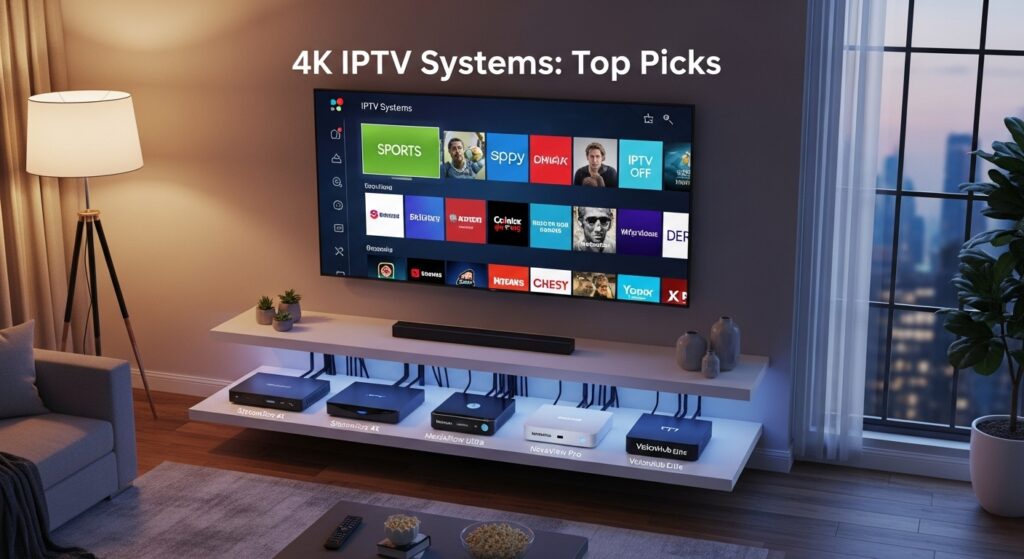
4K (3840×2160) is now mainstream: bigger TVs, better cameras and more 4K content make upgrading attractive. For IPTV UK viewers, 4K delivers sharper sports, films and nature documentaries. But 4K isn’t just resolution — it’s higher bitrates, more demanding codecs (HEVC/H.265, AV1), and stricter DRM in official apps. A good 4K IPTV setup balances device decoding, network bandwidth and legal 4K sources (Netflix 4K, Prime Video, NOW/We TV sports, and licensed IPTV providers offering 4K channels). Best 4K IPTV Systems.

2. What “4K IPTV” actually means

IPTV = video over IP. 4K IPTV = streaming 4K/Ultra HD channels or VOD via the internet to your TV. There are three realistic sources:

  • Official 4K apps (Netflix 4K, Amazon Prime Video, Apple TV+) — easiest and legal.
  • Rights-holder 4K streams (some sports/events or broadcaster 4K channels via official apps).
  • Licensed IPTV providers that supply 4K-capable streams to subscribers (rare — check provider claims).

Players like IPTV Smarters Pro and TiviMate are front-ends — they don’t create streams. Use them only with licensed iptv subscription feeds.

3. Must-have home network specs for 4K IPTV

For reliable 4K IPTV in the United Kingdom:

  • Minimum bandwidth: 25 Mbps per 4K stream (allow >30 Mbps headroom).
  • Recommended household broadband: 100 Mbps+ if multiple devices stream simultaneously.
  • Wired Ethernet: strongly recommended for the main TV (Gigabit Ethernet).
  • Wi-Fi: use 5GHz or Wi-Fi 6 (802.11ax) access points; mesh if coverage is large.
  • Router features: QoS, MU-MIMO, and support for IPv6 and gigabit WAN.
  • Latency/Jitter: keep ping <30 ms and jitter low for live sports.

If you’re relying on a wireless link, use a Wi -Fi 6 router and connect the streaming device to the closest node.

4. Top devices for 4K IPTV (budget → premium)

  • Budget stick: Amazon Fire TV Stick 4K Max — great value, HEVC support, broad app store.
  • Mid-range: Chromecast with Google TV (4K) — simple UI, good performance.
  • Power user: NVIDIA Shield TV Pro — hardware decoding (HEVC/AV1 in newer models), best for advanced players and Plex.
  • Apple fans: Apple TV 4K — best for Apple ecosystem, Dolby Vision and Dolby Atmos.
  • Smart TVs: modern Samsung/LG/Sony with built-in apps and AV1/HEVC support (preferred for simplicity).

Pick a device that supports hardware decoding for HEVC/AV1 to avoid stutters and reduce CPU load. Best 4K IPTV Systems.

5. Choosing the right TV for 4K IPTV

Key TV features to look for:

  • 4K panel (OLED, QLED, or quality LED).
  • HDR support — Dolby Vision, HDR10+ for improved contrast.
  • AV1/HEVC decoding built into the TV or the set-top device.
  • HDMI 2.1 ports if you plan high frame rates (120Hz) or next-gen game consoles.
  • Smart TV OS compatibility for Netflix, Prime, Apple TV and broadcaster apps — native apps are often required for 4K DRM playback.

For many UK households a 55–65″ 4K TV with HDR and integrated apps is the best balance.

6. Best 4K-capable streaming sticks & boxes

  • Fire TV Stick 4K Max: HEVC, HDR10+, Dolby Vision support; excellent app catalogue.
  • Chromecast with Google TV: native Google Play apps, easy casting from phone.
  • NVIDIA Shield TV (2019 / 2023 models): best for AV1/HEVC hardware decode, Plex server, 4K HDR with strong app support.
  • Apple TV 4K: premium, great for Apple ecosystem and Dolby Vision/Atmos support.

If you need reliable 4K IPTV Smarters Pro or TiviMate with large M3U playlists, prefer Android TV / Shield-level performance. Best 4K IPTV Systems.

7. AV and sound: match the picture with audio

4K viewing benefits from better audio:

  • Soundbar with Dolby Atmos for cinematic sound.
  • AV receiver + speakers for full home cinema.
  • ARC/eARC capable HDMI ports (on TV and receiver) for lossless audio passthrough.

Many streaming apps support Dolby Atmos on compatible devices — ensure your player and TV support Atmos passthrough over eARC.

8. Best IPTV players and apps (legal, practical)

  • Native apps: Netflix, Amazon Prime Video, Disney+, Apple TV, BBC iPlayer, ITVX, NOW/Channel apps — best for 4K and DRM.
  • TiviMate: polished IPTV front-end on Android TV — EPG, favourites, playlists (use with licensed iptv subscription).
  • IPTV Smarters Pro: popular on Fire/Android — supports Xtream Codes API, M3U, portals. Use only with licensed providers.
  • Kodi: powerful but needs legal add-ons; avoid pirate repos.
  • Plex: for personal libraries; Plex Pass users get hardware-accelerated streams on Shield.

Important: for 4K official DRM (Widevine L1 or PlayReady) is often required — native apps usually meet DRM; some players may not. Best 4K IPTV Systems.

9. Four recommended 4K IPTV setups

 A — Starter (small flat, budget)

  • Fire TV Stick 4K Max
  • 55″ affordable 4K TV (HDR10)
  • Broadband 100 Mbps
  • Use Netflix 4K, Prime Video, BBC iPlayer (for catch-up), occasional iptv uk free trial for testing.

 B — Living Room (family)

  • 65″ QLED 4K TV (HDR10+ / Dolby Vision)
  • Chromecast with Google TV or Fire TV Stick 4K Max
  • Soundbar (Dolby Atmos)
  • Router Wi-Fi 6 + Ethernet to TV
  • Subscriptions: Netflix, Prime, Disney+, NOW passes for sport + licensed iptv subscription for extra channels via TiviMate or IPTV Smarters Pro (only if provider is licensed).

 C — Multi-room Family

  • Main: NVIDIA Shield TV Pro + 75″ OLED
  • Secondary rooms: Fire TV Sticks (4K)
  • Mesh Wi-Fi 6 system & gigabit router
  • NAS or Plex server for local 4K content
  • Use licensed iptv providers for channel bundles; centralised EPG via TiviMate.

 D — Premium Home Cinema / Power User

  • OLED 83″ or projector 4K + eARC AVR + 7.1 speakers
  • NVIDIA Shield TV Pro (AV1/HEVC decoding), Apple TV 4K (for Apple content)
  • Wired 10GbE backbone (if available) or gigabit wiring + dedicated VLAN for streaming
  • Plex Media Server with local 4K library, licensed 4K iptv feeds, advanced TiviMate front-end.

10. Build a 4K IPTV Living-Room Rig

This is the practical heart — follow this sequence to go from box to pixel-perfect 4K viewing.

Step 1 — Plan & buy

Decide your priorities: live sport, movies, or both. For sports and frequent channel switching, get a Shield/Fire TV 4K Max plus a TV with native apps. Choose an ISP plan (100–200 Mbps recommended if household streams concurrently). Order a gigabit switch/Ethernet cable for the main TV. Best 4K IPTV Systems.

Step 2 — Unbox and position equipment

Place the TV where glare is minimal. Put the streaming device close to HDMI and power. If using a soundbar or AVR, place them per the manufacturer’s guidelines (soundbar below screen; AVR in equipment rack). Route an Ethernet cable from your router to the TV or Shield — avoid running cables through high-traffic areas.

Step 3 — Network baseline

Power on router and run a speed test at the TV location (use Speedtest or Fast). If speeds are far below expected, troubleshoot the router placement or upgrade to a mesh satellite. Set a static IP for the TV in the router DHCP table so you can prioritise it via QoS.

Step 4 — Install device and apps

Plug in the Shield / Fire Stick into HDMI and power. For Shield, connect via Ethernet. Walk through onboarding, sign in to Google/Amazon accounts. Install native apps first (Netflix, Prime, BBC iPlayer). For IPTV front-ends (TiviMate/IPTV Smarters Pro), install from Play Store or sideload if needed (only on reputable sources).

Step 5 — Authenticate subscriptions and confirm 4K tokens

Log into streaming services and verify 4K entitlement: Netflix Premium, Prime Video 4K enabled, Apple TV settings. Some services require specific device DRM levels (Widevine L1). Test a 4K title to confirm it streams in Ultra HD and HDR.

Step 6 — Configure device settings

On Shield/Fire Stick: enable hardware acceleration and HDR passthrough. Set HDMI color space to Auto. In the IPTV player (TiviMate), set default resolution to Auto and enable hardware decoding. If your app allows buffer tuning, set moderate buffer (few seconds) to balance latency and resilience.

Step 7 — Audio configuration

Connect TV eARC to AVR for Dolby Atmos passthrough. In device audio settings set Dolby Digital+ or passthrough as appropriate. Test a movie with Atmos to confirm multichannel playback.

Step 8 — Test live streams & local 4K files

Before hosting a live event, play a 4K HDR demo from Netflix or a local 4K file. Check picture stability, color (HDR), audio sanity, and latency. If you have an iptv subscription with 4K channels, test them during peak times to ensure streams hold up. Best 4K IPTV Systems.

Step 9 — Tweak and secure

Set automatic updates for apps. Create user profiles. Secure accounts with 2FA. On the router, enable QoS prioritising the TV’s IP and mark streaming traffic as high priority. Disable unnecessary background downloads on the network during matches.

Step 10 — Match-day checklist

Restart router and Shield to clear caches. Ensure other heavy downloads are paused. Open the channel 10–15 minutes early to stabilise the buffer. Have backup devices (phone or tablet with the app) in case of issues.

Following these steps yields a resilient living-room 4K IPTV setup ready for movies and live sport. Take notes of working settings so you can replicate them after firmware updates. Best 4K IPTV Systems.

11. Optimising for low latency and zero buffering

  • Ethernet is king: wired connections beat Wi-Fi for 4K.
  • Router QoS: assign streaming device priority.
  • Split your network: put streaming devices on a dedicated VLAN or SSID to avoid interference.
  • Adjust buffer: small buffer reduces latency (good for live sport); slightly larger buffer reduces rebuffer events.
  • Use hardware decode: reduces frame drops.
  • Close background apps on streaming devices.
  • Test during peak hours to get real-world performance.

12. Legal & safety checklist for UK viewers

  • Use licensed iptv providers or official apps (Netflix, Prime, BBC iPlayer).
  • Avoid anonymous “lifetime” offers and pre-loaded sticks sold on marketplaces.
  • Keep receipts and pay via card/PayPal for consumer protection.
  • For BBC iPlayer live viewing, a valid UK TV Licence is required.
  • Don’t use VPNs to bypass geo-blocks in violation of terms — VPNs can also increase latency.

13. Bandwidth, codecs (HEVC / AV1) and future-proofing

  • HEVC/H.265: widely used for 4K — devices must support hardware HEVC decoding.
  • AV1: newer and more efficient; growing in 4K streaming. Choose devices with AV1 hardware support for the longest shelf life (NVIDIA Shield, many new Smart TVs).
  • HDR formats (Dolby Vision / HDR10+): device support matters for best picture.
  • Storage / NAS: for local 4K libraries, fast NAS or SSD storage ensures smooth playback.

14. Troubleshooting common 4K IPTV problems

  • Stuttering: enable hardware acceleration; use Ethernet; reduce resolution to 1080p temporarily.
  • No 4K available: confirm plan tier (e.g., Netflix Premium), and DRM/ Widevine L1 support on device.
  • Audio dropouts: check eARC passthrough and HDMI cables; test direct TV speakers.
  • App crashes: clear cache, reinstall app, check for firmware updates.
  • Buffering during peak: check ISP throttling, run speed tests, escalate to ISP.

15. Conclusion

4K IPTV in UK homes is achievable and hugely rewarding with the right mix of hardware, network, and legal content sources. Prioritise a wired gigabit link for the main TV, choose devices with HEVC/AV1 hardware decode (Shield, modern Smart TVs), use native apps for DRM-heavy 4K sources, and rely on licensed iptv subscription providers if you need channel aggregation. Whether you want a budget flat setup or a premium home cinema, the steps above will guide you to a stable, beautiful 4K viewing experience. Best 4K IPTV Systems.

Top 10 FAQs

  1. Do I need 100 Mbps for one 4K stream?
    No — ~25–30 Mbps is usually enough for one 4K stream, but 100 Mbps gives headroom for multiroom and simultaneous devices.
  2. Will Fire TV Stick 4K Max handle 4K IPTV?
    Yes — for most 4K streaming apps. For heavy custom IPTV playlists and AV1 hardware decode, a Shield may be more robust.
  3. Can TiviMate/IPTV Smarters Pro play 4K streams?
    Yes — if the device and the iptv subscription supply 4K encoded streams and the player supports hardware decode and DRM where needed.
  4. Is AV1 support essential?
    AV1 is increasingly common and more efficient; AV1-capable devices are more future-proof.
  5. Why does Netflix show only HD not 4K?
    Check plan tier (Netflix Premium), device DRM (Widevine L1), and app settings. Also ensure sufficient bandwidth.
  6. Are pre-loaded “IPTV sticks” safe?
    Usually not — they often contain illegal apps and malware. Buy official devices and install apps from app stores.
  7. Will a mesh Wi-Fi system be enough for 4K?
    Modern Wi-Fi 6 mesh can handle 4K if nodes are well placed and backhaul bandwidth is good. Still, Ethernet is preferred.
  8. How to reduce latency for live sports?
    Use wired Ethernet, enable low-latency player modes, and avoid large buffering settings.
  9. Can I record 4K IPTV streams?
    Legally, only if your subscription and app support DVR/recording. Some IPTV setups allow local recording to NAS — check provider terms.
  10. Which is the best 4K IPTV setup for small budgets?
    Fire TV Stick 4K Max + 55″ 4K TV + 100 Mbps broadband + Netflix/Prime + occasional iptv uk free trial for extra channels.

IPTV Entertainment Revolution: The End of Traditional TV

1. What IPTV means (and what it doesn’t)

IPTV stands for Internet Protocol Television — that is, delivering television content over IP networks (your broadband) rather than by satellite or traditional cable. That alone doesn’t make a service legal or illegal. The crucial factor is content rights: a legitimate iptv subscription sold in the United Kingdom will have rights to provide channels and catch-up programming; pirate playlists do not. IPTV Revolution Reshapes TV.

Common forms of iptv you’ll see in the UK:

  • Broadcaster apps (BBC iPlayer, ITVX, All 4) — IP-delivered and legal.
  • OTT SVOD platforms (Netflix, Amazon Prime Video, Disney+) — IP-delivered shows and movies under license.
  • ISP-managed IPTV (BT TV, Sky Stream, Virgin) — formal IPTV services by broadband providers.
  • Licensed IPTV providers — companies that resell licensed feeds or curate channel bundles.
  • Front-end players (IPTV Smarters Pro, TiviMate, IPTV Pro) — apps that play the streams you feed them (M3U, Xtream). These players are neutral tools; their legality depends on the content source.

So, IPTV is a delivery method plus an ecosystem of services and players. It’s not inherently “pirate” — but the open nature of the internet makes piracy a temptation for some sellers and buyers. We’ll cover how to avoid that later. IPTV Revolution Reshapes TV.

2. Why traditional TV models are under pressure

Several long-term trends have made linear cable and satellite bundles increasingly unattractive:

  • Cost creep — bundles grew, prices rose, and many households ended up paying for hundreds of channels they never watched.
  • Consumer control — viewers want to choose shows and watch on their terms: on-demand, on mobile, across devices.
  • Better broadband — fibre and full-fibre upgrades provide the bandwidth needed for stable HD and 4K streaming.
  • Device ubiquity — Smart TVs, Fire Sticks, Chromecast, and Android TV boxes are cheap and intuitive.
  • Modularity — services such as NOW allow buying month-by-month passes for sports or entertainment, avoiding year-long contracts.
  • Advertising & FAST channels — Free Ad-supported streaming TV (FAST) fills gaps with themed channels people like, without subscription costs.

Consequently, paying a single large monthly fee for an entire bundle increasingly feels inefficient compared with targeted iptv subscriptions and a mix of free/paid apps.

3. The technical foundations of IPTV

IPTV’s user experience depends on several key technologies:

  • Adaptive Bitrate Streaming (ABR): automatically adjusts video quality to your current bandwidth to minimise buffering.
  • Codecs (HEVC, H.265; AV1 emerging): more efficient codecs let providers deliver high-quality 4K at lower bitrates.
  • DRM (Widevine, PlayReady): required for high-quality/4K playback in many official apps.
  • CDNs (Content Delivery Networks): deliver streams from nearby servers to reduce latency and packet loss.
  • Front-ends & EPGs: TiviMate and IPTV Smarters Pro provide a traditional TV-like guide for playlists and provider feeds.
  • Network essentials: good router, QoS, Ethernet/5GHz Wi-Fi, and adequate broadband (25–50 Mbps per 4K stream recommended).

If these technical pieces are in place, IPTV can match or exceed the reliability and quality of traditional broadcast systems. IPTV Revolution Reshapes TV.

4. What UK viewers actually gain — benefits explained

Choice & customisation
Rather than paying for a hundred unused channels, you can pick a few iptv subscriptions and free apps that match your tastes. Need sport only for six months a year? Buy a NOW Sports pass when the season starts.

Cost control
By rotating subscriptions and using free services (BBC iPlayer, ITVX, All 4), many UK households cut annual TV costs significantly.

Portability
Watch on a Smart TV at home, then continue on your phone or tablet — ideal for commuters and students.

Better discovery & UX
Modern players and recommendation engines surface relevant shows quickly; front-ends allow favourites and custom EPGs.

Future-proofing
With codec support like AV1 and HEVC, modern devices will handle higher-quality streams for years to come.

Multi-device & multi-user
Most services offer multiple profiles and parallel streams, letting families watch different content at the same time.

5. Devices, apps and the modern IP stack

Devices that matter

  • Amazon Fire TV Stick 4K Max — best value with broad app support.
  • Chromecast with Google TV — clean UI, great for Android users.
  • NVIDIA Shield TV — power user choice: AV1/HEVC support, Plex server features.
  • Smart TVs (Samsung, LG, Sony) — convenience, built-in apps.

Apps & players

  • Native apps: Netflix, BBC iPlayer, Amazon Prime, Disney+, NOW — preferred for DRM and 4K.
  • Front-ends: IPTV Smarters Pro, TiviMate, Perfect Player — used with licensed M3U/Xtream providers.
  • Media servers: Plex or Jellyfin for local libraries and enhanced streaming.

Network setup

  • Use Ethernet for the main living room TV when possible.
  • For Wi-Fi, prefer 5GHz bands and Wi-Fi 6 routers for multiple concurrent streams.
  • Configure router QoS to prioritise streaming device traffic in busy households.

6. Legal and safety essentials (TV Licence, piracy risks)

TV Licence basics (UK)
If you watch or record live TV on any channel or device, including via IPTV UK , you need a valid TV Licence. Using BBC iPlayer (live or catch-up) also requires a licence. If you only watch on-demand subscription services (Netflix, Amazon Prime) and never watch live or iPlayer, you may not need a licence — but many households blend services and need to check.

Piracy risks
“Cheap” iptv subscriptions sold via social media often redistribute copyrighted channels without permission. Risks for buyers include:

  • Malware and compromised devices (pre-loaded “jailbroken” sticks).
  • Sudden service shutdowns and no refunds.
  • Possible legal exposure and financial fraud.

How to stay safe

  • Use apps from official app stores.
  • Prefer reputable providers (company details, invoices, card payments).
  • Avoid pre-loaded devices and anonymous social-media sellers.
  • Keep device firmware up-to-date and use strong payment methods (card/PayPal).

7. Business models: subscriptions, FAST, and modular passes

The IPTV ecosystem supports multiple monetisation strategies:

  • SVOD (Subscription Video on Demand) — Netflix-style monthly plans.
  • AVOD (Ad-supported Video on Demand)/FAST — Pluto TV, Tubi: free to watch, ad-supported channels.
  • TVOD (Transactional VOD) — pay-per-view or rental of new releases.
  • Modular passes — NOW-style temporary passes for specific content (sports, cinema).
  • Licensed IPTV resellers — curate licensed bundles for niche audiences (regional channels, foreign language content).

This model diversity is core to the “end” of one-size-fits-all cable: consumers mix and match to their needs. IPTV Revolution Reshapes TV.

8. How to evaluate iptv providers — a practical checklist

When you evaluate a potential iptv subscription or provider, use this checklist:

  1. Company transparency — registered UK/EU company details, postal address and contact.
  2. Payment options — card or PayPal (not crypto/gift cards only).
  3. Proof of rights — can they demonstrate distributor agreements or reseller contracts?
  4. Trial availability — legitimate iptv uk free trial with clear cancellation.
  5. App distribution — presence on official app stores or support for mainstream players (TiviMate, IPTV Smarters).
  6. Refund & terms — clear cancellation/refund policies.
  7. Independent reviews — look for reviews outside vendor channels.
  8. No forced sideloading — avoid providers pushing unknown APKs.

If any of these raise concerns, step away.

9. Step-by-step migration guide

Below is a practical weekend plan to transition from traditional TV to a modern, legal IPTV-first setup. Follow step-by-step to minimise disruption and keep everything legal. IPTV Revolution Reshapes TV.

Step 1 — Audit your viewing

Write down your must-watch shows: live sport, morning news, kids’ channels, favourite drama series. Note who watches what and when. This tells you which services are essential.

Step 2 — Map rights and services

Research where your must-watch content lives: Premier League may be split across Sky/Now/Peacock or Amazon; some tournaments are DAZN or BT. Create a simple table: Content → Rights Holder → App needed.

Step 3 — Check your network & device readiness

Run a speed test at your TV location. Target: 20–30 Mbps for HD streams or 25–50 Mbps for reliable 4K. Check if your TV supports needed apps. If not, buy an affordable Fire TV Stick 4K Max or Chromecast with Google TV.

Step 4 — Install legal free apps

Install BBC iPlayer, ITVX, All 4, My5 and Freeview Play. These free catch-up apps cover a lot of ground. Log in and test live/catch-up playback.

Step 5 — Try paid pillars with trials

Use iptv uk free trial offers or short monthly plans for Netflix, Prime Video, Disney+ depending on your needs. Create profiles, set parental controls, test device compatibility.

Step 6 — Choose a sport strategy

If you’re a seasonal sports fan, use NOW passes or rights-holder event passes. If you need constant Sky Sports access, evaluate Sky Stream or Sky subscription packages.

Step 7 — Add a front-end if you need centralisation

If you want a single guide across sources and a centralised EPG, install TiviMate (Android TV) or IPTV Smarters Pro (Fire/Android). Only add content from licensed providers or official portals — do not import unknown M3U files from social ads.

Step 8 — Improve reliability

Prefer Ethernet for the main TV; if impossible, use a Wi-Fi 6 router or mesh. Set QoS for streaming devices and reduce heavy background downloads during peak viewing.

Step 9 — Test under real conditions

Watch live programs and sports during evening peak hours to ensure streams remain stable. If you encounter buffering, increase buffer size (in players), or move to Ethernet.

Step 10 — Cancel legacy services cautiously

Only cancel satellite/cable once you confirm your new setup reliably meets needs. Keep a short overlap of services to avoid loss of access during fine-tuning.

Ongoing maintenance

  • Monthly: update apps, clear caches.
  • Quarterly: re-evaluate subscriptions and rotate trials to save money.
  • Annually: check codec/DRM requirements if upgrading to 4K.

This approach minimises surprises and keeps your household streaming legally and with confidence. IPTV Revolution Reshapes TV.

10. Troubleshooting & optimisation tips

Buffering — use Ethernet, 5GHz Wi-Fi, and close background downloads. Enable ABR and moderate buffer values in players.
App crashes — clear cache, update app/firmware, reinstall.
No 4K / DRM issues — ensure device supports Widevine L1 or other DRM the service requires; use native apps for 4K where possible.
IPTV playlist problems — if a channel drops often, ask provider for alternate endpoints or test during off-peak.
Slow remote control or UI lag — reboot device, disable background apps, or use a faster device (Shield vs budget stick).

11. The future: where IPTV is heading by 2025 and beyond

Expect these trends:

  • More modular rights — short-term passes and event-based pricing become the norm.
  • Improved codecs — AV1 adoption reduces bandwidth needs for 4K and HDR.
  • Smarter aggregation — universal search and payment in a single UI, combined billing for multiple services.
  • FAST expansion — ad-supported channels grow as an alternative for cost-sensitive viewers.
  • AI-powered discovery — personalised bundles and recommendations made by smarter systems.

Together, these shifts deepen the disruption to traditional TV models.

12. Conclusion: what households should do now

IPTV is not an experiment — it’s a mature ecosystem ready for most UK homes. To benefit:

  1. Audit what you watch.
  2. Test with iptv uk free trial offers and free catch-up apps.
  3. Use devices that support modern codecs and DRM for 4K if you want the best picture.
  4. Choose licensed providers and avoid pre-loaded sticks and anonymous sellers.
  5. Prioritise network reliability (Ethernet, Wi-Fi 6, QoS).
  6. Rotate subscriptions and use short passes to lower annual costs.

If you follow a careful plan, you’ll likely pay less and enjoy more — and you’ll be prepared for the next phase of streaming innovation. IPTV Revolution Reshapes TV.

13. FAQs

Q1 — Is IPTV legal in the UK?
Yes — legal when the provider has distribution rights. Use official apps (iPlayer, Netflix) or licensed iptv subscriptions.

Q2 — Do I need a TV Licence to use IPTV?
If you watch live TV or BBC iPlayer, yes. On-demand-only services like Netflix generally don’t require a licence — but many households mix services, so check TV Licensing guidance.

Q3 — Are IPTV players like IPTV Smarters Pro illegal?
No — they are neutral players. Legality depends on the content source you load.

Q4 — How much broadband do I need?
Plan ~8–12 Mbps per HD stream, and 25–50 Mbps per 4K stream. For multiple simultaneous streams, multiply accordingly and add headroom.

Q5 — Can I keep my Sky content without a long contract?
Yes — NOW (Sky’s passes) offers month-by-month access to many Sky channels including sports, without long contracts.

IPTV Apps Every UK Viewer Should Install in 2025:

If 2020–2024 taught us anything, it’s this: how you get TV matters almost as much as what you watch. Apps are the way we access channels, catch-up, movies and live sport — they’re the remote controls of modern viewing. Top UK IPTV Apps 2025. Installing the right apps on your Smart TV, streaming stick, phone or tablet turns a confusing jungle of subscriptions into a tidy, usable entertainment system.

This article walks UK viewers through the IPTV apps that genuinely matter in 2025: public broadcasters and catch-up services, the big subscription pillars, the best free ad-supported apps (FAST), sports and live event apps, and the player apps that let your legal IPTV subscription work across devices. I’ll also explain the tools you need (EPGs, VPNs, speed tests), give platform-specific tips, and highlight legal and security things you must know.

Before we list apps, let’s take a quick look at the landscape: how Brits are watching now and why apps are central to that change.

Quick context: viewing trends in the UK (what Ofcom tells us)

Streaming and app-based viewing continue to reshape UK habits. Ofcom’s Media Nations research shows that while traditional broadcast TV still reaches many people, younger viewers are moving toward online platforms and on-demand services — and time spent on broadcaster catch-up and VOD is growing. This shift means installing and managing apps is now the core of the TV experience for most households.

Put simply: apps are not optional — they are the primary interface to IPTV modern TV. So choose them carefully. Top UK IPTV Apps 2025.

Group A — Public broadcasters & must-have catch-up apps

These apps are essential for every IPTV UK viewer — they are free (though BBC live needs a TV licence for live BBC viewing), official and offer massive catalogues of shows, news and live events.

BBC iPlayer — the cornerstone

Why install it: BBC iPlayer remains the most used public-service app in the UK IPTV, offering live channels, box sets, kids’ content and big event streaming. The app integrates well with Smart TVs and streaming sticks and is the first stop for national news, dramas and live events. If you have one app for catch-up, iPlayer is it. (Remember: using BBC live requires a TV licence in the UK.)

ITVX (formerly ITV Hub) — drama, reality and live sport highlights

ITVX houses big-ticket British IPTV dramas, reality shows and a range of live and near-live sport coverage. Its interface on smart TVs has improved and it’s a must for viewers who follow ITV’s originals and football highlights. Install and sign in (some features may require an account).

All 4 (Channel 4) — quirky, experimental and youth-focused

Channel 4’s app continues to be a rich source of contemporary drama, documentaries and youth-oriented content — plus strong short-form shows. The All 4 app also supports profile features and on-demand browsing. Top UK IPTV Apps 2025.

My5 & STV Hub — regional & complementary content

My5 gives access to Channel 5’s shows (documentaries, soaps, factual) and STV Hub covers Scottish programming and some regional exclusives. Both are lightweight must-haves if you want comprehensive UK coverage.

Why these matter: between them (iPlayer, ITVX, All 4, My5, STV Hub) you get a massive free catalogue of mainstream UK TV — news, soaps, drama, comedy and many live shows — without paying extra.

Group B — Major subscription & aggregator apps (your streaming pillars)

These apps form the paid backbone for many households. They’re not all “IPTV UK” in the traditional playlist sense, but they are streamed over IP and are essential to most viewers.

Netflix — the global catalogue

Netflix remains a primary app for international and original series, with profiles, 4K HDR options, and wide device support. Its recommendation engine makes discovery easy and it’s often the “must” paid app in multi-service households. Top UK IPTV Apps 2025.

Amazon Prime Video (and Prime Channels) — bundles and extras

Prime Video offers a broad catalogue and, importantly, “Prime Channels” (add-on niche services) that let you subscribe to smaller services inside one interface — handy if you want to try BritBox, AMC+, or Starzplay without separate apps. Prime’s ecosystem (shopping, music) also makes it good value for many households.

Disney+ — family and franchise content

For families and fans of Marvel, Star Wars, Pixar and Disney originals, the Disney+ app is a core offering. Multiple profiles and parental controls make it family-friendly.

NOW (Sky’s modular passes) — Sky content without long contracts

NOW lets you buy monthly passes (Entertainment, Cinema, Sports) without Sky Q hardware or 12–24 month deals. This modular approach is hugely attractive for viewers who want Sky content flexibly. It’s a key app to keep installed if you like Sky Originals or selected sports on a rolling basis.

BritBox & Apple TV+ — niche, curated value

BritBox is focused on British drama & classics (excellent for fans of UK TV history). Apple TV+ offers high-quality originals often with prestige series and films — both are lower-cost possible additions to a lean stack.

Why these matter: they provide a reliable on-demand backbone — big libraries, stable streams, profiles and consistent device support.

Group C — Free ad-supported TV (FAST) and live stream aggregators

Ad-supported streaming (FAST) exploded in 2024–25. These apps give you linear channels, themed streams and free movie libraries — great to supplement paid services.

Freeview Play — the built-in UK aggregator

Freeview IPTV Play combines live Freeview channels with integrated catch-up apps (iPlayer, ITVX, All 4). It’s preinstalled on many Smart TVs and works as a simple entry point for live and on-demand channels — perfect for families and low-effort viewing.

Pluto TV / Tubi / Freevee / Samsung TV Plus — pick a FAST

These IPTV FAST services host dozens of themed channels (movies, nostalgia, kids, news) and are free with ads. Availability varies by device and region, but they’re essential for viewers who want extra channels without subscription costs. Pluto TV and Tubi often appear on Smart TVs and sticks; Freevee is part of Amazon’s Prime ecosystem in some regions. (Check device stores for availability.)

YouTube (on TV) — underrated live & VOD hub

YouTube’s app on smart TVs is vital — live streams, user-generated content, news clips and many creators produce TV-length material. For certain genres and niche interests, YouTube can replace a traditional channel.

Why these matter: FASTs reduce your paid bills and keep background or casual viewing free and legal. Top UK IPTV Apps 2025.

Group D — Sports & live event apps

Sports rights move around and live event apps are often the difference between paying big for a package and buying a short-term pass. Install these if IPTV live sport matters to you.

Sky Go / Sky Stream & NOW

Sky’s apps let you watch Sky channels you subscribe to, including Sky Sports (where rights apply). NOW gives Sky content without a Sky box via its Sports pass — useful for seasonal viewing. Check the app that matches any subscription you buy.

TNT / Warner / DAZN — rights shift, so stay flexible

Sports coverage has fragmented: some competitions move to DAZN, TNT (TBS) or other rights holders. Install the major sports apps relevant to competitions you follow and watch announcements — rights change frequently, and apps update accordingly.

BBC Sport / ITV Sport — highlights & free coverage

BBC and ITV offer sport highlights, extended coverage, and sometimes free live streams for national events. Their apps often contain clips and replays that are handy if you don’t need every live minute.

Why these matter: sports is expensive if you lock into the wrong package. Apps + short-term passes are the most cost-effective strategy in 2025.

Group E — IPTV player apps (for your M3U/Xtream provider)

If you subscribe to a legitimate IPTV provider (or use a provider’s credentials), these player apps are often the bridge between your subscription and your TV. They do not supply channels themselves — they play the playlist or API your provider gives.

TiviMate — the living-room IPTV front-end

TiviMate is a highly polished IPTV player for Android TV devices (and Fire TV with sideloading). It offers modern EPG support, favourites, playlists and attractive UI — ideal for living-room setups. Users often pair TiviMate with reputable IPTV providers. (Note: TiviMate is a paid app with a free trial; it doesn’t provide streams itself.)

Smart IPTV (SIPTV) — simple MAC/M3U based player

Smart IPTV (SIPTV) has long been a staple on Samsung and LG TVs and on many Android boxes. It supports M3U playlists and has a straightforward activation flow. It’s widely used because it’s cross-platform and lightweight.

IPTV Smarters / OTT Navigator / Perfect Player — flexible players

These are popular Android and Fire TV players supporting Xtream Codes API, M3U links, multiple playlists, and custom EPGs. They’re feature-rich, but remember: they are media players — the legality depends on the content source.

Kodi & VLC — power user options

Kodi (with legal addons) and VLC are multipurpose players — Kodi IPTV offers advanced library management and add-ons, VLC is a simple, reliable player for local files and streams. Use Kodi carefully and only with legal sources or official add-ons.

Why these matter: if you want centralized control of an M3U/Xtream subscription or to use multiple playlist sources, a good IPTV player app is the hub for your channels.

Group F — Helpful utility apps: EPGs, VPNs and network tools

These are not “channels” but they make your viewing better, safer and more reliable.

EPG & guide apps

Good EPGs (electronic programme guides) make large IPTV playlists usable — TiviMate and some standalone EPG apps help map channel IDs to readable guides so finding shows isn’t painful.

Trusted VPNs for privacy & travel

Using a reputable VPN helps secure your connection on public or shared networks and can help access subscribed services while abroad (subject to provider terms). Use well-known VPNs (NordVPN, ExpressVPN, Surfshark) rather than shady free VPNs — paid VPNs offer reliability and privacy protections. Always check the streaming service’s T&Cs about VPNs. Top UK IPTV Apps 2025.

Speedtest & local network tools

Ookla Speedtest and router companion apps help diagnose buffering: if your speed test fails, fix the network before blaming the app. Also consider tools that show local Wi-Fi channel congestion and help you pick 5GHz for streaming.

Why these matter: a smooth stream isn’t just the app — it’s the network and the way the app is configured.

How to choose which IPTV apps to install (practical checklist)

  1. Start with the basics: BBC iPlayer, ITVX, All 4, My5, Freeview Play (free, essential).
  2. Pick one or two paid pillars: e.g., Netflix + Prime or Disney+ for family/favourite genres.
  3. Add a sports strategy: NOW Sports (seasonal) or the rights-holder app for the tournaments you follow.
  4. Choose an IPTV player only if you have a legal M3U/Xtream subscription. Verify provider licensing.
  5. Install at least one FAST app (Pluto TV / Tubi / Freevee) for free live channels and background viewing.
  6. Utility apps: Speedtest, a trusted VPN, and an EPG if your player supports it.
  7. Device check: Ensure chosen apps are available for your Smart TV, Fire Stick, Roku or Android TV box.

This keeps your home lean, legal and flexible.

Device & platform notes: Fire TV, Android TV, Samsung, LG, Roku

  • Fire TV (Amazon ecosystem): Excellent app coverage (Prime, Netflix, iPlayer), supports sideloading for some IPTV players. Good for Alexa users.
  • Android TV / Google TV: Best for flexibility — native support for TiviMate, IPTV Smarters, Perfect Player and the Play Store.
  • Samsung / LG Smart TVs: Great for built-in apps (Freeview Play, iPlayer, ITVX). Some IPTV players (SIPTV) support Tizen/webOS but check activation steps.
  • Roku: Simple interface and many FAST apps, but Roku is more closed for third-party sideloaded IPTV players — check availability per app.

Install the apps that work best on your device; sometimes a cheap Android TV stick gives the best all-round compatibility if your TV misses an app.

Legal notes: stay safe and use licensed services

A crucial rule: the app is only part of the chain. Apps like TiviMate or IPTV Smarters are legal players — whether your viewing is legal depends on the provider of the playlist. Use licensed providers and official apps. There are many illegal services offering huge channel bundles for suspiciously low prices; avoid them — they risk malware, service shutdowns and potential legal consequences. Top UK IPTV Apps 2025. Several guides and industry pages summarise that IPTV legal when providers have proper licensing.

If in doubt, prefer well-known subscription services or your ISP’s managed IPTV offering .

Power tips: configure, secure and optimize your apps

  • Keep apps updated. App updates fix bugs and patch security issues.
  • Use 5GHz Wi-Fi or Ethernet. For HD/4K streaming, wired or 5GHz reduces buffering.
  • Limit concurrent streams. If your broadband is limited, adjust quality per stream.
  • Use profiles. Create adult/kids profiles to keep recommendations clean.
  • Back up EPG or playlist settings if your player supports it — it saves time when switching devices.
  • Read app privacy policies. Know what data an app collects (this matters more with third-party players).

Conclusion: build a 2025-proof IPTV app stack

By 2025, a typical smart UK viewing stack looks like this: Freecatch-ups (iPlayer, ITVX, All 4), one or two paid pillars (Netflix, Prime, Disney+), FAST apps (Pluto/Tubi/Freevee), a sports plan for seasonal coverage, and — if needed — a legal IPTV player paired with a licensed provider. Add a VPN, a speed test app and an EPG tool and you’ve got a robust, flexible, and budget-friendly setup. Top UK IPTV Apps 2025.

Apps are the new channels; they make TV personal and portable. Install thoughtfully, keep it legal, and optimize network and device settings — and your TV will give you the content you want, where you want it, without the old hassle.

FAQs

  1. Are IPTV player apps like TiviMate or IPTV Smarters illegal?
    No — they are legal media players. The legality depends on the content source (the playlist/provider). Always use legitimately licensed IPTV providers.
  2. Which free apps should every UK household install first?
    Start with BBC iPlayer, ITVX, All 4 and Freeview Play — they cover the bulk of mainstream UK TV and are free/legal.
  3. Do FAST apps (Pluto, Tubi, Freevee) work on Smart TVs in the UK?
    Yes — most major FAST apps are available on Smart TVs and streaming sticks, though availability can vary by device and region. Check the app store on your TV.
  4. Is a VPN necessary for IPTV apps?
    A VPN is useful for privacy on public networks or to access subscribed services while abroad — but it’s not a fix for illegal content and you should check each service’s terms regarding VPN use.
  5. How can I avoid buffering with IPTV apps?
    Use a wired Ethernet or 5GHz Wi-Fi, check your broadband speed (run Speedtest), reduce stream quality if needed, and close background network-heavy apps on your network.

Sources & further reading

  • Ofcom, Media Nations 2024 and follow-up findings on UK viewing trends.
  • Guides and reviews of IPTV players and legal advice on IPTV services in 2025.
  • App install and setup guides (Smart IPTV, TiviMate, IPTV Smarters).
  • Coverage of FAST apps and the rise of ad-supported streaming in 2025.

IPTV FREE TRIAL

IPTV & Smart TVs: Compatibility and Best Practices

Introduction

The promise of IPTV (Internet Protocol Television) — access to live channels, on-demand libraries, and personalized content — pairs naturally with the modern Smart TV. But as straightforward as “plug-and-play” sounds in marketing, the reality is a patchwork of device capabilities, app ecosystems, codec support, DRM requirements, network setups, and user expectations. This article walks you through everything you need to know to make IPTV and Smart TVs work together smoothly: compatibility checks, best practices for setup and performance, troubleshooting tips, and guidance on future-proofing your setup.

What is IPTV and how does it differ from other streaming?

IPTV delivers television content over IP networks rather than through traditional terrestrial, satellite, or cable formats. That means TV channels, live streams, and on-demand videos are sent as data packets across the internet (or a private network) and reconstructed by the receiving device. Unlike over-the-top (OTT) apps that often use standardized players and CDNs, IPTV services can vary widely in delivery method (HLS, MPEG-DASH, RTSP, RTMP, multicast), playlist formats (M3U, XMLTV for EPG), and access methods (dedicated apps, set-top boxes, Kodi/third-party players).

Compatibility checklist: before you buy or subscribe

Before you invest time or money, run through this checklist. It will save you frustration and help you choose the right hardware and service.

  1. App availability

    • Does your IPTV provider offer a native app for your TV platform? Native apps provide the best experience.

    • If not, can the provider’s stream be played via common players (VLC, IPTV Smarters, TiviMate, Kodi)? These are available on many platforms.

  2. Supported streaming formats

    • Common protocols: HLS (HTTP Live Streaming), MPEG-DASH, RTSP/RTMP, and UDP multicast in closed networks.

    • Check if your TV or app supports the necessary protocols and container formats (TS, MP4).

  3. Codec compatibility

    • Video codecs: H.264/AVC is nearly universal. H.265/HEVC is supported on many modern TVs but not all older sets.

    • Audio codecs: AAC, AC3 (Dolby Digital), and sometimes DTS — make sure your TV or AV receiver supports the audio codec used by the IPTV stream.

  4. DRM & secure content

    • Some IPTV services or premium channels require Widevine, PlayReady, or FairPlay for DRM. Smart TV OS must support the relevant DRM level.

    • Verify DRM support especially for pay TV, PPV, or studios’ premium content.

  5. Electronic Program Guide (EPG)

    • If you rely on a live TV grid and schedules, confirm whether the service supplies XMLTV or compatible EPG data and if your chosen player can parse it.

  6. Network type

    • Is the IPTV source multicast (common in ISP IPTV) or unicast (typical internet IPTV)? Multicast often requires set-top boxes or routers with IGMP support and won’t play directly to many Smart TV apps.

  7. Remote & UX

    • Some Smart TV remotes are limited; if the IPTV app is complex (e.g., PINs, EPG navigation, VOD catalogs), ensure the remote is usable or consider connecting a keyboard or using the TV’s mobile remote app.

Hardware options: TV alone vs. using an external device

There are two broad approaches: run IPTV directly on the Smart TV, or use an external streamer/set-top box. Each has pros and cons.

Smart TV (native app)

Pros

  • Cleaner setup (no extra box).

  • Lower power usage and simpler living-room layout.

  • Native integration with TV’s input switching and sometimes system-wide voice assistants.

Cons

  • App availability varies by platform.

  • Performance limitations on lower-end TVs (buffering, UI lag).

  • Updates and support from TV manufacturers can be slow or stop entirely.

External device (set-top box, stick, or mini-PC)

Pros

  • Much wider app availability and sideloading flexibility.

  • Better performance and codec support on modern boxes.

  • Easier to update, more control over network/OS.

Cons

  • Extra cost and clutter.

  • Requires a free HDMI port and may need its own remote.

Common external devices: Android TV boxes, Amazon Fire TV sticks, NVIDIA Shield, Apple TV (limited to apps available on tvOS), Chromecast with Google TV, Raspberry Pi (DIY), and dedicated IPTV set-top boxes.

Recommendation: If you can run the IPTV app natively and it works reliably, do so. If not — or if you want better performance, sideloading, or advanced features — choose a capable external device.

Network & router best practices

IPTV is sensitive to network performance. Here’s how to optimize.

  1. Wired Ethernet when possible

    • Ethernet is the most reliable: lower latency, no Wi-Fi interference, more consistent speeds.

    • Use at least Cat5e for gigabit LAN; Cat6 if you want future-proofing.

  2. Wi-Fi tips

    • Use 5 GHz Wi-Fi for higher throughput and less interference; place router and TV within good range.

    • Avoid overcrowded channels—enable automatic channel selection or manually pick less congested channels.

    • Use dual-band routers and connect the TV to the less-congested band.

  3. Quality of Service (QoS)

    • Enable QoS on your router to prioritize streaming traffic, especially if you have heavy household usage (gaming, backups).

  4. IGMP and multicast

    • For multicast IPTV (common in ISP IPTV), ensure your router and TV/box support IGMP snooping/join and that multicast is enabled.

  5. Network throughput

    • For HD streams, aim for 5–8 Mbps per stream; for 4K HDR, allow 15–25 Mbps or more. Check the provider’s recommended bandwidth.

  6. Separate networks

    • Consider segmenting traffic: guest network or VLAN for IoT devices and a main network for streaming to reduce interference and security surface.

App selection & players

Which app you choose matters more than many users expect. App capabilities determine EPG support, channel switching speed, buffering behavior, and subtitle handling.

Native IPTV players

  • IPTV Smarters / Pro: Popular on Android platforms; supports M3U, Xtream codes, EPG, and parental controls.

  • TiviMate: Known for a polished EPG and channel management (Android TV).

  • Kodi: Powerful and extensible via add-ons; steeper learning curve.

  • VLC: Great for testing streams and playing many formats but not ideal for a permanent living-room UI.

  • Built-in provider apps: Best when available because they’re tailored to the service.

What to look for in a player

  • M3U and XMLTV support (or other playlist/EPG formats you use).

  • Fast channel switching and reliable buffering.

  • Subtitle and language track support.

  • Parental control and PIN protection.

  • Recording (PVR) and timeshift support, if desired.

  • Remote-friendly UI for TV remotes.

Video & audio settings: maximize quality

Smart TVs and players often expose settings that affect stream quality and compatibility.

  1. Adaptive bitrate (ABR)

    • Many IPTV providers use ABR streams. Let the player manage ABR to avoid stalls. If you have a very stable connection, some players let you force higher bitrates.

  2. Hardware decoding

    • Use hardware-accelerated decoding (if available) to reduce CPU usage and avoid dropped frames. Some older TVs don’t support hardware decoding for HEVC or VP9.

  3. Resolution & HDR

    • Match output resolution with TV capabilities. If your TV supports HDR and the stream provides HDR (HDR10/HDR10+), ensure both the TV and player are set to allow HDR content.

  4. Audio passthrough

    • If you have an AV receiver, enable Dolby Digital passthrough if the stream uses AC3. Some TVs downmix multichannel audio when not configured.

  5. Subtitles

    • Check subtitle rendering options: font size, language, and positioning. Ensure the player supports external subtitle files if your IPTV source provides them.

Security, privacy, and legal considerations

IPTV runs into both legal and security minefields. Play it safe.

  1. Legality

    • Verify the legal status of the IPTV service. Use authorized providers to avoid copyright infringement. Illicit IPTV services may provide “too good to be true” channel packages — those often lead to legal risks and unreliable service.

  2. Network security

    • Keep TV firmware and apps updated. Smart TVs can be entry points for attackers if unpatched.

    • Use strong Wi-Fi passwords and WPA3 if available.

    • Consider guest networks for unknown devices and family segmentation.

  3. Privacy

    • Smart TVs collect telemetry (viewing habits, voice queries). Check privacy settings and disable features you don’t want. Use providers with clear privacy policies.

  4. Account security

    • Use unique passwords for IPTV accounts and enable two-factor authentication where supported.

Troubleshooting common issues

When IPTV doesn’t behave, diagnose systematically.

Problem: Buffering and playback stutter

Causes and fixes:

  • Poor Wi-Fi or overloaded router: move to Ethernet or reduce competing traffic.

  • Insufficient bandwidth: test with speedtest.net and ensure headroom above stream bitrates.

  • DNS issues: change DNS to a fast resolver (e.g., your ISP’s, Google, or Cloudflare) to see if it helps.

  • Server-side congestion (provider issue): test streams on another device and ask the provider.

 No audio or wrong audio format

  • Check audio codec (AC3, AAC). Enable audio passthrough if required by your AV receiver.

  • Try switching player audio settings to downmix stereo if multichannel isn’t supported.

 App crashes or freezes

  • Clear app cache or reinstall the app.

  • Reboot the TV/box.

  • Update the TV firmware and app to latest versions.

 Channels missing or EPG mismatch

  • Confirm the M3U and XMLTV (EPG) links are current.

  • Some players require specific mapping between channel IDs and EPG entries; check player documentation.

DRM / protected content won’t play

  • Confirm TV supports required DRM (Widevine L1 for HD on many devices).

  • Use a certified device or contact provider for recommended hardware.

Recording, timeshifting, and PVR

If you want to record shows or pause live TV, IPTV and Smart TVs check your options:

  • Built-in DVR on provider apps: The simplest route if the provider supports cloud DVR.

  • Local PVR: Some players support recording to attached USB storage or NAS. Ensure the TV/box allows mounting external drives and that the filesystem is compatible (exFAT, NTFS).

  • Network PVR: Use a NAS running TV server software (e.g., Tvheadend) that aggregates IPTV streams and provides PVR features across devices.

  • Legal constraints: Recording may be restricted by provider licensing — verify terms.

Accessibility and UX tips

Make the IPTV + Smart TV experience friendly for everyone:

  • Increase closed caption size and contrast in TV accessibility settings.

  • Use voice search where available for quicker channel switching.

  • Create user profiles if the app supports it (keeps watchlists, parental controls).

  • Use a universal remote or smartphone companion apps for easier text entry and navigation.

Power users: advanced setups

For enthusiasts who want maximum control and longevity:

  1. Use a mini-PC or NUC

    • A small computer running Linux/Windows can host advanced players, recorders, IPTV and Smart TVs and automation tools. This option is flexible but requires maintenance.

  2. Home server with Tvheadend or Jellyfin

    • Both can ingest M3U playlists, provide EPG, transcode if necessary, and deliver streams to many devices.

  3. Raspberry Pi as a light STB

    • Pi can run Kodi or custom players. Good for low-cost, customizable setups but less powerful for heavy transcoding or 4K.

  4. Network-level caching and QoS

    • Advanced routers and small NAS devices can cache frequent streams and prioritize traffic to reduce buffering during peak hours.

Future-proofing: what to watch for

IPTV and Smart TV ecosystems evolve rapidly. To keep your setup relevant:

  • Choose devices with active OS and security updates. A box that receives updates for several years is worth the premium.

  • Prefer devices with broad codec and DRM support. H.265/HEVC, AV1, and current DRM standards help with future formats.

  • Modular approach. Use an external box if you want to update features without replacing the whole TV.

  • Watch for standardized interfaces. Platforms are slowly converging on standardized streaming formats (HLS, DASH) and DRM, IPTV and Smart TVs which improves compatibility.

Shopping guide: how to choose a Smart TV or box for IPTV

Short practical checklist when buying:

  • Processor & RAM: Stronger CPUs and more RAM improve app performance and switching speed.

  • Codec support: Ensure HEVC/H.265 and VP9 are supported for modern streams; AV1 support is a plus for future-proofing.

  • App ecosystem: Android TV / Google TV and Amazon Fire TV have the widest third-party app support.

  • Ethernet port: Essential for stable IPTV performance.

  • USB & Storage: For local PVR recording and backups.

  • Manufacturer support: Prefer brands with a reputation for longer updates.

Practical setup walkthrough (quick)

  1. Confirm prerequisites

    • IPTV subscription details, M3U/portal URL, EPG source, IPTV and Smart TVs credentials.

  2. Choose the device

    • Smart TV native app or external box.

  3. Install app

    • From your TV’s app store, or sideload if necessary and supported.

  4. Network

    • Plug Ethernet or connect to 5 GHz Wi-Fi. Verify speed.

  5. Enter credentials / M3U link

    • Configure EPG and channel mapping if required.

  6. Optimize settings

    • Enable hardware decoding, check audio passthrough, set preferred subtitles.

  7. Test

    • Try several channels (low and high bitrate), check EPG alignment,IPTV and Smart TVs  and test VOD playback.

Final recommendations — best practices summary

  • Test a trial of any IPTV service on your actual TV

  • Keep firmware and apps updated; secure your networks with strong passwords and segmentation.
  • Use reputable services to avoid legal and security issues.

Conclusion

IPTV and Smart TVs together unlock a flexible and modern TV-watching experience — but the smoothest setups are not automatic. Compatibility hinges on codecs, DRM, network architecture, and app availability. With careful choice of hardware, attention to network quality, and smart app selection, you can enjoy reliable live TV, rich VOD, and advanced features like PVR and EPG. Whether you prefer the simplicity of a native Smart TV app or the control of a dedicated set-top box, the right combination will deliver TV that feels faster, smarter, IPTV and Smart TVs and tuned to how you actually watch.

IPTV FREE TRIAL