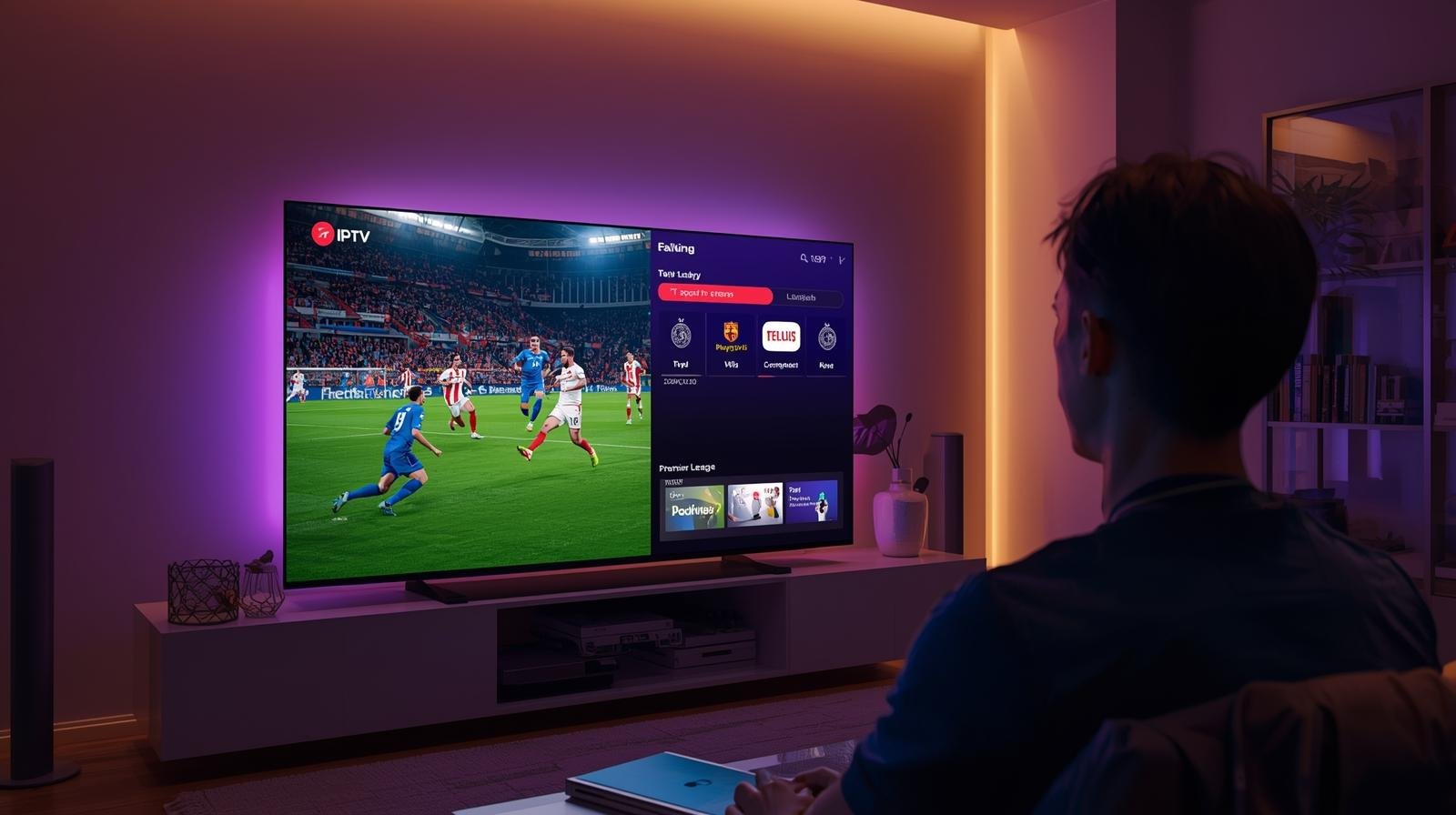
Live Sports on IPTV UK: How to Watch Premier League & F1 in 4K

1. What is IPTV and Why It’s Changing Sports Viewing in the UK

IPTV (Internet Protocol Television) delivers TV over the internet instead of via satellite (Sky dish) or cable (Virgin). Watch Live Sports IPTV. For sports, this means:

  • You can stream matches on smart TVs, Fire Sticks, consoles, laptops, or phones.
  • Most services offer flexible monthly subscriptions (no 18-month contracts).
  • Many now include 4K Ultra HD streams with HDR (High Dynamic Range).
  • Catch-up, replays, and multi-camera options are often available.

For sports fans, IPTV removes the old frustrations of needing expensive set-top boxes and long-term contracts just to follow your team.

2. Who Holds UK Broadcasting Rights (Premier League & F1)

Understanding rights is crucial — not all IPTV services can legally show live matches. Here’s how things stand for 2025:

⚽ Premier League

  • Sky Sports – Largest share of live games, including “Super Sunday” and Monday Night Football.
  • TNT Sports (formerly BT Sport) – Early Saturday kick-offs and European football.
  • Amazon Prime Video – Select rounds of fixtures (mainly midweek and Christmas matches).
  • BBC (Match of the Day) – Highlights only.

🏎 Formula 1

  • Sky Sports F1 – Exclusive live rights for all races, qualifying, and practice sessions in the UK.
  • Channel 4 – Free-to-air highlights and live coverage of the British Grand Prix only.

📌 This means if you want full Premier League AND F1 in the UK, you need access to Sky Sports.

3. Legal IPTV Services for Sports Fans in the UK (2025)

Here are the main legal IPTV providers offering Premier League and F1 coverage:

 Sky Stream (Sky without a dish)

  • Stream Sky Sports and Sky Sports F1 directly over the internet.
  • Contracts available monthly or 18-month.
  • 4K UHD available on supported devices.
  • Works via Sky Stream puck or app on smart TVs.

 NOW (by Sky)

  • Flexible streaming service offering day/month passes.
  • Sports Membership gives access to all Sky Sports channels.
  • Streams in up to 1080p (NOW Boost add-on improves quality and adds 50fps HD).
  • Great for casual fans who don’t want a long contract.

 Discovery+ (with TNT Sports)

  • Includes TNT Sports channels (Premier League, Champions League, UFC, WWE).
  • Available standalone or as part of EE/BT broadband packages.
  • Streams in HD, with some content in UHD.

 Amazon Prime Video

  • Select Premier League rounds (usually ~20 matches per season).
  • Streams in 4K UHD at no extra cost.
  • Works on almost all devices.

 Channel 4 (All 4 / Channel 4 app)

  • F1 highlights (all races).
  • British GP live coverage.
  • Free with adverts.

4. How to Watch Premier League on IPTV in 2025

1: Sky Stream or NOW Sports

  • Best for fans who want all the big Sky Sports fixtures.
  • NOW Sports is cheaper and more flexible, but limited to 1080p without Boost.
  • Sky Stream delivers better 4K quality for serious fans.

2: Discovery+ with TNT Sports

  • Covers early Saturday games and European football.
  • Available cheaper if bundled with broadband (EE, BT).

3: Amazon Prime

  • Great for midweek fixtures and Christmas schedule.
  • Included with Prime membership (no extra sports charge).

Budget-Friendly Setup Example

  • NOW Sports Month Pass (Sky Sports) – ~£34.99/month.
  • Discovery+ Standard with TNT Sports – ~£30/month standalone (cheaper in bundles).
  • Amazon Prime Video – £8.99/month or £95/year.

This combo ensures full Premier League access without a satellite dish.

5. How to Watch Formula 1 on IPTV in 2025

Since Sky Sports holds exclusive F1 rights, your options are limited:

  • Sky Stream – Best quality and full coverage, including 4K HDR.
  • NOW Sports – All Sky Sports channels, including F1, in flexible monthly packages.
  • Channel 4 app – Free highlights of all races + live British GP.

💡 If you’re an F1-only fan, a NOW Sports pass during race weekends is often the cheapest way. Watch Live Sports IPTV.

6. Watching in 4K UHD – What You Need

If you want to see every blade of grass at Old Trafford or every spark in Monaco in crystal-clear detail, here’s what you need:

 4K-Compatible Streaming Service

  • Sky Stream and Sky Q support 4K HDR.
  • NOW offers only up to 1080p with Boost.
  • Amazon Prime streams football in 4K UHD.

 Devices

  • Smart TVs with 4K HDR (Samsung, LG, Sony).
  • Amazon Fire Stick 4K, Apple TV 4K, Roku Ultra, or Sky Stream puck.
  • Modern gaming consoles (PS5, Xbox Series X) support 4K streaming apps.

 Broadband

  • Minimum 25 Mbps for single 4K stream.
  • At least 50 Mbps+ for households with multiple streams/devices.

7. Risks of Illegal IPTV for Sports

It’s no secret that many websites and resellers advertise “all sports, all channels, cheap IPTV.” But these are illegal in the UK. Here’s why families and fans should avoid them:

  • Legal enforcement: UK police (PIPCU), FACT, and Europol regularly shut down illegal IPTV services and prosecute suppliers. End users risk fines or warnings.
  • Unreliable streams: Buffers, freezes, or complete shutdowns mid-match are common.
  • Security risks: Many pirate apps hide malware or steal personal/banking data.
  • No 4K guarantee: Even if advertised, illegal 4K streams are usually unstable and heavily compressed.

For peace of mind, stick to official services.

8. Comparing IPTV Options for Premier League & F1 (2025)

ServiceSports Covered4K UHD?Price (approx.)Contract
Sky StreamPL + F1 + more✅ Yes~£46+/month18m or monthly
NOW SportsPL + F1 + more❌ (HD only)£34.99/monthMonthly
Discovery+ (TNT)PL (some), UCL, UFCSome UHD£30/monthMonthly
Amazon PrimeSelect PL rounds✅ Yes£8.99/monthMonthly/Yearly
Channel 4F1 highlights + 1 GPHD onlyFreeNone


9. Tips for Saving Money on IPTV Sports

  • Rotate subscriptions – buy NOW Sports only during key football months or F1 races.
  • Use free highlights – BBC Match of the Day (football) and Channel 4 (F1).
  • Bundle smartly – EE/BT often include Discovery+ in broadband deals.
  • Annual vs monthly – Amazon Prime annual plan saves ~£13 vs monthly.
  • Family sharing – many services allow multiple profiles under one account.

10. The Future of IPTV Sports in the UK

Looking ahead:

  • More 4K and HDR: Expect UHD to become the default standard across sports streaming.
  • VR & multi-angle feeds: Already being tested for F1; fans will choose camera views.
  • Dynamic rights: Premier League could sell more digital packages directly in the next rights cycle.
  • Greater flexibility: Pay-per-view or per-match options may expand for casual viewers.

✅ Final Recommendations

  • If you want complete Premier League + F1 in 4K: choose Sky Stream.
  • If you want flexibility on a budget: combine NOW Sports (monthly) + Discovery+ + Amazon Prime.
  • If you’re mainly F1: NOW Sports passes on race weekends are cheapest.
  • If you’re casual football fan: Amazon Prime and BBC/ITVX highlights may be enough.

Closing Thoughts

In 2025, IPTV has firmly overtaken traditional TV as the best way to watch live sports in the UK. With official providers like Sky, NOW, Discovery+, and Prime Video offering flexible subscriptions and reliable 4K streams. Sports fans have more control and better quality than ever before. Just remember: while illegal IPTV may seem cheap. The risks far outweigh the savings. Watch Live Sports IPTV.

The smarter move? Build a legal, flexible package that suits your needs — and enjoy every Premier League goal and F1 overtake in glorious 4K.

IPTV FREE  TRIAL

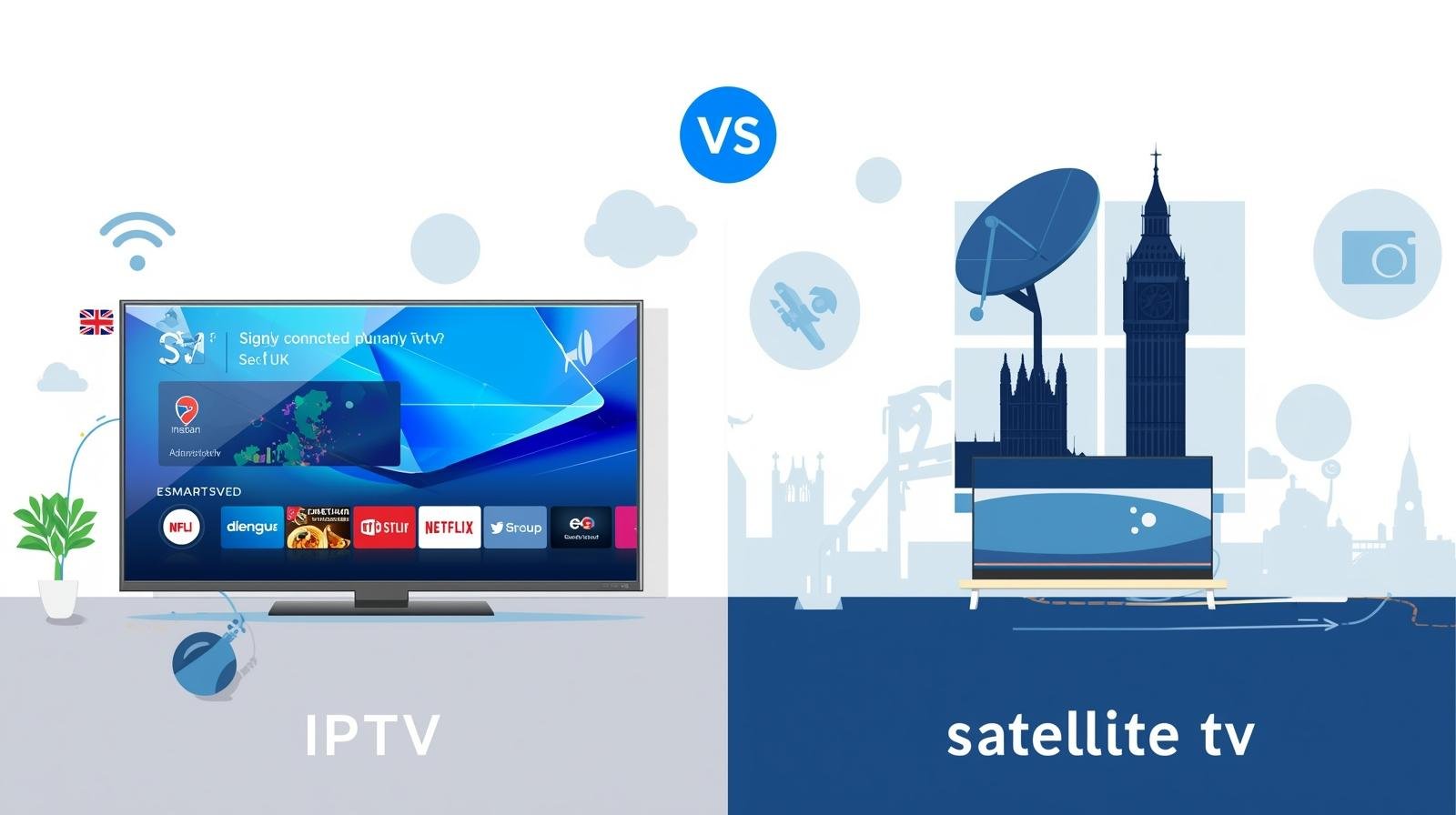
IPTV vs Satellite & Cable in the UK: Which One Should You Choose?

Introduction

Deciding between IPTV, satellite and cable is no longer a simple price comparison. In 2025 the TV landscape blends streaming-first services, hybrid products from legacy broadcasters, and ever-faster broadband. The right choice depends on how you watch TV, what you watch (sports? movies?), where you live in the UK, and how much tinkering you’re willing to do. Choosing IPTV or Satellite.

This long-form guide breaks down the technical differences, costs, reliability, device ecosystems, legal considerations (including TV Licence impacts), and future trends so you can choose with confidence. Wherever possible I’ll point to recent UK-relevant facts and practical examples. If you’re short on time: read the Decision checklist near the end — it’ll get you to a choice in under five minutes.

How TV is delivered: a technical primer

What is IPTV?

IPTV (Internet Protocol Television) delivers live channels and on-demand video over the internet. Everything from BBC iPlayer to NOW, discovery+ and other streaming apps uses IP delivery. IPTV is a broad label — it includes official, licensed streaming apps and, separately, third-party services that rebundle channels for viewers. IPTV’s strengths are flexibility, portability and app richness; its weakness is that it’s network-dependent.

How satellite works

Satellite TV (traditionally Sky in the UK) sends channels from broadcast centres to satellites in orbit, then down to a dish on your house. That signal is demodulated by a receiver (set-top box) which provides the channel guide and DVR functionality. Satellite is robust: when your broadband goes, satellite often still works — except in extreme weather where heavy snow/ice can degrade the signal.

How cable works

Cable (Virgin Media in the UK) sends encrypted TV and internet signals over a coaxial/fibre network into your home. Users typically receive a provider-supplied set-top box or a Stream box that uses the provider’s middleware and app ecosystem. Cable bundles often include broadband and phone services under one price.

Delivery chain and failure points

Every system has weak links:

  • IPTV: CDN capacity, ISP peering, home broadband, Wi-Fi/router, device.
  • Satellite: dish alignment, LNB issues, weather interference, receiver faults.
  • Cable: local network outages, provider headend failures, hardware faults.

Understanding these helps you target the right fix when problems arise.

Cost: subscriptions, hardware and hidden fees

IPTV: modular costs

IPTV shines on price flexibility. You build your TV service from apps: free catch-up services (BBC iPlayer, ITVX, All4), subscription SVODs (Netflix, Disney+, Prime Video), and sports/pay-per-view add-ons (NOW, discovery+ Premium, DAZN). Hardware is often inexpensive: streaming sticks or existing smart TVs work fine. You can rotate subscriptions seasonally to reduce spend. The broad availability of free ad-supported TV (FAST) channels also lowers costs. Guides that track IPTV options list many provider choices; prices vary widely by service and tier. Choosing IPTV or Satellite.

Satellite: packaged pricing

Satellite providers like Sky typically sell bundled packages—entertainment, movies, sports—often tied to long contracts (12–24 months). Packages include set-top hardware, Sky Q/Glass features and options for UHD sports or premium movie channels. Over time, bundled packages can cost significantly more than a tailored IPTV stack — but they can also deliver all-in-one convenience.

Cable: competitive bundles

Cable operators bundle TV and broadband attractively. Virgin Media’s Volt and Mega Volt bundles combine gigabit-capable broadband with TV packages and extras. Cable often undercuts satellite on pure broadband+TV bundles due to integrated network economics. Recent Virgin product pages emphasise bundled value and multiroom Stream boxes.

Hidden fees & equipment

Watch for: installation charges (for satellite dish or cable engineer), set-top box rental, multiroom extras, UHD add-ons, and price hikes after promotional periods. IPTV’s traps can include paid “boost” tiers for UHD or simultaneous streams (e.g., NOW Boost). Always read the small print.

Picture & sound quality: HD, 4K and beyond

Bandwidth and codecs

IPTV quality depends on network bandwidth and the codec used. Newer codecs like AV1 and HEVC (H.265) can deliver high-quality 4K at lower bitrates. Devices that support hardware AV1 decoding help reduce bandwidth needs for 4K streams (useful if your broadband is constrained).

Satellite/cable consistency

Satellite and cable deliver consistent bitrates for linear channels since the signal is managed as a broadcast. That makes them reliable for live events and predictable picture quality. IPTV, however, uses adaptive bitrate streaming: your quality will adjust to the available bandwidth — excellent when network conditions are good, variable when they’re not.

HDR & Atmos

Support for HDR formats (Dolby Vision, HDR10+) and Dolby Atmos varies by platform and device. Apple TV, premium smart TVs and higher-tier set-top boxes tend to support the broadest feature sets. IPTV apps increasingly offer HDR/Atmos, but availability depends on app/device combinations and subscription tiers.

Reliability & performance

Buffering, latency and live events

IPTV streams can buffer if network throughput dips. Latency is also a factor: IPTV often introduces a 10–30 second delay compared to satellite due to encoding, CDN delivery and buffering — usually not an issue for casual viewing but noteworthy for live betting or apps requiring sync across viewers.

Effects of home network

Your home network determines the final user experience. A gigabit fibre connection can be ruined by poor Wi-Fi, a congested router, or multiple simultaneous device-heavy tasks. Wired Ethernet to your main TV remains the gold standard for reliability.

Outages, weather and ISP congestion

Satellite can be affected by extreme weather (rare). IPTV is susceptible to ISP congestion, especially in peak hours or in areas where the ISP’s peering to streaming CDNs is suboptimal. Cable networks can have planned maintenance windows but are generally resilient thanks to provider-managed infrastructure. Choosing IPTV or Satellite.

Content availability & rights

Live sports and exclusive rights

Some sports rights remain splintered: Sky, TNT/Warner/discovery+, Amazon and DAZN all hold different rights for football, tennis, F1 and boxing at various times. That means to cover everything you may need multiple subscriptions across IPTV and legacy platforms. Rights deals change frequently; always check the current season holders for must-watch competitions.

Catch-up & on-demand

Catch-up apps (BBC iPlayer, ITVX, All4) are ubiquitous across IPTV devices. Satellite/cable boxes also integrate catch-up but may route you through proprietary guides. For bingeable boxsets and exclusive originals, SVODs dominate and are native to IPTV.

International and niche channels

IPTV often offers a wider selection of international and niche channels via apps and third-party providers. If you want foreign-language or specialty programming, IPTV’s modularity is a major advantage.

Flexibility & user experience

IPTV: multi-device & portability

IPTV is synonymous with portability: watch on phones during commutes, on tablets, or cast to a TV. Profiles, personalised recommendations and cross-device watch progress are standard in big streaming services. This flexibility is a big reason many households shift away from satellite/cable.

Satellite/cable: unified living-room experience

Satellite and cable aim to replicate the traditional living-room experience: a unified guide, simple channel up/down navigation, and built-in multiroom with single-provider management. For users who prefer an out-of-the-box experience and don’t want to cobble apps together, satellite/cable can be simpler.

User interfaces & voice assistants

Modern IPTV devices integrate voice search and smart-home assistants (Alexa, Google Assistant, Siri). Satellite/cable boxes increasingly support voice and app integration, but the thrift of apps and cross-service search remains IPTV’s strong suit.

Installation & setup

Satellite: engineer and dish

Satellite often requires an engineer to mount a dish and configure receivers. This adds installation cost and scheduling, but results in a stable coaxial feed and integrated DVR services.

Cable: self-install or engineer

Cable providers may offer self-install kits or engineer visits. Virgin’s Stream boxes, for example, are aimed at simpler install without a dish. Cable’s advantage is that the provider manages distribution inside the network. Choosing IPTV or Satellite.

IPTV: plug-and-play

IPTV typically needs only a streaming stick/box and an internet connection. Self-installation is quick, making it ideal for renters and people who move frequently. However, IPTV quality relies heavily on your existing broadband and Wi-Fi setup.

Devices & hardware

IPTV devices

Popular devices include Amazon Fire TV sticks, Apple TV 4K, Chromecast with Google TV, and various Android boxes. Choose devices with modern Wi-Fi (Wi-Fi 6/6E), Ethernet options, and codec support for AV1/HEVC for future-proofing. Choosing IPTV or Satellite.

Satellite receivers

Sky’s receivers (or Sky Stream/Sky Glass alternatives) provide native Sky UI, multiroom options and integrated DVR services. These boxes are tuned to the satellite ecosystem and often include exclusive features like Sky Q recordings.

Lifespan & updates

IPTV devices often receive frequent app/OS updates, while some smart TVs and older set-top boxes can lose app support over time. Consider a small external stick for long-term app compatibility if your TV is older.

Parental controls, profiles & accessibility

Parental controls

IPTV apps generally have granular profile and parental controls. This is excellent for households with kids: you can set PINs, age filters and viewing windows per profile. Satellite/cable providers also offer parental locks, but the flexibility of app-level controls (multiple profiles + downloads) is a clear IPTV advantage.

Accessibility

Accessibility features such as audio description, subtitles, and high-contrast interfaces are widely supported across modern IPTV apps and satellite/cable boxes. Check individual service settings for specifics.

Security & legality

Licensed IPTV vs illicit services

A growing caveat: IPTV is also used by grey-market resellers selling “all channels” packages cheaply. These often lack licensing and are unreliable, insecure and illegal. They can be shut down at any time and may expose users to malware or fraud. Stick to licensed apps and official stores for safety.

TV Licence in the UK

Crucially, the requirement to hold a TV Licence in the UK still applies if you watch or record live TV or use BBC iPlayer — regardless of delivery method. That means IPTV viewers watching live broadcasts must be licenced. Official guidance from TV Licensing and GOV.UK clarifies these obligations.

When satellite/cable still makes sense

Rural coverage & limited broadband

In rural parts of the UK lacking reliable full-fibre broadband, satellite (or cable where available) can be the only option for consistent live TV. Choosing IPTV or Satellite.

Absolute live reliability

For viewers who need the lowest possible latency and the most consistent linear broadcast — for instance, some older live-broadcast workflows or small venues — satellite still wins.

One-provider simplicity

Some households prefer one bill, one provider and in-home support. Satellite/cable offers that convenience with engineer visits and integrated customer service.

When IPTV is the smarter choice

Cost control & flexibility

If you like rotating subscriptions, only paying for sports during the season, or mixing ad-supported tiers and free FAST channels, IPTV often costs less overall. Its agility is a strong selling point.

Portability and modern features

If you want to watch on a phone, tablet, laptop, or mirrored TV with cross-device progress and profiles, IPTV is the clear winner. Its app-driven model integrates with smart-home devices and voice assistants easily.

Access to niche and international content

For international channels, niche sports or curated streaming content, IPTV and standalone streaming services far outpace legacy packages.

Hybrid approaches & future-proofing

Combine the best of both

Many UK households adopt a hybrid strategy: a slim satellite/cable package for key live channels plus an IPTV stack for flexibility and on-demand content. For example, keep a minimal Sky or Virgin package for certain sports while using IPTV apps for movies and international channels.

Emerging tech

Watch for AV1 codec adoption (more efficient 4K), Wi-Fi 6E routers, and 5G home broadband which may make full IPTV setups even more robust in areas with limited fibre. These trends favour IPTV’s continuing growth. Choosing IPTV or Satellite.

Decision checklist: which option fits your household?

Ask yourself:

  1. Do you need absolute broadcast reliability (rural/critical live events)? → Consider satellite/cable.
  2. Do you want portability, rotating subscriptions and app richness? → IPTV likely fits.
  3. Do you have reliable full-fibre broadband and modern Wi-Fi? → IPTV is practical.
  4. Are you unwilling to manage multiple apps or devices? → Cable/satellite offers one-package simplicity.
  5. Do you care about cost and seasonal sports subscriptions? → IPTV offers savings via rotation.

Sample scenarios:

  • Single occupant, streaming-heavy: IPTV + basic broadband.
  • Family with heavy sports interest: hybrid (select satellite sports + IPTV for everything else).
  • Rural area & unreliable broadband: satellite/cable where available.

Conclusion

There is no single “best” option for every UK household. Satellite and cable offer reliability, simple billing and deep live-TV integration — often at a higher, bundled price. IPTV offers flexibility, portability, and potential cost savings, but it depends on reliable broadband and a well-configured home network.

If your broadband is fast, stable and you enjoy app ecosystems and rotating subscriptions, IPTV is a modern, often cheaper, and feature-rich choice. If you value set-and-forget reliability, all-in-one guides and on-site support, then satellite/cable retains strong appeal.

Practical next step: evaluate your broadband quality (run an in-room speed test), list the must-have channels and content, and choose devices before committing. For many households in 2025, a hybrid approach delivers the best of both worlds. Choosing IPTV or Satellite.

FAQs

  1. Do I still need a TV Licence if I move fully to IPTV?
    Yes. If you watch or record live TV or use BBC iPlayer, a TV Licence is required, regardless of delivery method.
  2. Can IPTV deliver the same 4K quality as satellite?
    Yes — on a fast, stable fibre connection and with devices that support the required codecs and DRM. However, IPTV quality can vary more with network conditions.
  3. Are “cheap” IPTV subscriptions legal in the UK?
    Many inexpensive “all channels” IPTV services operate without the proper rights and are illegal and risky. Stick to licensed providers and official app stores for safety.
  4. Which is better for multiroom setups?
    Cable providers often make multiroom simpler with provider-managed boxes. IPTV can do multiroom via streaming sticks and sticks’ price advantage, but depends on Wi-Fi or wired backhaul.
  5. How can I future-proof my home for IPTV?
    Upgrade to a full-fibre broadband plan, use a modern Wi-Fi 6/6E router (or mesh), pick devices with AV1 hardware decode and ensure Ethernet to the main TV where possible.

IPTV FREE TRIAL

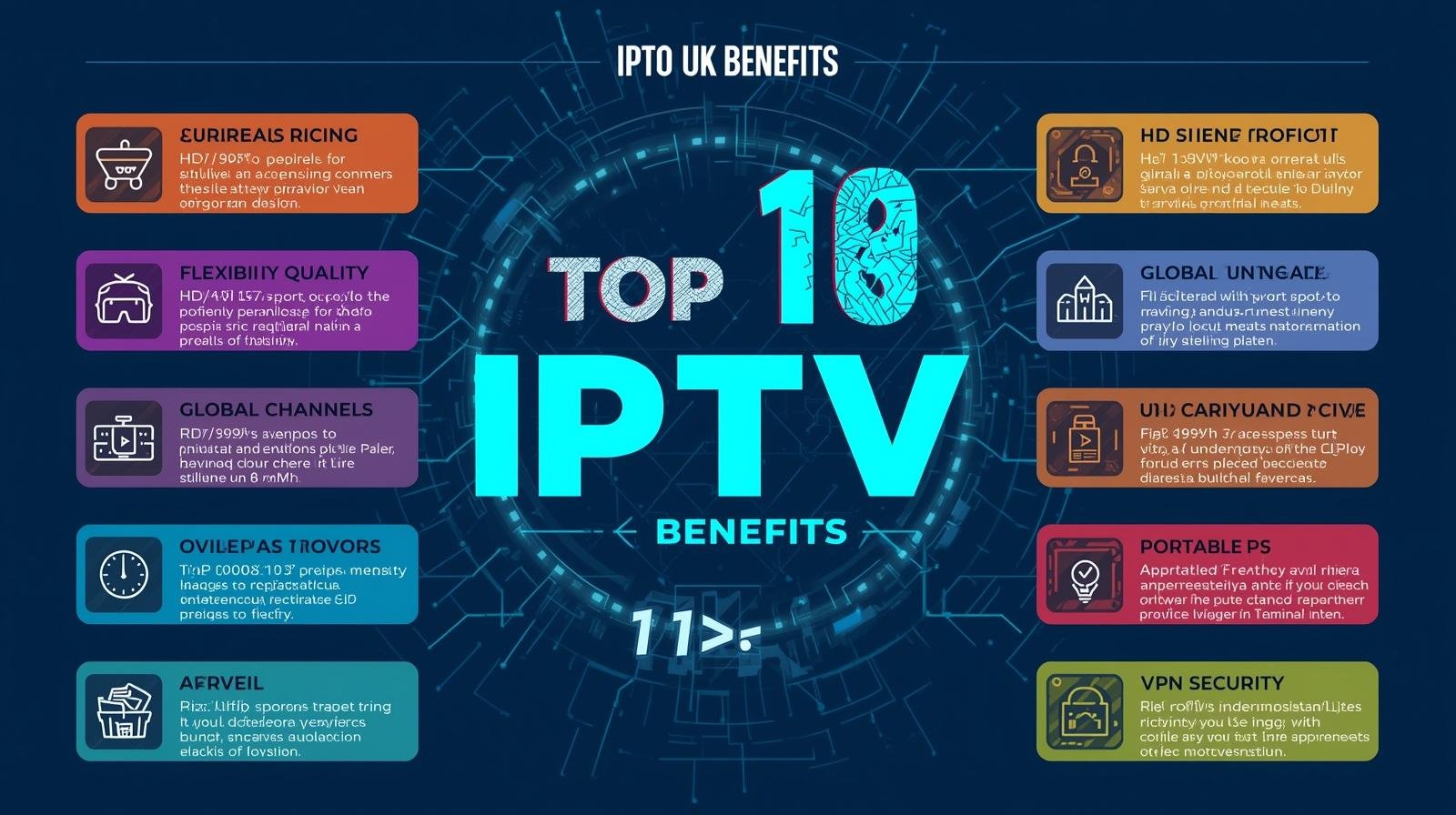
10 Reasons IPTV UK Is the Smarter Choice This Year

Introduction: TV is no longer a box on a shelf—it’s an app

For decades in the UK, the question “What’s on telly?” meant thumbing through channels on a Sky or Virgin Media box, or a Freeview tuner. In 2025, the question has quietly become: “Which app?” IPTV—television delivered over your broadband connection using the same protocols as the rest of the internet—has matured from a niche to a mainstream way to watch. IPTV can provide live channels, catch-up, on-demand movies, and premium sports content, regardless of whether you live in a semi-detached home in the Midlands with FTTC or a busy London apartment with fiber to the premises. to virtually any screen you own. Top 10 IPTV UK Benefits.

Before the ten reasons, a quick primer.

What exactly is IPTV?

IPTV stands for Internet Protocol Television. Instead of sending TV channels over satellite (DVB-S) or cable (DVB-C), IPTV sends video streams over your internet connection using IP packets—just like your email, web browsing, or cloud backups. Installing apps on devices you already own, such as smartphones, Amazon Fire TV, Apple TV, Android TV/Google TV boxes, gaming consoles, tablets, and phones, makes up the majority of the “television” component. or on set-top boxes built for IPTV. Top 10 IPTV UK Benefits.

There are three main “flavours” you’ll encounter in the UK:

  1. First-party IPTV from ISPs and broadcasters
    Examples: BT TV (now EE TV in some bundles), Virgin Media Stream/TV 360 over DOCSIS/FTTP, NOW (Sky’s streaming service), BBC iPlayer, ITVX, Channel 4, My5.
  2. Global streaming platforms
    Netflix, Prime Video, Disney+, Apple TV+, Discovery+, Paramount+, DAZN, and sport add-ons like TNT Sports via discovery+/EE. All ride on IP delivery.
  3. App-based IPTV players and legitimate aggregators
    IPTV clients (e.g., TiviMate, IPTV Smarters, Perfect Player) that connect to lawful M3U/EPG sources; Plex/Emby/Jellyfin for personal media; and platforms that legally carry FAST (free ad-supported TV) channels.

Legal note (UK): IPTV itself is perfectly legal. What matters is content licensing. Only use services and playlists with rights to the content. Avoid shady “all-channels” lists or devices advertised for piracy; they risk legal consequences and malware. Stick to official apps and legitimately licensed providers.

With that foundation set, here are ten reasons IPTV is the smarter choice in the UK this year. Top 10 IPTV UK Benefits.

Reason 1: Lower, clearer, and more flexible costs

Traditional Pay TV often ties you to long contracts, set-top hardware fees, and bundles you don’t fully use. IPTV flips this:

  • Pick-and-mix subscriptions. Combine free catch-up (BBC iPlayer, ITVX, Channel 4, My5) with a rotating premium app (e.g., Netflix one quarter, Disney+ the next) and a sports month pass only during your favourite league season.
  • Device reuse. No compulsory set-top rental if your TV or streaming stick already runs the app.
  • Promotions without installers. Trials and deals are a download away—no engineer visits.

A cost-comparison template you can use

  1. List your must-have content (e.g., Premier League, Formula 1, specific channels, children’s shows, prestige dramas).
  2. Map each to an IPTV app or service that legally carries it.
  3. Select the plan that unlocks it at the lowest tier (e.g., ad-supported vs. ad-free).
  4. Add your broadband cost (which you likely already pay).
  5. Compare to your current satellite/cable bundle.

Because switching apps is frictionless, you can optimise month by month. Over a year, the ability to pause subscriptions when you’re travelling or between seasons can save hundreds of pounds.

Reason 2: Freedom from installation, cables, and clutter

Satellite dishes, coax runs through walls, and chunky PVR boxes are yesterday’s problem. IPTV needs:

  • A stable broadband connection (see bandwidth tips below).
  • A device you already own (smart TV, Fire TV, Apple TV, Android TV, games console, tablet, phone).
  • A few apps.

Moving home? Renting? In student accommodation with restrictions? IPTV thrives where dishes and drilling don’t. Multi-room is as easy as installing the app on another screen. In many households, “setup” takes less than the time it takes to brew a cuppa.

Reason 3: Watch anywhere, on anything (truly cross-device)

IPTV rides with you:

  • In the living room on a smart TV or streaming stick.
  • In bed or the garden on a tablet with Wi-Fi.
  • Using mobile data on the train (be mindful of your data plan!).
  • At a friend’s by signing into your app; many services support a limited number of concurrent streams.

Traditional boxes are tied to one television and address. IPTV is tied to your account and the network connection in front of you. That means you can finish a film on your phone you started on the TV, cast to a bigger screen, or set kids’ profiles on tablets with parental controls—no extra hardware.

Reason 4: Picture and sound quality that keeps improving

IPTV quality used to be synonymous with buffering. Not anymore. With decent broadband, IPTV services deliver:

  • Adaptive bitrate streaming (ABR): The stream adjusts to your real-time bandwidth. If the Wi-Fi hiccups, you drop gracefully to a lower resolution instead of a spinning wheel.
  • 4K UHD and HDR: Many apps offer ultra-high definition with HDR10/Dolby Vision on supported devices.
  • Immersive audio: Dolby Atmos on compatible soundbars/AVRs in flagship apps.

Bandwidth quick guide (rule-of-thumb)

  • SD: ~2–3 Mbps per stream
  • HD (1080p): ~5–8 Mbps per stream
  • 4K: ~15–25+ Mbps per stream

If your household watches on multiple screens, multiply accordingly. Fibre-to-the-premises (FTTP) packages at 100–500 Mbps make simultaneous 4K streams, gaming downloads, and video calls peaceful roommates.

Reason 5: Smarter discovery, personalisation, and accessibility

IPTV is software-first, which means better UX:

  • Personalised rows (“Because you watched…”) surface relevant shows across huge catalogues.
  • Unified search lets you find a programme across multiple apps.
  • Profiles keep kids’ content separate, with watch-limits and age ratings.
  • Accessibility features like subtitles/closed captions, audio description, high-contrast themes, and UI zoom are often richer and easier to toggle than legacy boxes.

If you’ve ever spent fifteen minutes channel-surfing only to watch nothing, modern IPTV’s recommendation engines are a quiet revelation.

Reason 6: Live TV plus on-demand, seamlessly

In the UK, broadcast catch-up (iPlayer, ITVX, Channel 4, My5) has matured into full-fat platforms:

  • Start-over and restart live programmes from the beginning, even if you joined late.
  • Box-set back-catalogues live alongside last night’s episode.
  • FAST channels (Free Ad-Supported TV) provide themed, always-on channels you can dip in and out of without commitment.

Sports is catching up too. Time-shift a live match, watch extended highlights, or rewatch key moments without waiting for a TV repeat. This interface combines the greatest features of live and streaming.

Reason 7: Genuine control—no contracts, pause anytime

This is the killer feature for many households:

  • Monthly rolling plans instead of 18- or 24-month contracts.
  • Pause or cancel in an app with two taps.
  • Seasonal stacking: Turn on sports passes during your team’s season; drop to a lighter bundle off-season.
  • Try-before-you-decide: Free trials or low-cost first months reduce commitment anxiety.

For renters, students, and anyone who loathes retention-call theatre, IPTV’s self-service control is a relief.

Reason 8: Better for multi-room and multi-person households

In a family of four, one person’s “Match of the Day” is another’s “Nope”. IPTV handles divergent tastes:

  • Multiple concurrent streams (subject to plan limits).
  • Profiles and watchlists per person.
  • Lightweight gadgets: any screen may be used as an IPTV client with a streaming stick that costs between £30 and £60.
  • No installer visits if you rearrange rooms.

If you manage a shared house, you can keep common-area screens signed into shared apps while maintaining private profiles or separate logins in bedrooms.

Reason 9: Easier upgrades and future-proofing

In IPTV, most leaps forward arrive as app updates:

  • New HDR formats? App update.
  • Better compression? App update improves quality at the same bandwidth.
  • New features like multiview, picture-in-picture, or improved subtitles? App update.

And because IPTV is device-agnostic, you can switch from a smart TV app to a Fire TV 4K Max or Apple TV 4K if you want a snappier interface—without changing your service. You control the upgrade cycle.

Reason 10: A greener, tidier footprint

This one’s quiet but meaningful:

  • Less single-purpose hardware shipped, warehoused, and powered.
  • Decluttered living spaces—fewer cables, fewer boxes.

For many households, the energy savings are modest but real, and the convenience is immediate. Top 10 IPTV UK Benefits.

UK-specific realities and tips

Broadband: what you really need

  • Check the actual speed where you watch. Run a speed test near your TV on Wi-Fi—don’t rely on the router’s wired speed.
  • Aim for headroom. 
  • Wi-Fi matters. Mesh systems or a single modern Wi-Fi 6 router can transform IPTV stability. If possible, wire the main TV with Ethernet; it’s the single best fix for buffering.
  • ISP routers vs your own kit. ISP-supplied hubs vary. A better router behind the ISP modem can dramatically improve IPTV performance, especially in larger homes.

Devices that work brilliantly in the UK

  • Streaming sticks/boxes: Amazon Fire TV Stick 4K Max, Apple TV 4K, Google Chromecast with Google TV, NVIDIA Shield (still a powerhouse for enthusiasts).
  • Consoles: Xbox and PlayStation run most major apps.
  • Mobiles and tablets: iOS and Android for on-the-go watching or casting.

If your TV is older, a sub-£60 stick can feel like a brand-new interface.

Sports, rights, and reality

The Premier League, Champions League, F1, cricket, rugby, and tennis all have complex UK rights arrangements that shift over time between Sky/NOW, TNT Sports (via discovery+/EE), Amazon’s winter package (some seasons), and dedicated services like F1 TV Pro (availability varies by rights). IPTV doesn’t magically combine them all into a single cheap app (beware anyone who claims it does). The “smarter” part is flexibility: subscribe when the fixtures you care about are on, pause when they’re not, and avoid paying for a dozen channels you never watch. Top 10 IPTV UK Benefits.

Legal and safety reminder

  • Only use licensed services and legitimate playlists.
  • Avoid devices or sellers advertising “fully loaded” boxes with all premium channels—these are almost always illegal and risky.

Practical setup guide (15-minute checklist)

  1. List must-have content (by name, not channel).
  2. Select apps that are authorized to offer it, such as Discovery+ for TNT Sports, ITVX for ITV, NOW for Sky programming, and iPlayer for the BBC.
  3. Test Wi-Fi at the TV (or plug Ethernet).
  4. Create profiles (kids, guests, you).
  5. Enable captions or audio description if needed.
  6. Turn on match frame rate or “motion” options appropriately on your TV for smoother sports and films.
  7. Bookmark the cancellation pages for each app so you can pause quickly.
  8. Set a calendar reminder at month-end to review what you’re paying for.
  9. Enjoy—then iterate: swap apps as your tastes change.

Troubleshooting: the quick fixes that actually work

  • Buffering on the main TV? Use Ethernet. If not possible, move the router, add a mesh node near the TV, or use Powerline (as a last resort).
  • App feels sluggish on your smart TV? Try a dedicated streaming box; they often outpace built-in TV processors.
  • Motion looks odd in football or F1? Enable “match content frame rate” in the streaming device and disable heavy motion smoothing in the TV for live sport.
  • Audio out of sync? Many devices have an audio delay setting; a 50–120 ms nudge can fix lip-sync.
  • Data caps? Most UK fixed broadband is uncapped, but mobile data is not. Download for offline where supported if travelling.

A realistic, personalisable cost scenario (example)

Household: Two adults, one child; loves Premier League (one team), Marvel/Star Wars, British dramas, and documentaries.
Broadband: FTTP 150 Mbps (already paid for internet work-from-home).
Device: One smart TV, one Fire TV stick in the bedroom, two phones, one tablet.

Monthly mix (during football season):

  • BBC iPlayer, ITVX, Channel 4, My5: £0
  • Disney+ Standard: £7–£11 (plan varies; check current pricing)
  • NOW Entertainment (for Sky Atlantic/Originals): ~£10–£12 (promos vary)
  • discovery+ Premium including TNT Sports: variable; check current bundle via EE/discovery+
  • Netflix Standard with ads or ad-free: optional based on viewing

Off-season (summer):

  • Pause TNT Sports/discovery+ Premium
  • Drop NOW Entertainment if not watching Sky shows
  • Try Apple TV+ or Paramount+ for a month instead

The secret sauce is rotation. Over 12 months, the off-season pauses often pay for the on-season splurges—something legacy bundles rarely allow. Top 10 IPTV UK Benefits.

Advanced notes for enthusiasts

  • EPG integration: Some devices unify live channels and on-demand into one guide. Apple TV’s “Up Next”, Google TV’s aggregated home, or apps like Channels DVR (with legal sources) can consolidate your view.
  • Local media: Plex/Jellyfin/Emby can serve your own recordings, home videos, and photos next to streaming apps—neat for families.
  • Networking: If you love tinkering, enable multicast-to-unicast conversion, QoS for streaming, and VLANs for set-top isolation—but none of this is required for most households.
  • HDR discipline: If your TV looks too dim in HDR, calibrate or select a brighter picture mode (“Cinema Home” or “Filmmaker” with raised peak brightness).

The balanced view: when IPTV might not be ideal (yet)

  • Low or unstable broadband. If you consistently get <10 Mbps at the TV or frequent dropouts, live IPTV may frustrate. Consider improving Wi-Fi or upgrading broadband first.
  • Niche channels with no UK streaming rights. Some specialist international channels still only exist on certain satellite packages.
  • One-remote simplicity (for non-techy users). A good set-top can be simpler for some viewers. Counterpoint: modern streaming remotes are very minimal—often just a D-pad and home/back buttons.

FAQs

Is IPTV legal in the UK?
Yes. IPTV is a delivery method. What matters is whether the service has the rights to the content. Use official apps and licensed providers only.

Do I need a TV licence?
If you watch or record live TV on any channel or use BBC iPlayer, UK law requires a TV Licence—regardless of delivery method (aerial, satellite, cable, or IPTV).

What speed do I need?
Plan for ~5–8 Mbps per HD stream and ~15–25+ Mbps per 4K stream, plus headroom for other devices. Wired Ethernet to the main TV is ideal.

Will my data be capped?
Most UK fixed broadband is uncapped, but mobile data plans often have limits. Check your plan.

Can I download programmes for offline viewing?
Many apps allow downloads on phones/tablets. Smart TVs/boxes typically stream only.

What about sports blackouts and regional rights?
Rights are complicated and change over time. Stick to UK-licensed services; be wary of any provider claiming every match at ultra-low prices—it’s a red flag.

Conclusion: IPTV isn’t just cheaper—it’s smarter

The smarter choice this year isn’t about a single killer app; it’s about a smarter way to consume TV: flexible, app-based, month-to-mon, on the devices you already own, with ever-improving quality and features. For UK households, IPTV turns television into something you control rather than something that controls your wallet and wall sockets. Top 10 IPTV UK Benefits.

IPTV FREE TRIAL

Cut the Cord: Why IPTV Beats Sky and Virgin TV

1. Introduction — the streaming sea change

The past decade rewired TV. From a few channels to thousands, viewers transitioned from appointment viewing to on-demand streaming. Sky and Virgin dominated that shift. Now IPTV (Internet Protocol Television) extends the change further. It decouples content from physical infrastructure. It invites variety and innovation. But does it beat Sky and Virgin? In many practical ways, yes. This article shows exactly why, and how to do it without losing the things that matter — channels, reliability, and quality. Cut the Cord: IPTV Wins.

2. What is IPTV? A concise primer

IPTV delivers television over internet networks instead of satellite broadcasts or coaxial cable. Streams travel as data packets, similar to Netflix, but often arranged to mimic live TV, complete with Electronic Program Guides (EPGs), live channels, and video-on-demand (VOD). There are three common delivery models:

  • Provider-hosted IPTV: Major ISPs and broadcasters offer managed IPTV services with contracts. These are licensed and reliable.
  • Third-party IPTV services: Independent providers supply playlists (M3U/Xtream), often to suit niche tastes. Quality varies.
  • Community / open-source setups: Users assemble playlists, headends, and local caching for personal use.

IPTV is a technology, not always a single business model. That flexibility is its strength.

3. Sky and Virgin TV — how traditional pay-TV works today

Physical distribution is at the heart of both Virgin and Sky. Virgin uses cable infrastructure and managed boxes. Both combine linear TV with on-demand platforms, apps, and bundled broadband. They maintain large content deals, exclusives, and sports rights. Their strengths are reliability, customer support, and curated channels. Their weaknesses show up as rigid contracts, high costs, and limited customization. Cut the Cord: IPTV Wins.

4. The main reasons people cut the cord

Why do viewers move away from Sky/Virgin? Several reasons repeat:

  • Cost: Monthly fees and add-ons stack up. Big sports packages double or triple bills.
  • Control: IPTV allows flexible channel mixes and short-term subscriptions.
  • Device freedom: Watch on phones, tablets, smart TVs, and cheap sticks.
  • Choice: Niche international channels, specialized VOD, and smaller producers thrive in IPTV ecosystems.
  • Innovation: Custom DVRs, integrations with NAS, and third-party apps expand possibilities.

Cutting the cord isn’t for everyone. But for many, it’s a logical response to value and flexibility.

5. Cost comparison: IPTV vs Sky vs Virgin (real-world math)

Price drives decisions. Below is a simplified, illustrative comparison that highlights typical monthly costs. Real prices change with promotions, bundles, and location.

Example: Monthly cost breakdown (approximate)

  • Sky (base + sports + broadband): £30 (base) + £25 (sports) + £30 (broadband) = £85
  • Virgin Media (TV + VIVID broadband): £50 (TV packages vary) + £35 (broadband) = £85
  • IPTV (reputable third-party provider + broadband): £10–£20 (IPTV) + £30 (broadband) = £40–£50

Over 12 months, the difference compounds. IPTV can cost roughly £420–£600 a year versus £1,020 for bundled Sky/Virgin. That’s a large saving.

Add-ons and caveats

  • High-end IPTV users may buy premium subscriptions, NAS or DVR solutions, and multiple apps. Costs still often stay below traditional bundles.
  • Exclusive sports rights are expensive. If you need Sky Sports cricket or premium Premier League access, IPTV may not offer legal parity.
  • Customer service and guarantees differ. Traditional providers include hardware support that IPTV providers might not.

6. Content availability and choice: who wins?

Content is king. Sky and Virgin command premium rights for many leagues, films, and first-run shows. They invest heavily in originals and exclusives. IPTV’s strength is breadth and niche access. It often offers international channels, indie streams, specialty sports, and flexible channel packs.

Quick comparison

  • Sky/Virgin: Best for UK-first sports and big-budget content.
  • IPTV: Best for variety, smaller niches, and flexible add-ons.

If you watch mainstream UK blockbusters and top-tier live sports exclusively available via Sky/Virgin, those providers retain their value. Yet many viewers combine IPTV for general viewing and keep a limited Sky/Virgin subscription for must-have events.

7. Flexibility and device support: the IPTV advantage

IPTV excels at device compatibility. Most IPTV providers support:

  • Smart TVs (via apps or web players)
  • Android TV boxes and Fire TV Sticks
  • iOS and Android phones & tablets
  • Desktop players (VLC, Kodi)
  • Browser-based playback and Chromecast casting
  • NAS and home-server DVR recording

Sky and Virgin lock users into proprietary boxes and software. Their apps are improving across platforms, but they rarely match the freedom of bringing multiple playlists to many devices.

8. User experience: UI, EPG, and remote control battles

A slick UI matters. Both Virgin and Sky offer well-designed user interfaces, well-executed EPGs, and integrated suggestions. IPTV apps vary widely. Some, like TiviMate or OTT Navigator, provide excellent EPGs and neat UX. Others lag.

UX realities

  • Consistency: Sky/Virgin — consistent across boxes. IPTV — depends on the client app.
  • EPG quality: Sky/Virgin — professional metadata. IPTV — often relies on provider XMLTV feeds; accuracy varies.
  • Voice search and universal remote controls are integrated into major pay-TV sets. IPTV can work with voice but needs more manual setup.

A well-configured IPTV setup can match or beat pay-TV UX for power users. Casual users may prefer the out-of-the-box simplicity of Sky/Virgin.

9. Picture quality, latency, and buffering — technical realities

IPTV streams subject to internet variability. However, IPTV is on par with cable and satellite when properly configured.

Key factors

  • Bandwidth: 25–50 Mbps recommended for HD/4K.
  • Local network: Ethernet outperforms Wi-Fi every time.
  • Provider CDN: Good IPTV providers use multiple CDNs and regional caching.
  • Decoder & hardware acceleration: Modern devices handle H.264/H.265 well.

Latency and buffering

  • Satellite has predictable latency. IPTV varies with network routing.
  • ISP throttling can cause evening buffering. A VPN or a better ISP helps.
  • Sky/Virgin provide stable broadcast feeds; IPTV streams depend on the provider’s infrastructure.

In short: IPTV can offer excellent quality, but it requires attention to network and hardware.

10. DVR, catch-up, and on-demand features compared

Managed DVRs with cloud recording, built-in catch-up, and parental controls are offered by Virgin and Sky. IPTV solutions offer more DIY flexibility:

  • Local DVR (NAS/USB): Record streams directly in some apps (TiviMate + NAS, Kodi combos).
  • Timeshift & catch-up: Provider-dependent. Some IPTV services include catch-up VOD.
  • On-demand libraries: IPTV relies on provider offers, while Sky and Virgin have licensed VOD catalogs.

Pay-TV is convenient if you prefer scheduled recordings with assured availability and user-friendly interfaces. If you desire versatile recording options and long-term preservation, IPTV might be a better option.nji

11. Sports and live events: what matters to fans

Sports fans prioritize reliable live feeds, minimal latency, and access to major rights. Sky holds many UK sports rights. Virgin bundles some of these via Sky channels on its platform. IPTV can stream live sport, including international leagues and niche sports. However:

  • Major leagues & pay-per-view: IPTV rarely matches the exclusive rights held by large broadcasters in a fully legal way.
  • Latency: For betting or live commentary, even small delays matter. Satellite is often better.
  • Scalability for big events: Major broadcasters invest in extra capacity for big matches; some IPTV providers may struggle during peak events.

Many sports fans opt for a hybrid strategy, using pay-TV sports packages for key games and IPTV for general viewing.

12. Reliability, uptime, and provider infrastructure

Virgin and Sky both have strong distribution networks with service-level procedures in place. They provide guaranteed continuity and hardware replacement. IPTV reliability varies by provider:

  • Licensed providers and ISP-run IPTV tend to be stable.
  • Small third-party services may have slowdowns or outages, making them erratic.
  • Redundancy: Top IPTV providers use multiple servers and CDNs to reduce downtime.

Reliability is a major reason some viewers keep pay-TV. But with careful provider selection and a backup plan (secondary provider, local recordings), IPTV can be highly reliable.

13. Legal and ethical considerations in the UK

Legality matters. IPTV players are legal. It is not acceptable to stream copyrighted content without the proper authorization. Key points:

  • Licensed IPTV: Offered by ISPs and broadcasters — legal.
  • Third-party providers: May offer streams without permission. Using them risks takedowns and potential legal consequences.
  • Hardware devices: Selling pre-configured boxes loaded with illegal services is illegal in the UK.

When choosing IPTV, prefer providers that declare legitimate content sourcing. Respect copyright and consider the ethical implications of consuming unlicensed streams.

14. Security and privacy: VPNs and data handling

IPTV streams travel over your internet connection. Concerns emerge:

  • ISP throttling: ISPs might limit streaming traffic. VPNs can help by encrypting traffic.
  • Privacy: Choose a VPN with a no-logs policy if privacy matters.
  • Provider security: Reputable IPTV providers protect endpoints and verify users. Shady services may expose you to malware or data leaks.

A VPN is a useful tool for privacy and to mitigate ISP shaping, but it’s not a magic legal shield.

15. How to pick a reputable IPTV provider

Choosing a provider is critical. Look for:

  • Clear terms and contact info: Legit services show business details and responsive support.
  • Trial periods: Try short-term plans before committing.
  • Reviews from multiple sources: Use forums and trusted reviewers; cross-check.
  • Server locations and CDN use: UK viewers benefit from UK or nearby European servers.
  • EPG and VOD availability: If these matter, confirm support before buying.

Avoid providers with persistent downtime, poor support, or unclear legal status. Cut the Cord: IPTV Wins.

16. Devices and apps that make IPTV shine

Your device influences performance:

  • Android TV boxes & Nvidia Shield: Powerful, flexible, great app support.
  • Amazon Fire TV Stick / Cube: Affordable and widely supported; sometimes needs sideloading.
  • Smart TVs (Samsung Tizen, LG webOS): Native apps possible but sometimes limited.
  • Apple TV: Good UX but app availability varies.
  • Raspberry Pi / HTPC / Kodi setups: For tinkerers and advanced users.
  • Mobile devices and tablets: Good for on-the-go viewing.

TiviMate, IPTV Smarters, OTT Navigator, iPlayTV, Kodi (PVR clients), and thin desktop players are some of the best programs. Pick a client that supports your preferred features (EPG, DVR, multi-playlist).

17. Optimizing your home network for buffer-free IPTV

Network tuning matters. Follow practical steps:

  • Use wired Ethernet where possible. It reduces jitter and packet loss.
  • Upgrade to fiber broadband if available. Latency and upload speeds improve.
  • Use QoS on your router to prioritize your IPTV device.
  • Avoid busy Wi-Fi bands during prime viewing times. Prefer 5 GHz.
  • For the DVR to offload recording writes, set up a small NAS or external disk.
  • Keep an eye on bandwidth usage when several family members are streaming at once.

These small steps dramatically reduce buffering.

18. Troubleshooting common IPTV issues

Problems happen. Try these fixes:

  • Buffering: Switch to Ethernet, reduce resolution, or change CDN (if your app allows).
  • EPG mismatches: Use XMLTV feeds or re-sync your provider’s EPG.
  • Stream drops: Check router logs, ensure firmware is up to date, and test the stream in VLC on a PC.
  • App crashes: Clear cache, reinstall, or use an alternate player.
  • DVR failures: Use stable wired storage and make sure the recording path is readable.

Always cross-test streams with VLC or another player to isolate app vs stream issues. Cut the Cord: IPTV Wins.

19. Transition checklist: moving from Sky/Virgin to IPTV

If you decide to switch, use a structured approach:

  1. Audit your viewing habits: Which channels and features do you truly need?
  2. Map required rights: Sports, premium content, and exclusive shows may require keeping some subscriptions.
  3. Choose an ISP plan with adequate speeds and low contention.
  4. Select devices and a primary IPTV client. Buy hardware if needed.
  5. Test providers with short trials before committing.
  6. Set up DVR/recording if you depend on it.
  7. Keep a fallback such as a basic Sky/Virgin package for must-have events.
  8. Cancel traditional contracts only after you confirm your IPTV setup meets your needs.

A phased transition reduces risk and frustration.

20. Future trends: where TV is heading next

Streaming evolves. Expect:

  • More hybrid models: Traditional broadcasters offering flexible IPTV-like packages.
  • Improved CDNs for low-latency live streaming.
  • Cloud DVR and distributed caching to make IPTV more reliable.
  • Personalized channel bundles and à-la-carte pricing.
  • Regulatory action targeting unlicensed streams, refining legality and enforcement.

The direction favors flexibility. IPTV concepts will likely influence how all providers package and deliver content. Cut the Cord: IPTV Wins.

21. Conclusion — a practical recommendation

IPTV beats Sky and Virgin for many users, especially those who value flexibility, device freedom, and cost savings. IPTV allows tailored channel lineups, multiple inexpensive subscriptions, and advanced DIY features like NAS-based DVRs. However, IPTV places more responsibility on the user: choosing reputable providers, managing network setups, and accepting trade-offs on exclusive plays like top-tier sports. Cut the Cord: IPTV Wins.

If you want the cheapest possible service with the most freedom, IPTV is a strong choice. If you require guaranteed access to exclusive UK broadcasts and a fully supported hardware experience, maintaining at least part of a Sky or Virgin package makes sense. Most savvy viewers find a hybrid approach works best: IPTV for day-to-day viewing and a slimmed-down pay-TV Iptv subscription for must-have live events.

22. FAQs

Q1: Is IPTV legal in the UK?
A1: IPTV technology is legal. The legality depends on content licensing. Use licensed providers or services that clearly state legitimate sourcing. Avoid services that promise expensive premium channels at implausibly low prices.

Q2: Will IPTV give me the same picture quality as Sky/Virgin?
A2: Yes, if you have adequate broadband, a good device, and a reputable provider. Use Ethernet, a capable decoder, and avoid ISP throttling to get consistent HD/4K quality.

Q3: Is it possible to record IPTV streams similarly to a Sky DVR?
A3: Many IPTV setups support recording. Options include local recordings to USB/NAS and software DVR in apps like TiviMate or Kodi. Rights and availability depend on the provider.

Q4: What happens during major live events—will IPTV hold up?
A4: Top IPTV providers scale via CDNs. However, smaller providers may struggle. For high-stakes live events, test your provider in advance or keep a pay-TV fallback.

Q5: How do I choose a trustworthy IPTV provider?
A5: Look for transparent business details, positive community reviews, trial options, responsive support, and UK/CDN server presence. Avoid anonymous sellers and those with frequent complaints about downtime.

IPTV FREE TRIAL