
“Maximising Your IPTV UK Experience: Top Tips for Buffer-Free Streaming”

why buffering happens

When your iptv stream stutters, pixelates or stops, the root cause usually sits in one of three areas: (1) insufficient internet bandwidth or high latency, (2) local network problems (Wi-Fi congestion, poor router, interference), or (3) device/app limitations (old hardware, wrong player settings, or DRM issues). Consequently, to achieve buffer-free IPTV you must address all three systematically. Buffer-Free IPTV UK.

Moreover, different iptv providers and iptv services (including iptvuk or british iptv resellers) will behave differently under load. Therefore, choosing the best iptv service for your needs helps, but optimising your home network, hardware and app configuration usually delivers the biggest single improvement.

Top principles

  1. Start with reliable broadband — 25–50 Mbps per HD stream; 50–150 Mbps for multi-room 4K.
  2. Prefer wired connections for the main TV; use 5 GHz Wi-Fi or Wi-Fi 6 for wireless.
  3. Use modern hardware (Fire TV Stick 4K Max, Android TV boxes, or recent Smart TVs) for efficient decoding and DRM.
  4. Choose the right app (IPTV Smarters Pro, TiviMate, native apps) and configure buffering settings.
  5. Verify your iptv provider — test with an iptv uk free trial and check server reliability.
  6. Monitor & measure — run speed tests, ping tests and packet loss checks under real-world conditions.

Before you begin: basic checklist

  • Confirm your iptv subscription details, including how many simultaneous streams are allowed and what credential type you have (M3U URL, Xtream Codes API, portal).
  • Run a broadband speed test at the TV location and record evening peak speeds.
  • Update device firmware and app versions (IPTV Smarters, TiviMate, native apps).
  • If possible, connect the primary streaming device by Ethernet. If not, ensure the router and TV support 5 GHz or Wi-Fi 6.

Home network optimisation — the foundation of buffer-free IPTV

  1. Bandwidth planning. For a single HD stream, plan for 20–30 Mbps. For 4K, plan for 25–50 Mbps minimum, and more if multiple viewers use the network. If you have several devices streaming concurrently, multiply accordingly. For example, two simultaneous 4K streams may need 100 Mbps+ stable throughput. Consequently, review your ISP plan and upgrade if necessary.
  2. Wired is best. Ethernet offers consistent throughput and low latency. Therefore, use a wired connection for your primary TV or streaming box whenever possible.
  3. Use modern Wi-Fi. If you must use Wi-Fi, favour 5 GHz over 2.4 GHz and buy a router that supports Wi-Fi 5 (802.11ac) or Wi-Fi 6 (802.11ax). These modern standards reduce congestion and improve throughput for multiple devices.
  4. Mesh and extenders. For larger homes, use a quality mesh system rather than cheap extenders. Mesh provides seamless roaming and better sustained bandwidth.
  5. Quality of Service (QoS). Configure QoS on your router to prioritise streaming devices. Prioritise ports/protocols if your router supports application-level rules. This reduces buffering during heavy household usage.
  6. Channel selection & interference. Use router admin pages to select the least congested 5 GHz channel. Avoid interference from microwaves, cordless phones and baby monitors.
  7. Network hygiene. Limit heavy background downloads (cloud backups, large game updates) during prime viewing times. Schedule large updates overnight.
  8. DNS settings. Use reliable DNS servers (your ISP’s or trusted public DNS) to reduce resolution delays. Sometimes provider-recommended DNS improves performance for their streams.
  9. ISP issues & peering. If you observe consistent slowdowns from your iptv provider, the problem may be ISP-level congestion or poor peering. Contact your provider and the iptv provider — a stable iptv service will work with hosting/CDN partners to fix issues.

Choosing a device & player

  • Fire TV Stick 4K Max (or later) — widely used for uk iptv, supports Widevine/DRM where needed and offers good Wi-Fi performance.
  • Android TV boxes / NVIDIA Shield — excellent for TiviMate and advanced buffering control; best for power users.
  • Smart TVs — convenient for native apps; but some have weaker Wi-Fi or lack third-party players. Consider a small box for advanced players.
  • Phones & tablets — good for mobility, but avoid them as your primary TV device.

Use IPTV Smarters Pro or TiviMate for playlists/portal-based iptv subscriptions; these apps are optimised for large channel lists and EPGs. Where possible, use the provider’s official app for the most reliable streams and DRM support. Buffer-Free IPTV UK.

App and player settings that reduce buffering

  1. Increase buffer size where the app allows it. A larger buffer smooths brief network jitter but adds startup delay. Balance startup delay with reduced stutter.
  2. Adjust video cache and buffering thresholds in advanced settings (TiviMate and some smarters builds allow these).
  3. Use hardware acceleration in app settings if available — this offloads decoding to the device and reduces CPU load.
  4. Disable background refresh or heavy EPG polling if the app performs frequent network requests. Some players let you reduce EPG refresh frequency.
  5. Enable adaptive bitrate streaming (ABR) options if supported; ABR lets the player downshift quality smoothly when bandwidth fluctuates.
  6. Prefer provider apps for 4K/DRM content — native apps handle Widevine/PlayReady better than third-party players.

Server & provider considerations — pick the right iptv provider

Even with perfect home setup, a poor iptv provider causes buffering. Therefore, choose providers with:

  • Redundant servers and CDN coverage in or near the UK.
  • Positive uptime history and independent reviews.
  • Support for multiple concurrent streams according to your household needs.
  • Transparent trial and refund policies so you can test iptv uk free trial without risk.

If a provider’s streams buffer heavily during peak hours even on Ethernet, that provider is not the best iptv choice for you.

step-by-step setup & optimisation walkthrough

Below is an actionable, device-agnostic walkthrough you can follow now to set up and optimise for buffer-free IPTV in the UK. Follow each step carefully and test after each change. Buffer-Free IPTV UK.

Step 1 — Gather facts and run baseline tests (Preparation)
First, note your iptv subscription type and activation details (M3U URL, Xtream portal credentials, or provider app login). Next, run a speed test at the TV location during your usual viewing time (evening peak). Record download, upload and ping. If download is <25 Mbps and you want HD, plan an ISP upgrade. Also, perform a traceroute or ping to your provider’s streaming endpoint if they supply it; packet loss here is a red flag.

Step 2 — Connect via Ethernet where possible (Immediate Improvement)
Plug the streaming device into the router with a CAT5e or CAT6 cable. Reboot the streaming device. Ethernet reduces latency, jitter and packet loss. If Ethernet isn’t possible, ensure your device is connected to the 5 GHz Wi-Fi band and sits close to the router.

Step 3 — Update firmware & apps (Foundation)
Update router firmware, streaming device OS, and your IPTV player app (IPTV Smarters Pro, TiviMate, provider app). Improvements to Wi-Fi drivers or DRM often land in firmware updates.

Step 4 — Configure router for streaming (QoS & channels)
Log into your router and enable QoS, prioritising the streaming device’s MAC address and common streaming ports. Switch to a quieter 5 GHz channel (36/40/44 or 149/153/157 depending on local congestion). If your router supports it, enable MU-MIMO or Airtime Fairness which helps with multiple clients.

Step 5 — Install and configure your IPTV player (Player setup)
Install TiviMate or IPTV Smarters on a Fire Stick, Android TV, or Smart TV. Add your M3U URL or Xtream Codes API info. Set EPG timezone to Europe/London. In advanced settings, increase the buffer/caching value by one increment (e.g., from default to medium). If you have 4K streams, enable hardware acceleration.

Advanced tweaks & diagnostics

  • Packet capture & analysis. For power users, use Wireshark or router logs to check for retransmissions or high packet loss.
  • MTU tuning. Rarely, incorrect MTU causes fragmentation and stuttering. Adjust MTU if you suspect fragmentation.
  • Change player/codec. Some streams use HEVC/AV1; older sticks may struggle. Use a device with hardware AV1/H.265 support for best efficiency (important for best iptv 2025 setups).
  • Split DNS or local caching. Advanced routers can use local DNS resolution to speed up EPG or provider API lookups.
  • Secondary provider for redundancy. For critical events (big sports matches), have a backup iptv provider or provider app tested under the same conditions.

Troubleshooting quick guide

  • Buffering on all channels → check broadband speed, Ethernet, router QoS.
  • Buffering only on some channels → provider endpoint issue; contact provider.
  • Startup slow → increase initial buffer, check DNS.
  • 4K fails but HD works → device DRM/codec problem (Widevine L1 required) or insufficient bandwidth.
  • Frequent disconnects → check packet loss with ping/traceroute, replace faulty cables.

Choosing the best iptv provider for buffer-free streaming

When selecting an iptv provider in the united kingdom, prefer services that show: UK/European CDN presence, transparent uptime claims, traceable payment methods (card/PayPal), and a clear iptv uk free trial. Test during peak hours and ensure support responsiveness. The best iptv service is the one that consistently delivers HD/4K streams to your household at your peak times. Buffer-Free IPTV UK.

Final checklist — ready for a buffer-free evening

  • Run evening speed test.
  • Connect main device via Ethernet if possible.
  • Update router and device firmware.
  • Prioritise streaming device via QoS.
  • Use 5 GHz Wi-Fi / Wi-Fi 6 or mesh system.
  • Use modern player (IPTV Smarters Pro, TiviMate) with tuned buffer.
  • Test via iptv uk free trial before committing.
  • Keep backups (alternate provider or app) for major live events.

Conclusion

Buffer-free IPTV in the UK is achievable with a combination of the right iptv subscription, a reliable home network, modern devices, correct app settings and careful provider selection. Whether you’re testing an iptv uk free trial or settling on a long-term iptv subscription, follow the steps above: prepare your network, pick the right hardware, configure your player, test during peak hours, and escalate to your provider or ISP if problems persist.
IPTV FREE TRIAL

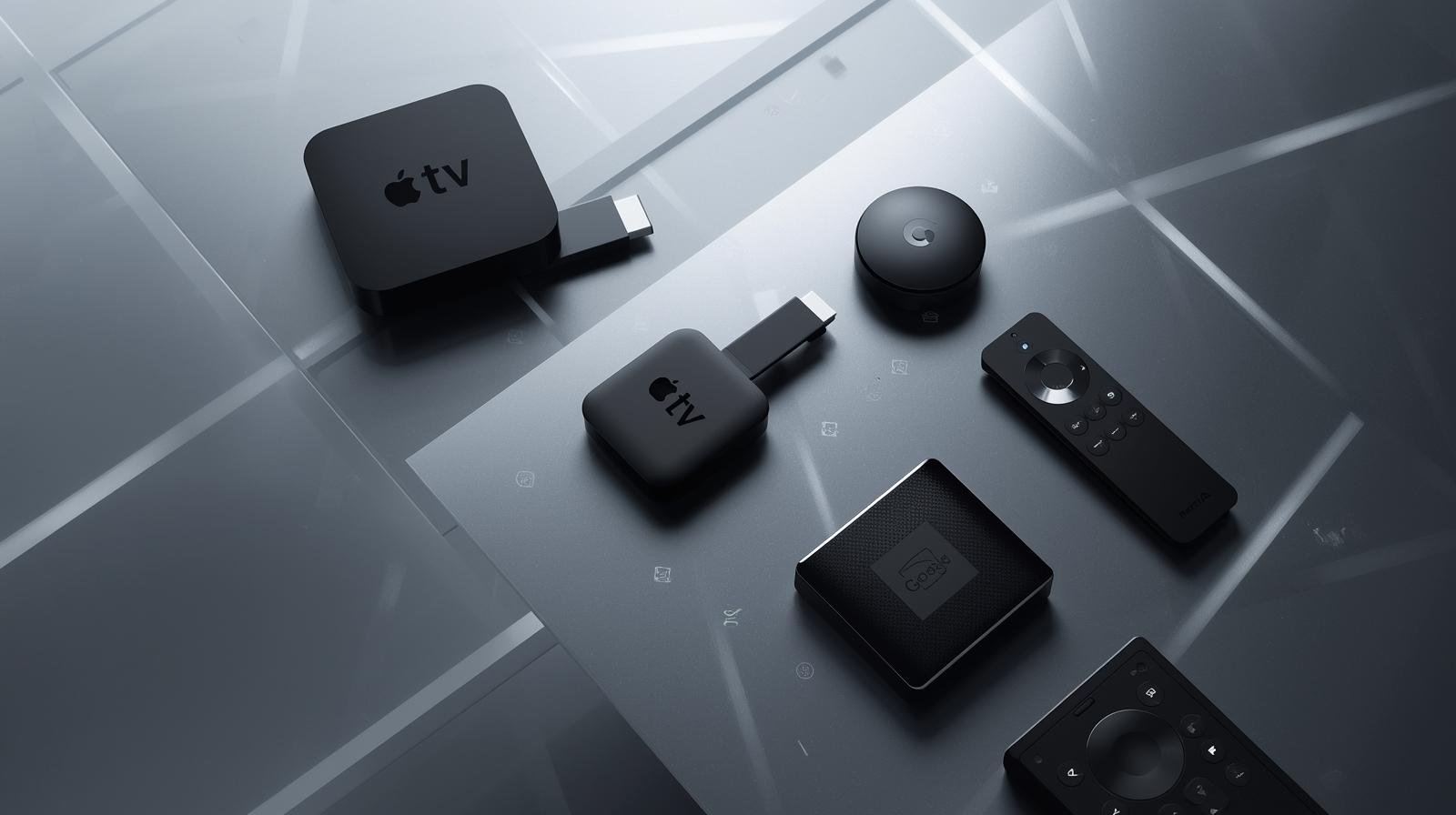
Best IPTV Devices for UK Streaming in 2025—Fire Stick, Apple TV & More Compared

 1. Introduction — why device choice still matters

Streaming is software-heavy, but the device you run that software on still matters. UK IPTV Devices Compared. Why?

  • Hardware decode for modern codecs (AV1/HEVC) dramatically reduces CPU load and bandwidth.
  • Network interfaces (Ethernet vs Wi-Fi 6/6E) affect buffering and 4K stability.
  • HDR/DRM and audio passthrough differences change whether you actually get Dolby Vision, HDR10+, or Dolby Atmos at home.
  • App performance, navigation speed and firmware update longevity determine user experience.

A well-chosen device will make your IPTV subscription feel premium; the wrong one will make it feel clunky and unreliable. This guide helps you pick the right hardware for UK IPTV streaming in 2025. UK IPTV Devices Compared.

2. How to evaluate a streaming device in 2025 — quick checklist

Before diving into models, use this short evaluation checklist:

  • AV1 hardware decode? (essential for efficient 4K streaming).
  • Network connectivity: Ethernet port or USB-to-Ethernet, Wi-Fi 6 or 6E support.
  • HDR & audio support: Dolby Vision, HDR10+, Dolby Atmos, eARC passthrough.
  • App availability: BBC iPlayer, ITVX, Netflix, discovery+, NOW, DAZN, Prime Video.
  • OS updates & app ecosystem longevity.
  • Local media friendliness: Plex/Jellyfin support, USB or NAS compatibility (for enthusiasts).
  • Price & value: hardware cost vs features required.

If a device ticks the first three boxes — AV1, modern Wi-Fi/Ethernet, and HDR/audio — you’re in good shape for 2025-era IPTV.

3. Amazon Fire TV family — best value and wide UK app support

Why Fire TV still leads value

Amazon’s Fire TV platform remains one of the most popular streaming ecosystems in the UK. The Fire TV Stick 4K Max offers a compact form, solid performance and broad app availability across UK services. It supports Dolby Vision, HDR10+, Dolby Atmos, and recent Fire TV models include hardware AV1 decode and Wi-Fi 6/6E on some SKUs — a meaningful future-proofing improvement for 4K IPTV streams.

Pros

  • Excellent value for money.
  • Broad app support (iPlayer, ITVX, NOW, discovery+, Netflix, Prime Video, etc.).
  • Small, unobtrusive form factor for bedrooms or secondary rooms.
  • AV1 hardware in recent models reduces bandwidth needs for 4K.

Cons

  • Fire OS homescreen prioritises Amazon content (tweakable but sometimes intrusive).
  • Some models vary — check the SKU for AV1/Wi-Fi 6E support before buying.

Best for: Value-conscious UK viewers who want 4K HDR streaming and compatibility with major IPTV apps.

4. Apple TV 4K — premium polish, excellent HDR/audio handling

Apple’s Apple TV 4K remains the premium streamer for users who favour polished system integration, consistent updates, and best-in-class HDR/Audio implementation.  Hardware and tvOS deliver excellent Dolby Vision and Atmos support, strong app performance, and deep integration if you’re invested in the Apple ecosystem (iCloud, AirPlay, HomeKit). Apple’s product pages emphasise 4K 60-fps HDR output, eARC support and a focus on crisp AV performance.

Pros

  • Polished UI and reliable app behaviour.
  • Strong HDR/DRM handling for premium VOD and IPTV providers.
  • Great audio features and spatial audio on compatible setups.

Cons

  • Price is higher than sticks.
  • AV1 support can vary by generation/firmware; confirm before purchasing if AV1 is crucial.

Best for: Apple-centric homes, cinephiles, and anyone wanting the smoothest, most consistent 4K/HDR/IPTV experience.

5. Google Chromecast with Google TV — clean UI and wide compatibility

Google’s Chromecast with Google TV (newer models) have matured into strong streamers with attractive UIs, Google search integration, and consistent OS updates. Newer Google TV streamers coming into 2024–25 include AV1 hardware decode on certain SKUs, making them competitive alternatives to Fire and Apple for efficient 4K streaming. They also offer tight Google Assistant integration and Chromecast casting convenience. UK IPTV Devices Compared.

Pros

  • Integrated Google search and watchlist.
  • Clean UI and reliable app support.
  • AV1 support on recent SKUs helps with bandwidth efficiency.

Cons

  • Hardware specs vary by SKU; check for AV1 & Wi-Fi 6.
  • Google’s update cadence is good, but some app behaviour differences exist across platforms.

Best for: Android/Google users who want strong discovery features and broad app compatibility.

6. Roku’s 2025 lineup and the UK launch — a new contender

Roku expanded into the UK market more aggressively in 2025, releasing refreshed streaming sticks with a focus on a neutral, user-friendly UI and lots of free FAST channels. Roku’s official press release confirms new Roku Streaming Stick availability in the UK in June 2025. Roku’s devices are strong on channel breadth, low cost, and a simple remote experience. 

Pros

  • Extremely user-friendly interface and excellent channel discovery.
  • Good price-to-performance (UK deals in 2025 made Roku more competitive).

Cons

  • Hardware features (AV1, Wi-Fi 6E) vary by model; check spec sheets.
  • App availability is good for mainstream apps but sometimes lags in niche app releases compared to Android/Fire.

Best for: UK buyers who want a straightforward, neutral UI with lots of free/FAST channels and good value.

7. NVIDIA Shield — the power user’s classic (still relevant in 2025)

For enthusiasts who run local media servers (Plex, Jellyfin), want advanced features and occasional gaming, NVIDIA Shield TV Pro has been the enthusiast favourite. As of 2025 the Shield remains noted for its local media capabilities and flexibility. Recent community discussion shows expectation for a refreshed Shield, but the existing Shield Pro continues to serve power users well. If AV1 hardware decode is a must for you, check current Shield firmware/spec notes as AV1 support status has been evolving. UK IPTV Devices Compared.

Pros

  • Excellent Plex/Jellyfin and local media performance.
  • Strong remote and ecosystem for tinkerers.
  • Robust hardware for transcoding tasks in home servers.

Cons

  • Older Shield generations may lack AV1 hardware decode (verify model).
  • Pricier than consumer sticks and may feel like overkill for casual streaming.

Best for: Media server enthusiasts, Plex users and people who want a highly configurable streamer.

8. Smart TVs vs external devices — when the TV is enough

Modern smart TVs from LG (webOS), Samsung (Tizen) and Sony (Google TV) include native apps for most IPTV services. For a living room TV bought in the last 2–3 years, the TV’s built-in app may be perfectly adequate. But there are reasons to pick an external device:

  • External devices get more frequent app updates and faster SoCs.
  • Sticks/boxes offer easier migration between TVs and better support for advanced codecs and audio passthrough.
  • If you value cutting-edge features (AV1, Wi-Fi 6E, or latest HDR), a separate streamer is often safer.

Rule of thumb: Use the TV’s native apps for convenience, but add a Fire/Apple/Chromecast stick for the best experience and future-proofing. UK IPTV Devices Compared.

9. Cheap sticks and budget picks that punch above their weight

Not everyone needs premium hardware. Budget sticks like the Fire TV Stick (non-Max) and lower-tier Roku sticks still deliver solid HD/4K experiences for most viewers, especially in secondary rooms. They may lack AV1 or Wi-Fi 6, but if you’re on a stable wired connection or 100+ Mbps fibre, they perform well for mainstream IPTV usage. Always check whether a cheap stick supports the particular IPTV app and required video DRM for 4K. 

Best cheap picks: Fire TV Stick 4K (standard), Roku Streaming Stick 4K (discounts often make these excellent buys).

10. AV1, HDR, Dolby Atmos and other tech you must care about in 2025

AV1: This codec gives better compression than H.264/H.265, reducing bandwidth for equivalent quality. Devices with hardware AV1 decode are preferable for 4K streaming on constrained connections. Amazon’s newer Fire TV models and many Google/Chromecast SKUs list AV1 support and the AV1 device matrix has been evolving.

HDR formats: Dolby Vision and HDR10+ deliver dynamic metadata and better picture on compatible TVs. Apple TV, many Fire TV devices, Roku, and modern TVs support Dolby Vision; confirm on the specific device page.

Audio: Dolby Atmos passthrough and eARC support matter if you use a soundbar or AVR. Apple TV and many premium devices provide mature Atmos handling.

Takeaway: Combine a device with AV1 and HDR/Atmos support, plus a TV that supports those HDR formats, to unlock the best IPTV picture and sound in 2025.

11. Network & router tips tied to device choice (Wi-Fi 6/6E, Ethernet, mesh)

Your device choice interacts with your home network:

  • If you pick a stick with Wi-Fi 6/6E, use a matching router to reduce congestion and latency. Fire TV Stick 4K Max and other new SKUs advertise Wi-Fi 6/6E.
  • Prefer Ethernet for the primary TV to ensure stable 4K streaming. Many sticks support USB-to-Ethernet adapters.
  • Mesh Wi-Fi: For large UK homes, a mesh with wired backhaul gives the best multi-room IPTV experience.
  • QoS on your router helps prioritise a main streaming device during match night.

These network steps—paired with a capable device—are the single most effective way to reduce buffering and improve stream stability. UK IPTV Devices Compared.

12. Device-specific configuration and performance tuning (practical how-tos)

Here are practical steps per device family to maximise IPTV performance.

Fire TV (stick/box)

  • Update Fire OS and apps.
  • Enable Ethernet via USB-C adapter if possible.
  • In settings, enable automatic 4K switching and HDR match where available.
  • Use developer settings sparingly for debugging.

Apple TV 4K

  • Turn on Match Frame Rate and Match Dynamic Range to avoid judder and HDR mismatches.
  • Use wired Ethernet for main TV.
  • Ensure tvOS is current.

Chromecast / Google TV

  • Keep Android TV/Google TV OS updated.
  • Use Google Home/Chromecast settings to prioritise the device on your network.
  • Confirm AV1 enabled on the specific SKU.

Roku

  • Keep apps updated via Roku OS.
  • Use the Roku remote/voice for quick content search if preferred.
  • Check explicit model support for HDR formats if 4K is needed.

NVIDIA Shield

  • Use Shield for Plex/Jellyfin server transcoding — check hardware decode options and set streaming profiles to leverage Shield’s capabilities.

13. Gaming consoles and other unexpected contenders

Consoles like PS5 and Xbox Series X/S are full-featured streamers with powerful CPUs, wide app support, and excellent HDR/4K output. If you already own a console, it’s often the easiest way to enjoy IPTV in the living room — though consoles consume more power and may not be ideal for bedrooms.

Smart Blu-ray players and some set-top boxes can also run IPTV apps; they’re niche but viable if you want fewer devices. UK IPTV Devices Compared.

14. Head-to-head comparisons & decision flowchart (which to buy)

Primary living-room — pick Apple TV 4K if:

  • You want the most polished interface, best HDR/Atmos pass-through and deep Apple ecosystem integration.

 value for most rooms — pick Fire TV Stick 4K Max if:

  • You want 4K HDR, AV1 support on newer SKUs, broad app support, and best-in-class price-to-performance.

 for Android/Google users — pick Chromecast with Google TV if:

  • You want Google’s discovery features and potential AV1 support on current models.

 for enthusiasts / local media servers — pick NVIDIA Shield if:

  • You need Plex/Jellyfin server performance, hardware transcoding, and advanced local media features.

 simple option — pick Roku if you want:

  • A neutral UI, lots of free channels, and easy setup (especially with recent UK availability).

15. Future-proofing: what to look for in 2026 and beyond

When buying, look for:

  • AV1 hardware decode — the single biggest future-proof feature for bandwidth efficiency.
  • Wi-Fi 6/6E support — helps in dense device households.
  • eARC support and Dolby Atmos passthrough — if you use a soundbar/AVR.
  • Regular firmware updates and a healthy app store ecosystem.
  • USB/Ethernet expansion options for wired reliability.

If you tick these boxes, the device will remain relevant for several years. UK IPTV Devices Compared.

16. Final recommendations for UK buyers (short & long lists)

  one solid pick for most people Buy this if you want :

  • Amazon Fire TV Stick 4K Max — best blend of price, app support, 4K/HDR and AV1 on newer SKUs.

the best overall experience buy this if you want:

  • Apple TV 4K (latest model) — premium UX, best HDR/Atmos handling and consistent updates.

if you are an enthusiast or run a local server buy this :

  • NVIDIA Shield TV Pro — powerful local media features and advanced options.

Budget/secondary-room options:

  • Roku Streaming Stick 4K, Chromecast with Google TV, or lower-tier Fire sticks depending on price and availability in the UK.

17. Appendix — Quick spec cheat-sheet & sources

Spec highlights (examples)

  • Fire TV Stick 4K Max: 4K HDR, Dolby Vision, Dolby Atmos, Wi-Fi 6/6E on newer SKUs, AV1 on newer SKUs.
  • Apple TV 4K: 4K 60fps HDR output, Dolby Vision, HDR10+, Dolby Atmos, eARC support, tvOS ecosystem.
  • Chromecast / Google TV: Google TV UI, AV1 on newer models, solid app support.
  • Roku Streaming Stick 4K: UK availability in 2025, solid 4K HDR and value.
  • NVIDIA Shield TV Pro: excellent for Plex/Jellyfin, still popular with enthusiasts; check AV1 status for your model.

Key sources (manufacturer pages & announcements)

  • Amazon Fire TV product pages and retailer listings.
  • Apple TV 4K technical specs and support pages.
  • Roku press release — UK device availability 2025.
  • AV1 device support list and reports.
  • NVIDIA community discussion and reviews on Shield in 2025.

18. FAQs

Q1 — Do I need AV1 support on my streamer right now?
A: If you plan to stream lots of 4K on constrained broadband, AV1 helps reduce data usage and maintain quality. It’s increasingly common in 2024–25 devices, so prefer a model with hardware AV1 if you want future-proofing.

Q2 — Will a cheap Fire Stick stream 4K IPTV reliably in the UK?
A: Yes for most users on decent fibre broadband. For the main living room and competitive live sports, prefer a model with AV1 and wired Ethernet where possible (or use a Fire TV Max with Ethernet adapter).

Q3 — Is Apple TV 4K worth the price premium?
A: If you care about polished UI, best HDR/Atmos handling, and long OS support, Apple TV is worth it. If you just want inexpensive 4K streaming, Fire TV or Chromecast can be better value.

Q4 — Is the NVIDIA Shield still a good buy in 2025?
A: For enthusiasts, yes — particularly for local media server usage. But check whether you need the Shield’s advanced features; for pure IPTV streaming a modern stick might be sufficient.

Q5 — Which device gives the best value for multi-room homes?
A: A mix: premium box (Apple TV or Shield) for the main living room and Fire TV/Chromecast/Roku sticks for bedrooms gives the best price-to-performance balance. Ensure your router/mesh network can handle multiple 4K streams. 

For more info….