UK Families Embrace IPTV: Real Stories & Savings

What is IPTV? A plain-English refresher

IPTV stands for Internet Protocol Television. In short, it’s TV over the internet rather than through satellites or coax. Crucially, IPTV is a delivery method — not a content licence. So, legal IPTV services (like broadcaster apps, ISP bundles and licensed IPTV providers) are fine, while pirated playlists and pre-loaded “jailbroken” devices are risky and illegal. British Families Stream Smart.

IPTV vs cable/satellite: the practical difference

Cable and satellite packages often force you into bundles and long contracts. IPTV lets you pick apps (BBC iPlayer, ITVX, All 4), SVOD pillars (Netflix, Prime, Disney+) and pay-as-you-go passes for sport (NOW). That means families can pay for exactly what they use.

Common IPTV formats families use

  • Official apps (iPlayer, ITVX) on Smart TVs.
  • Streaming sticks (Amazon Fire Stick, Chromecast) with apps installed.
  • Front-end players (TiviMate, IPTV Smarters Pro) for managing playlists from licensed providers.
  • ISP-managed IPTV (BT TV, Sky Stream, Virgin) for those wanting a single bill and support.

Why families switch: six core motivations

Cost savings and budget control

First and foremost: money. Many families report saving hundreds per year by ditching expensive bundles and assembling a lean, legal IPTV stack.

Choice and flexibility

Instead of paying for hundreds of unused channels, families pick the catch-up services and SVOD pillars they actually watch.

Multi-device, multi-room convenience

Kids want to watch cartoons on tablets; parents want Netflix on the living room TV. IPTV makes simultaneous streaming easy.

Niche channels and international content

For multicultural households, IPTV gives access to foreign language channels and niche streaming without a bespoke expensive package.

Ease of setup and low hardware needs

A cheap Fire Stick + a subscription or two = a full TV setup. No installers, no big boxes.

Trials and short-term passes

Seasonal sports or a new drama? Families use iptv uk free trial offers or NOW passes, then cancel — giving flexibility and savings.

Real family stories: three representative case studies

These are composite but realistic stories drawn from common situations UK families face when switching to IPTV.

The Parkers — saving for school fees

The Parkers were paying £80/month for a premium TV bundle. After a weekend audit they switched to BBC iPlayer, ITVX, Netflix (one standard plan) and a Fire Stick. They used a NOW Entertainment pass for a month to keep Sky originals. Their savings: ~£40/month — roughly £480/year — which they redirected to school costs. British Families Stream Smart.

The Ahmeds — multi-generation household

Three generations under one roof needed multilingual channels. They combined Freeview Play with a legal licensed IPTV provider offering foreign channels, plus a shared Prime Video account for films. They used a separate tablet for the grandparent with simplified menus. Result: better content mix, fewer fights over the remote, and £30/month saved.

The Evans family — swapping Sky for seasonal sport passes

The Evans loved live sport but hated the annual Sky bill. They switched to an IPTV stack: free catch-ups, Disney+ for family films, and short NOW Sports passes during football season. They paid only for the months they needed the sport, saving more than £300/year.

Transition words and flow: why the conversation matters

Consequently, because families value choice and control, IPTV UK has become more attractive. Moreover, as broadband improves, streaming reliability increases; therefore, switching becomes less risky. However, families must be mindful of legality and security: needless to say, pirate streams may seem cheap but carry substantial hidden costs — malware, fraud, and legal exposure. Meanwhile, legitimate iptv providers and free public broadcaster apps keep improving, offering better EPGs and parental controls that meet family needs. British Families Stream Smart.

How much do families actually save? Breaking down the numbers

Typical cable/sky cost vs IPTV stack

  • Traditional premium bundle (Sky/Viaplay + broadband): £70–120/month.
  • Lean IPTV stack (broadband £30–40, Netflix £6–12, Amazon Prime £8, Free apps): roughly £25–40/month incremental for TV services — net savings of £30–60/month.

Case study savings—monthly and annual

Using the Parkers example above: saving of ~£40/month equals £480/year — money that can go to family priorities. Even modest stacks often save £200–£500 annually versus full premium bundles.

Step-by-step family plan: switch, test, save (detailed 800-word guide)

Below is a practical plan — roughly 800 words — to help a family move from an expensive bundle to a legal IPTV setup that saves money without sacrificing what matters most.

Step 1: Audit current costs and viewing habits

Start by gathering bills: list monthly subscriptions (TV, streaming services, broadband). Then track viewing for one week: who watches what, when, and on which device. Note must-have channels (live sports? children’s shows?) and content that’s “nice to have.”

Why? Finance and choices are clearer when you know exact patterns. British Families Stream Smart.

Step 2: Map must-have channels and shows

Create two columns: “Must-have” (e.g., live football, local news, children’s CBeebies) and “Optional” (box sets, premium movie channels). This helps prioritise paid passes vs free apps.

Step 3: Choose legal IPTV options and trials

Start with the essentials: install BBC iPlayer, ITVX, All 4, My5, and Freeview Play on your TV or Fire Stick. Then trial one or two SVOD pillars — use official free IPTV UK trial offers or short monthly plans. For sport, plan to buy a short NOW Sports pass for the season rather than a full year.

Step 4: Build the stack — devices, apps, and passes

Devices: pick a reliable streaming stick (Fire TV Stick 4K Max or Chromecast with Google TV) or use the Smart TV’s built-in app store. Use Ethernet for the main TV if possible. Apps: install your free catch-ups and chosen SVOD services. Front-end (optional): use TiviMate on Android TV or IPTV Smarters Pro if you have a licensed playlist from your provider — but only use legal, licensed sources.

Step 5: Test and optimise

Run a 48–72 hour trial with all apps active. Check picture quality, buffering, and user interface. If a service underperforms, cancel it before the trial ends. Monitor how different household members adapt — teach kids how to find content on the new apps.

Step 6: Handle sport and big events

For big sporting seasons, time your NOW or rights-holder passes to cover the months you need. If a single match matters, some rights holders sell event passes. This prevents paying year-round for intermittent sport.

Step 7: Monitor subscriptions and re-evaluate quarterly

Set calendar reminders to review subscriptions every three months. Cancel services you no longer use and rotate trials strategically. Reassess broadband speed and, if necessary, upgrade to support 4K. British Families Stream Smart.

Devices and apps families use

  • Amazon Fire Stick 4K Max — cheap, powerful, supports most apps.
  • Chromecast with Google TV — smooth UI, Google integration.
  • Smart TVs (Samsung, LG, Sony) — built-in apps, minimal setup.
  • TiviMate — excellent EPG front-end for licensed playlists on Android TV.
  • IPTV Smarters Pro — popular front-end; neutral tool—use with legal providers only.

Legal & safety checklist: avoid pirate iptv subscriptions

  • Use apps from official stores (Amazon, Google Play).
  • Never buy pre-loaded “jailbroken” sticks.
  • Prefer traceable payments (card/PayPal) and keep invoices.
  • If a playlist provider can’t show proof of rights, walk away.
  • Use reputable antivirus and keep devices patched.

Tips for parents: parental controls, profiles and homework time

  • Use profiles and PINs in Netflix/Disney+ to control kids’ access.
  • Set screen time limits on devices via the TV or router settings.
  • Use catch-up apps for homework resources (BBC Bitesize via iPlayer links).
  • Encourage a “no screens during meal” rule — technology should serve family life, not rule it.

Common objections & simple responses

  • “IPTV will be low quality” — Not anymore. With broadband at 50–200 Mbps, HD and 4K streams are smooth.
  • “We’ll miss channels” — Most families keep core local channels via Freeview Play and get specialized content via short passes.
  • “What about grandparents?” — Use simple remotes, dedicated profiles, and step-by-step guidance.

Future trends families should watch

  • AV1 and HEVC: more efficient codecs mean same quality for less bandwidth.
  • Wi-Fi 6 and mesh: better home coverage for multiple streams.
  • Smarter recommendations: family profiles get smarter — making discovery easier.
  • Voice control & integrated remotes: kids and grandparents alike will benefit from voice search.

Conclusion: final checklist & encouragement

Switching to IPTV is not about cutting enjoyment — it’s about smarter spending and modern convenience. To recap, do this:

  1. Audit what you pay and what you watch.
  2. Start with free catch-ups and one or two paid pillars.
  3. Use short passes for sport and set reminders for trials.
  4. Buy official devices and keep everything secure.
  5. Reassess quarterly and keep the family in the loop.

Families across the UK are saving money, reducing clutter, and gaining control by adopting legal IPTV approaches. With careful choices, your household can too. British Families Stream Smart.

FAQs

Q1 — Will switching to IPTV mean lower quality live sport?
A: Not if you use official rights-holder apps or NOW passes. Licensed IPTV streams from rights holders match broadcast quality.

Q2 — Are front-end apps like TiviMate or IPTV Smarters Pro legal?
A: Yes — they are neutral players. Legal status depends entirely on the content source you load into them.

Q3 — Can I use one Netflix/Prime account across multiple TVs?
A: Yes — check the plan’s simultaneous streams limit. Many family plans support 2–4 streams.

Q4 — How do I make sure kids don’t access unsuitable content?
A: Use app parental controls, profiles, PINs, and router-level site blocking for extra protection.

Q5 — If I sign up for an iptv uk free trial, how do I avoid being charged?
A: Set a calendar reminder for a day before the trial ends, and cancel via the provider’s account page if you don’t want to continue.

IPTV for Every Household: Retirees, Students, and Families

What is IPTV? Plain-English explanation

IPTV means Internet Protocol Television: video delivered over the internet rather than by satellite dish or cable. That delivery method can carry legal, licensed services (broadcaster apps, ISP-managed TV, paid SVOD) — or illegal pirate services that resell unlicensed streams. The delivery style doesn’t determine legality; rights do. IPTV for All Homes.

Delivery vs rights: why that difference matters

  • Delivery = how the video reaches you (IP packets over broadband).
  • Rights = whether the service has permission to distribute the content in the United Kingdom.
    So, an iptv subscription from an authorised UK provider is legal; an anonymous seller on social media offering “all channels for £5” almost certainly is not. Legal services protect you from outages, malware, and legal risk.

Common IPTV formats and players

  • Native apps on Smart TVs: BBC iPlayer, ITVX, All 4, Netflix, Disney+.
  • Streaming sticks / devices: Amazon Fire Stick, Chromecast with Google TV, Roku.
  • Front-end players: TiviMate (Android TV), IPTV Smarters Pro (Android/Fire TV) — these are players that load playlists (M3U/Xtream) or provider APIs; the legality depends on the source.
  • ISP-managed IPTV: BT TV, Sky Stream, Virgin Media — these are licensed services with clear support.

Why IPTV works for different households

Retirees: simplicity and catch-up

Retirees typically want simplicity, good readability and plenty of catch-up or classic content. IPTV for All Homes. They benefit from:

  • Big-font UIs and single-device simplicity (Smart TV or one Fire Stick).
  • Catch-up apps like BBC iPlayer and BritBox for classics.
  • Minimal monthly cost.

Students: budget and portability

Students need cheap, portable solutions:

  • Use phone/tablet apps and a small Fire Stick or Chromecast.
  • Rotate subscriptions via iptv uk free trial offers and student discounts.
  • Prioritise portability — watch on the move between halls and flats.

Families: multi-room streaming and parental control

Families require:

  • Multiple simultaneous streams and robust parental controls.
  • Short-term passes (e.g., NOW Sports pass) for big events instead of long contracts.
  • Front-end EPGs (TiviMate) for easy channel navigation if using an IPTV provider.

Key benefits everyone shares

Cost, choice and device flexibility

IPTV lets you pay for what you use: keep free catch-up apps, add one or two paid pillars (Netflix, Prime, Disney+) and buy seasonal passes for sport. Devices range from low-cost sticks to full Smart TVs. IPTV for All Homes.

Content variety: local, niche and international

IPTV ecosystems offer local UK programming, international channels (useful for multicultural households), and niche content via FAST (Free Ad-Supported TV) apps like Pluto TV and Tubi.

Devices, apps and front-ends: match to needs

Smart TV vs streaming stick vs set-top box

  • Smart TV: easiest for retirees — minimal extra hardware.
  • Streaming stick (Fire Stick/Chromecast): best value and portability for students.
  • Android TV box / Shield: best for families and power users who want TiviMate/advanced EPG and stronger codec support.

Recommended apps and players

  • Official: BBC iPlayer, ITVX, All 4, Freeview Play, Netflix, Amazon Prime Video, Disney+.
  • Players: TiviMate for polished EPG-driven playlists (Android TV); IPTV Smarters Pro for flexible playlist/Xtream API support on Fire/Android (use only with licensed sources).

Step-by-step: Build your household IPTV setup

Below is a practical 800-word walkthrough you can follow end-to-end to set up a legal, safe, and optimised IPTV system tailored to retirees, students, or families. This is the core, actionable piece — follow the steps carefully.

Step 1 — Audit viewing needs and budget

Grab recent statements and list current TV and streaming spend (Sky, Netflix, Amazon, mobile data). Meanwhile, for one week, note who watches what and when: live sport, news, kids’ shows, box sets. Classify each item as Must-have (live sport, BBC news), Nice-to-have (first-run films), or Rarely-used (premium movie channels). This clarifies priorities and the likely cost savers.

Step 2 — Choose legal sources and avoid pirate iptv subscriptions

Start with legal building blocks: BBC iPlayer, ITVX, All 4, My5, Freeview Play (all free). Add one or two paid pillars depending on taste: Netflix (broad drama), Amazon Prime Video (movies + channels), Disney+ (family franchises). For sport, prefer official passes (NOW Sports, BT, DAZN) or short-term season passes. If you’re tempted by a third-party iptv subscription provider, demand company details, invoices, and proof of rights — if they can’t provide these, walk away. Never buy “pre-loaded” sticks or accept APKs from unknown sites. IPTV for All Homes.

Step 3 — Pick devices and install apps

Device choice matters by household:

  • Retiree: Smart TV or Fire Stick. When setting up, increase font size, enable “simple mode” if available, and pin core apps to the home screen. Install BBC iPlayer, Freeview Play, and maybe BritBox.
  • Student: Fire Stick or Chromecast plus phone apps. Keep credentials portable and use student offers. Install Netflix, Prime, and carry the Fire Stick between locations.
  • Family: Android TV box or Fire Sticks for each TV. For main TV, consider NVIDIA Shield or an Android TV box supporting TiviMate (gives an excellent EPG when using a legal playlist). Install parental controls and create profiles (Netflix, Disney+).

For a Fire Stick: plug into HDMI, sign into Amazon, go to the Appstore, search & install each app. For Android TV boxes: use Google Play for apps like TiviMate and official streaming apps — avoid sideloading unknown APKs.

Step 4 — Configure profiles, parental controls and accessibility

Set up user profiles for children and adults in Netflix/Disney+/Prime. In TV settings, enforce PIN locks on purchases. For young retirees, set larger text and voice control (Alexa/Google Assistant). Use routers’ parental controls or third-party tools (e.g., OpenDNS) to set time limits or site restrictions. IPTV for All Homes.

Step 5 — Optimise network for streaming

A stable network matters more than anything:

  • Prefer Ethernet for the main living-room TV; use a powerline adapter if needed.
  • If Wi-Fi, use 5GHz and a modern router (Wi-Fi 5 or Wi-Fi 6). Position the router centrally or use mesh nodes for larger homes.
  • For families with multiple concurrent streams, aim for at least 100 Mbps down if you want multiple 4K streams; for HD stacks, 25–50 Mbps is typically fine.
  • Enable Quality of Service (QoS) to prioritise TV devices during evenings.

Step 6 — Test during peak times, iterate and manage costs

Before cancelling legacy services, run a 48–72 hour test: stream live channels, watch a 4K title, and stream simultaneously to two or three devices. Time tests for evening peak hours. If using any iptv uk free trial, note the start and end date and set a calendar reminder to cancel if it’s not needed. After tests, compare quality and cost, then decide whether to fully switch. For families, trial seasonal sport passes only when tournaments are active. Every 3 months, review subscriptions to remove under-used services and rotate trials to keep costs low. IPTV for All Homes.

Sample stacks: retiree, student and family configurations

Retiree stack (simple & comfy)

  • Device: Smart TV or Fire Stick.
  • Apps: BBC iPlayer, Freeview Play, BritBox, YouTube.
  • Cost: minimal — maybe BritBox or ITV Hub+ if desired.
  • Focus: readable UI, easy remote.

Student stack (portable & cheap

  • Device: Fire Stick / Chromecast, phone apps.
  • Apps: Free apps + Netflix Basic or shared Prime, rotate trials.
  • Cost: low — prioritise discounts & trials.

Family stack (multi-room & sport-ready)

  • Devices: Fire Stick per TV or Android TV box + TiviMate on main.
  • Apps: Freeview Play, Netflix/Disney+, Prime, NOW Sports when needed.
  • Cost: moderate — use short-term sport passes to save.

Legal, safety & TV licence reminders

  • TV Licence: In the UK, watching live TV or using BBC iPlayer requires a valid TV Licence. On-demand-only users (Netflix etc.) generally do not require a licence, but mixing live streaming and iPlayer does.
  • Avoid illegal services: Don’t buy anonymous playlists, pre-loaded sticks, or pirate iptv subscrition — they risk malware, data theft and legal trouble.
  • Use official stores (Amazon Appstore, Google Play, Samsung/LG) for apps.
  • Secure payments: Pay by card or PayPal for consumer protections.

Troubleshooting common issues

  • Buffering: switch to Ethernet, 5GHz Wi-Fi, or lower quality. Check ISP speed.
  • App crashes: update app/firmware, clear cache, reinstall.
  • Login problems: reset passwords, check subscription status, region locks.
  • EPG missing: use native app guides or TiviMate with a legitimate EPG source.

Money-saving and trial strategies

  • Use iptv uk free trial offers on official sites only and set calendar reminders.
  • Rotate subscriptions by binge-watching one service at a time.
  • Use NOW-style monthly passes for sport and cancel after the season.
  • Share family plans within household limits to split costs.

Future-proofing: codecs, Wi-Fi and accessibility

  • Prefer devices with HEVC (H.265) or AV1 decoding for efficient 4K streaming.
  • Upgrade routers to Wi-Fi 6 or use mesh to support many simultaneous streams.
  • Look for devices with voice control and good accessibility features for retirees.

Conclusion: quick checklist & takeaways

Checklist before switching:

  1. Audit who watches what and tally monthly costs.
  2. Start with free legal apps (BBC iPlayer, ITVX) and one paid pillar.
  3. Use official British iptv uk free trial offers and test during peak hours.
  4. Choose devices from official retailers (Fire Stick, Chromecast, Android TV).
  5. Avoid pirate iptv subscriptions, pre-loaded sticks and sideloaded APKs.
  6. Secure devices, use Ethernet/5GHz Wi-Fi and enable parental controls.
  7. Keep a calendar reminder for trial ends and quarterly subscription reviews.

IPTV can serve retirees, students, and families well — when done legally and thoughtfully. Pick devices and subscriptions that match needs, secure your network, and use trials smartly. Enjoy more choice, better budgets, and modern convenience. IPTV for All Homes.

FAQs

Q1 — Do I need a TV Licence to use IPTV in the UK?
A: Yes — if you watch live TV (including via IPTV) or use BBC iPlayer you need a TV Licence. On-demand-only services like Netflix generally do not require a licence.

Q2 — Are apps like TiviMate and IPTV Smarters Pro illegal?
A: No — they are legal front-end players. Legality depends on the streams you load; use them only with licensed providers.

Q3 — What’s the cheapest legal setup for students?
A: A cheap Fire Stick + free apps (iPlayer, Freeview Play) + one paid pillar on rotation (use official iptv uk free trial offers) is often cheapest.

Q4 — Should retirees avoid streaming sticks?
A: Not necessarily — retirees benefit from Smart TVs for simplicity, but a Fire Stick with a simplified launcher works too. Provide a short cheat sheet and set large fonts.

Q5 — How can families manage sport without a Sky contract?
A: Use modular passes like NOW Sports for the season or event-specific passes offered by rights holders — buy only when you need them.

IPTV vs Cable: Which Is Better for UK Sports Fans?

Introduction — why this matters to UK sports fans

If you’re a sports fan in the United Kingdom, nothing is more frustrating than missing the last ten minutes of a match because your stream choked, or paying for an expensive cable package only to discover the tournament you want is locked behind another broadcaster. Over the last decade, IPTV UK and iptv subscriptions have emerged as attractive alternatives to traditional cable packages — especially for viewers who value flexibility and cost control. Yet cable still offers advantages: guaranteed carriage of Sky Sports, BT Sport, TNT/Warner rights (depending on season), and often more reliable customer support. UK Sports Streaming Showdown.

What is IPTV and what is cable? 

IPTV explained

IPTV (Internet Protocol Television) delivers TV channels and video over broadband. In the UK, IPTV offerings range from official services (broadcaster apps, managed ISP IPTV like BT TV, Sky Stream) to third-party IPTV providers who supply M3U/Xtream playlists that you play in apps like IPTV Smarters Pro or TiviMate. There are also legal OTT services (Netflix, Amazon Prime Video, NOW) that stream over IP but aren’t generally called “IPTV” by users.

Key terms you’ll encounter: iptv subscription, iptv uk free trial, iptv stream, iptv providers, and front-end apps like iptv smarters pro.

Cable explained

The Cable (and satellite) TV in the UK traditionally refers to services from providers such as Sky and Virgin Media, offering channel packages via coax or satellite distribution. Cable packages often include sports bundles (Sky Sports, BT Sport) and come with a set-top box, EPG, and a reliable dedicated service and customer support. UK Sports Streaming Showdown.

Key criteria for sports viewers

To decide which is better, evaluate these factors that matter most to sports fans:

1. Live coverage & blackout rules

Which provider holds rights to the competitions you follow? Premier League, UEFA competitions, Six Nations, Formula 1, cricket tours — rights move around. Cable providers often bundle major rights (Sky / BT / TNT historically), while IPTV lets you cherry-pick short-term passes (NOW Sports) or buy access from rights-holders.

2. Picture quality & latency

Sports require low latency and high quality. IPTV can deliver pristine HD and 4K when servers and your broadband are good. However, some IPTV streams (especially illegal ones) re-encode and add latency — which matters for live betting or social match timing. Cable generally provides stable, low-latency feeds. UK Sports Streaming Showdown.

3. Channel rights & availability

Cable’s strength is licensed carriage. IPTV’s strength is flexibility — but whether your chosen iptv provider includes Sky Sports legally is the key question.

4. Cost and flexibility

Cable often ties you to contracts or higher monthly bills. IPTV subscriptions can be cheaper and support “pay for a month” models — perfect for seasonal sports. Also consider trials: iptv uk free trial offers let you test compatibility.

5. Device support & ease of use

Cable boxes provide a plug-and-play experience with EPGs, while IPTV requires apps on Firestick, Android TV, Smart TVs or a browser. Apps like IPTV Smarters Pro and TiviMate can make IPTV feel like cable, but setup may be slightly more technical.

6. Reliability & customer support

If broadcast quality or uptime matters — for big finals — cable providers usually have stronger SLAs and support channels. IPTV providers vary widely in reliability. Licensed IPTV services (ISPs, major OTTs) are solid; smaller providers may be hit-or-miss. UK Sports Streaming Showdown.

IPTV advantages for sports fans

  • Cost control & modular buys: Buy short-term passes (NOW Sports) or rotate subscriptions seasonally — ideal for fans who don’t need year-round sport.
  • Flexibility: Stream on multiple devices (phone, tablet, Smart TV) and watch in more places.
  • Portability: Take your subscriptions with you while travelling within the UK or abroad (subject to geo-rules).
  • Aggregation: Use front-end players (IPTV Smarters, TiviMate) to centralise multiple playlists and VOD services — one UI for all sports channels.
  • Trialability: Many iptv providers offer iptv uk free trial or short passes so you can test before committing.

Cable advantages for sports fans

  • Guaranteed live access to major rights (when included in the package) — Sky Sports/Sky Sports Main Event etc.
  • Low-latency, high-quality feeds suitable for live-event-sensitivity (football stoppage time, live betting).
  • Reliable EPG & DVR: integrated recording, multi-room, and TiVo-like features.
  • Customer support & service-level guarantees: phone support, engineer visits, and stable set-top hardware.
  • Bundled value: home broadband + TV + phone bundles are often discounted.

Common myths and pitfalls (legal & security)

  • Myth: All IPTV is illegal. False. Many legitimate IPTV services exist (ISP IPTV, broadcaster apps). The legality depends on content rights.
  • Pitfall: Cheap IPTV equals savings. Beware of pirate iptv providers that resell unlicensed feeds. They may be unstable and illegal.
  • Myth: Cable is always more expensive. Not necessarily — deals and bundles can be cost-effective, especially for multi-room families.
  • Pitfall: VPNs fix everything. VPNs can help privacy and bypass geo-blocks but won’t turn illegal streams legal and sometimes conflict with provider T&Cs.

800-word step-by-step guide: Build the perfect IPTV sports setup

Below is a detailed, practical 800-word workflow to create a reliable, legal IPTV sports setup in the UK. Follow these steps to optimize picture quality, avoid illegal streams, and ensure you get the matches you care about.

Step 1 — Define exactly what you want to watch (15–30 minutes)

List leagues, competitions, and events you must have (e.g., Premier League, Champions League, Six Nations, F1, Test cricket). Write the primary ones (must-watch) and secondary ones (nice-to-have). This clarifies whether a cable pass (Sky/BT) or a seasonal IPTV/OTT pass is best.

Step 2 — Map rights to providers (30–60 minutes)

Research who holds rights in the UK for each competition — Sky, TNT/Warner, BT/UEFA deals, DAZN, Amazon Prime, BBC/ITV for highlights. Use official sources: broadcaster sites and Ofcom updates. Create a simple table: Competition → Rights holder → How to access (cable, NOW, Prime, ITV/ iPlayer, DAZN, or other).

Step 3 — Decide on legal pathway: cable bundle vs modular IPTV stack (30 minutes)

If most must-watch sports are on Sky and you want multi-room DVR, cable might be simplest. If you only watch sport seasonally (e.g., Premiership in winter), an iptv subscription + short NOW passes or Prime Channels could be cheaper. Choose the path that matches your rights map. UK Sports Streaming Showdown.

Step 4 — Choose devices & players (30–60 minutes)

For living-room viewing, pick a device that handles high-bitrate streams and codecs:

  • Smart TV with vendor apps (easy).
  • Fire TV Stick 4K Max (affordable, supports many players).
  • NVIDIA Shield for advanced users and AV1/HEVC decoding.
    Install front-end players: TiviMate (Android TV) for polished EPGs or IPTV Smarters Pro (Fire/Android) for flexible playlists. For official passes, use provider apps (NOW, Sky Go, BT Sport, Prime Video).

Step 5 — Secure a reliable broadband connection (15–30 minutes)

Sport needs consistent bandwidth. Aim for:

  • 4K: 25–50 Mbps per stream.
  • HD: 10–15 Mbps per stream.
    Use Ethernet for main TV if possible. Consider Wi-Fi 5GHz or mesh if multiple rooms stream simultaneously.

Step 6 — Choose trusted IPTV providers & passes (1–2 hours)

If going IPTV, select licensed providers or official passes:

  • NOW Sports (monthly Sky content).
  • Amazon Prime Video / Prime Channels (selected sport).
  • DAZN, BT Sport app, official rights-holder apps.
    Avoid anonymous M3U sellers. Verify company registration, payment methods (card/PayPal), and ask for trial access. Use iptv uk free trial where available to test stream reliability.

Step 7 — Configure player settings for best sports performance (30 minutes)

In TiviMate/IPTV Smarters or provider apps:

      • Enable hardware decoding (if device supports it).
  • Increase buffer moderately to prevent micro-stuttering (too large adds latency).
  • Set video resolution to adaptive (auto) so the app reduces bitrate when network drops.
  • Enable low-latency mode if available — some players let you prioritise latency over buffer.

Step 8 — Test extensively before match time (1–2 hours)

Run live stream tests during peak evening times to simulate real conditions. Test multiple channels, check audio sync, and verify multi-device simultaneous streaming. If issues appear, contact provider support or switch to fallback streams.

Step 9 — Prepare backups & contingency (15–30 minutes)

Have backup options: alternative legal streams (highlights on iPlayer), a mobile stream (data plan), or a friend with cable access. Keep app logins handy and enable notifications for match alerts.

Step 10 — Match-day checklist (15 minutes before kickoff)

  • Reboot router & player earlier in the day.
  • Close other heavy network apps (downloads).
  • Plug main TV into Ethernet, or ensure strong 5GHz Wi-Fi.
  • Open the match channel 10–15 minutes before kickoff to stabilise the buffer.

Maintenance & ongoing hygiene

Update apps & firmware monthly. Re-run speed tests. If reliability drops often, escalate to provider support or consider switching to a cable pack during peak seasons.

Case studies / example setups

Budget student / flatshare

  • Stack: Broadband in halls + Fire TV Stick + Netflix/Prime + NOW Sports for Boxing Day/Big Matches.
  • Why it works: Low monthly cost, portable, and flexible.

Family with kids

  • Stack: Virgin Media or BT bundle with Sky Sports (if regular sports) OR IPTV modular stack (Freeview Play + Netflix + NOW Sports seasonally).
  • Why it works: Multi-room, easy parental controls, DVR.

Serious fan / multi-room household

  • Stack: Sky Q or Sky Stream for core rights + Prime/DAZN for extras; or a robust IPTV provider + NVIDIA Shield + dedicated 4K TV + Ethernet.
  • Why it works: Lowest latency, multi-room coverage, recording.

How to choose between IPTV and cable for your needs

Answer these questions:

  1. Which rights do you need? (map to providers)
  2. Do you want year-round access or seasonal passes?
  3. How many simultaneous streams/devices?
  4. How important is low latency and DVR?
  5. Are you comfortable managing apps and playlists?

If you want simplicity and guaranteed access to Sky/BT rights, cable wins. If you want flexibility, lower cost, and device portability, IPTV (via official passes) is likely better.

Troubleshooting & optimisation tips

  • Use Ethernet for main TV to avoid Wi-Fi congestion.
  • Lower resolution from 4K to 1080p if buffering occurs.
  • Clear app caches monthly and keep firmware updated.
  • Use QoS on routers to prioritise your TV device.
  • If using IPTV Smarters Pro/TiviMate, enable hardware decoding and tweak buffer values.

Conclusion — the verdict

There is no single “best” answer. For many UK sports fans, a hybrid approach is the winner: use cable (Sky/BT) when rights and DVR matter most, and supplement with IPTV subscriptions (NOW, Prime Channels, DAZN) during seasonal peaks. IPTV offers unmatched flexibility and cost savings, while cable provides stability and seamless access to bundled rights. UK Sports Streaming Showdown.

If you’re budget-conscious and tech-savvy, build a legal IPTV stack with reputable passes and a robust device (Fire TV Stick 4K Max or NVIDIA Shield). Conversely, if you want plug-and-play reliability and comprehensive rights in one place, consider cable bundles.

FAQs

Q1 — Is IPTV legal in the UK?
A: Yes — many IPTV services are fully legal (broadcaster apps, ISP IPTV, official OTT passes). Legality depends on whether the provider has distribution rights. Avoid anonymous sellers offering thousands of channels cheaply.

Q2 — Can IPTV match cable picture/latency for live sports?
A: Yes — licensed IPTV and OTT services can match cable quality, provided you have sufficient broadband and a reliable provider. Avoid low-cost pirate streams that re-encode poorly.

Q3 — Are there free IPTV options for sports?
A: Free options (iPlayer, ITVX, All 4) provide highlights and some live events but not all premium sports. For major leagues, you’ll need paid rights-holder services.

Q4 — What devices are best for IPTV sports?
A: NVIDIA Shield (power users), Fire TV Stick 4K Max (best value), Chromecast with Google TV, or Smart TVs with official apps. Use Ethernet when possible.

Q5 — Should I use a VPN with IPTV?
A: VPNs offer privacy and can help with geo-restrictions, but they don’t legalise pirated streams and may affect latency. Use reputable VPNs and follow provider terms.

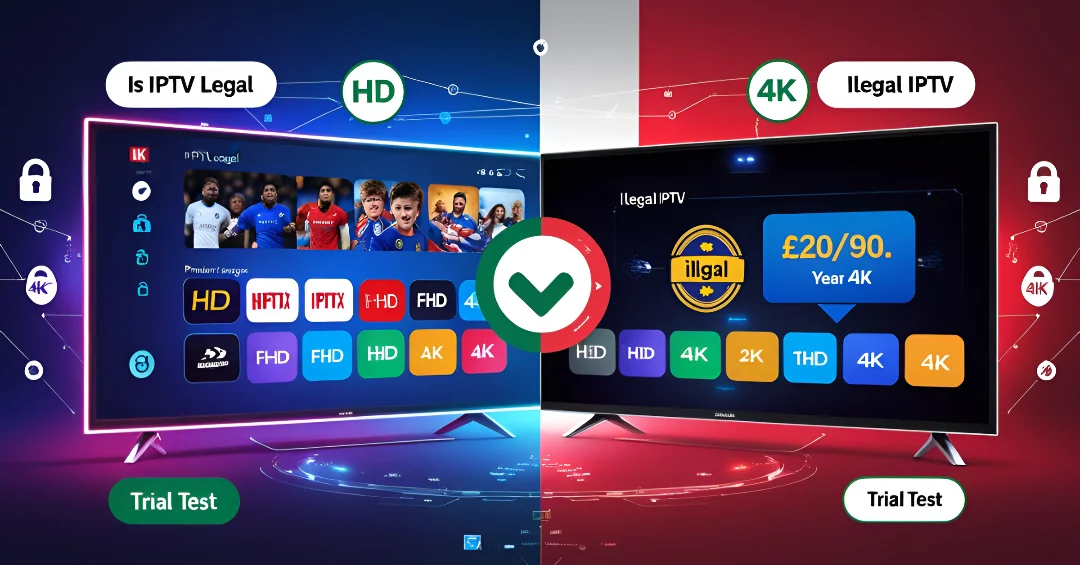
Does IPTV have legal status? Is the IPTV service a fraud?

People are using IPTV increasingly frequently nowadays, but is it really lawful? Is your IPTV membership legal or not? Additionally, is IPTV itself legal?

Is it lawful to use IPTV?

It is essential to make sure that you are using a lawful and legitimate version of an IPTV service when you are thinking about using one. Choosing a reputable IPTV provider will not only give you peace of mind but will also help you prevent any future service suspensions.

Is IPTV permitted by law? Although certain low-cost IPTV service may appear to be a good bargain, they may be running on hijacked servers, which could expose you to the possibility of having your service immediately banned.

You can avoid these traps and experience uninterrupted, high-quality streaming by selecting a legitimate IPTV subscription. To be safe, always check the legitimacy of your provider.

You can tell the IPTV service legitimity from the its pricing table

It’s important to be wary of IPTV services priced below £40 for 4K quality. At such a price point providers often work with a very slim margin of around £5, which barely covers their costs, let alone advertising expenses to attract more customers. This razor-thin  profit  margin  can  disappear quickly  if  advertising  costs  outweigh the revenue . Therefore, if you see an  IPTV service  offering 4K quality for less than £40, it’s a major red flag and likely  a scam.

Ensuring  you subscribe to a reputable provider at a fair price helps guarantee a  reliable  and legal service and avoid asking the is IPTV UK legal quastion all the time.

Requesting a trial period of 24 hours to confirm IPTV’s validity

By asking for a 24-hour trial period, you may also confirm the legitimacy of an IPTV service. This test aids in determining whether the provider is legitimate or simply another con artist hiding online.

Furthermore, when testing the IPTV service, be sure to verify whether it delivers actual 4K quality or simply HD. The two have a big price gap: the IPTV provider may pay between £5 and £8 for HD quality, giving them a large profit margin. In contrast, the IPTV provider pays at least £20 to provide 4K quality, resulting in a considerably lower profit margin. It’s critical to make this difference in order to ensure that the high-quality service for which you are paying is being provided.

When is IPTV permitted, and when is it only a fraud?

Make sure the IPTV provider can answer the crucial question, “Is IPTV legal? ” when you are selecting your IPTV Subscription.
Begin by evaluating how the customer service team handles inquiries—do they respond promptly and take proactive action? This level of responsiveness is essential for providing technical assistance in the future.

Ask for a trial period to see if the picture quality and service stability are up to par; genuine IPTV providers should offer streams that are high-quality and stable. On the other hand, unlawful IPTV services often deliver poor stream quality and cause frequent interruptions. These checks will help you prevent any potential issues and make sure you’re spending money on a lawful and trustworthy service.

The top IPTV membership in Europe and the United Kingdom

The Best IPTV service in the UK is what we provide here at IPTV UK

Superior image quality in 4K

Flexibility: service available from any device or place

Price: We provide the most competitive price in the K market, with little profit margin, and we guarantee you will have the greatest user experience.

Our IPTV service comes with a money-back guarantee that lasts for up to 14 days.

To learn more and place an order, click here IPTV UK Free Trial

In summary

Test before buying, compare prices, and remember—4K IPTV under £40/year is likely a scam.

In conclusion, legal IPTV services generally adhere to the following features:

  • Open service: Reputable suppliers
  • Excellent image quality: Legal UK IPTV services typically provide excellent programming with little interruption or buffering.
  • Customer service: Reputable companies put their clients’ needs first and offer prompt channels of support.

Additionally, you can access your IPTV subscription anywhere in secure mode by using a VPN connection.