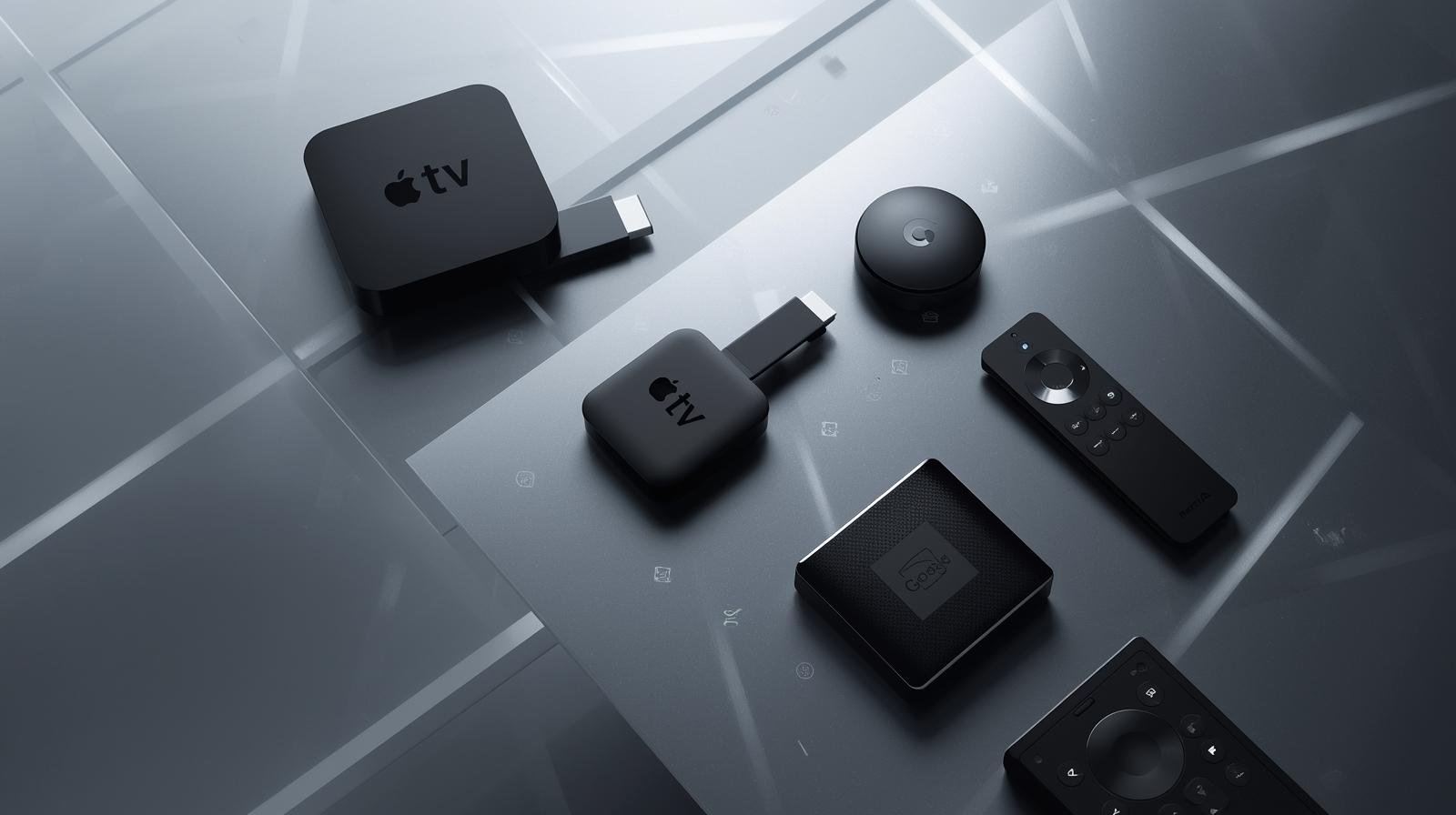
How to Spot Fake IPTV Providers — UK Buyer’s Guide

IPTV (Internet Protocol Television) simply means TV delivered over the internet. In the United Kingdom, many reputable iptv services exist; at the same time, illicit providers sell pirated content via M3U/Xtream playlists, hacked apps, or “jailbroken” devices. UK Fake IPTV Guide. These fake iptv providers damage the industry, expose buyers to malware and fraud, and can result in sudden loss of service. Therefore, whether you’re searching for the best iptv uk option, testing an iptv uk free trial, or evaluating an iptv provider, you need to know the red flags and due-diligence steps.

Key warning signs of fake IPTV providers

Before we go deep, here are the most common and obvious red flags. UK Fake IPTV Guide. If a seller shows any of these, treat them with extreme caution:

  • Too cheap to be true: “All channels, all sports, lifetime £5” — improbable pricing for premium rights.
  • Anonymous seller details: No company name, no postal address, only social media contacts (Telegram, WhatsApp).
  • Payment via untraceable methods only: Crypto, gift cards, or bank transfer without invoice.
  • Pre-loaded or “jailbroken” devices: Boxes or Firesticks sold with pirate apps installed.
  • Sideloaded APKs requested: Asking you to install apps from unknown websites rather than official app stores.
  • Constant playlist changes: Server or playlist URLs that frequently change; “backup servers” that rarely last.
  • No official presence in app stores: The provider’s app isn’t in Google Play, Amazon Appstore, or TV platform stores.
  • Pressure tactics: Limited time offers, urgent “buy now” prompts, or “last spots” messaging.
  • No or fake reviews: Only seller-posted ‘reviews’ and no independent user feedback.

If you spot multiple of the above, walk away.

The legal difference — what makes an IPTV provider legitimate?

Two things matter:

  1. Content rights / distribution licences. Legitimate providers have agreements with rights holders (broadcasters, studios, sports leagues). They pay for the rights to distribute those channels in the United Kingdom.
  2. Regulatory and consumer transparency. Real businesses are registered (Companies House), provide contact info, and issue invoices for payments.

Therefore, a legal UK IPTV service = licensed channels + transparent business practices. Anything else is suspect.

How fake IPTV providers operate

Understanding the scam models helps you spot them:

  • M3U/Xtream resellers: They buy or scrape feeds illegally and resell access via playlists. These feeds are fragile and get taken down frequently.
  • Pre-loaded devices (“fully loaded” boxes): Sellers flash devices with APKs that contain pirated players and links; they often include malware.
  • Sideloaded APK distribution: Sellers host or direct you to APKs that are not in official stores — these often contain adware, spyware, or other malicious code.
  • Private channel lists and resale: Sellers offer “unlimited channels” via private Telegram channels — these are often stolen feeds.
  • Mix-and-match services: Combining legitimate catch-up apps with pirated live sports channels to confuse buyers.

Practical 800-word step-by-step vetting workflow

This is the most important section. Use this step-by-step process every time you evaluate an iptv subscription, test an iptv uk free trial, or examine an iptv provider. UK Fake IPTV Guide.

Step 1 — Define your needs

Start straightforwardly: write down exactly what you want to watch. Are live sports essential? Do you need BBC or regional channels? How many concurrent devices? Which devices (Smart TV, Fire Stick, Android box)? The reason is simple: rights for sport and premium content are expensive. If you need sports, you’ll likely require NOW, Sky, BT Sport, DAZN or official rights holders—avoid cheap “all sports” deals.

Step 2 — Test official free services first

Install and evaluate broadcaster catch-up apps available in the UK: BBC iPlayer, ITVX, All 4, My5, Freeview Play. These are legal and cover a great deal of UK TV. In addition, check mainstream OTT services (Netflix, Prime Video, Disney+)—they often meet family needs without risking illegal iptv providers.

Step 3 — Use official trials for paid services

If you want on-demand libraries, use verified trials on official websites. For Sky content, use NOW passes. These trials have consumer protections—unlike many fake “iptv uk free trial” posts on social media.

Step 4 — Check company identity

If you’re evaluating a third-party iptv subscription seller:

  • Search Companies House for a UK registration.
  • Look up the domain WHOIS.
  • Check LinkedIn and Google Maps for the address.
    If there’s no traceable legal entity or the details are fake (PO box only), that’s a major red flag.

Step 5 — Payment method & invoice checks

Legitimate services accept card payments and issue invoices or receipts. If the provider insists on crypto or gift cards only, decline. Pay with a card if possible so you have chargeback protection.

Step 6 — Ask for proof of rights

Ask the seller: “Please provide written confirmation you have distribution rights to the specific channel list for the UK.” A lawful reseller can show a wholesale partner or licensing documents (sometimes redacted). If they can’t or refuse, do not proceed.

Step 7 — App availability and distribution test

Check whether their app is in major app stores (Google Play, Amazon Appstore, Samsung/LG). If not, ask why. Legit services are distributed officially or support known players like TiviMate or IPTV Smarters Pro without requiring sideloading.

Step 8 — Trial the service on your device 

Request a short test or trial playlist and run it on your actual device (not a shared PC). Test multiple channel types (live sport, news, VOD), peak evening hours, EPG accuracy, and stream stability. If streams buffer a lot, drop out, or have inconsistent channel numbers, that’s a sign of poor/unreliable pirate feeds.

Step 9 — Technical & security checks

  • Use a separate device for testing, ideally isolated on guest Wi-Fi.
  • Check for unusual permissions the app asks for (access to contacts, phone, storage beyond necessity).
  • Monitor CPU/network usage — suspicious behaviour (high CPU or constant background upload) can indicate malware.
  • Avoid installing firmware updates or custom ROMs from sellers.

Step 10 — Read T&Cs, refund policy and reviews

A legitimate company has clear terms, privacy policy and refund rules. Check independent reviews (Reddit, Trustpilot, tech forums). Beware of only seller-posted “5-star” reviews.

Step 11 — Final payment & documentation

If you decide to buy: use a card, retain invoices and emails. Note cancellation terms. Set a calendar reminder a few days before the subscription auto-renews to avoid unexpected charges.

Step 12 — Ongoing monitoring

After purchase, periodically verify that channels remain available and the provider doesn’t suddenly require sideloaded apps or different payment methods. If reliability drops or the provider changes payment rules, consider this a sign the service may be unstable or illegal — cancel and report.

Deeper checks — technical and legal indicators

Beyond the workflow, here are more detailed checks you can run:

Domain & site analysis

  • WHOIS lookup: recently-created domain, privacy-protected WHOIS, and cheap hosting are suspicious.
  • SSL & contact pages: legitimate providers use HTTPS and provide verifiable contact channels.
  • Refund & privacy policies: check for EU/UK consumer protections and GDPR compliance.

App behavior analysis

  • App permissions: excessive permissions (SMS, contacts) are unnecessary for playback.
  • Background activity: use developer tools or Android settings to see background network activity.
  • Package source: confirm app signed by known vendor; unknown signatures are risky.

Playback diagnostics

  • Check codec support (H.265/HEVC, AV1): legitimate 4K/4K HDR flows come from modern encoders and CDN delivery; pirate streams often transcode poorly.
  • EPG accuracy: legitimate providers maintain proper EPG; pirates often have mismatched guides.
  • Latency and buffer behavior: unstable buffer levels and frequent rebuffering are signs of overloaded or unauthorized servers.

Device safety: what hardware to use and what to avoid

Recommended 

  • Buy devices from official retailers: Amazon (official), Currys, John Lewis.
  • Use: Amazon Fire TV Stick (official), Chromecast with Google TV, Roku, Android TV boxes from reputable brands, modern Smart TVs (Samsung, LG, Sony).
  • Use official app stores to install players like IPTV Smarters Pro, TiviMate (Android TV), or vendor-provided apps.

Avoid 

  • Pre-loaded “fully loaded” Fire Sticks sold through social media.
  • Cheap, unknown Android boxes with custom firmware.
  • Sideloaded APKs provided via random links.

If you already have a suspicious device, factory reset it and reinstall only official apps. UK Fake IPTV Guide.

Payment, refunds and consumer protection

  • Prefer card payments or PayPal: they provide chargeback and dispute options.
  • Keep receipts and emails.
  • Beware “lifetime” offers — many pirate sellers vanish after a short time.
  • If scammed, contact your bank immediately and report to Action Fraud (UK).

VPNs and privacy: what helps and what doesn’t

  • A VPN can improve privacy on public Wi-Fi, and may sometimes bypass ISP traffic shaping.
  • However, a VPN does not legalise unlicensed content; using a VPN to hide pirate streaming is not a legal defence.
  • If you use a VPN, pick a reputable provider (ExpressVPN, NordVPN, Surfshark) and be aware some legit services block VPNs.

What to do if you’ve bought from a fake provider

  1. Stop using the service immediately.
  2. Request a refund in writing.
  3. Contact your bank/PayPal to dispute the charge (chargeback).
  4. Report the seller to Action Fraud and anti-piracy organisations (FACT).
  5. Run anti-malware scans on any test device and factory reset compromised devices.

The ethical and industry impact

Buying pirate iptv subscriptions damages content creators, broadcasters and sports organisations — which in turn raises costs for legitimate services. Therefore, avoiding fake IPTV providers protects not just you, but the broader media ecosystem.

Quick printable checklist — use this before buying

  • Is the seller a registered company with UK contact details? ✅
  • Do they accept traceable payments (card/PayPal) and issue invoices? ✅
  • Is their app available in an official store or do they support known players (TiviMate, IPTV Smarters Pro)? ✅
  • Can they provide written proof of distribution rights? ✅
  • Did you test a trial on your own device for 48–72 hours? ✅
  • Do independent reviews exist outside seller posts? ✅
  • No sideloading or pre-loaded boxes required? ✅

If any answer is no, do not buy.

Conclusion

Spotting fake IPTV providers in the UK requires a combination of practical checks, technical awareness, and skepticism. Always start with your viewing needs, prefer licensed providers and official app stores, insist on traceable payments and invoices, and run a real device trial before you commit to an iptv subscription. By following the step-by-step workflow above and using the printable checklist, you’ll dramatically reduce your risk of scams, malware and service loss — and you’ll likely find that a combination of legal catch-up apps and one or two paid pillars meets most households’ needs. UK Fake IPTV Guide.

If you’d like, I can:

  • Produce a one-page PDF checklist you can print;
  • Audit a suspect seller or ad (paste URL and I’ll evaluate red flags); or
  • Expand this guide into a 6,000-word buyer’s dossier with vendor templates and forensic tests.

Which would you prefer?

FAQs

Q: Is IPTV Smarters Pro illegal?
A: No — it’s a legal IPTV player. Legality depends on the source playlist you load.

Q: Are “jailbroken Fire Sticks” illegal to own?
A: The device itself is legal, but selling or distributing pre-loaded pirate apps is illegal. Using pirate apps to watch unlicensed content is risky and can expose you to fraud.

Q: What is the safest payment method for an IPTV subscription?
A: Pay by credit/debit card or PayPal so you have chargeback/dispute protections. Avoid crypto or gift cards.

Q: How can I report a fake IPTV seller?
A: Report to Action Fraud (UK), notify your bank for chargebacks, and forward details to anti-piracy organisations like FACT.

Q: Will enforcement target ordinary viewers?
A: Authorities mainly target operators and sellers. However, redistributing or profiting from illegal access can lead to prosecution. Also, buying pirate services exposes you to fraud and malware.                                                                                                                                                                                                                                                           IPTV FREE TRIAL

UK Families Embrace IPTV: Real Stories & Savings

What is IPTV? A plain-English refresher

IPTV stands for Internet Protocol Television. In short, it’s TV over the internet rather than through satellites or coax. Crucially, IPTV is a delivery method — not a content licence. So, legal IPTV services (like broadcaster apps, ISP bundles and licensed IPTV providers) are fine, while pirated playlists and pre-loaded “jailbroken” devices are risky and illegal. British Families Stream Smart.

IPTV vs cable/satellite: the practical difference

Cable and satellite packages often force you into bundles and long contracts. IPTV lets you pick apps (BBC iPlayer, ITVX, All 4), SVOD pillars (Netflix, Prime, Disney+) and pay-as-you-go passes for sport (NOW). That means families can pay for exactly what they use.

Common IPTV formats families use

  • Official apps (iPlayer, ITVX) on Smart TVs.
  • Streaming sticks (Amazon Fire Stick, Chromecast) with apps installed.
  • Front-end players (TiviMate, IPTV Smarters Pro) for managing playlists from licensed providers.
  • ISP-managed IPTV (BT TV, Sky Stream, Virgin) for those wanting a single bill and support.

Why families switch: six core motivations

Cost savings and budget control

First and foremost: money. Many families report saving hundreds per year by ditching expensive bundles and assembling a lean, legal IPTV stack.

Choice and flexibility

Instead of paying for hundreds of unused channels, families pick the catch-up services and SVOD pillars they actually watch.

Multi-device, multi-room convenience

Kids want to watch cartoons on tablets; parents want Netflix on the living room TV. IPTV makes simultaneous streaming easy.

Niche channels and international content

For multicultural households, IPTV gives access to foreign language channels and niche streaming without a bespoke expensive package.

Ease of setup and low hardware needs

A cheap Fire Stick + a subscription or two = a full TV setup. No installers, no big boxes.

Trials and short-term passes

Seasonal sports or a new drama? Families use iptv uk free trial offers or NOW passes, then cancel — giving flexibility and savings.

Real family stories: three representative case studies

These are composite but realistic stories drawn from common situations UK families face when switching to IPTV.

The Parkers — saving for school fees

The Parkers were paying £80/month for a premium TV bundle. After a weekend audit they switched to BBC iPlayer, ITVX, Netflix (one standard plan) and a Fire Stick. They used a NOW Entertainment pass for a month to keep Sky originals. Their savings: ~£40/month — roughly £480/year — which they redirected to school costs. British Families Stream Smart.

The Ahmeds — multi-generation household

Three generations under one roof needed multilingual channels. They combined Freeview Play with a legal licensed IPTV provider offering foreign channels, plus a shared Prime Video account for films. They used a separate tablet for the grandparent with simplified menus. Result: better content mix, fewer fights over the remote, and £30/month saved.

The Evans family — swapping Sky for seasonal sport passes

The Evans loved live sport but hated the annual Sky bill. They switched to an IPTV stack: free catch-ups, Disney+ for family films, and short NOW Sports passes during football season. They paid only for the months they needed the sport, saving more than £300/year.

Transition words and flow: why the conversation matters

Consequently, because families value choice and control, IPTV UK has become more attractive. Moreover, as broadband improves, streaming reliability increases; therefore, switching becomes less risky. However, families must be mindful of legality and security: needless to say, pirate streams may seem cheap but carry substantial hidden costs — malware, fraud, and legal exposure. Meanwhile, legitimate iptv providers and free public broadcaster apps keep improving, offering better EPGs and parental controls that meet family needs. British Families Stream Smart.

How much do families actually save? Breaking down the numbers

Typical cable/sky cost vs IPTV stack

  • Traditional premium bundle (Sky/Viaplay + broadband): £70–120/month.
  • Lean IPTV stack (broadband £30–40, Netflix £6–12, Amazon Prime £8, Free apps): roughly £25–40/month incremental for TV services — net savings of £30–60/month.

Case study savings—monthly and annual

Using the Parkers example above: saving of ~£40/month equals £480/year — money that can go to family priorities. Even modest stacks often save £200–£500 annually versus full premium bundles.

Step-by-step family plan: switch, test, save (detailed 800-word guide)

Below is a practical plan — roughly 800 words — to help a family move from an expensive bundle to a legal IPTV setup that saves money without sacrificing what matters most.

Step 1: Audit current costs and viewing habits

Start by gathering bills: list monthly subscriptions (TV, streaming services, broadband). Then track viewing for one week: who watches what, when, and on which device. Note must-have channels (live sports? children’s shows?) and content that’s “nice to have.”

Why? Finance and choices are clearer when you know exact patterns. British Families Stream Smart.

Step 2: Map must-have channels and shows

Create two columns: “Must-have” (e.g., live football, local news, children’s CBeebies) and “Optional” (box sets, premium movie channels). This helps prioritise paid passes vs free apps.

Step 3: Choose legal IPTV options and trials

Start with the essentials: install BBC iPlayer, ITVX, All 4, My5, and Freeview Play on your TV or Fire Stick. Then trial one or two SVOD pillars — use official free IPTV UK trial offers or short monthly plans. For sport, plan to buy a short NOW Sports pass for the season rather than a full year.

Step 4: Build the stack — devices, apps, and passes

Devices: pick a reliable streaming stick (Fire TV Stick 4K Max or Chromecast with Google TV) or use the Smart TV’s built-in app store. Use Ethernet for the main TV if possible. Apps: install your free catch-ups and chosen SVOD services. Front-end (optional): use TiviMate on Android TV or IPTV Smarters Pro if you have a licensed playlist from your provider — but only use legal, licensed sources.

Step 5: Test and optimise

Run a 48–72 hour trial with all apps active. Check picture quality, buffering, and user interface. If a service underperforms, cancel it before the trial ends. Monitor how different household members adapt — teach kids how to find content on the new apps.

Step 6: Handle sport and big events

For big sporting seasons, time your NOW or rights-holder passes to cover the months you need. If a single match matters, some rights holders sell event passes. This prevents paying year-round for intermittent sport.

Step 7: Monitor subscriptions and re-evaluate quarterly

Set calendar reminders to review subscriptions every three months. Cancel services you no longer use and rotate trials strategically. Reassess broadband speed and, if necessary, upgrade to support 4K. British Families Stream Smart.

Devices and apps families use

  • Amazon Fire Stick 4K Max — cheap, powerful, supports most apps.
  • Chromecast with Google TV — smooth UI, Google integration.
  • Smart TVs (Samsung, LG, Sony) — built-in apps, minimal setup.
  • TiviMate — excellent EPG front-end for licensed playlists on Android TV.
  • IPTV Smarters Pro — popular front-end; neutral tool—use with legal providers only.

Legal & safety checklist: avoid pirate iptv subscriptions

  • Use apps from official stores (Amazon, Google Play).
  • Never buy pre-loaded “jailbroken” sticks.
  • Prefer traceable payments (card/PayPal) and keep invoices.
  • If a playlist provider can’t show proof of rights, walk away.
  • Use reputable antivirus and keep devices patched.

Tips for parents: parental controls, profiles and homework time

  • Use profiles and PINs in Netflix/Disney+ to control kids’ access.
  • Set screen time limits on devices via the TV or router settings.
  • Use catch-up apps for homework resources (BBC Bitesize via iPlayer links).
  • Encourage a “no screens during meal” rule — technology should serve family life, not rule it.

Common objections & simple responses

  • “IPTV will be low quality” — Not anymore. With broadband at 50–200 Mbps, HD and 4K streams are smooth.
  • “We’ll miss channels” — Most families keep core local channels via Freeview Play and get specialized content via short passes.
  • “What about grandparents?” — Use simple remotes, dedicated profiles, and step-by-step guidance.

Future trends families should watch

  • AV1 and HEVC: more efficient codecs mean same quality for less bandwidth.
  • Wi-Fi 6 and mesh: better home coverage for multiple streams.
  • Smarter recommendations: family profiles get smarter — making discovery easier.
  • Voice control & integrated remotes: kids and grandparents alike will benefit from voice search.

Conclusion: final checklist & encouragement

Switching to IPTV is not about cutting enjoyment — it’s about smarter spending and modern convenience. To recap, do this:

  1. Audit what you pay and what you watch.
  2. Start with free catch-ups and one or two paid pillars.
  3. Use short passes for sport and set reminders for trials.
  4. Buy official devices and keep everything secure.
  5. Reassess quarterly and keep the family in the loop.

Families across the UK are saving money, reducing clutter, and gaining control by adopting legal IPTV approaches. With careful choices, your household can too. British Families Stream Smart.

FAQs

Q1 — Will switching to IPTV mean lower quality live sport?
A: Not if you use official rights-holder apps or NOW passes. Licensed IPTV streams from rights holders match broadcast quality.

Q2 — Are front-end apps like TiviMate or IPTV Smarters Pro legal?
A: Yes — they are neutral players. Legal status depends entirely on the content source you load into them.

Q3 — Can I use one Netflix/Prime account across multiple TVs?
A: Yes — check the plan’s simultaneous streams limit. Many family plans support 2–4 streams.

Q4 — How do I make sure kids don’t access unsuitable content?
A: Use app parental controls, profiles, PINs, and router-level site blocking for extra protection.

Q5 — If I sign up for an iptv uk free trial, how do I avoid being charged?
A: Set a calendar reminder for a day before the trial ends, and cancel via the provider’s account page if you don’t want to continue.

IPTV Entertainment Revolution: The End of Traditional TV

1. What IPTV means (and what it doesn’t)

IPTV stands for Internet Protocol Television — that is, delivering television content over IP networks (your broadband) rather than by satellite or traditional cable. That alone doesn’t make a service legal or illegal. The crucial factor is content rights: a legitimate iptv subscription sold in the United Kingdom will have rights to provide channels and catch-up programming; pirate playlists do not. IPTV Revolution Reshapes TV.

Common forms of iptv you’ll see in the UK:

  • Broadcaster apps (BBC iPlayer, ITVX, All 4) — IP-delivered and legal.
  • OTT SVOD platforms (Netflix, Amazon Prime Video, Disney+) — IP-delivered shows and movies under license.
  • ISP-managed IPTV (BT TV, Sky Stream, Virgin) — formal IPTV services by broadband providers.
  • Licensed IPTV providers — companies that resell licensed feeds or curate channel bundles.
  • Front-end players (IPTV Smarters Pro, TiviMate, IPTV Pro) — apps that play the streams you feed them (M3U, Xtream). These players are neutral tools; their legality depends on the content source.

So, IPTV is a delivery method plus an ecosystem of services and players. It’s not inherently “pirate” — but the open nature of the internet makes piracy a temptation for some sellers and buyers. We’ll cover how to avoid that later. IPTV Revolution Reshapes TV.

2. Why traditional TV models are under pressure

Several long-term trends have made linear cable and satellite bundles increasingly unattractive:

  • Cost creep — bundles grew, prices rose, and many households ended up paying for hundreds of channels they never watched.
  • Consumer control — viewers want to choose shows and watch on their terms: on-demand, on mobile, across devices.
  • Better broadband — fibre and full-fibre upgrades provide the bandwidth needed for stable HD and 4K streaming.
  • Device ubiquity — Smart TVs, Fire Sticks, Chromecast, and Android TV boxes are cheap and intuitive.
  • Modularity — services such as NOW allow buying month-by-month passes for sports or entertainment, avoiding year-long contracts.
  • Advertising & FAST channels — Free Ad-supported streaming TV (FAST) fills gaps with themed channels people like, without subscription costs.

Consequently, paying a single large monthly fee for an entire bundle increasingly feels inefficient compared with targeted iptv subscriptions and a mix of free/paid apps.

3. The technical foundations of IPTV

IPTV’s user experience depends on several key technologies:

  • Adaptive Bitrate Streaming (ABR): automatically adjusts video quality to your current bandwidth to minimise buffering.
  • Codecs (HEVC, H.265; AV1 emerging): more efficient codecs let providers deliver high-quality 4K at lower bitrates.
  • DRM (Widevine, PlayReady): required for high-quality/4K playback in many official apps.
  • CDNs (Content Delivery Networks): deliver streams from nearby servers to reduce latency and packet loss.
  • Front-ends & EPGs: TiviMate and IPTV Smarters Pro provide a traditional TV-like guide for playlists and provider feeds.
  • Network essentials: good router, QoS, Ethernet/5GHz Wi-Fi, and adequate broadband (25–50 Mbps per 4K stream recommended).

If these technical pieces are in place, IPTV can match or exceed the reliability and quality of traditional broadcast systems. IPTV Revolution Reshapes TV.

4. What UK viewers actually gain — benefits explained

Choice & customisation
Rather than paying for a hundred unused channels, you can pick a few iptv subscriptions and free apps that match your tastes. Need sport only for six months a year? Buy a NOW Sports pass when the season starts.

Cost control
By rotating subscriptions and using free services (BBC iPlayer, ITVX, All 4), many UK households cut annual TV costs significantly.

Portability
Watch on a Smart TV at home, then continue on your phone or tablet — ideal for commuters and students.

Better discovery & UX
Modern players and recommendation engines surface relevant shows quickly; front-ends allow favourites and custom EPGs.

Future-proofing
With codec support like AV1 and HEVC, modern devices will handle higher-quality streams for years to come.

Multi-device & multi-user
Most services offer multiple profiles and parallel streams, letting families watch different content at the same time.

5. Devices, apps and the modern IP stack

Devices that matter

  • Amazon Fire TV Stick 4K Max — best value with broad app support.
  • Chromecast with Google TV — clean UI, great for Android users.
  • NVIDIA Shield TV — power user choice: AV1/HEVC support, Plex server features.
  • Smart TVs (Samsung, LG, Sony) — convenience, built-in apps.

Apps & players

  • Native apps: Netflix, BBC iPlayer, Amazon Prime, Disney+, NOW — preferred for DRM and 4K.
  • Front-ends: IPTV Smarters Pro, TiviMate, Perfect Player — used with licensed M3U/Xtream providers.
  • Media servers: Plex or Jellyfin for local libraries and enhanced streaming.

Network setup

  • Use Ethernet for the main living room TV when possible.
  • For Wi-Fi, prefer 5GHz bands and Wi-Fi 6 routers for multiple concurrent streams.
  • Configure router QoS to prioritise streaming device traffic in busy households.

6. Legal and safety essentials (TV Licence, piracy risks)

TV Licence basics (UK)
If you watch or record live TV on any channel or device, including via IPTV UK , you need a valid TV Licence. Using BBC iPlayer (live or catch-up) also requires a licence. If you only watch on-demand subscription services (Netflix, Amazon Prime) and never watch live or iPlayer, you may not need a licence — but many households blend services and need to check.

Piracy risks
“Cheap” iptv subscriptions sold via social media often redistribute copyrighted channels without permission. Risks for buyers include:

  • Malware and compromised devices (pre-loaded “jailbroken” sticks).
  • Sudden service shutdowns and no refunds.
  • Possible legal exposure and financial fraud.

How to stay safe

  • Use apps from official app stores.
  • Prefer reputable providers (company details, invoices, card payments).
  • Avoid pre-loaded devices and anonymous social-media sellers.
  • Keep device firmware up-to-date and use strong payment methods (card/PayPal).

7. Business models: subscriptions, FAST, and modular passes

The IPTV ecosystem supports multiple monetisation strategies:

  • SVOD (Subscription Video on Demand) — Netflix-style monthly plans.
  • AVOD (Ad-supported Video on Demand)/FAST — Pluto TV, Tubi: free to watch, ad-supported channels.
  • TVOD (Transactional VOD) — pay-per-view or rental of new releases.
  • Modular passes — NOW-style temporary passes for specific content (sports, cinema).
  • Licensed IPTV resellers — curate licensed bundles for niche audiences (regional channels, foreign language content).

This model diversity is core to the “end” of one-size-fits-all cable: consumers mix and match to their needs. IPTV Revolution Reshapes TV.

8. How to evaluate iptv providers — a practical checklist

When you evaluate a potential iptv subscription or provider, use this checklist:

  1. Company transparency — registered UK/EU company details, postal address and contact.
  2. Payment options — card or PayPal (not crypto/gift cards only).
  3. Proof of rights — can they demonstrate distributor agreements or reseller contracts?
  4. Trial availability — legitimate iptv uk free trial with clear cancellation.
  5. App distribution — presence on official app stores or support for mainstream players (TiviMate, IPTV Smarters).
  6. Refund & terms — clear cancellation/refund policies.
  7. Independent reviews — look for reviews outside vendor channels.
  8. No forced sideloading — avoid providers pushing unknown APKs.

If any of these raise concerns, step away.

9. Step-by-step migration guide

Below is a practical weekend plan to transition from traditional TV to a modern, legal IPTV-first setup. Follow step-by-step to minimise disruption and keep everything legal. IPTV Revolution Reshapes TV.

Step 1 — Audit your viewing

Write down your must-watch shows: live sport, morning news, kids’ channels, favourite drama series. Note who watches what and when. This tells you which services are essential.

Step 2 — Map rights and services

Research where your must-watch content lives: Premier League may be split across Sky/Now/Peacock or Amazon; some tournaments are DAZN or BT. Create a simple table: Content → Rights Holder → App needed.

Step 3 — Check your network & device readiness

Run a speed test at your TV location. Target: 20–30 Mbps for HD streams or 25–50 Mbps for reliable 4K. Check if your TV supports needed apps. If not, buy an affordable Fire TV Stick 4K Max or Chromecast with Google TV.

Step 4 — Install legal free apps

Install BBC iPlayer, ITVX, All 4, My5 and Freeview Play. These free catch-up apps cover a lot of ground. Log in and test live/catch-up playback.

Step 5 — Try paid pillars with trials

Use iptv uk free trial offers or short monthly plans for Netflix, Prime Video, Disney+ depending on your needs. Create profiles, set parental controls, test device compatibility.

Step 6 — Choose a sport strategy

If you’re a seasonal sports fan, use NOW passes or rights-holder event passes. If you need constant Sky Sports access, evaluate Sky Stream or Sky subscription packages.

Step 7 — Add a front-end if you need centralisation

If you want a single guide across sources and a centralised EPG, install TiviMate (Android TV) or IPTV Smarters Pro (Fire/Android). Only add content from licensed providers or official portals — do not import unknown M3U files from social ads.

Step 8 — Improve reliability

Prefer Ethernet for the main TV; if impossible, use a Wi-Fi 6 router or mesh. Set QoS for streaming devices and reduce heavy background downloads during peak viewing.

Step 9 — Test under real conditions

Watch live programs and sports during evening peak hours to ensure streams remain stable. If you encounter buffering, increase buffer size (in players), or move to Ethernet.

Step 10 — Cancel legacy services cautiously

Only cancel satellite/cable once you confirm your new setup reliably meets needs. Keep a short overlap of services to avoid loss of access during fine-tuning.

Ongoing maintenance

  • Monthly: update apps, clear caches.
  • Quarterly: re-evaluate subscriptions and rotate trials to save money.
  • Annually: check codec/DRM requirements if upgrading to 4K.

This approach minimises surprises and keeps your household streaming legally and with confidence. IPTV Revolution Reshapes TV.

10. Troubleshooting & optimisation tips

Buffering — use Ethernet, 5GHz Wi-Fi, and close background downloads. Enable ABR and moderate buffer values in players.
App crashes — clear cache, update app/firmware, reinstall.
No 4K / DRM issues — ensure device supports Widevine L1 or other DRM the service requires; use native apps for 4K where possible.
IPTV playlist problems — if a channel drops often, ask provider for alternate endpoints or test during off-peak.
Slow remote control or UI lag — reboot device, disable background apps, or use a faster device (Shield vs budget stick).

11. The future: where IPTV is heading by 2025 and beyond

Expect these trends:

  • More modular rights — short-term passes and event-based pricing become the norm.
  • Improved codecs — AV1 adoption reduces bandwidth needs for 4K and HDR.
  • Smarter aggregation — universal search and payment in a single UI, combined billing for multiple services.
  • FAST expansion — ad-supported channels grow as an alternative for cost-sensitive viewers.
  • AI-powered discovery — personalised bundles and recommendations made by smarter systems.

Together, these shifts deepen the disruption to traditional TV models.

12. Conclusion: what households should do now

IPTV is not an experiment — it’s a mature ecosystem ready for most UK homes. To benefit:

  1. Audit what you watch.
  2. Test with iptv uk free trial offers and free catch-up apps.
  3. Use devices that support modern codecs and DRM for 4K if you want the best picture.
  4. Choose licensed providers and avoid pre-loaded sticks and anonymous sellers.
  5. Prioritise network reliability (Ethernet, Wi-Fi 6, QoS).
  6. Rotate subscriptions and use short passes to lower annual costs.

If you follow a careful plan, you’ll likely pay less and enjoy more — and you’ll be prepared for the next phase of streaming innovation. IPTV Revolution Reshapes TV.

13. FAQs

Q1 — Is IPTV legal in the UK?
Yes — legal when the provider has distribution rights. Use official apps (iPlayer, Netflix) or licensed iptv subscriptions.

Q2 — Do I need a TV Licence to use IPTV?
If you watch live TV or BBC iPlayer, yes. On-demand-only services like Netflix generally don’t require a licence — but many households mix services, so check TV Licensing guidance.

Q3 — Are IPTV players like IPTV Smarters Pro illegal?
No — they are neutral players. Legality depends on the content source you load.

Q4 — How much broadband do I need?
Plan ~8–12 Mbps per HD stream, and 25–50 Mbps per 4K stream. For multiple simultaneous streams, multiply accordingly and add headroom.

Q5 — Can I keep my Sky content without a long contract?
Yes — NOW (Sky’s passes) offers month-by-month access to many Sky channels including sports, without long contracts.

Best Devices for IPTV in the UK: Fire Stick, Roku & Smart TVs

Introduction

The world of television in the UK has changed dramatically. Leading IPTV Devices UK. Gone are the days of clunky satellite dishes and pricey cable subscriptions. Today, IPTV (Internet Protocol Television) is taking over, offering flexibility, affordability, and endless entertainment choices. But there’s a catch — to enjoy IPTV at its best, you need the right device.

Choosing between a Fire Stick, Roku, or Smart TV can be overwhelming. Each offers unique advantages depending on your streaming habits, budget, and technical preferences. This guide breaks down everything you need to know about the best IPTV devices in the UK — so you can stream like a pro without wasting a penny.

What Is IPTV?

IPTV, or Internet Protocol Television, delivers TV content over the internet rather than through traditional broadcasting methods like satellite or cable. In simple terms, it’s TV via your Wi-Fi.

There are three main types of IPTV services:

  1. Live TV – Watch TV channels in real-time, just like traditional broadcasting.
  2. Video on Demand (VOD) – Access a library of movies and shows anytime.
  3. Time-Shifted TV – Replay or catch up on shows you missed.

This flexibility makes IPTV the ideal choice for families, students, and tech-savvy viewers looking to personalize their entertainment. Leading IPTV Devices UK.

Why Device Choice Is Crucial for IPTV

Not all streaming devices are created equal. A cheap stick might buffer endlessly, while a powerful media box can deliver cinema-quality 4K streams smoothly.

Here’s why your device choice matters:

  • Compatibility: Some IPTV apps only work on Android-based platforms.
  • Performance: Devices with better processors handle HD and 4K streams effortlessly.
  • Connectivity: Wi-Fi 6 and Ethernet ports reduce lag and buffering.
  • Interface: A smooth and intuitive interface makes your IPTV experience stress-free.

Amazon Fire Stick for IPTV

The Amazon Fire TV Stick is a favourite among UK IPTV users thanks to its affordability and versatility. Leading IPTV Devices UK. It turns any regular TV with an HDMI port into a smart entertainment hub.

Top Models

  • Fire TV Stick Lite – Best for HD streaming on a budget.
  • Fire TV Stick 4K – Offers vibrant 4K HDR streaming.
  • Fire TV Stick 4K Max – Adds Wi-Fi 6 and faster performance for demanding IPTV users.

Key Features

  • Access to popular IPTV apps (Smart IPTV, Tivimate, IPTV Smarters Pro).
  • Alexa voice remote for easy navigation.
  • Dual-band Wi-Fi and smooth app interface.

Pros

  • Affordable and widely available in the UK.
  • Regular software updates.
  • Excellent app support.

Cons

  • Amazon’s interface promotes Prime Video heavily.
  • Sideloading third-party IPTV apps can be tricky for beginners.

Fire Stick 4K vs Fire Stick 4K Max

The 4K Max stands out with a more powerful processor (Quad-core 1.8GHz vs 1.7GHz), Wi-Fi 6, and 2GB RAM. If you plan to stream 4K IPTV channels or use multiple apps simultaneously, the 4K Max is worth the extra pounds.

Roku Devices for IPTV

Roku is another top contender in the UK IPTV market . Known for its simplicity, it offers a user-friendly interface and reliable performance.

Popular Models

  • Roku Express – Best for HD streaming and casual users.
  • Roku Streaming Stick 4K – Compact, supports 4K HDR.
  • Roku Ultra (imported) – Premium experience with Ethernet port.

IPTV App Support

While Roku doesn’t officially support many IPTV apps, you can use IPTV Player, M3U Playlist Player, or Plex as alternatives. Some users also access IPTV through private channels or screen mirroring.

Pros

  • Clean, simple interface.
  • Affordable pricing.
  • Great performance for popular streaming services.

Cons

Smart TVs for IPTV in the UK

Modern Smart TVs are IPTV-ready out of the box. Brands like Samsung, LG, Sony, Hisense, and Philips now include IPTV-compatible apps such as Smart IPTV, TiviMate, and SS IPTV

Advantages

  • No need for extra devices or cables.
  • Clean setup and integrated interface.
  • Perfect for families and non-tech users.

Limitations

  • Fewer customization options than Android-based devices.
  • Some app stores restrict IPTV apps.

Android TV vs WebOS vs Tizen

OSUsed ByIPTV SupportCustomization
Android TVSony, Philips, TCLExcellent (Smart IPTV, Tivimate)High
WebOSLGModerateLow
TizenSamsungModerateLow

Verdict: Android TV wins hands-down for IPTV flexibility and app availability.

Apple TV for IPTV

The Apple TV 4K brings premium design and performance to IPTV streaming . With the tvOS platform, it supports IPTV apps like GSE Smart IPTV, rIPTV, and iPlayTV.

Pros

  • Superb 4K HDR quality.
  • Seamless integration with Apple ecosystem.
  • Powerful A12 Bionic chip.

Cons

  • Expensive compared to competitors.
  • Limited sideloading flexibility.

NVIDIA Shield TV

The NVIDIA Shield TV is the gold standard for IPTV enthusiasts . Its Tegra X1+ processor, AI upscaling, and Android TV OS make it unbeatable for performance.

Why It Stands Out

  • Handles 4K, Dolby Vision, and HDR10 effortlessly.
  • Supports every IPTV app on Android.
  • Excellent for gaming and streaming combined.

Essential Features to Look for in an IPTV Device

  1. Processor & RAM: Aim for quad-core or higher.
  2. Resolution Support: 4K/HDR10 for future-proofing.
  3. Connectivity: Dual-band Wi-Fi or Ethernet recommended.
  4. Storage: At least 8GB for app downloads.
  5. Remote Features: Voice control and shortcut buttons enhance convenience.

Internet Speed and Network Setup

  • HD streaming: Minimum 10 Mbps.
  • 4K streaming: 25 Mbps or higher recommended.
  • Ethernet connection: Always more stable than Wi-Fi.
  • Wi-Fi 6 routers: Ideal for smooth IPTV performance

Legal Considerations in the UK

IPTV itself is legal, but accessing unlicensed content isn’t. Always use legitimate IPTV providers that comply with UK broadcasting laws. Stick to licensed platforms like BBC iPlayer, ITVX, or NOW TV, or properly licensed IPTV subscriptions.

Comparison Table

DeviceOSResolutionWi-Fi 6App SupportPrice Range
Fire Stick 4K MaxFire OS4K HDRExcellent£45–£55
Roku Stick 4KRoku OS4K HDRModerate£35–£50
Smart TV (Android)Android TV4K HDRExcellent£400+
Apple TV 4KtvOS4K HDRGood£150–£170
NVIDIA Shield TVAndroid TV4K HDRExcellent£170–£200


Future of IPTV Devices

As technology evolves, IPTV devices are becoming smarter, faster, and more connected.

Expect:

  • AI-enhanced recommendations
  • 8K and AV1 codec support for superior compression
  • Full smart home integration with Alexa and Google Assistant

Conclusion

When it comes to the best IPTV devices in the UK there’s no one-size-fits-all.

  • For budget users: Fire Stick 4K is unbeatable.
  • For simplicity: Roku delivers a no-fuss experience.
  • For enthusiasts: NVIDIA Shield TV rules them all.
  • For integrated setups: Smart TVs with Android OS offer convenience and flexibility.

Choose based on your needs, and you’ll unlock a world of seamless IPTV streaming right in your living room. Leading IPTV Devices UK.

FAQs

  1. Which device is best for IPTV beginners in the UK?
    The Amazon Fire Stick 4K offers the easiest setup, broad app support, and great value for beginners.
  2. Can I use IPTV on multiple devices at once?
    Yes, many IPTV services allow multiple connections, but it depends on your provider’s plan.
  3. Is Fire Stick better than Roku for IPTV?
    For IPTV specifically Fire Stick is better due to wider app compatibility and Android-based flexibility.
  4. Do I need a VPN for IPTV in the UK?
    While not mandatory, a VPN enhances privacy and helps access region-locked content safely.
  5. What’s the most future-proof IPTV device in 2025?
    The NVIDIA Shield TV remains the most future-ready option, supporting Wi-Fi 6, 4K HDR, and constant software updates.                                                                                                                                                                                                                      IPTV FREE TRIAL

Best IPTV Devices for UK Streaming in 2025—Fire Stick, Apple TV & More Compared

 1. Introduction — why device choice still matters

Streaming is software-heavy, but the device you run that software on still matters. UK IPTV Devices Compared. Why?

  • Hardware decode for modern codecs (AV1/HEVC) dramatically reduces CPU load and bandwidth.
  • Network interfaces (Ethernet vs Wi-Fi 6/6E) affect buffering and 4K stability.
  • HDR/DRM and audio passthrough differences change whether you actually get Dolby Vision, HDR10+, or Dolby Atmos at home.
  • App performance, navigation speed and firmware update longevity determine user experience.

A well-chosen device will make your IPTV subscription feel premium; the wrong one will make it feel clunky and unreliable. This guide helps you pick the right hardware for UK IPTV streaming in 2025. UK IPTV Devices Compared.

2. How to evaluate a streaming device in 2025 — quick checklist

Before diving into models, use this short evaluation checklist:

  • AV1 hardware decode? (essential for efficient 4K streaming).
  • Network connectivity: Ethernet port or USB-to-Ethernet, Wi-Fi 6 or 6E support.
  • HDR & audio support: Dolby Vision, HDR10+, Dolby Atmos, eARC passthrough.
  • App availability: BBC iPlayer, ITVX, Netflix, discovery+, NOW, DAZN, Prime Video.
  • OS updates & app ecosystem longevity.
  • Local media friendliness: Plex/Jellyfin support, USB or NAS compatibility (for enthusiasts).
  • Price & value: hardware cost vs features required.

If a device ticks the first three boxes — AV1, modern Wi-Fi/Ethernet, and HDR/audio — you’re in good shape for 2025-era IPTV.

3. Amazon Fire TV family — best value and wide UK app support

Why Fire TV still leads value

Amazon’s Fire TV platform remains one of the most popular streaming ecosystems in the UK. The Fire TV Stick 4K Max offers a compact form, solid performance and broad app availability across UK services. It supports Dolby Vision, HDR10+, Dolby Atmos, and recent Fire TV models include hardware AV1 decode and Wi-Fi 6/6E on some SKUs — a meaningful future-proofing improvement for 4K IPTV streams.

Pros

  • Excellent value for money.
  • Broad app support (iPlayer, ITVX, NOW, discovery+, Netflix, Prime Video, etc.).
  • Small, unobtrusive form factor for bedrooms or secondary rooms.
  • AV1 hardware in recent models reduces bandwidth needs for 4K.

Cons

  • Fire OS homescreen prioritises Amazon content (tweakable but sometimes intrusive).
  • Some models vary — check the SKU for AV1/Wi-Fi 6E support before buying.

Best for: Value-conscious UK viewers who want 4K HDR streaming and compatibility with major IPTV apps.

4. Apple TV 4K — premium polish, excellent HDR/audio handling

Apple’s Apple TV 4K remains the premium streamer for users who favour polished system integration, consistent updates, and best-in-class HDR/Audio implementation.  Hardware and tvOS deliver excellent Dolby Vision and Atmos support, strong app performance, and deep integration if you’re invested in the Apple ecosystem (iCloud, AirPlay, HomeKit). Apple’s product pages emphasise 4K 60-fps HDR output, eARC support and a focus on crisp AV performance.

Pros

  • Polished UI and reliable app behaviour.
  • Strong HDR/DRM handling for premium VOD and IPTV providers.
  • Great audio features and spatial audio on compatible setups.

Cons

  • Price is higher than sticks.
  • AV1 support can vary by generation/firmware; confirm before purchasing if AV1 is crucial.

Best for: Apple-centric homes, cinephiles, and anyone wanting the smoothest, most consistent 4K/HDR/IPTV experience.

5. Google Chromecast with Google TV — clean UI and wide compatibility

Google’s Chromecast with Google TV (newer models) have matured into strong streamers with attractive UIs, Google search integration, and consistent OS updates. Newer Google TV streamers coming into 2024–25 include AV1 hardware decode on certain SKUs, making them competitive alternatives to Fire and Apple for efficient 4K streaming. They also offer tight Google Assistant integration and Chromecast casting convenience. UK IPTV Devices Compared.

Pros

  • Integrated Google search and watchlist.
  • Clean UI and reliable app support.
  • AV1 support on recent SKUs helps with bandwidth efficiency.

Cons

  • Hardware specs vary by SKU; check for AV1 & Wi-Fi 6.
  • Google’s update cadence is good, but some app behaviour differences exist across platforms.

Best for: Android/Google users who want strong discovery features and broad app compatibility.

6. Roku’s 2025 lineup and the UK launch — a new contender

Roku expanded into the UK market more aggressively in 2025, releasing refreshed streaming sticks with a focus on a neutral, user-friendly UI and lots of free FAST channels. Roku’s official press release confirms new Roku Streaming Stick availability in the UK in June 2025. Roku’s devices are strong on channel breadth, low cost, and a simple remote experience. 

Pros

  • Extremely user-friendly interface and excellent channel discovery.
  • Good price-to-performance (UK deals in 2025 made Roku more competitive).

Cons

  • Hardware features (AV1, Wi-Fi 6E) vary by model; check spec sheets.
  • App availability is good for mainstream apps but sometimes lags in niche app releases compared to Android/Fire.

Best for: UK buyers who want a straightforward, neutral UI with lots of free/FAST channels and good value.

7. NVIDIA Shield — the power user’s classic (still relevant in 2025)

For enthusiasts who run local media servers (Plex, Jellyfin), want advanced features and occasional gaming, NVIDIA Shield TV Pro has been the enthusiast favourite. As of 2025 the Shield remains noted for its local media capabilities and flexibility. Recent community discussion shows expectation for a refreshed Shield, but the existing Shield Pro continues to serve power users well. If AV1 hardware decode is a must for you, check current Shield firmware/spec notes as AV1 support status has been evolving. UK IPTV Devices Compared.

Pros

  • Excellent Plex/Jellyfin and local media performance.
  • Strong remote and ecosystem for tinkerers.
  • Robust hardware for transcoding tasks in home servers.

Cons

  • Older Shield generations may lack AV1 hardware decode (verify model).
  • Pricier than consumer sticks and may feel like overkill for casual streaming.

Best for: Media server enthusiasts, Plex users and people who want a highly configurable streamer.

8. Smart TVs vs external devices — when the TV is enough

Modern smart TVs from LG (webOS), Samsung (Tizen) and Sony (Google TV) include native apps for most IPTV services. For a living room TV bought in the last 2–3 years, the TV’s built-in app may be perfectly adequate. But there are reasons to pick an external device:

  • External devices get more frequent app updates and faster SoCs.
  • Sticks/boxes offer easier migration between TVs and better support for advanced codecs and audio passthrough.
  • If you value cutting-edge features (AV1, Wi-Fi 6E, or latest HDR), a separate streamer is often safer.

Rule of thumb: Use the TV’s native apps for convenience, but add a Fire/Apple/Chromecast stick for the best experience and future-proofing. UK IPTV Devices Compared.

9. Cheap sticks and budget picks that punch above their weight

Not everyone needs premium hardware. Budget sticks like the Fire TV Stick (non-Max) and lower-tier Roku sticks still deliver solid HD/4K experiences for most viewers, especially in secondary rooms. They may lack AV1 or Wi-Fi 6, but if you’re on a stable wired connection or 100+ Mbps fibre, they perform well for mainstream IPTV usage. Always check whether a cheap stick supports the particular IPTV app and required video DRM for 4K. 

Best cheap picks: Fire TV Stick 4K (standard), Roku Streaming Stick 4K (discounts often make these excellent buys).

10. AV1, HDR, Dolby Atmos and other tech you must care about in 2025

AV1: This codec gives better compression than H.264/H.265, reducing bandwidth for equivalent quality. Devices with hardware AV1 decode are preferable for 4K streaming on constrained connections. Amazon’s newer Fire TV models and many Google/Chromecast SKUs list AV1 support and the AV1 device matrix has been evolving.

HDR formats: Dolby Vision and HDR10+ deliver dynamic metadata and better picture on compatible TVs. Apple TV, many Fire TV devices, Roku, and modern TVs support Dolby Vision; confirm on the specific device page.

Audio: Dolby Atmos passthrough and eARC support matter if you use a soundbar or AVR. Apple TV and many premium devices provide mature Atmos handling.

Takeaway: Combine a device with AV1 and HDR/Atmos support, plus a TV that supports those HDR formats, to unlock the best IPTV picture and sound in 2025.

11. Network & router tips tied to device choice (Wi-Fi 6/6E, Ethernet, mesh)

Your device choice interacts with your home network:

  • If you pick a stick with Wi-Fi 6/6E, use a matching router to reduce congestion and latency. Fire TV Stick 4K Max and other new SKUs advertise Wi-Fi 6/6E.
  • Prefer Ethernet for the primary TV to ensure stable 4K streaming. Many sticks support USB-to-Ethernet adapters.
  • Mesh Wi-Fi: For large UK homes, a mesh with wired backhaul gives the best multi-room IPTV experience.
  • QoS on your router helps prioritise a main streaming device during match night.

These network steps—paired with a capable device—are the single most effective way to reduce buffering and improve stream stability. UK IPTV Devices Compared.

12. Device-specific configuration and performance tuning (practical how-tos)

Here are practical steps per device family to maximise IPTV performance.

Fire TV (stick/box)

  • Update Fire OS and apps.
  • Enable Ethernet via USB-C adapter if possible.
  • In settings, enable automatic 4K switching and HDR match where available.
  • Use developer settings sparingly for debugging.

Apple TV 4K

  • Turn on Match Frame Rate and Match Dynamic Range to avoid judder and HDR mismatches.
  • Use wired Ethernet for main TV.
  • Ensure tvOS is current.

Chromecast / Google TV

  • Keep Android TV/Google TV OS updated.
  • Use Google Home/Chromecast settings to prioritise the device on your network.
  • Confirm AV1 enabled on the specific SKU.

Roku

  • Keep apps updated via Roku OS.
  • Use the Roku remote/voice for quick content search if preferred.
  • Check explicit model support for HDR formats if 4K is needed.

NVIDIA Shield

  • Use Shield for Plex/Jellyfin server transcoding — check hardware decode options and set streaming profiles to leverage Shield’s capabilities.

13. Gaming consoles and other unexpected contenders

Consoles like PS5 and Xbox Series X/S are full-featured streamers with powerful CPUs, wide app support, and excellent HDR/4K output. If you already own a console, it’s often the easiest way to enjoy IPTV in the living room — though consoles consume more power and may not be ideal for bedrooms.

Smart Blu-ray players and some set-top boxes can also run IPTV apps; they’re niche but viable if you want fewer devices. UK IPTV Devices Compared.

14. Head-to-head comparisons & decision flowchart (which to buy)

Primary living-room — pick Apple TV 4K if:

  • You want the most polished interface, best HDR/Atmos pass-through and deep Apple ecosystem integration.

 value for most rooms — pick Fire TV Stick 4K Max if:

  • You want 4K HDR, AV1 support on newer SKUs, broad app support, and best-in-class price-to-performance.

 for Android/Google users — pick Chromecast with Google TV if:

  • You want Google’s discovery features and potential AV1 support on current models.

 for enthusiasts / local media servers — pick NVIDIA Shield if:

  • You need Plex/Jellyfin server performance, hardware transcoding, and advanced local media features.

 simple option — pick Roku if you want:

  • A neutral UI, lots of free channels, and easy setup (especially with recent UK availability).

15. Future-proofing: what to look for in 2026 and beyond

When buying, look for:

  • AV1 hardware decode — the single biggest future-proof feature for bandwidth efficiency.
  • Wi-Fi 6/6E support — helps in dense device households.
  • eARC support and Dolby Atmos passthrough — if you use a soundbar/AVR.
  • Regular firmware updates and a healthy app store ecosystem.
  • USB/Ethernet expansion options for wired reliability.

If you tick these boxes, the device will remain relevant for several years. UK IPTV Devices Compared.

16. Final recommendations for UK buyers (short & long lists)

  one solid pick for most people Buy this if you want :

  • Amazon Fire TV Stick 4K Max — best blend of price, app support, 4K/HDR and AV1 on newer SKUs.

the best overall experience buy this if you want:

  • Apple TV 4K (latest model) — premium UX, best HDR/Atmos handling and consistent updates.

if you are an enthusiast or run a local server buy this :

  • NVIDIA Shield TV Pro — powerful local media features and advanced options.

Budget/secondary-room options:

  • Roku Streaming Stick 4K, Chromecast with Google TV, or lower-tier Fire sticks depending on price and availability in the UK.

17. Appendix — Quick spec cheat-sheet & sources

Spec highlights (examples)

  • Fire TV Stick 4K Max: 4K HDR, Dolby Vision, Dolby Atmos, Wi-Fi 6/6E on newer SKUs, AV1 on newer SKUs.
  • Apple TV 4K: 4K 60fps HDR output, Dolby Vision, HDR10+, Dolby Atmos, eARC support, tvOS ecosystem.
  • Chromecast / Google TV: Google TV UI, AV1 on newer models, solid app support.
  • Roku Streaming Stick 4K: UK availability in 2025, solid 4K HDR and value.
  • NVIDIA Shield TV Pro: excellent for Plex/Jellyfin, still popular with enthusiasts; check AV1 status for your model.

Key sources (manufacturer pages & announcements)

  • Amazon Fire TV product pages and retailer listings.
  • Apple TV 4K technical specs and support pages.
  • Roku press release — UK device availability 2025.
  • AV1 device support list and reports.
  • NVIDIA community discussion and reviews on Shield in 2025.

18. FAQs

Q1 — Do I need AV1 support on my streamer right now?
A: If you plan to stream lots of 4K on constrained broadband, AV1 helps reduce data usage and maintain quality. It’s increasingly common in 2024–25 devices, so prefer a model with hardware AV1 if you want future-proofing.

Q2 — Will a cheap Fire Stick stream 4K IPTV reliably in the UK?
A: Yes for most users on decent fibre broadband. For the main living room and competitive live sports, prefer a model with AV1 and wired Ethernet where possible (or use a Fire TV Max with Ethernet adapter).

Q3 — Is Apple TV 4K worth the price premium?
A: If you care about polished UI, best HDR/Atmos handling, and long OS support, Apple TV is worth it. If you just want inexpensive 4K streaming, Fire TV or Chromecast can be better value.

Q4 — Is the NVIDIA Shield still a good buy in 2025?
A: For enthusiasts, yes — particularly for local media server usage. But check whether you need the Shield’s advanced features; for pure IPTV streaming a modern stick might be sufficient.

Q5 — Which device gives the best value for multi-room homes?
A: A mix: premium box (Apple TV or Shield) for the main living room and Fire TV/Chromecast/Roku sticks for bedrooms gives the best price-to-performance balance. Ensure your router/mesh network can handle multiple 4K streams. 

For more info….